
We sacrifice by not doing any other technology, so that you get the best of Magento.

We sacrifice by not doing any other technology, so that you get the best of Magento.

    FOUR IMPROVEMENTS YOU WILL SEE AFTER SWITCHING TO MAGENTO 2

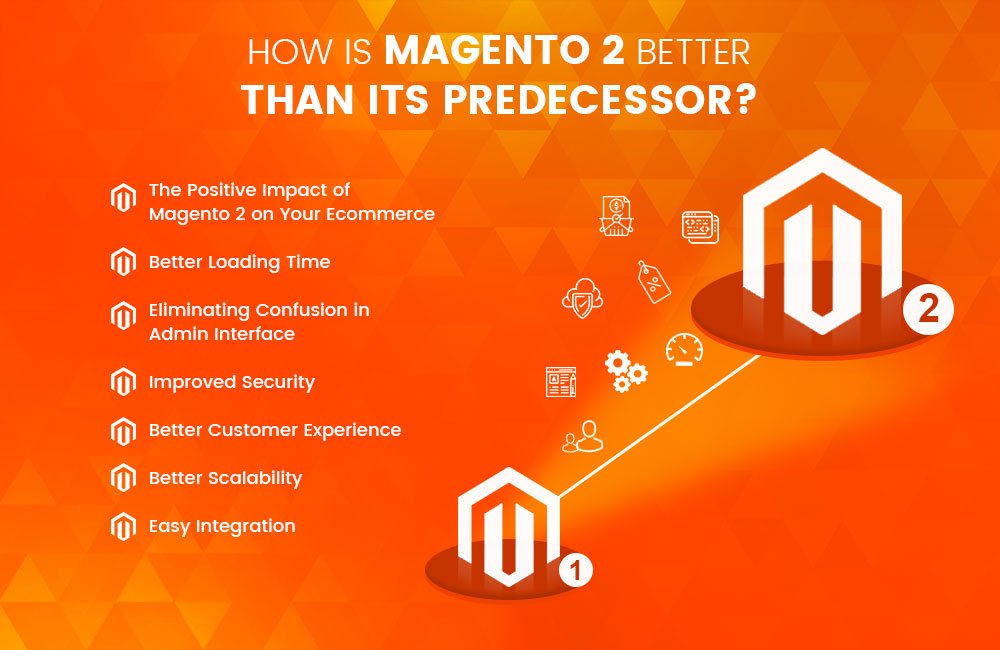
    Magento 2 is considered to be the best eCommerce website that supports multi vendors’ marketplace. After upgrading to Magento 2, you will notice your eCommerce site is working much better and faster than before.

    In this post, we will share with you some key benefits of migrating to Magento 2 and the performance enhancement that you will see soon after the migration.

    Increase in Conversions

    In order to increase the conversion rate, you have to reach the right audience, examine their behavior when they visit your online store.

    The checkout process in Magento 2 is much advance than Magento 1x as the entire process is very smooth, fast, easy, and secure for all the customers. It has one-page checkout that includes two steps where you can see shipping, review, and payment modes. These two steps make the checkout process simple and improve the customer experience. Magento 2 does not force visitors to register which means they can check out as guests without having to go through any registration process.

    Magento 2 increases the load speed by removing the temporary malfunction. Though, it automatically identifies the registered customers based on their email ID. Magento 2 makes it easy for the users to see everything they have ordered even before placing an order. All the up-gradation features reduce the checkout friction which causes cart abandonment rates.

    Page Load Speed

    As per research, 40 percent of visitors leave the website if it takes more than ten seconds because customers expect a site to load within seconds and in this way, you lose almost all the visitors before they turn into customers.

    Without a doubt, Magento 2 is better than Magento 1. It comes with improved features that increase the performance speed of a store. Magento uses Varnish cache and HTTP to cache common requests. This makes the task easy for the admin

    users to create and edit eCommerce about the product details without any clash in Magento 2. Magento 2 is 50 percent faster than Magento 1 when it comes to page loading speed.

    Caching boosts the site performance but it can only happen when it is done correctly. Full-Page Caching (FPC) is available in both community and enterprise editions. Admin users will find it easier to create and edit eCommerce product information. Thus, it improves the scalability by increasing conversion of your site, enhances server response time, and making the backend process stronger.

    Increase in mobile traffic

    As per the recent survey, more than 80 percent of internet traffic comes from mobile devices. Magento 1 does not completely support such kinds of users whereas Magento 2 is optimized for mobile use for different screen sizes. A well-optimized mobile site and a user-friendly device will encourage users to browse more and buy a desired product or service. With Magento 2 you can design a mobile-specific theme that provides easy navigation. For easy access, you can also optimize the admin panel. So now you don’t have to sit at a desk and manage your store – you can do it quickly with your smartphone.

    Increase in SEO performance

    As stated above, the page loading speed in Magento is much lesser than Magento 1. It also helps in optimizing your SEO ranks. Search engines like Google; give utmost importance to page loading speed. This is backed up by the fact that today’s generation of users tends to lose interest exponentially with an increase of each second of page loading speed.

    When you upgrade your store to Magento 2, you will see that your page loading speed has decreased to a great extent even without using an extension. In addition, you can always install an advanced extension for better optimization.

    Final Thought

    Migrating to Magento 2 will increase your conversion rates; reduce cart abandonment and gives a better shopping experience to your customers. You can contact us if you need help or expert advice regarding migration.

    You can talk to the Magento developers at Mage Monkeys. Our migration expert will seamlessly handle the entire responsibility for the transition and guide you on which extension you may use in your Magento 2 store.


    Best Magento SEO Practices To Get You Higher On Google Search Results

    Every Magento store owner wishes to appear higher on the search results list. But, how one can achieve that?

    It is quite an easy task that involves a number of steps. The first step is to optimize the site itself to be picked up by search results. You need to have knowledge of how to harness SEO which is easy to master with the basics.

    Before getting into detail, first, let’s understand the term SEO?

    Search Engine Optimization (SEO) directly refers to any attempts to enhance the standing of a site or other form of online presence in search engine rankings. Here keywords play an important role because Google and other search engines rank sites in the results based on how relevant it finds them to initiate the search. SEO makes the site content optimized in order to increase its ranking in search engines.

    Here we have listed some of the highly effective and simple SEO practices that will enable you to optimize your site for top search engines.

    Let’s get started.

    URL

    Always create URLs that do not have any codes attached to them as no codes URLs are much friendlier to SEO. You can also clean already existing codes by eliminating the codes which are attached to the URL. Further to this, while still on the settings menu for SEO, try to find the server URL rewrites and set it to yes. This will remove the index.php from the end of any URL, making them even more SEO-friendly.

    Content is King

    Content is the most important aspect when it comes to SEO. For an optimized online shop, you need to have a product description that is fully informative and does not harm the look of the site. Meta-data is as important as any other kind of SEO so remember to fully fill in.

    Product Images Optimization

    Along with content, you need to optimize pictures and videos are better SEO. These parts of a site are often overlooked but are just as important for search rankings. File names are part of SEO, and so they should be named with care and attention towards the future.

    Titles and Descriptions

    Keeping titles deliberately empty will work best when you do the customization as it will become exactly what has been input before and it will not rely on the parent category. Overall, this will make the individual titles more visible to SEO. The same goes for description, default values in store view allow page title and description to be overwritten which makes the content and description more SEO friendly.

    Keyword Usage

    If Magento site users make use of their own specific keywords then the platform itself inserts their own keywords and these keywords are not optimized for SEO usage. You can edit the keywords via the setting page. Go To configuration -> design -> HTML. Here you can edit the descriptive keywords to better fit with the SEO needs of the site. Make it a point that you always use a proper keyword to name your product.

    Getting Rid Of Duplicate Content

    Duplicate content will harm your website ranking as it will confuse the SEO making it left out of search results entirely. For better optimization, you have to go over all the content on the site multiple times just to ensure that there is no duplicate content or as little as possible. Having the same content means that your website is not SEO optimized.

    Extensions

    Extensions come to the rescue when the Magento site needs some extra features. It is also useful in SEO optimization. Below three are in particular very useful to site owners:

    Internal SEO Linking –To improve search engine rankings, this extension offers free SEO services.

    SEO Pagination –It helps in increasing SEO for each category by bringing search robots to look at pagination issues logically.

    SEO Pack by GPMD –.This extension assigns custom robots to each task by improving on-page SEO.

    Tag Structure

    Tag structures are basically the way in which people navigate the site as tags are part of all content and description. A simple rule, use H1 tags for catalog names in the site and H3 tags for some particular product names. Tags allow the SEO robots, who run searches to understand the importance of what is being tagged.

    Robot.txt

    Robot.txt is a small text file that is used to find information by search engines and it is active on all websites. The default Magento template does not consist of such file but if a user wants to take advantage of the SEO optimization can create your own file.

    Conclusion

    It is very important to be on the first page on search engines as it increases the chances of being seen. Our mentioned tips on moving up your search engine ranking will provide you with some of the ideas surrounding keywords and content optimization.

    Don’t expect overnight results. It will take some time for search engines to show all your hard work has paid off. Just keep optimizing your Magento site and a better result will come.

    How to export each order into csv file when it will be placed?

    This functionality will be done by and event observer. And Event is “checkout_onepage_controller_success_action”.

    In this event you can get the current order data and you will be able to export this data in to csv.

    Step 1: For add the event you have to make a events.xml in your module and paste the below code into it.

    <?xml version="1.0"?>
    <config xmlns:xsi="http://www.w3.org/2001/XMLSchema-instance" xsi:noNamespaceSchemaLocation="urn:magento:framework:Event/etc/events.xsd">
        <event name="checkout_onepage_controller_success_action">
            <observer name="customorderexport" instance="MagemonkeysCustomexportObserverOrderexport" />
        </event>
    </config>

    Step 2: Now you have to create a Orderexport.php file in Observer folder and place the below code into it.

    <?php
    
    namespace MagemonkeysCustomexportObserver;
    
    use MagentoFrameworkEventObserverInterface;
    use MagentoFrameworkAppFilesystemDirectoryList;
    use MagentoFrameworkFilesystem;
    use MagentoFrameworkFilesystemDirectoryWriteInterface;
    use MagentoStoreModelScopeInterface;
    
    class Orderexport implements ObserverInterface
    {
    	protected $_request;
    	protected $_order;
    	protected $_productRepository;
    	protected $_scopeConfig;
    	protected $_customer;
    	protected $_storemanager;
    
    	public function __construct(
    	    MagentoFrameworkAppRequestInterface $request,
    	    MagentoSalesModelOrder $order,
         	MagentoFrameworkAppResponseHttpFileFactory $fileFactory,
    		Filesystem $filesystem,
            MagentoFrameworkAppConfigScopeConfigInterface $scopeConfig,
            MagentoCustomerModelCustomerFactory $customer,
        	MagentoStoreModelStoreManagerInterface $storemanager,
    		MagentoCatalogModelProductRepository $productRepository
    	) { 
    		$this->_scopeConfig = $scopeConfig;
    		$this->_customer = $customer;
    		$this->_storemanager = $storemanager;
    	    $this->_request = $request;
    	    $this->_order = $order;
    	   	$this->_fileFactory = $fileFactory;
            $this->directory = $filesystem->getDirectoryWrite(DirectoryList::VAR_DIR);
            $this->_productRepository = $productRepository;
     	}
    
    	public function execute(MagentoFrameworkEventObserver $observer) {
    		
    		$post = $this->_request->getPost();
    		
    		$orderids = $observer->getEvent()->getOrderIds();
    
    
    	  	foreach($orderids as $orderid){
    
            	$order = $this->_order->load($orderId);
    
    
            	$websiteID = $this->_storemanager->getStore()->getWebsiteId();
    			$customer = $this->_customer->create()->setWebsiteId($websiteID)->loadByEmail($order->getCustomerEmail());
            	$customerId = $customer->getId(); // using this 
            	$customerPoNumber = $customer->getCustomerNumber(); // using this 
    
    
    			$headers = array('Magento_Account_Number','Back_Office_Account_Number','Transaction_Date','Transaction_Time','Magento_Transaction_Number','Client_Reference_Number','Item_Number','Quantity_Sold','Selling_Price','Discount');
    
    			$name = strtotime("now");
    		    $file = 'customorderexport/'.$name.'_detailed_orderexport.csv';
    		    $this->directory->create('customorderexport');
    		    $stream = $this->directory->openFile($file, 'w+');
    		    $stream->lock();
    		    $stream->writeCsv($headers);


    	        $items = $order->getAllItems();
    			foreach ($items as $item) {
    				$orderdetail['Magento_Account_Number'] = $orderdata->getData('created_at');
    		        $orderdetail['Order_Number'] = $orderdata->getData('increment_id');
    		        $orderdetail['Transaction_Date'] = date('Y-m-d',strtotime($order->getCreatedAt()));
    		        $orderdetail['Transaction_Time'] = date('h:i A',strtotime($order->getCreatedAt()));
    		        $orderdetail['Magento_Transaction_Number'] = $order->getIncrementId();
    		        $orderdetail['Client_Reference_Number'] = $customerPoNumber;
    				$id = $item->getProdcutId();
    				$product = $this->_productRepository->getById($id);
    		        $orderdetail['Item_Number'] = $product->getAutoKoolNumber();
    		        $orderdetail['Quantity_Sold'] = $item->getQtyOrdered();
    		        $orderdetail['Selling_Price'] = $item->getPrice();
    	        	$orderdetail['Discount'] = $order->getDiscountAmount();
    	        	$stream->writeCsv($orderdetail);
    		    }
    
    		    $stream->unlock();
    		    $stream->close();
            }
    	}
    
    }
    ?>

    That’s it.

    Note- I have use the field and data as per my requirements. You will change this as per your requirements.

    How to display customer location on the admin order page in Magento 2?

    In Magento 2 customer IP is generally getting displayed at the admin order page, But not the customer location.

    So today we are going to talk about displaying customer location on the admin order page by using a location API.

    Follow the below tutorial step wise to get it done:

    1. Create {{Your Vendor name}}/{{Extension Name}}/registration.php
    For Example : Magemonkey/CustomerLocation/registration.php

    <?php
    
    MagentoFrameworkComponentComponentRegistrar::register(
        MagentoFrameworkComponentComponentRegistrar::MODULE,
        'Magemonkey_CustomerLocation',
        __DIR__
    );

    2. Create {{Your Vendor name}}/{{Extension Name}}/composer.json
    For Example : Magemonkey/CustomerLocation/composer.json

    {
    	"name": "magemonkey/customerlocation",
    	"version": "1.0.0",
    	"description": "Display Customer Location on admin order page",
    	"type": "magento2-module",
    	"license": [
            "OSL-3.0",
            "AFL-3.0"
        ],
        "autoload": {"files": ["registration.php"], "psr-4": {"Magemonkey\CustomerLocation\": ""}},
        "keywords": [
    		"eCommerce"
    		,"freegeoip.net"
    		,"Geolocation"
    		,"Magento"
    		,"Magento 2"
    		,"Magento extension"
    	]
    }

    3. Create {{Your Vendor name}}/{{Extension Name}}/etc/module.xml
    For Example : Magemonkey/CustomerLocation/etc/module.xml

    <?xml version='1.0'?>
    <configxmlns:xsi='http://www.w3.org/2001/XMLSchema-instance' xsi:noNamespaceSchemaLocation='urn:magento:framework:Module/etc/module.xsd'>
    	<module name='Magemonkey_CustomerLocation' setup_version='1.0.0'/>
    </config>

    4. Create {{Your Vendor name}}/{{Extension Name}}/view/adminhtml/layout/sales_order_view.xml
    For Example : Magemonkey/CustomerLocation/view/adminhtml/layout/sales_order_view.xml

    <?xml version="1.0"?>
    <page xmlns:xsi="http://www.w3.org/2001/XMLSchema-instance" xsi:noNamespaceSchemaLocation="urn:magento:framework:View/Layout/etc/page_configuration.xsd">
    	<head><script src='Magemonkey_CustomerLocation::general.js' defer='defer'/></head>
    </page>

    5. Create {{Your Vendor name}}/{{Extension Name}}/view/adminhtml/web/general.js
    For Example : Magemonkey/CustomerLocation/view/adminhtml/web/general.js

    require([
    	'jquery'
    	], function($) {$(function() {
    		var $ipAddressCell = $('.order-information-table td').filter(function() {
    			return /d+.d+.d+.d+/.test(this.innerHTML);
    		});
    		if ($ipAddressCell.length) {
    			var address = $ipAddressCell.html();
    			if ('127.0.0.1' !== address) {
    				$.get('https://freegeoip.app/json/' + address, function(data) {
    					var location =
    						[data['country_name'], data['region_name'], data['city']]
    							.filter(function(item) {return !!item;})
    							.join(', ')
    					;
    					var $ipAddressRow = $ipAddressCell.closest('tr');
    					var $geoRow = $('<tr>')
    						.append($('<th>').append($.mage.__('Customer Location')))
    						.append($('<td>').append(location))
    					;
    					$ipAddressRow.after($geoRow);
    				});
    			}
    		}
    	});
    });

    After follow above steps run below commands:

    - php bin/magento setup:upgrade
    - php bin/magento cache:flush

    Once you’ll execute above steps, you’ll able to see the location at the admin order view page as shown below:

    How to change product price on front-end using plugin in Magento? [Step-by-step Guide]

    Step 1: Create di.xml file in etc/frontend. Put below content in it.

    <?xml version="1.0"?>
    <config xmlns:xsi="http://www.w3.org/2001/XMLSchema-instance" xsi:noNamespaceSchemaLocation="urn:magento:framework:ObjectManager/etc/config.xsd">
        <type name="MagentoCatalogModelProduct">
    		<plugin name="change_product" type="MagemonkeysChangepricePluginChangeProductPrice" sortOrder="1" disabled="false" />
      	</type>
    </config>

    Step 2: Create di.xml file in etc/webapi_rest. Put below content in it.

    <?xml version="1.0"?>
    <config xmlns:xsi="http://www.w3.org/2001/XMLSchema-instance" xsi:noNamespaceSchemaLocation="urn:magento:framework:ObjectManager/etc/config.xsd">
        <type name="MagentoCatalogModelProduct">
    		<plugin name="change_product" type="MagemonkeysChangepricePluginChangeProductPrice" sortOrder="1" disabled="false" />
      	</type>
    </config>

    If you add this plugin only in front-end area then the change price functionality will not work on checkout and cart page. So you have to create another di.xml file in etc/webapi_rest folder.

    Step 3: Create Plugin Folder and Create ChangeProductPrice.php in it. Put Below content in it.

    <?php
    namespace MagemonkeysChangepricePlugin;
     
    class ChangeProductPrice
    {
        public function afterGetPrice(MagentoCatalogModelProduct $subject, $result)
        {
            /* Put your logic here and return the $result */
            return $result+10;
        }
    }

    Step 4: After that run the upgrade, compile, static-content deploy and flush cache command through the terminal as below. And you can check now.

    php -dmemory_limit=6G bin/magento setup:upgrade
    php -dmemory_limit=6G bin/magento setup:di:compile
    php -dmemory_limit=6G bin/magento setup:static-content:deploy -f
    php -dmemory_limit=6G bin/magento cache:flush

    Your Monthly Magento Website Maintenance Checklist

    Do you think you have a website with a perfect look is enough for an eCommerce seller?

    Well, the answer is no…

    As a store owner, you need to ensure that the store runs seamlessly all the time. One might think that the monthly maintenance of your Magento website is a tedious task but it will save a lot of money and time in the long run. If you avoid timely maintenance then it may cause serious issues with the website performance and you will also see the loss of sales, revenues, and customers. Hence, in order to ensure that the store is on a top performance level, you have to carry out monthly Magento maintenance check-up.

    To give you a clear picture and understanding, we have listed 8 important steps that summarise the complete monthly Magento website maintenance that you must follow.

    Step 1: Analyse the site’s performance

    Begin with a performance analysis that aims at spotting any potential problems that are existing or may arise in the future. There are tools available such as Google Analytics which enables you to monitor key parameters such as traffic, bounce rates, form submissions, orders, and more. Keep a close on these parameters as it shows the result, for example, a high bounce rate may show issues with speed, content, or spam traffic. Abnormal traffic spikes, the reduction in conversion rates, and a decline in orders are other concerns to watch out for.

    Step 2: Examine site speed

    Site speed plays a significant role in generating more revenue as a super-fast website offers a better user experience. Visitors can seamlessly access the store, view pages, and navigate the site. Whereas a slow loading page will lead to high bounce rates and cart abandonment. Thus, to identify the need for Magento optimization you have to run a speed test so that you can take the requisite action.

    Step 3: Execute security measures

    After speed, comes security, it is another top priority for any eCommerce website. Your monthly maintenance routine must include a security check. Neglecting this step can put user data at risk and it can cause other issues for your business. Besides, Google also gives priority to those sites that are secure and gets them on top of search rankings.

    Step 4: Check on broken links

    Your Magento store can have broken links which can hamper the user experience and lead to cart abandonment. Therefore checking those links should be a part of your maintenance check. Tools like Google and Bing webmaster can make it easy to detect error pages and enable you to fix such pages so that you can provide a smooth user experience to your visitors.

    Step 5: Test forms

    Next is to check the forms that make a part of the selling and marketing process. Checking forms is another key part of maintaining your Magento eCommerce store as forms collect user information, email, addresses, contact details, and leads. So, a minor fault in the process can result in the loss of leads.

    Step 6: Examine the order process

    Your monthly maintenance checklist should include testing of the order process. It is vital to test the entire order process not only monthly but on a regular basis to make sure that every UX is a seamless one. Keep a check on various parameters like product navigation, add-to-cart, checkout, and payment.

    Step 7: Backup is important.

    Always keep a backup of your Magento store because disasters can happen despite the best security measures. An updated backup will rescue your store if there is a hacking attack on the store or a sudden crash. And also, check the backed-up copy as well. Additionally, store information offsite as an extra security measure so that you have something to fall back on in case of an unexpected incident.

    Step 8: Keep updated content on the site

    apart from all the technical aspects, your site should always have fresh content for your visitors. Begin with Magento design; give your site a complete makeover once in a while or at least seasonally. Likewise, a new blog post or fresh content works as a wonder in engaging more visitors and increasing site traffic through SEO. Moreover, you can run a contest or promotional campaign just to give it a fresh look and engaging for the visitors.

    Conclusion

    The best way to do this is to know the elements on this list and have an experienced maintenance partner take care of it. Typically, it comprises seemingly small tasks which can make a massive difference when it comes to keeping your online store in good condition. The above points summarize the maintenance of your Magento store to a large extent. To carry out the monthly maintenance of your Magento store smoothly you may require hiring professionals. At Mage Monkeys we cater a complete range of services, right from development to migration, customization, maintenance, support, and more.

    Connect with us and we will help you with your monthly maintenance requirements.

    Magento 2: How to remove “Estimate shipping costs and tax” block form cart page?

    Follow below steps to remove “Estimate shipping costs and tax” block in cart page Magento 2.

    1. Override “checkout_cart_index.xml” file in your theme or your module and add below code.

    <body>
    <referenceBlock name="checkout.cart.shipping">
     <arguments>
     <argument name="jsLayout" xsi:type="array">
     <item name="components" xsi:type="array">
     <item name="block-summary" xsi:type="array">
     <item name="config" xsi:type="array">
     <item name="componentDisabled" xsi:type="boolean">true</item>
     </item>
     </item>
     </item>
     </argument>
     </arguments>
    </referenceBlock>
    </body>

    2. Override template file checkout/cart/shipping.phtml in your theme or module and comment below code in this file.

    <div class="title" data-role="title">
     <strong id="block-shipping-heading" role="heading" aria-level="2">
     <?php /* @escapeNotVerified */ echo $block->getQuote()->isVirtual() ? __('Estimate Tax') : __('Estimate Shipping and Tax') ?>
     </strong>
    </div>

    3. Run cache:flush command then check your cart page.

    CONTACT US to get Magento programming solutions by hiring a certified Magento expert.

    A Complete Guide On Magento Site Audit

    You don’t want your site to slow down or crashes for no apparent reason so it is advisable to set up a watch on the areas that matter the most to your site and schedule a periodic audit. To help you in the right direction and keep your Magento store maintained we have presented the entire audit checklist.

    Why do I need an Audit?

    As an owner, it is your responsibility to make sure that your customers stay unharmed. A site audit will protect your website from the hacker. If any unethical movements are taking place like stealing the card information or controlling the customers’ personal data then a site audit will identify such attempts and inform you immediately. It also audits existing issues which are bugging your system so that you can solve them before they grow further. It allows you to chart out the next course of action for your websites like performing minor fixes, an update, or a migration.

    Thus, if you want your website to run smoothly and develop performance then you have to perform a regular site audit.

    What do I Audit?

    Your audit should cover the major three sectors:

    1. Security

    Your site collects your customers’ personal details so you need to minutely monitor any known symptoms of common Magento hacks. Keep a close eye on existing security patches, changes in the mode or any kind of modification are done in the extension. Recheck the administrator accounts and payment configuration. Magento site audit will detect any vulnerability in the payment methods, administrative credentials, and site control due to the changes in certain settings.

    2. Performance

    The growth of your business is directly connected to your site performance. You should measure the speed of your hosting services, page download, and response time. Make sure your site does not throw any 404 errors. Your site design and theme helps in attracting new visitors to see that both are responsive. A Performance audit may suggest you enhance your design or a complete overhaul. You might also have to do design optimization and upgrading to the latest versions

    3. Health

    Health combines both, security and performance. Its main focus is on adherence to the best practices. Health audit checks any core edits or overrides to the Magento core code. A proper health check will keep the system clean, tell you about changes in the settings and also the extension disability or not

    How do I Audit?

    A Magento website audit takes into account four main areas.

    1. Server

    A server audit is all about network configuration, log files, security, checking applications and services, users. Let’s elaborate on them:

    1.1. Users

    Your audit should first check how a user accesses your system and provided the authentication mode of the user. After the identification is done you categorize the list of users into roles and functions and then do an evaluation of their access. This way you can identify different types of users and their role in the system. If you come across a user with an access right but without a need then you can simply remove the user.

    1.2. Network configuration

    The network configuration has three prime aspects which need your attention while auditing. They are configuration, Listening ports, and Firewall. The configuration will check whether the IP addresses, netmask, and gateway are secured. Listening ports offer insights on the active services so that you can check their purpose in the business. Last is the Firewall that is the network shield. You can configure the setting of the firewall as per your system storage. Keep it simple, the more sensitive the data, the fewer number of systems it should communicate with.

    1.3. Security

    Always check whether proper access rights have been assigned to different users based on their business roles. For better security you may choose to assign controlled access to the users can prevent any unauthorized execution of files. There will be some files in the system where you will see no proper owner in such

    cases you have to put SetUID or SetGID into action and block any type of illicit file execution. This way you can protect your system from attacks.

    1.4. Log files

    Log files contain an account of all the actions that have been performed on the system so it is said that log files should be protected and rotated. Keep a check whether all calls and actions are timely logged. Check Syslog configuration for a secured logging mechanism and find out if remote logging is allowed by the system. If you do not find remote logging in the system then we would suggest you deploy a SIEM solution to start the practice.

    1.5. Applications and services

    Your server is filled with applications and services therefore as a part of the server audit keep looking at these applications. An audit provides you with types of applications and how much your server is exposed to attacks. While looking if you come across any untrusted application then you can create backdoors for other applications. The timely check will have an impact on both security and performance.

    2. PHP

    PHP works with multiple RDBMS. It helps in creating dynamic pages so when you audit PHP always check whether the system has the latest and updated version installed. PHP uses different resources to perform different types of functions, therefore, you need to check out how much resource it is consuming and ways to optimize the consumption. Like any other codes, PHP codes also break down but you can ensure that if any such situation arises because of incorrect compilation or wrong configuration or simply by code break then such error does not show up on your live website.

    3. Magento

    Magento is the third most popular eCommerce platform. Nearly 62 percent of Magento stores are vulnerable to malicious attacks. If your store is running on Magento then you got to be extra careful and find the best way to protect your site. There is a number of scanners who can help you. Find the one who checks for brute force attack attempts, identifies the presence of Visbot malware, tells you if your APIs are exposed or your web forms are under the threat of RCE.

    The scanner you select should be able to check the core Magento and inform you about the status of the security patches 9652, 6482, 7405, and 6788, whether your admin is disclosed, has there been any ransomware attack attempts, or is there a presence of Gurulnc Javascript. In addition, if your scanner checks for vulnerabilities among the 3rd party extensions then there’s nothing like it. For a site that faces thousands of visits and hundreds of transactions, just an automated scan will not serve the purpose. In addition, you need to personally check the site’s backend and front end separately.

    3.1. Backend audit

    Backend audit checks the Magento development standards and security updates. It also identifies if there are any loopholes in the code that may result in the backdoor entry into the system. Backend audit will ensure checking of overall performance and examining the queries made in PHP. The checking also includes server-side technologies, usage of external modules, and integration process.

    3.2. Front end audit

    Frontend auditing checks JS, CSS, and the independently developed JS plugins. You can even check the page speed by using Google page speed or Yslow or GTMetrix. Auditing also checks the Magento template. These different findings will help you optimize your site performance.

    4. MySQL

    You need to have a clear understanding of the entire database and the relationship when you audit MYSQL. The first audit will check tables once you get the complete picture of different types of tables then next come storage engines further it checks indexes and efficiently order access to records all RDBMS use a database index or a set of database indexes. Check out whether if there is any such index present in your system.

    You also need to look at the user permissions especially when you have a critical system running to capture your customer information, product information, transaction information, and more. You don’t need someone dealing with product data to look into customer data and vice versa, right?

    The next important step is to inspect the log files. MySQL uses diverse types of logging technologies that can be used for auditing.

    4.1. Error log

    It works on the log_warning system variable that maintains a record of all the warnings. This log is used to debug any critical errors.

    4.2. Slow query log

    The SQL statements that have taken a long to execute are logged here. It helps in identifying the queries that take a long time and impact the performance of the site.

    4.3. Binary log

    When you’re to review data modifications done using committed transactions, you’re to find them under the binary log. This may not help in pointing out any suspicious selection but helps you to find out the detail on any changes done to the database.

    4.4. Custom made triggers

    As an alternative to binary log review, you may choose to use custom-made triggers to get the detail on any modification of data. Although it offers flexibility in auditing, it’s too cumbersome to maintain.

    4.5. General log

    This is a catch-all technique. The general log records all queries a server receives. This is the most detailed logging technique, at the same time it takes a lot of time to sift through as this one doesn’t have any filtering mechanism.

    Bottom Line

    More than 2,200 Magento sites have been a victim to malicious attacks. With 7 more months to go and complete ignorance with respect to how many more sites, 2019 will claim, all we can comment is, the rise of the attack on Magento is scary. But it needn’t be this way.

    A little more careful deployment, regular maintenance, and a periodic audit, by trained webmasters, can bring this number down. If you plan the set of checks discussed and start tracking them, then you will save yourself from a lot of stress, effort, and money involved in correcting your system. And that we believe is the way to go for a site that deals with sensitive data – from a customer’s delivery address to her money.

    Need help auditing your Magento site?

    We’ve had a lot of experience customizing Magento here at Mage Monkeys. If you need help, head over to the Mage Monkeys contact page, or email us at contact@magemonkeys.com

    Maintain Your Magento Website With These 10 Best Practices

    If your Magento store is running fine then you might think “why to maintain?” but the below-mentioned four reasons will make you think the other way around about the maintenance of your Magento site.

    • Resource Misallocation

    For providing a better user experience, your development team constantly adds new features. Adding more and more features will increase the maintenance of the Magento website.

    • Scavenging TAT

    Magento maintenance needs a quick turnaround time to solve any issue. Generally, the maintenance is avoided the focus shift from maintenance to development which leads to poor performance and then a loss of traffic.

    • Growing Complexities

    Added functionalities make things easier but also come with complexity which harms the website performance. Due to which the development team gives more time to new services and when you realize support service is no longer in your hands.

    • Cloud Factor

    Cloud management functions include daily codebase, database backup, and also monthly server cleanup along with security patch installation. These functions may delay the maintenance of your website.

    Today, you need to have a fresh perspective built on the continuous delivery model as it will keep a version ready for release on any given day. It will blend automated coding, unit tests, and integration with manual acceptance tests. The model provides complete visibility and instant feedback to thrash an issue the

    moment it crops up. Following 10 best practices will extend their support to your continuous delivery model.

    10 Best Practices for Maintenance and Support

    1. Keep Install Clean

    You have to regularly clean or archive the database logs and delete the unwanted images. For easy maintenance, keep monitoring the server specifically the 404 error log. This will make the setting up the right redirects.

    2. Periodically Optimize Database

    Make sure you optimize the database at a regular interval. Maintain a robust backup and set it up periodically for database further schedule it during non-peak hours. Never short play reindexing, set up a cron job for that.

    3. Update Magento Platform

    Without any delay implement the security patches that are released regularly. This way you can keep your site well-guarded from attacks.

    4. Update Magento Extension

    To reduce the risk of non-performance keep checking frequently used extensions also it will help you in identifying updates.

    5. Update Staging Site

    Next to the practical step is to check that your functionalities and services are checked on the staging server because this will make sure that the functionalities work smoothly in the live environment.

    6. Load Test Performance

    By adding artificial traffic to the product and checkout pages you can test the response time. Here you will check the consistency within the site.

    7. Sleepless Server Monitoring

    Make use of automated site monitoring tools like New Relic and Ruxit. These tools keep an eye on your site all the time and trigger alerts if there is an important update or change.

    8. Set Deployment Process

    During development, the phase keeps track of the code version and also tests the system with all the custom code pulled into code control.

    9. Ensure Site Security

    With two-factor authentication, you get an extra layer of security. Protect your data by using SFTP and ensure timely site audits to identify any threats.

    10. Keep Emergency Contact

    Always get in touch with an internal team to receive and understand queries. If you are working with a partner then it’s your responsibility to know your project or account manager well.

    Take Away

    Proper maintenance will give the seamless performance of your site and it will also keep issues at bay before they become critical. Make sure your developer gives primary focus in providing Magento support services. These tips will help you run your business without compromising on your service quality, new feature releases, and customer relations.

    Does Your Magento Store Lack Adequate Support & Maintenance?

    Magento is the most popular platform for creating an eCommerce website. It consists of a good level of customization which can make your site fit seamlessly with your website’s design theme and business practices. It lets you create a shop that suits your style, picking, and all the needs as per your business requirements.

    As a Magento store owner, you need to make sure that your site is running smoothly and efficiently. For example; if your site goes down or your shop stops working then you might lose your potential customer at the last stage of making a purchase. It’s not only about such crashes but slow-to-respond sites are also frustrating. These kinds of situations can harm your revenue and also your online brand reputation. A little delay in maintenance and potential sales are lost as customers visit any other website. Hence, merchants should realize that the Magento store needs a good deal of care and attention to keep it in top running order.

    Below are some best ways to ensure that you are getting the very best kind of Magento support and maintenance.

    Upgrade to the latest version

    If your Magento version is always updated then you will be able to take its full advantage as newer versions receive constant upgrade features that might make your website stand out. So, always spare a few minutes to upgrade your Magento version.

    Choose a reliable hosting service

    You have to select a reliable hosting service that comes with all the industry-standard security features. Make sure that you choose a channel that is HTTP secured as it will give you added SEO benefits.

    Configure Magento site cache

    Opt for varnish cache to improve the performance of your site as it will act as a web accelerator to increase the speed of your Magento site by saving a copy of the page in the RAM.

    Secure the server environment

    You have to keep your server safe and secure from a whole range of online and environmental threats. Your site consists of sensitive data of your customer so it’s your duty to make sure you are doing everything possible to keep this safe.

    Remove the test products

    Test products that remain on your site lead to inaccurate reporting and slow down the front-end inquiries. They consume a lot of disk space and reduce the overall speed of your Magento site.

    Update Magento extensions

    There are number of extensions used in the Magento site for themes and other functions so along with Magento update, you also have to update those extensions.

    Hire a Magento maintenance company

    You may find the above Magento website maintenance tips easy but it is easier said than done. For any type of online business say sports store, health food emporium, etc. you need a Magento maintenance company to carry out this task. Your store needs regular care and attention to hiring a professional or team of professionals will make things easier and you can focus on running your business.

    Why choose Mage Monkeys for Magento Maintenance & Support?

    We have a team of professional Magento developers to keep you up to date with everything that is going on. We completely understand inside and out and can surely help you and your business to get the most from your Magento site. Our prime focus is on the security of your site.

    Our team will work on essential upgrades for your site and have the skill to make good decisions about what will and won’t work for your business. We provide comprehensive 24/7 Magento support and maintenance service to make the entire process easy to understand. We have a wide range of support packages to choose from depending on your business needs.