We sacrifice by not doing any other technology, so that you get the best of Magento.

We sacrifice by not doing any other technology, so that you get the best of Magento.

    How to send mail to admin after customer signup front-side in Magento 2?

    By default in Magento 2 does not provide the mail functionality to admin when new customers signup. It means no email will be sent to the admin when a customer registers with the front side.

    If you want to get the mail sent to admin when new customer signup happens then do follow below steps:

    Step 1: Create a registration file like

    <?php
    MagentoFrameworkComponentComponentRegistrar::register(
        MagentoFrameworkComponentComponentRegistrar::MODULE,
        'Magemonkey_MailtoAdmin',
        __DIR__
    );


    Step 2: Create event file like

    <?xml version="1.0"?>
    <config xmlns:xsi="http://www.w3.org/2001/XMLSchema-instance" xsi:noNamespaceSchemaLocation="urn:magento:framework:Event/etc/events.xsd">
        <event name="customer_register_success">
            <observer name="sendmail_toadmin" instance="MagemonkeyMailtoAdminObserverMailtoAdmin"/>
        </event>
    </config>


    Step 3: Create module file like Magemonkey/MailtoAdmin/etc/module.xml

    <?xml version="1.0" ?>
    <config xmlns:xsi="http://www.w3.org/2001/XMLSchema-instance" xsi:noNamespaceSchemaLocation="urn:magento:framework:Module/etc/module.xsd">
        <module name="Magemonkey_MailtoAdmin" setup_version="1.0.0"/>
    </config>


    Step 4: Create PHP file in Magemonkey/MailtoAdmin/Observer/MailtoAdmin.php

    <?php
     
    namespace MagemonkeyMailtoAdminCustomObserver;
    
    use MagentoFrameworkEventObserverInterface;
     
    class MailtoAdmin implements ObserverInterface
    {
     
        const XML_PATH_EMAIL_RECIPIENT = 'trans_email/ident_general/email';
        protected $_transportBuilder;
        protected $inlineTranslation;
        protected $scopeConfig;
        protected $storeManager;
         protected $_escaper;
        
        public function __construct(
            MagentoFrameworkMailTemplateTransportBuilder $transportBuilder,
            MagentoFrameworkTranslateInlineStateInterface $inlineTranslation,
            MagentoFrameworkAppConfigScopeConfigInterface $scopeConfig,
            MagentoStoreModelStoreManagerInterface $storeManager,
            MagentoFrameworkEscaper $escaper
        ) {
            $this->_transportBuilder = $transportBuilder;
            $this->inlineTranslation = $inlineTranslation;
            $this->scopeConfig = $scopeConfig;
            $this->storeManager = $storeManager;
            $this->_escaper = $escaper;
        }
     
        public function execute(MagentoFrameworkEventObserver $observer)
        {
            
            
            $customer = $observer->getData('customer');
            
            $this->inlineTranslation->suspend();
            try
            {
                $error = false;
                
                $sender = [
                    'name' => $this->_escaper->escapeHtml($customer->getFirstName()),
                    'email' => $this->_escaper->escapeHtml($customer->getEmail()),
                ];
                $postObject = new MagentoFrameworkDataObject();
                $postObject->setData($sender);
                $storeScope = MagentoStoreModelScopeInterface::SCOPE_STORE;
                $transport =
                    $this->_transportBuilder
                    ->setTemplateIdentifier('1')
                    ->setTemplateOptions(
                        ['area' => MagentoFrameworkAppArea::AREA_FRONTEND, 
                        'store' => MagentoStoreModelStore::DEFAULT_STORE_ID,]
                    )
                    ->setTemplateVars(['data' => $postObject])
                    ->setFrom($sender)
                    ->addTo($this->scopeConfig->getValue(self::XML_PATH_EMAIL_RECIPIENT, $storeScope))
                    ->getTransport();
                $transport->sendMessage(); ;
                $this->inlineTranslation->resume();
                
                
            }
            catch (Exception $e)
            {
                MagentoFrameworkAppObjectManager::getInstance()->get('PsrLogLoggerInterface')->debug($e->getMessage());
            }
        
        }
     
    }


    Step 5: Then after run the below commands.

    php bin/magento setup:upgrade
    php bin/magento setup:static-content:deploy
    php bin/magento cache:flush


    That’s it…

    Now clean the cache and check it by creating new customer signup. You will find the mail of new customer’s sign up.

    Magento 2.3.5-P2 error cannot use a scalar value as an array in SessionManager.php on line 492

    The following error occurs while we using Redis for session storage Or file session storage :

    Warning: Cannot use a scalar value as an array in /home/web/domains/web.com/public_html/vendor/magento/framework/Session/SessionManager.php on line 492


    – Please follow the below steps to resolve it :

    Step 1: Please first override the following file: vendor/magento/framework/Session/SessionManager.php

    Step 2: Open SessionManager.php and find following function ‘_getHosts()’  replace below line from this function :

    return $_SESSION[self::HOST_KEY] ?? [];

    replace it with:

    return isset($_SESSION[self::HOST_KEY]) ? [$_SESSION[self::HOST_KEY]] : [];
    

    That’s it! The error should be solved now.


    Read This Article If You Want To Create Magento Theme From Scratch

    Today eCommerce stores have become the most popular medium for businesses to sustain, grow and get enhanced ROI. The latest version of this CMS offers a lot of advantages to businesses and so businesses are focused on building Magento stores that help them grow. To keep customers engaged on the site, it is important to have attractive themes. Themes are critical components of a Magento website or an online store. Apart from delivering usability, appealing storefronts give away an aesthetic feeling to the users. This means investing in creative and user-friendly themes is good for your store. You can create Magento themes that is completely customized for your business by choosing a reliable Magento development partner like ours.

    Here at Mage Monkeys, we stress creating beautiful and useful Magento themes for our clients. To accomplish the task, we have a strong team of experienced and skilled Magento developers who have past experience in creating Magento themes for varying industry niches. This has helped us to curate industry-specific solutions for our clients from time to time.

    The skills and expertise possessed by our developers let them create lightweight Magento themes for your business project with minimalist designs. Such themes load faster and are known for their speed.
    Magento platform can be used to build functionality-rich and highly interactive themes. To get the best out of this for your business when creating a Magento theme from scratch, our developers follow UI/UX standards to ensure nothing goes wrong in the process.

    Apart from that, we also make use of the latest media versions like WebP when creating Magento Theme. Using WebP helps you have images with decreased file size through the process of compression. This can be good especially when you have an online store with lots of images. Decreasing the size of the images will help us have improved the performance of the store or website.

    Through our Magento theme development services, we have been able to create satisfied clientele over the years. Understanding the nature of the business and its requirements, we create Magento themes from scratch that is completely customized. This helps them to deliver an outstanding user experience to their customers.

    Additionally, we have been able to help our clients with some positive changes in their businesses. Our clients experienced an increase in traffic on their eCommerce stores by implementing customized themes. Customized themes are created keeping the client business in mind and so everything right from navigation to product categorization, everything is planned well. Therefore, they witnessed a decreased bounce rate of a noticeable amount. This is actually good for any business as keeping visitors engaged in their store is what any online business wants.

    Another thing that our clients came across was enhanced user experience in their stores. Better experience on the online store means customers will be spending more time on the website to explore products and move around. When customers are satisfied with the way your website responds to their needs, they will spread the word for you without much effort. This can be one of the best ways to reach newer customers without investing in heavy marketing strategies.

    Again, we will create a well-planned and completely customized Magento theme to help your customers have a smooth buying journey. So, such ease of shopping experience will lead to more products getting added to the cart. This will increase the chances of customers making spontaneous purchases in the form of upsells and cross-sells along with their regular shopping behaviors.

    So as said above, more products in the cart mean higher chances of making sales. Businesses that went ahead with custom theme development for their Magento store were able to witness an increase in sales by 34%. Now it is important to understand that making more sales even by a few percent is good especially with competition getting stronger in the market.

    So, if you are planning to create a custom Magento theme for your website or store, then choosing us for the work can be good. With years of experience in designing and developing themes for different Magento stores belonging to varying industry niches, our team is capable to respond to any Magento project with utmost care and professionalism.

    To discuss your business needs and hire the Magento team accordingly, contact us today!

    34% Sales increased on changing eCommerce theme

    Yes, you read the title right. It’s an impressive result which we achieved for our client after changing the eCommerce site theme and making mandatory UI/UX changes.

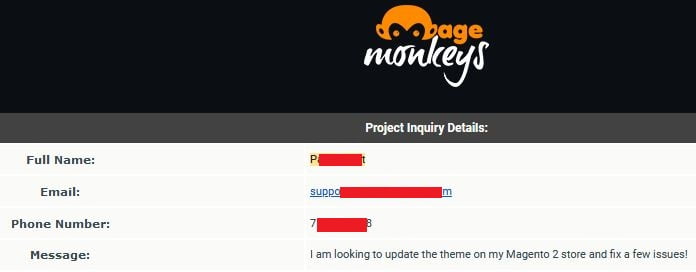
    Many eCommerce store owners are so busy in operation and management that they don’t look at the internal technical stats of their eCommerce store. Our client was one of them who made an inquiry at our site which read,

    Without doing further delay, our marketing team connected with the client at their preferable time & took the technical head on the conference.

    After doing the audit on the client’s site, we realized that client’s theme was heavy in weight which was taking a long time to load. Plus there was a scope for many UI/UX operations.

    We discussed it with the client and share the quotation. The client approved the quote and our creative UI designers and UX developers started working together.

    We created a new theme as per the client’s niche. The theme was not only light-weighted but it was also having perfect placements of products, buttons, and other media. We didn’t create the client’s theme randomly, but studied the competitors & market themes and did other research using some internal tools. It led our client to the path of success. In a month, our client’s sales went 34% up with the same marketing games & budget.

    Customizing the right theme won’t only give your store an attractive look, but also help you to gear up your sales targets. So don’t delay much. Run a Magento audit on your store & get the best from UI, UX & theme customization.

    Is your Magento store technically healthy?

    Magento is a big name in the eCommerce market adopted by numerous store merchants.

    Leveraging all technical benefits from Magento can help your business to achieve a good number of sales.

    But, the question is, are you leveraging all technological benefits?

    You may surprise, but the answer is NO in many cases.

    Latest Magento Trends:

    Magento offers the latest technological trends such as PWA, Headless Commerce, AR/VR, Voice Search, AI, etc. Many eCommerce stores are not utilizing it and missing their power to gear up sales profits.

    Security Updates:

    Not all the Magento store applies security patches regularly. Installing such updates will make your store & more healthy.

    Hosting Problems:

    Many stores have to regularly deal with maintaining and resolve hosting/VPS-related problems. A store can go down due to it which negatively impacts your sales. Many technological solutions are available for the same which can solve your hosting problems.

    Themes:

    50% of stores in the web world are using the same old theme. They generally don’t upgrade the theme which leads to a slow-loading site and that impacts sales.

    Magento Upgrades & Updates:

    Not all the store updates and upgrade Magento store at regular intervals. Upgrading the Magento store to version 2 isn’t enough. You have to keep upgrading your store with every latest version. Approx 65% of Magento stores don’t upgrade to the latest version.

    Data Learning:

    Many store owners are unaware of what products are being searched insight their store. This can be developed through Magento programmer and you can have daily reports of what users searched on your site. If you are able to put the most searched products on the homepage and make sure searched products stay available then the sales will take a positive turn.

    Unnecessary Codes & Plugins:

    It’s been observed while auditing the client’s admin panel that many clients have still installed unnecessary codes and plugins which makes the site slower.

    Apart from the above-listed points, there can be many tech games that can be played to make your Magento store more healthy.

    We at Mage Monkeys have helped our clients to achieve their desired sales.

    If you’re also struggling with sales or have any technical problem with your Magento store then we suggest you consult a Magento expert to leverage all Magento benefits & overcome your technical problems.

    How to set cookie variable in Magento 2?

    In today’s article we are going to describe that how to create cookie variable and assign value into it. We made a module for it and named it “Magemonkeys_General”

    The first step is to create a block file for this in Cookie.php location which is  app/code/Magemonkeys/General/Block/

    <?php
    namespace MagemonkeysGeneralBlock;
    use MagentoFrameworkViewElementTemplate; 
    
    class Cookie extends MagentoFrameworkViewElementTemplate 
    {
        private $cookieManager;
     
        private $cookieMetadataFactory;
     
        public function __construct(
            MagentoFrameworkStdlibCookieManagerInterface $cookieManager,
            MagentoFrameworkStdlibCookieCookieMetadataFactory $cookieMetadataFactory
        ) {
            $this->cookieManager = $cookieManager;
            $this->cookieMetadataFactory = $cookieMetadataFactory;
        }
     
        public function setCustomCookie($gender = '')
        {
            $publicCookieMetadata = $this->cookieMetadataFactory->createPublicCookieMetadata();
            $publicCookieMetadata->setDurationOneYear();
            $publicCookieMetadata->setPath('/');
            $publicCookieMetadata->setHttpOnly(false);
     
            return $this->cookieManager->setPublicCookie(
                'gender',
                $gender,
                $publicCookieMetadata
            );
        }
     
        public function getCustomCookie()
        {
            return $this->cookieManager->getCookie(
                'gender'
            );
        }
    }

    Then create cookie.phtml file in below location app/code/Magemonkeys/General/view/

    Set cookie :

    $blockName = $block->getLayout()->createBlock('MagemonkeysGeneralBlockCookie');
    $setcookie = $blockName->setCustomCookie('man');

    Get cookie :

    $blockName = $block->getLayout()->createBlock('MagemonkeysGeneralBlockCookie');
    echo $getcookie = $blockName->getCustomCookie();

    That’s it.

    How Magento Performance Optimization Service Can Improve Sales?

    In case of a Magento eCommerce store, loading time of webpages is very crucial. The speed of the website is directly proportional to its sales. A website that renders in less than 3 seconds has better chances of making conversions. Having an eCommerce store that lists 1000s of products will not be able to do well if its loading time is quite low.

    The reputation of the website gets affected by the website loading speed. The visitors will not be much patient and will leave the site if it takes more time to render. They will start looking for alternatives that offers them enhanced user experience.

    Page load speed has always been a priority factor for Magento store performance. Over the years its requirements have been changing and getting stricter. Magento store optimization is carried out by Magento development companies to help businesses have better performing Magento stores and improve their sales in the process.

    Before you get deeper into Magento performance optimization, just understand that speed and revenue go hand in hand. The faster your website loads, the more sales you would make.

    Even the big eCommerce giants like Walmart and Amazon have understood the importance of website speed and knows that they can have increased revenue of 1% if the speed increases by 100 milliseconds. For such big giants, even an increase by 1% means higher revenue. In short, if you are able to decrease the speed by 1 second, it will reflect in your sales numbers for sure.

    This means your business needs to implement performance tuning for your eCommerce store to improve sales. Magento development agency like Mage Monkeys can help you with the task. It can be accomplished by optimizing a few things like:

    • Hosting

    Hosting influences the server-side performance of the website. The weight of the websites on the physical servers and the way the servers are loaded, decides the time taken to generate a page. The website performance degrades as hosting resources declines and this leads to slower load time. Again, issues with hosting can lead to longer downtimes and this means loss for business in terms of their current and potential consumers.

    Solution:

    Here at Mage Monkeys, we understand that Magento stores need to have reliable and powerful hosting that can take high loads during the busiest days of customer traffic. So, our Magento performance optimization starts by assessing your current hosting provider and the hosting plan. Generally, it is not preferred to have shared hosting for your Magento store. If your online store is huge, then you will need hosting that is fast and powerful rather than a regular shared one.

    In some cases, upgrading your hosting plan will be enough, while in case of others, you will need a dedicated server to improve the performance of your online store. We will suggest you the right solution based on your current business scenario and implement the same on your behalf.

    • Caching

    Another important feature of Magento optimization is caching. Cache is actually a temporary memory stored to speed up the delivery of information requested by the user. This way the issue faced due to the slow data access can be resolved to an extent. Cache displays the frequently needed information (of any kind) on the website this way the whole page does not have to reload when a visitor comes back to your website.

    Solution:

    Our developers can help you with using Full Page Cache. It is one of the most popular Magento site speed optimization tools. We will enable FPC on your website from the admin panel. This way it will become possible to retrieve information from the server and display it within a few milliseconds on the page. Thereby your visitors will be able to view pages faster.

    We strongly recommend FPC should be enabled for your online store. So, when repeated requests are made for a website, there will be no need to collect all the information and display it from scratch. FPC will remember the page and thus speed up the page displaying process. For visitors, they will quickly find what they are looking for and this means better user experience and higher conversions.

    • CDN

    CDN or Content Delivery Network is actually a network of servers connected together to deliver content quickly. This means the information is distributed all over the network and can be accessed from any part of the world using the Magento website. If your customers are scattered all over the globe then it would be good to improve the Magento performance using a CDN. The performance of CDN is very crucial for the special shopping days for eCommerce business like Cyber Monday, Black Friday, etc.

    Solution:

    Here at Mage Monkeys, our team will enable it for your online store. Therefore, all the resources will be available on the network at the place where your potential customers are. This way when the user accesses your website using their device, the CDN will look for the closest server and move all the files on to it to let the user find them during their browsing. This decreases the response time of the server and eventually the speed of your website. This means users will stay on your site and keep buying more.

    • Third-party extensions

    You get to add in enough custom features to your Magento store for enhanced functionality. You can make use of third-party extensions to keep on expanding the functionality of your online store. However, a new HTTP request is added to the server with each new feature. This means more time will be required by the server to process all such requests and this will affect the speed of the website badly.

    Again, any unverified or poor-quality extensions used in the website will conflict with each other or some modules present in there. This act will lower the performance of your website as well as affect the future speed optimization steps.

    Solution:

    With large number of third-party extensions available out there, eCommerce stores are tempted to use them to add in new features. Our team will take care of the task of integrating the required third-party extensions into your eCommerce store. Many Magento stores have large number of such extensions installed that are either not good in terms of store performance or not used at all. We avoid that situation for you by only choosing the ones that works in your store’s favour.

    This is where our Magento optimization service proves to be quite valuable. We will check your store for any third-party extensions that has remained unused for long. We know that you don’t want to slow down your website and reduce its performance for the users.

    In case you have an extension that slows down the website but fulfils an important functionality then our team will have a custom extension build for the same requirement. This step will help you improve the overall performance of your eCommerce store and offer excellent customer experience. This step will help you increase the conversion rate on your website.

    • Unoptimized images

    To represent your products well on the eCommerce store, image scaling and optimization are necessary. The importance of images is now high as failure to use high-quality images will lead to low or no sales. At the same time, you will observe slow performance for your Magento store when you make use of heavy images. This means it is important that you optimize the images on your eCommerce site and use quality visuals for faster performance.

    Solution:

    We know that online Magento stores like yours are bound to have hundreds of visuals and images that includes product images, banners, and others. Such images are used by the store to attract the target audience. With time new images will be uploaded on the website and this means chances are high that website performance will be affected followed by decline in sales. So, we work towards applying few techniques to improve the speed and the same has been explained below:

    Control image sizes

    We don’t create images that are very small or large. We follow the standard sizes and ensure that the image size does not go more than 1920px high and 1200px wide for your Magento 2 store. Moreover, we avoid using poor resolution images in your store as it will appear blurred. Such images will not work well in terms of attracting your customers.

    Compress images

    We follow below of the options to compress images without losing its quality.

    The images uploaded on the store are optimized using Magento 2 extensions like Potatocommerce or Apptrian.

    We use Google PageSpeed Insights tool to run the page test and get a better idea about the image size that can be used after it has been optimized.

    We use command-line tools like OptiPNG, Jpegtran, or Gifsicle to compress your images without compromising its quality.

    Generate Sprites

    We make use of sprite to reduce load on your server through the generation of multiple requests. We do this because a lot of small images like logos, arrows, stars and others are included in the website on its interface. The browser makes a number of requests to the server when you open the website, just to display all those small images. Now a sprite is actually a single image which contains all those small images of the interface in one. So, when we use sprite, a single request will be sent by the browser to display all those interface images.

    Make use of WebP images

    We make use of WebP to have lightweight images for your online store. This is very important especially when there are lots of images on the site. You will be able to have images that are 30% lighter when you change its format to WebP from JPEG and by 26% lighter compared to PNG. In order to convert your images into WebP we either make use of Adobe Photoshop or online services like WebP Converter, Online Convert, Egzif along with pre-installed plugin like AdoveWebM and Telegraphics.

    • URL redirects

    Using redirects are important in certain scenarios. In case you change the address of your page you will need redirects to let the servers know about the same. You can avoid 404 errors by using 301 redirects in such scenarios. 301 redirects can be useful but when it comes to conversions and sales, they are some serious issues. For a website, 301 redirects increase the round trip time and also the time HTML take to load will increase too.

    Redirects affects the website performance along with its negative influence on Time To First Byte. Once the server gets its first 200 OK response, the TTFB issue gets fixed. Directly your Magento site will not face slow performance due to redirects, but they lead to some other issues. TTFB is considered as one of the important performance factors for websites by Google. So as the performance of your website improves you will get better positions on the search results. This means TTFB optimization for Magento store is crucial and you can choose Magento performance optimization service like ours for the same. The better the website response time will be, you will be able to experience better sales.

    Solution:

    We understand that optimizing your redirects is important. Now it is not possible to get rid of redirects completely so we follow the recommendations of Google to minimize them. Today server response time less than 200ms is accepted. So, in case we find that your website takes more time to respond then we work towards minimizing or removing redirects. Now this step is very important because your visitors will not be always patient and such slower response time can have bad effect on your online sales.

    • Server requests

    Other factors that slow down your online store is the number of HTTP requests made and the server response time got. The server request time gets longer with the increasing number of requests and this means it will take more time for the website to load completely. The kind and amount of content that is expected to load on the page will decide the number of server requests. Separate HTTP request is created for every element on the page including JS and CSS file and pictures.

    Solution:

    When it comes to optimizing the performance of Magento sites, reducing server requests is considered to be a crucial one and we can easily help you with it. The lesser requests you have, the better speed your website will have, as your server will take less time to process. So, we reduce the server requests by combining JS and CSS files, using CSS sprites, optimizing codes, using fewer fonts, etc. Visitors will find your online store good to use if they find that it is quick to load and this means more business for the store.

    • Unoptimized codes

    Website may have buggy codes at many places. We review the codes regularly and fix those errors. We have a team of Magento developers working dedicatedly for store performance optimization by rectifying errors. We follow manual methods as well as use tools to optimize Magento stores.

    Better performing Magento store will be easy for the customers to use and admins to take care of. The ease of use will keep the customers engaged on the store for more time. This means there will be better chances of increasing conversions, thus boost business sales!

    When you choose Mage Monkeys for your Magento store performance optimization you will be able to ensure your online store works optimally and makes the buying process smooth for the customers. This will naturally lead to more sales and profits for the eCommerce store.
    Magento 2 Date of Birth validation issue of customer registration field.

    Please find the validation.js file in the vendor directory.

    vendor/magento/module-customer/view/frontend/web/js/validation.js

    Override validation.js file to your theme.

    Replace the below code

    define([
        'jquery',
        'moment',
        'jquery/validate',
        'mage/translate'
    ], function ($, moment) {
        'use strict';
    
        $.validator.addMethod(
            'validate-dob',
            function (value) {
                if (value === '') {
                    return true;
                }
    
                return moment(value).isBefore(moment());
            },
            $.mage.__('The Date of Birth should not be greater than today.')
        );
    });

    with the below code

    define([
        'jquery',
        'moment',
        'mageUtils',
        'jquery/validate',
        'validation',
        'mage/translate'
    ], function ($, moment, utils) {
        'use strict';
    
        $.validator.addMethod(
            'validate-dob',
            function (value, element, params) {
                var dateFormat = utils.convertToMomentFormat(params.dateFormat);
    
                if (value === '') {
                    return true;
                }
    
                return moment(value, dateFormat).isBefore(moment());
            },
            $.mage.__('The Date of Birth should not be greater than today.')
        );
    });


    How to change default tab in product page in Magento 2?

    In Magento 2, the product detail page’s default name is “Details”

    Let’s say if we want to change this tab name from “Details” to “Product Information”

    What we have to do is to override layout xml file from Vendor to theme.

    We need to create catalog_product_view.xml file in our custom theme on app/design/frontend/Magemonkeys/mytheme/Magento_Catalog/layout  and add below code

    <?xml version="1.0"?>
    <page layout="1column" xmlns:xsi="http://www.w3.org/2001/XMLSchema-instance" xsi:noNamespaceSchemaLocation="urn:magento:framework:View/Layout/etc/page_configuration.xsd">
        <body>
            <referenceBlock name="product.info.details">    
                <referenceBlock name="product.info.description">
                    <arguments>
                        <argument name="title" translate="true" xsi:type="string">Product Information</argument>
                    </arguments>
                </referenceBlock>
            </referenceBlock>
        </body>
    </page>
    

    Now we need to flush the cache and check-in product detail page.

    That’s it.

    CONTACT US to get Magento programming solutions by hiring a certified Magento expert.