We sacrifice by not doing any other technology, so that you get the best of Magento.

We sacrifice by not doing any other technology, so that you get the best of Magento.

    How to Hire Magento Developer At An Affordable Rate?

    Magento is one of the most popular and commonly used platforms to build eCommerce stores by businesses. Today a good percentage of online stores in the market are based on Magento eCommerce platform. Magento comes with excellent features to help the business with things like inventory management, multiple customer management, easy store management, multiple languages/currencies, order management, and much more. So, if you are looking for an answer that how to hire a Magento developer at an affordable rate then this guide is for you.

    Magento developers can be quite expensive and so finding the right one with the needed skills and expertise will not be an easy job. However, there are a few ways in which you can hire affordable Magento developer for your project and the same has been explained below:

    • Choose to go for Indian developers

    The rate of hiring Magento developers will be quite reasonable in countries like India than from the US, UK, Canada, or Australia. When you choose to hire developer from Indian Magento development like Mage Monkeys you will be able to get cost-effective development services. We let businesses choose and hire Magento developers as per their needs whether it is for development or for regular upgrades and maintenance. This means more savings for your business and the same money can be channelized to take care of other business needs.

    • Take interview and select the best

    As a Magento merchant you should know who will be handling your eshop. Will the developer be capable to communicate with you? Will he be able to handle your store properly? There are many questions like this which you should ask your Magento developer first. That’s why interviewing multiple profiles and hiring the best according to your budget will be a good idea. When you choose Mage Monkeys you will be able to get satisfying answers for all your queries.

    • Experience, expertise and infrastructure

    When you are planning to go ahead with Magento development you need to hire Magento developer from a reputed company that has the proper infrastructure, required human resources, and experience to complete the job as expected. A company like mage Monkeys fulfills all those necessary requirements and also has handled multiple such Magento development projects in the past. This will give you the assurance that we are capable to complete your project and deliver it as per your expectations. In case you have some knowledge of Magento then you can even talk with our developers to know about the kind of infrastructure and resources we provide. This will help you trust us more.

    • Budget and timeframe

    You need to have an idea about the budget and time you are ready to spend on your project before you commence it. When you will discuss the project with Mage Monkeys, we will provide you with an approximate timeline that will take to complete the project and based on that budget can be calculated too. Now the budget will include Magento developer rates along with expenses related to tools and infrastructure. You can even discuss the kind of budget and time you have in hand with us and based on that we can offer you the right solution and resources to choose from. Again, time restrictions will also help us to schedule your project timeline as per your convenience. Again, it would be better that you have your targets and goals set in advance so that the project does not derails from its timeline and there won’t be any surprise expenses at the end.

    • Look for reasonable rates, not cheaper

    Hiring developer from US may seem to be much expensive than hiring from India. However, you should not be blinded by your idea to find cheaper deals. Unimaginably cheaper deals may not be always good. You don’t want to spend double the budget to rectify the project by again hiring professionals from Mage Monkeys after your cheaper developer ended up messing everything. While looking for affordable Magento developer, you can start by testing the expertise by giving a small project to complete. Evaluate the work done by the candidate and also check their communication skills. Their response time and quality need to be considered first as you don’t want to end up with developer who charges less and gives back less too.

    • Project or hourly basis

    In case you have a small project in hand like adding a feature or carrying out upgrade then simple choose to hire a developer on hourly-basis. However, if the work is a bit complex and you have no idea about how and when it will get completed, you can better choose to go for fixed price deal. In such scenario, if your project extends from the expected timeline, you will not end up paying more. So, in this case, you need to look for the developer who is affordable for your business and does not charge you more too. When you choose to hire developer from Mage Monkeys, you can be sure that we will have both options available without charging you more. Moreover, there will not be any kind of hidden charges included from our side.

    Conclusion

    Every business works within a budget and restrictions grows if it is a start-up or going through transformation. Whatever be the reason, saving on Magento developer charges along with other expenses is important to keep the profit-side growing on the ledger. You need to be smart when choosing the developer as you don’t want to end up spending more.

    If you are looking for a Magento developer with affordable rates then choose Mage Monkeys. You can easily find and hire Magento developer from here who can quickly meet your project requirements.

    Contact us with your project details and we can tell you what level of professional developer you will need for your website.


    Magento 2 get current visitor Id for compare items

    Override the ListCompare block.

    Create Vendor/Module/etc/di.xml on your custom module

    <?xml version="1.0"?>
    <config xmlns:xsi="http://www.w3.org/2001/XMLSchema-instance" xsi:noNamespaceSchemaLocation="urn:magento:framework:ObjectManager/etc/config.xsd">
        <preference for="MagentoCatalogBlockProductCompareListCompare" type="VendorModuleBlockProductCompareListCompare" />
    </config>

    Create Vendor/Module/Block/Product/Compare/ListCompare.php

    <?php
    namespace VendorModuleBlockProductCompare;
    
    class ListCompare extends MagentoCatalogBlockProductCompareListCompare
    {
    	public function __construct(
            MagentoCatalogBlockProductContext $context,
            MagentoFrameworkUrlEncoderInterface $urlEncoder,
            MagentoCatalogModelResourceModelProductCompareItemCollectionFactory $itemCollectionFactory,
            MagentoCatalogModelProductVisibility $catalogProductVisibility,
            MagentoCustomerModelVisitor $customerVisitor,
            MagentoFrameworkAppHttpContext $httpContext,
            MagentoCustomerHelperSessionCurrentCustomer $currentCustomer,
            MagentoFrameworkObjectManagerInterface $objectManager,
            array $data = []
        ) {
        	$this->objectManager = $objectManager;
            parent::__construct($context,$urlEncoder,$itemCollectionFactory,$catalogProductVisibility,$customerVisitor,$httpContext,$currentCustomer,$data);
        }
    
    	/**
         * Retrieve Product Compare items collection
         *
         * @return MagentoCatalogModelResourceModelProductCompareItemCollection
         */
        public function getItems()
        {
        	if ($this->_items === null) {
                $this->_compareProduct->setAllowUsedFlat(false);
    
                $this->_items = $this->_itemCollectionFactory->create();
                $this->_items->useProductItem(true)->setStoreId($this->_storeManager->getStore()->getId());
    
                if ($this->httpContext->getValue(MagentoCustomerModelContext::CONTEXT_AUTH)) {
                    $this->_items->setCustomerId($this->currentCustomer->getCustomerId());
                } elseif ($this->_customerId) {
                    $this->_items->setCustomerId($this->_customerId);
                } else {
                	/****** Custom Code ******/
                    $sessionManager  = $this->objectManager->create('MagentoFrameworkSessionSessionManagerInterface');
                    $visitor = $sessionManager->getVisitorData();
                    if(!$this->_customerVisitor->getId() && isset($visitor['visitor_id'])){
                    	$visitorid = $visitor['visitor_id'];
                    }else{
                    	$visitorid = $this->_customerVisitor->getId();
                    }
                	/****** Custom Code ******/
                    $this->_items->setVisitorId($visitorid);
                }
    
                $this->_items->addAttributeToSelect(
                    $this->_catalogConfig->getProductAttributes()
                )->loadComparableAttributes()->addMinimalPrice()->addTaxPercents()->setVisibility(
                    $this->_catalogProductVisibility->getVisibleInSiteIds()
                );
            }
            return $this->_items;
        }
    }


    How to add quantity increment/decrement button on Minicart in Magento 2?

    The default Magento 2 does not provide an increment-decrement button in the minicart. If you want to set the increment-decrement button in minicart then follow the below steps

    Step 1 : Create phtml file like app/design/frontend/Magemonkey/YourTheme/Magento_Checkout/templates/cart/minicart.phtml

    Now open and add the below jQuery code in minicart.phtml

    <script type="text/javascript">
        require(["jquery"],function($){
            $('body').on("click",".more, .less",function(){
                var obj = $(this);
                var currentQty = obj.siblings('.cart-item-qty').val();
                var iid = obj.siblings('.update-cart-item').attr('data-cart-item');
    
                if(obj.hasClass('more')){
                    var newAdd = parseInt(currentQty)+parseInt(1);
                    obj.siblings('.cart-item-qty').val(newAdd);
                    obj.siblings('.cart-item-qty').attr('data-item-qty',newAdd);
                    //$('#update-cart-item-'+iid).click();
                    $('.update-cart-item').show();
                } else {
                    if(parseInt(currentQty) > 1){
                        var newAdd = parseInt(currentQty)-parseInt(1);
                        obj.siblings('.cart-item-qty').val(newAdd); 
                        obj.siblings('.cart-item-qty').attr('data-item-qty',newAdd);
                        //$('#update-cart-item-'+iid).click();
                        $('.update-cart-item').show();
                    }
                }
            });
        });
    </script>

    Step 2: Create HTML file like app/design/frontend/Magemonkey/YourTheme/Magento_Checkout/web/template/minicart/item/default.html

    Now add below two classes in your default.html inside the details-qty qty class.

    <div class="more">+</div>
    
    <div class="less">-</div>

    Now default.html file looks like this

    <!--
    /**
     * Copyright © Magento, Inc. All rights reserved.
     * See COPYING.txt for license details.
     */
    -->
    <li class="item product product-item" data-role="product-item">
        <div class="product">
            
            ...
    
            <div class="product-item-details">
                
                ...
                ...
                ...
    
                <div class="product-item-pricing">
                    
                    ...
    
                    <div class="details-qty qty">
                        <label class="label" data-bind="i18n: 'Qty', attr: {
                               for: 'cart-item-'+item_id+'-qty'}"></label>
                               <div class="more">+</div>
                        <input data-bind="attr: {
                               id: 'cart-item-'+item_id+'-qty',
                               'data-cart-item': item_id,
                               'data-item-qty': qty,
                               'data-cart-item-id': product_sku
                               }, value: qty"
                               type="number"
                               size="4"
                               class="item-qty cart-item-qty">
                               <div class="less">-</div>
                        <button data-bind="attr: {
                               id: 'update-cart-item-'+item_id,
                               'data-cart-item': item_id,
                               title: $t('Update')
                               }"
                                class="update-cart-item"
                                style="display: none">
                            <span data-bind="i18n: 'Update'"></span>
                        </button>
                    </div>
                </div>
    
                ...
                ...
    
            </div>
        </div>
        
        ...
        ...
    
    </li>

    Step 3: After placing the above code, please run the below-mentioned commands

    - php bin/magento setup:upgrade
    
    - php bin/magento setup:static-content:deploy -f
    
    - php bin/magento cache:clean

    That’s it…

    Now add some qty to the cart and check Minicart. The increment/Decrement button should be visible in minicart.

    Speed, Security & Sales – How to increase them for your site?

    Every digital merchant thinks about how they can take their business to the next level.

    It’s not as easy as it looks because the eCommerce space continues to become more and more competitive, consumers expect a certain level of quality from a retail website they visit.

    That’s why today we’re going to talk about 3S factors that can help merchants to grow the digital business at rocket speed.

    Speed – A FASTER site means MORE sales. Let’s say a buyer opens two sites. One is your and another is your competitor. If a competitor’s site loads faster then there are high chances that the compeititor will get the sales. A low speed impacts digital business a big time. That’s why check your page speed score through google and improve your site’s speed if it’s low. Optimizing media, removing unnecessary codes,  use a proper hosting server can be good solutions. But, it’s always advisable to consult a professional for your site.

    Security – We all install anti-virus in our digital devices to make ’em secure. In the same way, our eCommerce site needs the latest security updates to stay secure from hackers. We have a team of ethical hackers who can help your store to get more secured.

    Sales – Sales improvement depends on a lot of things. A stable, speedy, and secure site will help you to achieve desired sales. If your site is 100% healthy with good speed then Google will increase the SEO ranking for your site’s keywords.  That will give you numerous orders. In a nutshell, the site’s speed, security, and stability are directly connected to its sales.

    We at Mage Monkeys have helped numerous eStore to achieve desired sales targets by empowering these 3S factors.

    If you want to achieve your sales, then let us know and we will empower your site’s speed, security, and stability to improve the sales.

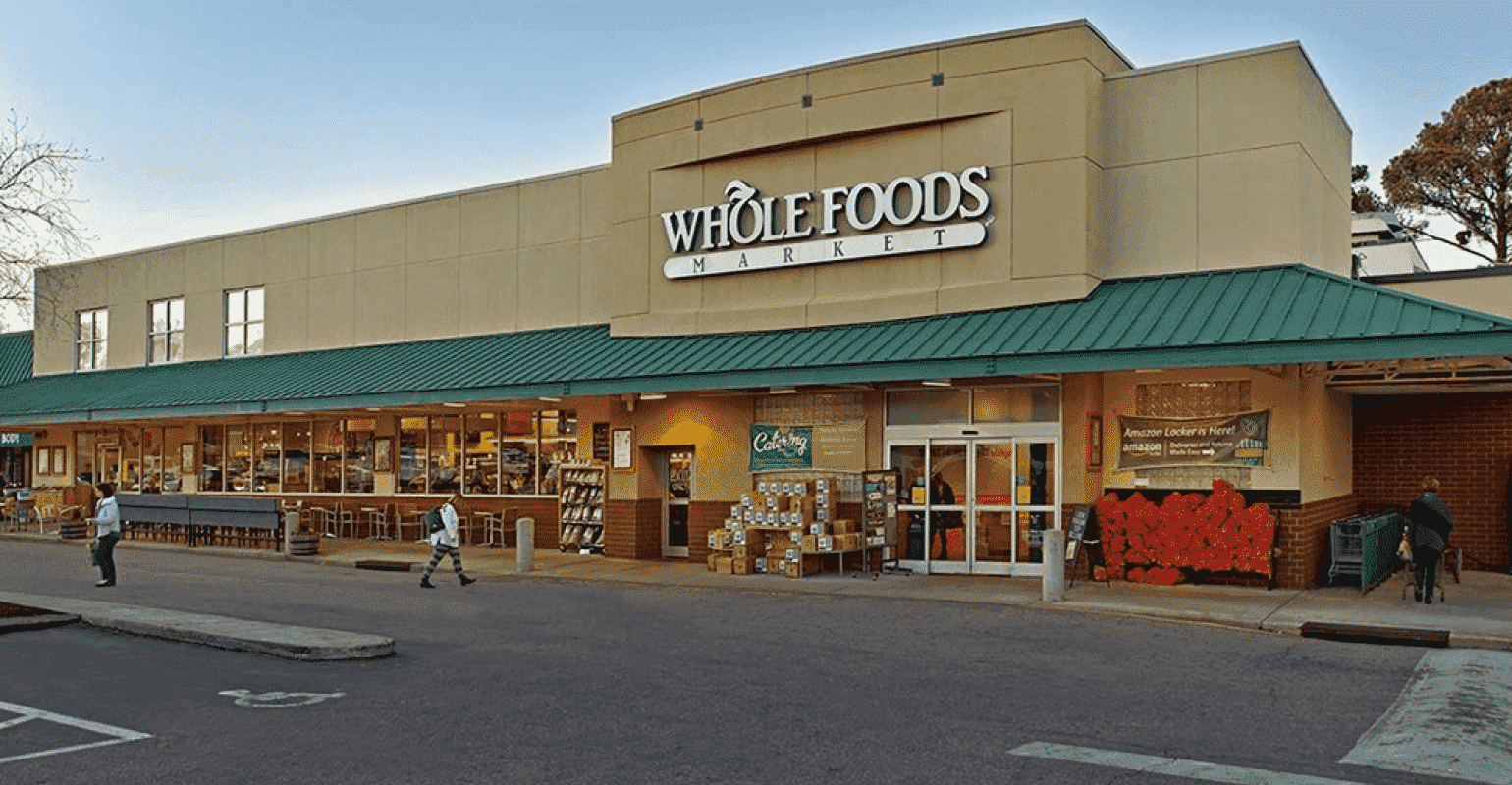
    How College Dropouts Turn Whole Foods- Organic Supermarket to Amazon’s Costliest Acquisition of $13.7 Billion

    Whole Foods Market  became a pioneer in selling naturally-sourced produce when organic food was undergoing a renaissance in the West. The idea to capitalize on the changing food trend was brought up by four hippies John Mackey, Renee Hardy Lawson, Mark Skiles, and Craig Weller, in the 1980s. It was a result from an idealistic attempt to change the way people eat, make them healthier and promote sustainable harvesting.

    Whole Foods Market got huge success after John Mackey came with an idea to buy products from 1970’s style health food Co-ops and package them in a way and make them look like a conventional product. His idea was to normalize the consumption of healthy food and make it available in supermarkets. However, at that time, these organic products were not available in supermarkets.

    Whole Foods’ journey started with a struggle- John Mackey & Renee Lawson borrowed $45,000 from family & friends to open an organic vegetable store called Saferway in Austin. Two years down the line, Mackey and Lawson partnered with Craig Weller and Mark Skiles to merge Saferway with Clarksville Natural Grocery to open the original Whole Foods at 10,500 square feet with 19 staff.

    Initially, the team members and founder faced several challenges, but they were driven by a mission to nourish people and the planet with hygienic food. From a small store run by hippies to a multinational company acquired by Amazon. It’s truly an American’s success story.

    Mackey and Lawson aimed not at running another grocery store but to change people’s thoughts about food and its role in the community. So instead of selling pre-packaged fruits &vegetables with commercial pesticides, they partnered with local farms from the Austin area to sell fresh organic vegetables and fruits.  In a short period, the large group of customers got fancied by their store & became a regular buyer.

    In a catastrophe, only a few months later after the opening, Austin witnessed the worst flood, which tore apart uninsured building, but with the help of loyal customers, the damage was quickly recovered.

    Whole Foods Market Expansion

    In the mid-1980s, new stores were opened in Austin, Houston, and Dallas. The first expansion out of Texas came with the purchase of the Whole Foods Company of New Orleans in 1988. Within ten years, Whole Foods became a national company by purchasing local or regional natural food chains.

    The company further moved to Canada in 2002 and into the U.K. in 2004. Its single largest purchase was Wild Oats Markets, which operated in 109 stores in the U.S. and Canada when Whole Foods had more than 190 stores. Currently, the company has over 500 outlets.

    However, in 2017 amid the declining sales, John Mackey’s Whole Foods Market was rescued by Amazon and got acquired for $13.7 billion. Now Amazon is expanding the digital footprints of this brick and mortar store.

    So What Worked for Whole Foods?

    Quality Above Everything

    Whole Foods Market differentiates itself from competitors based on quality. The separation is achieved through unique features that define Whole Foods. The main selling point of this company is organic & natural products free from hydrogenated fats & chemicals. They focus on maximizing product quality. E.g., the company always seeks products with the least possible artificial ingredients to stand out from the rest.

    Brand Positioning as All Naturals

    Whole Foods Market was among the first grocery store to attain the “certified organic” label in America. The company gives a competitive edge to its counterpart by offering high-quality products to USDA-accredited, third-party certifier. It is also certified by California Certified Organic Farmers.

    Less Advertising, More Word of Mouth Marketing

    Whole Foods Marketing has been averse to run ads on print or visual media. The brand focuses on awareness to attract customers to their stores and ensure the service provided at the store entices customers to make them come back. WFH’s marketing expenses have been lower than the 0.5% of sales for several years. The company did not even have any loyalty program until 2015. It relied a lot on word of mouth and social media. The company has an active marketing team on Pinterest, Twitter, Facebook & Instagram with over 11 million followers combined. It was only after 2015; the company came up with a new marketing strategy and launched a national ad campaign with over $20 million budget amid declining sales.

    Sustainable Approach

    In 2008, Whole Foods became U.S.’s first grocer to eliminate plastic grocery bags at the checkout. By 2019, they also stopped selling plastic straws from all of their stores.

    As the company is sensitive towards local farmers they work with, it offers annual small interest loans to farmers annually. Whole Foods understand the link between organic farming & reverse climate changes. So to promote regenerative organic agriculture, the company supports farmers.

    Mission Driven

    It’s no wonder that Whole Foods’ prices are costlier than the rest, but the company repeatedly claims that it chooses people over profits. This is true since the company is deeply involved in charities. Whole Foods donates 5% of net sales to a local non-profit organization.  Additionally, they run a foundation: Whole Planet- for alleviating global poverty, Whole Kids- Improving Children’s nutrition, and Whole Cities – for healthy food access for all.

    To Sum up!

    Here are the words from the CEO of Whole Foods, John Mackey

    “Just as people cannot live without eating, so a business cannot live without profits. But most people don’t live to eat, and neither must businesses live just to make profits.”

    Magento 2 : How to Change Category Page Layout for Specific Category Only?

    Step 1: First you need to add the following file.

    appdesignfrontendMagemonkeysCustomthemeMagento_Cataloglayoutcatalog_category_view_id_{{id}}.xml

    NOTE: Here you need to replace {{id}} with real category id

    Now add the below code,

    <?xml version="1.0"?>
    <page xmlns:xsi="http://www.w3.org/2001/XMLSchema-instance" layout="2columns-left" xsi:noNamespaceSchemaLocation="urn:magento:framework:View/Layout/etc/page_configuration.xsd">
        <body>
            <referenceContainer name="columns.top">
                <container name="category.view.container" htmlTag="div" htmlClass="category-view" after="-">
                    <block class="MagentoCatalogBlockCategoryView" name="category.image" template="Magento_Catalog::category/image.phtml">
                        <arguments>
                            <argument name="image" xsi:type="object">MagentoCatalogViewModelCategoryImage</argument>
                            <argument name="output" xsi:type="object">MagentoCatalogViewModelCategoryOutput</argument>
                        </arguments>
                    </block>
                    <block class="MagentoCatalogBlockCategoryView" name="category.description" template="Magento_Catalog::category/description.phtml"/>
                    <block class="MagentoCatalogBlockCategoryView" name="category.cms" template="Magento_Catalog::category/cms.phtml"/>
                </container>
            </referenceContainer>
            <referenceContainer name="content">
                <block class="MagentoCatalogBlockCategoryView" name="category.products" template="Magento_Catalog::category/products.phtml">
                    <block class="MagentoCatalogBlockProductListProduct" name="category.products.list" as="product_list" template="Magento_Catalog::product/customlist.phtml">  <!-- Here you need to add your custom list file -->
                        <container name="category.product.list.additional" as="additional" />
                        <block class="MagentoFrameworkViewElementRendererList" name="category.product.type.details.renderers" as="details.renderers">
                            <block class="MagentoFrameworkViewElementTemplate" name="category.product.type.details.renderers.default" as="default"/>
                        </block>
                        <block class="MagentoCatalogBlockProductProductListItemContainer" name="category.product.addto" as="addto">
                            <block class="MagentoCatalogBlockProductProductListItemAddToCompare"
                                   name="category.product.addto.compare" as="compare"
                                   template="Magento_Catalog::product/list/addto/compare.phtml"/>
                        </block>
                        <block class="MagentoCatalogBlockProductProductListToolbar" name="product_list_toolbar" template="Magento_Catalog::product/list/toolbar.phtml">
                            <block class="MagentoThemeBlockHtmlPager" name="product_list_toolbar_pager"/>
                        </block>
                        <action method="setToolbarBlockName">
                            <argument name="name" xsi:type="string">product_list_toolbar</argument>
                        </action>
                    </block>
                </block>
                <block class="MagentoCookieBlockRequireCookie" name="require-cookie" template="Magento_Cookie::require_cookie.phtml">
                    <arguments>
                        <argument name="triggers" xsi:type="array">
                            <item name="compareProductLink" xsi:type="string">.action.tocompare</item>
                        </argument>
                    </arguments>
                </block>
            </referenceContainer>
            <referenceBlock name="page.main.title">
                <arguments>
                    <argument name="id" xsi:type="string">page-title-heading</argument>
                    <argument name="add_base_attribute_aria" xsi:type="string">page-title-heading toolbar-amount</argument>
                </arguments>
                <block class="MagentoCatalogBlockCategoryRssLink" name="rss.link" template="Magento_Catalog::category/rss.phtml"/>
            </referenceBlock>
        </body>
    </page>

    Step 2: Now you need to add the following file.

    appdesignfrontendMagemonkeysCustomthemeMagento_Catalogtemplatesproduct customlist.phtml

    Note: Now you can add your custom code or design in this file for your custom product list for a specific category. Hope that helps.

    How to delete all orders and sales related entry in Magento 2?

    This is a useful tip a programmer should follow before making the site go live. Because that time it will be better if the database won’t be having any dummy entries. So in case, if you wish to delete all orders and sales-related entries then follow the below commands.

        SET FOREIGN_KEY_CHECKS=0;
    
        TRUNCATE TABLE `sales_bestsellers_aggregated_daily`;
        TRUNCATE TABLE `sales_bestsellers_aggregated_monthly`;
        TRUNCATE TABLE `sales_bestsellers_aggregated_yearly`;
    
        TRUNCATE TABLE `sales_creditmemo`;
        TRUNCATE TABLE `sales_creditmemo_comment`;
        TRUNCATE TABLE `sales_creditmemo_grid`;
        TRUNCATE TABLE `sales_creditmemo_item`;
        TRUNCATE TABLE `sales_invoice`;
        TRUNCATE TABLE `sales_invoiced_aggregated`;
        TRUNCATE TABLE `sales_invoiced_aggregated_order`;
        TRUNCATE TABLE `sales_invoice_comment`;
        TRUNCATE TABLE `sales_invoice_grid`;
        TRUNCATE TABLE `sales_invoice_item`;
        TRUNCATE TABLE `sales_order`;
        TRUNCATE TABLE `sales_order_address`;
        TRUNCATE TABLE `sales_order_aggregated_created`;
        TRUNCATE TABLE `sales_order_aggregated_updated`;
        TRUNCATE TABLE `sales_order_grid`;
        TRUNCATE TABLE `sales_order_item`;
        TRUNCATE TABLE `sales_order_payment`;
        TRUNCATE TABLE `sales_order_status_history`;
        TRUNCATE TABLE `sales_order_tax`;
        TRUNCATE TABLE `sales_order_tax_item`;
        TRUNCATE TABLE `sales_payment_transaction`;
        TRUNCATE TABLE `sales_refunded_aggregated`;
        TRUNCATE TABLE `sales_refunded_aggregated_order`;
        TRUNCATE TABLE `sales_shipment`;
        TRUNCATE TABLE `sales_shipment_comment`;
        TRUNCATE TABLE `sales_shipment_grid`;
        TRUNCATE TABLE `sales_shipment_item`;
        TRUNCATE TABLE `sales_shipment_track`;
        TRUNCATE TABLE `sales_shipping_aggregated`;
        TRUNCATE TABLE `sales_shipping_aggregated_order`;
    
        TRUNCATE TABLE `quote`;
        TRUNCATE TABLE `quote_address`;
        TRUNCATE TABLE `quote_address_item`;
        TRUNCATE TABLE `quote_id_mask`;
        TRUNCATE TABLE `quote_item`;
        TRUNCATE TABLE `quote_item_option`;
        TRUNCATE TABLE `quote_payment`;
        TRUNCATE TABLE `quote_shipping_rate`;
    
        TRUNCATE TABLE sequence_invoice_1;
        TRUNCATE TABLE sequence_order_1;
        TRUNCATE TABLE sequence_shipment_1;
        TRUNCATE TABLE sequence_creditmemo_1;
    
        SET FOREIGN_KEY_CHECKS=1;

    That’s it.

    Magento 2: how to set critical CSS?

    Generally, Critical CSS sets inline in and defer all non-critical styles that are loaded asynchronously. So we can significantly improve the time to first render of site.

    The ‘critical’ CSS file should be located in app/design/frontend/themevendor/themename/web/css/critical.css

    After setting critical CSS, you need to enable it from the backend side. steps are Stores > Settings > Configuration > ADVANCED > Developer tab. Make sure this option does not show if production mode is enabled.

    In Magento default, the luma theme has critical.css so you can take reference from there, and here is the official doc in case if you wish to read further.

    How A Magento Agency Can Handle Your Store Better Than Any Freelance Magento Developer?

    With more people spending hours online browsing internet, it can be wise for your business to promote your products or services on the digital platform. Choosing Magento as your development platform and hiring Magento developers can be the best decision you could ever make for such a digital transformation. However, whether to choose a freelancer or a Magento agency can be quite confusing for an organization, especially the one that has no technology as its core business.

    Being in this industry for a long time as a reputed Magento development company, something that Mage Monkeys can say without any doubt is that hiring a development agency can be profitable to your business in many ways compared to hiring freelance developers. An agency is more organized, technically-sound, skilled, and experienced in what they do and this itself is enough to know that they can handle your project in better manner.

    Freelancers can work for you if yours is a small and low-budget project. However, as the project complexity increases you cannot rely on freelancers who have limited technology knowledge and technical skills.

    Choosing a Magento development company like Mage Monkeys can be the best choice you can make compared to hiring freelancers. The same has been explained below through a number of key factors:

    Desired project outcome
    The project’s outcome greatly depends on the Magento developers you choose to handle your project. In case you choose to have a group of freelance Magento developers for the project then chances are high they may lose their direction if you don’t stay in continuous contact with them. Moreover, accountability cannot be completely expected in case things go the wrong way.

    When you choose Magento agency like Mage Monkeys, things will be different. Developers at Mage Monkeys understand that such a project may face difficulties as the development stages progress.

    There can be issues with the designing of the project or in its execution itself. Freelancers may be hesitant to take up the complete responsibility of the project and find solution. However, Magento development company like Mage Monkeys will keep a track of the project progress and each team member is accountable for their part in development.

    We stay put through the development process till its final deployment. This itself ensures that the project outcome will be quite better than what freelancers can offer you.

    Project continuity
    Project continuity and durability of the developers is what makes an agency like ours the best choice. For a number of reasons – professional or personal, the group of freelance Magento developers you hired may not work for you. Now this can also happen in case of your in-house team or Magento dedicated developer team you hired.

    Now the major difference you will see in here is that someone will be there to take care of your project needs when you have an in-house team or a team of dedicated developers that you have hired as compared to when you hire Magento freelancer developer. Dedicated Magento development team like that of Mage Monkeys will keep track of your project progress and will provide you regular updates. They will not leave your project halfway. There will be always someone within the team to take care of your project needs. This way the project will not face any delays and will be completed within the stipulated time frame.

    Business oriented strategy
    By gaining the experience of working on many Magento projects for business clients for a long time, Magento designers and developers have gained proper understanding of how a certified Magento agency like Mage Monkeys work precisely. When operating with a business, Mage Monkeys follow a business-oriented process. They work closely with the clients and keep them in loop throughout each stage of development. This lets the clients have a regular check on their project progress.

    Moreover, when you choose to go for a dedicated team of designers and developers from an agency like Mage Monkeys, you can be sure they will remain committed to your project. This means your project will not suffer if one of the developers falls sick or don’t turn up at work for some other reasons. All the developers will come together as a backup and complete the work within the stipulated period.

    Better turnaround time
    Project turnaround time is one of the key factors that drives a business to choose experienced Magento agency over freelancers. At Mage Monkeys, we are bound to complete project development within the stipulated timeframe. We have enough resources that are skilled to carry out the development as and when needed. In case you have a critical project on hand, we can help you complete it as per your business demands.

    Technical expertise
    When you hire freelancer Magento developer you cannot be sure about whether such a developer is a pro when it comes to exhibiting technical skills. Technology keeps on changing and so it is very important for developers to keep themselves updated. Now in case of freelancers it is a bit of problem for them to update themselves as they are overwhelmed with the different projects on hand at a time. Again, when you hire a freelance developer, you have to completely depend on the talent and skills possessed by that single mind. This limits your project functionalities.

    Now things are quite different when you hire Magento agency like Mage Monkeys. At Mage Monkeys we have a Magento development team of highly talented developers who have access to latest technology. Moreover, our developers have many years of experience in this field and have served clients of different industry niches. This has helped us to learn many things on the way and pick the ones that can prove beneficial for our clients. This means you can expect reliable services by outsourcing your project to us.

    Project privacy and security
    Businesses that hire Magento developer working as a freelancer will not be getting into any legal security step to preserve the data or other crucial information related to the business. This means there is always a risk of data getting leaked. On the other hand, at Mage Monkeys we make it a point to sign an NDA with the client to secure the business-critical data of our theirs as well as of their customers.

    If you have an eCommerce project in hand and need right consultation to go ahead, Mage Monkeys can help you throughout your digital transformation journey. Our team of Magento developers will analyze your business, suggest you a suitable solution and finally form a dedicated team of Magento developers to start working for you!

    How to print log with new custom file in Magento 2?

    If you want to print your code log in the custom log file, then use the below mention code to print the log in the custom log file.

    $StringVar = 'Magemonkeys';
    $ArrayVar = array('Magemonkeys', 'Abbacus');
    
    $writer = new ZendLogWriterStream(BP . '/var/log/CustomFileName.log');
    $logger = new ZendLogLogger();
    $logger->addWriter($writer);
    
    $logger->info('Lorem ipsum dolor sit amet...'); // For print simple text in custom log file
    $logger->info($StringVar); // For print string in custom log file
    $logger->info(print_r($ArrayVar, true)); // For print array in custom log file

    That’s it.

    Refresh your page and see your custom log file in Magento /var/log directory. Hope that helps.