We sacrifice by not doing any other technology, so that you get the best of Magento.

We sacrifice by not doing any other technology, so that you get the best of Magento.

    How to print log with new custom file in Magento 2?

    If you want to print your code log in the custom log file, then use the below mention code to print the log in the custom log file.

    $StringVar = 'Magemonkeys';
    $ArrayVar = array('Magemonkeys', 'Abbacus');
    
    $writer = new ZendLogWriterStream(BP . '/var/log/CustomFileName.log');
    $logger = new ZendLogLogger();
    $logger->addWriter($writer);
    
    $logger->info('Lorem ipsum dolor sit amet...'); // For print simple text in custom log file
    $logger->info($StringVar); // For print string in custom log file
    $logger->info(print_r($ArrayVar, true)); // For print array in custom log file

    That’s it.

    Refresh your page and see your custom log file in Magento /var/log directory. Hope that helps.

    Is your Magento store in safe hands?

    Magento is not any new or naive technology. It’s an advanced level technology that has complex to code, but a powerful result-oriented eCommerce solution.

    If you’re having an eCommerce store with Magento 1 or 2, then it’s always recommended to get your work done by certified experts.

    Many of our current clients who switched to us were not happy with the development team.

    There were certain personal reasons such as lack of commitment, sincerity, or dedication towards work and other tech reasons were expertise with certification.

    A certified Magento developer is someone who is

    – Knowledgeable with Magento trends
    – Experienced
    – Well communicator
    – Tend to follow Magento coding standards
    – Someone who codes from web visitor’s perspective
    – Someone who codes securely & responsibly.
    – Someone whose codes are light in weight
    – Someone who improves your site’s health at regular interval
    – & have many other qualities.

    In many scenarios, clients trust any freelancer or non-experienced Magento developer for their store. It’s like choosing a bus driver to fly your plane. Don’t do that mistake. We repeat, Don’t. Let your Magento store be in safe hands only.

    If you’ve done it then you can undo it by contacting Mage Monkeys who offers certified Magento developers.

    If you’ve a question that how to do hassle-free switching from the current Magento developer or wanted to hire our certified Magento developer, then fill the below form.

    Is your eCommerce store optimized performance wise?

    eCommerce world is changing day-by-day. eStores are adopting the latest trends & technologies.  Some of your competitors are having an edge over your business because they are leveraging technological benefits & improving the performance of their stores.

    Performance optimization is nothing but a process to make your store improved in every aspect.

    If we talk about eCommerce store’s performance optimization service then it includes,

    – Speed improvement
    – Bug fixing
    – Fixing server issues
    – Offering more security
    – UI/UX Improvement
    – Adopting the latest technological trends
    – Upgrading and updating store to the latest version
    – Making the site more smooth & interactive
    – Improving sales & conversion
    – & many more

    Different visitors access your site differently. As a merchant, it may seem your site is working fine, but if you’ll check from the user’s perspective the story will be different.  Every website has more and more scope for improvement. And that scope will lead to more sales with orders.

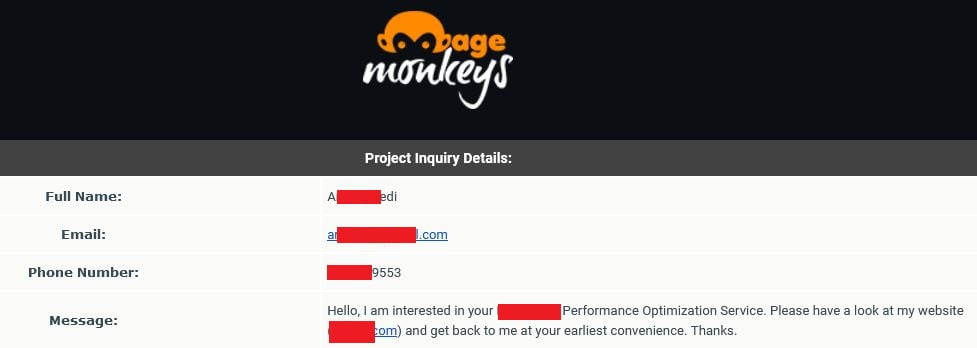
    We recently did performance optimization for a client whose requirements were as per below,

    performance optimization requirement

    Our team of technical experts used third-party & internal tools to identify the current technical situation of the client’s store by having access from the client.

    Then we followed all the processes step-by-step. Call it Speed improvement, bug fixing, handling server, UI-UX improvement… we did it all.

    We gave the client two links. One was a live site & the other one was a demo on which we worked. The demo link was the winner from tools & the client approved us to make it live after checking the comparisons report.

    The stats were after performance optimizations service were improving for the client.

    – Site started loading within two seconds.
    – More traffic
    – Sales improved 41% from multiple channels.
    – Orders improved 24%
    – More social engagement (We placed social links at the right place)
    – & many more

    Performance optimization isn’t magic, but a technical way to release a more improved version of your estore time-by-time.

    Don’t pause your business growth. Leverage the benefits & get an edge over your competitors by doing performance optimization service today.

    Magento 2: Show message on every page using message manager

    Display the new message and clear the previous messages on every page using Message Manager.

    Create the event.xml in your module and add the below code

    <?xml version="1.0"?>
    <config xmlns:xsi="http://www.w3.org/2001/XMLSchema-instance" xsi:noNamespaceSchemaLocation="urn:magento:framework:Event/etc/events.xsd">
        <event name="layout_render_before">
          <observer name="success_message" instance="VendorModuleObserverMessageObserver" shared="false" />
      </event>
    </config>

    Create the MessageObserver.php file in the Observer directory

    <?php
    namespace VendorModuleObserver;
    
    use MagentoFrameworkEventObserverInterface;
    use MagentoFrameworkEventObserver;
    
    class MessageObserver implements ObserverInterface
    {
        public function __construct(       
            MagentoFrameworkMessageManagerInterface $messageManager,
        )
        {    
            $this->messageManager = $messageManager;   
        }
        public function execute(Observer $observer)
        {
            $this->messageManager->getMessages(true); //this will clear your messageManager container
            $this->messageManager->addSuccess(__('Add Custom message here'));
            return $this;
        }
    }


    Magento 2 – How to programmatically check user is subscribed for newsletter or not?

    Use Factory,
    MagentoNewsletterModelSubscriberFactory

    Using isSubscribed() method. You can check the user is a subscriber to the newsletter or not.

    <?php
    namespace MagemonkeySubscriberModel;
    
    use MagentoFrameworkExceptionLocalizedException;
    use MagentoNewsletterModelSubscriberFactory;
    
    class IsSubscribed
    {
        /**
         * @var SubscriberFactory
         */
        private $subscriberFactory;
    
        /**
         * @param SubscriberFactory $subscriberFactory
         */
        public function __construct(
            SubscriberFactory $subscriberFactory
        ) {
            $this->subscriberFactory = $subscriberFactory;
        }
    
        /**
         * @param int $customerId
         * @return bool
         */
        public function isCustomerSubscribeById($customerId) {
            $status = $this->subscriberFactory->create()->loadByCustomerId((int)$customerId)->isSubscribed();
    
            return (bool)$status;
        }
    
        /**
         * @param string $email
         * @return bool
         */
        public function isCustomerSubscribeByEmail($email) {
            $status = $this->subscriberFactory->create()->loadByEmail($email)->isSubscribed();
    
            return (bool)$status;
        }
    }


    add extra field to newsletter subscription module magento2

    The newsletter subscription module in Magento has only one field (email) by default. If you want to add  an extra field to the form (like the name), perform the following steps:

    Magemonkeys/Newsletter/registration.php

    <?php
    MagentoFrameworkComponentComponentRegistrar::register(
    	MagentoFrameworkComponentComponentRegistrar::MODULE,
    	'Magemonkeys_Newsletter',
    	__DIR__
    );
    

    Magemonkeys/Newsletter/etc/module.xml

    <?xml version="1.0"?>
    <config xmlns:xsi="http://www.w3.org/2001/XMLSchema-instance" xsi:noNamespaceSchemaLocation="urn:magento:framework:Module/etc/module.xsd">
        <module name="Magemonkeys_Newsletter" setup_version="1.0.0"/>
        <sequence>
          <module name="Magento_Newsletter" />
        </sequence>
    </config>
    

    Magemonkeys/Newsletter/Setup/InstallSchema.php

    <?php
    
    namespace MagemonkeysNewsletterSetup;
    
    use MagentoFrameworkDBDdlTable;
    use MagentoFrameworkSetupInstallSchemaInterface;
    use MagentoFrameworkSetupModuleContextInterface;
    use MagentoFrameworkSetupSchemaSetupInterface;
    
    class InstallSchema implements InstallSchemaInterface {
    	public function install(SchemaSetupInterface $setup, ModuleContextInterface $context) {
    		$setup->startSetup();
    
    		$table = $setup->getTable('newsletter_subscriber');
    
    		$setup->getConnection()->addColumn(
    			$table,
    			'full_name',
    			[
    				'type' => Table::TYPE_TEXT,
    				'nullable' => true,
    				'comment' => 'Name',
    			]
    		);
    
    		$setup->endSetup();
    	}
    }

    Magemonkeys/Newsletter/etc/di.xml

    <?xml version="1.0"?>
    <config xmlns:xsi="http://www.w3.org/2001/XMLSchema-instance" xsi:noNamespaceSchemaLocation="../../../../../lib/internal/Magento/Framework/ObjectManager/etc/config.xsd">
      <preference for="MagentoNewsletterControllerSubscriberNewAction" type="MagemonkeysNewsletterControllerSubscriberNewAction" />
    </config>
    

    Magemonkeys/Newsletter/Controller/Subscriber/NewAction.php

    <?php
    
    namespace MagemonkeysNewsletterControllerSubscriber;
    
    use MagentoCustomerApiAccountManagementInterface as CustomerAccountManagement;
    use MagentoCustomerModelSession;
    use MagentoCustomerModelUrl as CustomerUrl;
    use MagentoFrameworkAppActionContext;
    use MagentoFrameworkControllerResultFactory;
    use MagentoFrameworkControllerResultRedirect;
    use MagentoFrameworkExceptionLocalizedException;
    use MagentoFrameworkPhrase;
    use MagentoNewsletterControllerSubscriberNewAction as SubscriberNewController;
    use MagentoNewsletterModelSubscriber;
    use MagentoNewsletterModelSubscriberFactory;
    use MagentoNewsletterModelSubscriptionManagerInterface;
    use MagentoStoreModelStoreManagerInterface;
    
    /**
     * New newsletter subscription action
     *
     * @SuppressWarnings(PHPMD.CouplingBetweenObjects)
     */
    class NewAction extends SubscriberNewController {
    
    	/**
    	 * @var SubscriptionManagerInterface
    	 */
    	private $subscriptionManager;
    
    	/**
    	 * Initialize dependencies.
    	 *
    	 * @param Context $context
    	 * @param SubscriberFactory $subscriberFactory
    	 * @param Session $customerSession
    	 * @param StoreManagerInterface $storeManager
    	 * @param CustomerUrl $customerUrl
    	 * @param CustomerAccountManagement $customerAccountManagement
    	 * @param SubscriptionManagerInterface $subscriptionManager
    	 */
    	public function __construct(
    		Context $context,
    		SubscriberFactory $subscriberFactory,
    		Session $customerSession,
    		StoreManagerInterface $storeManager,
    		CustomerUrl $customerUrl,
    		CustomerAccountManagement $customerAccountManagement,
    		SubscriptionManagerInterface $subscriptionManager
    	) {
    
    		$this->subscriptionManager = $subscriptionManager;
    
    		parent::__construct(
    			$context,
    			$subscriberFactory,
    			$customerSession,
    			$storeManager,
    			$customerUrl,
    			$customerAccountManagement,
    			$subscriptionManager
    		);
    	}
    
    	/**
    	 * New subscription action
    	 *
    	 * @return Redirect
    	 */
    	public function execute() {
    
    		if ($this->getRequest()->isPost() && $this->getRequest()->getPost('email')) {
    
    			$email = (string) $this->getRequest()->getPost('email');
    			$name = (string) $this->getRequest()->getPost('name');
    
    			try {
    
    				$this->validateEmailFormat($email);
    				$this->validateGuestSubscription();
    				$this->validateEmailAvailable($email);
    
    				$websiteId = (int) $this->_storeManager->getStore()->getWebsiteId();
    				/** @var Subscriber $subscriber */
    				$subscriber = $this->_subscriberFactory->create()->loadBySubscriberEmail($email, $websiteId);
    				if ($subscriber->getId()
    					&& (int) $subscriber->getSubscriberStatus() === Subscriber::STATUS_SUBSCRIBED) {
    					throw new LocalizedException(
    						__('This email address is already subscribed.')
    					);
    				}
    
    				$storeId = (int) $this->_storeManager->getStore()->getId();
    				$currentCustomerId = $this->getSessionCustomerId($email);
    				$subscriber = $currentCustomerId
    				? $this->subscriptionManager->subscribeCustomer($currentCustomerId, $storeId)
    				: $this->subscriptionManager->subscribe($email, $storeId);
    
    				if ($subscriber->getSubscriberId() > 0) {
    					$subscriber = $this->_subscriberFactory->create()->loadBySubscriberEmail($email, $websiteId);
    					$subscriber->setFullName($name)->save();
    				}
    
    				$message = $this->getSuccessMessage((int) $subscriber->getSubscriberStatus());
    				$this->messageManager->addSuccessMessage($message);
    			} catch (LocalizedException $e) {
    				$this->messageManager->addComplexErrorMessage(
    					'localizedSubscriptionErrorMessage',
    					['message' => $e->getMessage()]
    				);
    			} catch (Exception $e) {
    				$this->messageManager->addExceptionMessage($e, __('Something went wrong with the subscription.'));
    			}
    		}
    		/** @var Redirect $redirect */
    		$redirect = $this->resultFactory->create(ResultFactory::TYPE_REDIRECT);
    		$redirectUrl = $this->_redirect->getRedirectUrl();
    		return $redirect->setUrl($redirectUrl);
    	}
    
    	/**
    	 * Get customer id from session if he is owner of the email
    	 *
    	 * @param string $email
    	 * @return int|null
    	 */
    	private function getSessionCustomerId(string $email):  ? int {
    		if (!$this->_customerSession->isLoggedIn()) {
    			return null;
    		}
    
    		$customer = $this->_customerSession->getCustomerDataObject();
    		if ($customer->getEmail() !== $email) {
    			return null;
    		}
    
    		return (int) $this->_customerSession->getId();
    	}
    
    	/**
    	 * Get success message
    	 *
    	 * @param int $status
    	 * @return Phrase
    	 */
    	private function getSuccessMessage(int $status) : Phrase {
    
    		if ($status === Subscriber::STATUS_NOT_ACTIVE) {
    
    			return __('The confirmation request has been sent.');
    		}
    
    		return __('Thank you for your subscription.');
    	}
    
    }
    

    Magemonkeys/Newsletter/view/adminhtml/layout/newsletter_subscriber_block.xml

    <?xml version="1.0"?>
    <page xmlns:xsi="http://www.w3.org/2001/XMLSchema-instance" xsi:noNamespaceSchemaLocation="urn:magento:framework:View/Layout/etc/page_configuration.xsd">
      <body>
        <referenceBlock name="adminhtml.newslettrer.subscriber.grid.columnSet">
          <block class="MagentoBackendBlockWidgetGridColumn" name="adminhtml.newslettrer.subscriber.grid.columnSet.full.name" as="full.name">
            <arguments>
              <argument name="header" xsi:type="string" translate="true">Name</argument>
              <argument name="index" xsi:type="string">full_name</argument>
              <argument name="header_css_class" xsi:type="string">col-name</argument>
              <argument name="column_css_class" xsi:type="string">ccol-name</argument>
            </arguments>
          </block>
        </referenceBlock>
      </body>
    </page>

    Magemonkeys/Newsletter/view/frontend/templates/subscribe.phtml

    <?php
    /** @var MagentoNewsletterBlockSubscribe $block */
    ?>
    <div class="block newsletter">
      <div class="title"><strong><?php /* @escapeNotVerified */ echo __('Newsletter') ?></strong></div>
      <div class="content">
        <form class="form subscribe"
              novalidate
              action="<?php echo $block->escapeUrl($block->getFormActionUrl()) ?>"
              method="post"
              data-mage-init='{"validation": {"errorClass": "mage-error"}}'
              id="newsletter-validate-detail">
          <div class="field full_name">
            <label class="label" for="full_name"><span><?php echo $block->escapeHtml(__('Name')) ?></span></label>
            <div class="control">
              <input name="full_name" type="text" id="full_name"
                     placeholder="<?php echo $block->escapeHtmlAttr(__('Name')) ?>"
                     data-validate="{required:true}"/>
            </div>
          </div>
          <div class="actions">
            <button class="action subscribe primary" title="<?php echo $block->escapeHtmlAttr(__('Subscribe')) ?>" type="submit">
              <span><?php echo $block->escapeHtml(__('Subscribe')) ?></span>
            </button>
          </div>
        </form>
      </div>
    </div>

    Result :

    How to get all the products including out of stock products?

    Let’s say if you need to get all the products through the collection with out-of-stock products and send it in JSON format then what will you do?

    Step 1: Create a front controller GetProducts.php file

    <?php
    
    namespace MagemonkeysCustomInventoryControllerInventory;
    
    use MagentoFrameworkAppActionContext;
    use MagemonkeysCustomInventoryHelperData;
    
    
    class GetProducts extends MagentoFrameworkAppActionAction
    {
        public function __construct(
            Context $context,
            Data $helper
        ){
            $this->helper = $helper;
            parent::__construct($context);
        }
    
        public function execute()
        {
            $data = $this->helper->getProductData();
    
            header('Content-Type: application/json');
    
            echo json_encode(array(
                'data'=>$data,
                'meta'=> array(
                    'count' => count($data)
                )
            ));
    
            return;
    
        }
    }


    Step 2: Create a Data.php in the helper folder of your module and paste the below code into it.

    <?php
    
    namespace MagemonkeysCustomInventoryHelper;
    
    use MagentoFrameworkAppHelperAbstractHelper;
    use MagentoFrameworkAppFilesystemDirectoryList;
    use MagentoCatalogInventoryModelStockStockItemRepository; // Probably deprecating this with the following
    use MagentoCatalogInventoryApiStockRegistryInterface;
    
    
    class Data extends AbstractHelper
    {
        private $productFactory;
        private $productCollectionFactory;
        private $stockItemRepository;
        private $inflightStatuses;
        protected $stockRegistry;
    
    
        public function __construct(
            MagentoCatalogModelProductFactory $productFactory,
            StockItemRepository $stockItemRepository, // Probably deprecating this with the following
            StockRegistryInterface $stockRegistry,
            MagentoCatalogModelResourceModelProductCollectionFactory $productCollectionFactory
        )
        {
            $this->inflightStatuses = array('processing', 'fulfillment_picking', 'incomplete', 'holded', 'on_review');
            $this->productFactory = $productFactory;
            $this->productCollectionFactory = $productCollectionFactory;
            $this->stockItemRepository = $stockItemRepository; // Probably deprecating this with the following
            $this->stockRegistry = $stockRegistry;
        }
    
        public function getProductData()
        {
            $data = array();
    
            $collection = $this->productCollectionFactory->create();
            $collection->addAttributeToSelect('*');
            $collection->setPageSize(100000);
            $collection->setFlag('has_stock_status_filter', false);
    
    
            /*echo $collection->count();
            exit;*/
    
            $collection->load();
    
            /* Start to add out of stock products in collection */
            $collection->clear();
            
            $updatedWhere = array();
            $where = $collection->getSelect()->getPart('where');
            foreach ($where as $key => $condition)
            {
                if(strpos($condition, 'stock_status_index.stock_status = 1') !== false){
                    $updatedWhere[] = 'AND (stock_status_index.stock_status IN (1,0))';
                } else {
                    $updatedWhere[] = $condition;
                }   
            }
            $collection->getSelect()->setPart('where', $updatedWhere);
            /* End of to add out of stock products in collection */
    
            $collection->load();
    
            foreach ($collection as $product) {
    
                $sku = trim($product->getSku());
    
                //$stockItem = $this->stockItemRepository->get($product->getId());
                $stockItem = $this->stockRegistry->getStockItemBySku($sku);
    
    
                $data[$sku] = array(
                    'sku' => $sku,
                    'name' => $product->getName(),
                    'qty' => (int) $stockItem->getQty(),
                    'in_stock' => $stockItem->getIsInStock()
                );
            }
            return $data;
        }
    }


    When you should change your Magento development team?

    Your eCommerce site is the main key to your business. It plays a major role in business revenue. In fact, many businesses have completely shifted from bricks to clicks model. So we can say that the eCommerce site is the most sensitive element in your business which should be handled by certified and professional experts.

    But, many eCommerce store owners couldn’t get the best Magento developers for their site which results in a sales crash. It happens because eCommerce merchants aren’t techie and they choose the wrong development team. As a Magento store owner, you should change your development team if,

    – Your sales cycle is effecting due to technical bugs and errors.
    – Your developer fails to deliver the development on time.
    – Your developers aren’t advising you about new technological trends.
    – Your site goes down at regular intervals.
    – Your site takes a long time to load.
    – Your site & app is having UI/UX issues.
    – Your developer doesn’t report you on time.
    – Your development team isn’t experienced or certified.
    – & there are many reasons.

    At Mage Monkeys, clients join us with the above reasons and we help them to deliver what they need.

    We treat client’s sites like ours and that helps us to maintain long-term business relationships. In case, if you’re not happy with your current development team, join us for a hassle-free tech experience.

    Magento 2: How to check customer email id exist or not?

    You can check the email id for a specific website by using the below code.

    <?php
    namespace VendorModuelModel;
    
    use MagentoCustomerApiAccountManagementInterface;
    use MagentoStoreModelStoreManagerInterface;
    
    class EmailExist {
        /**
         * @var AccountManagementInterface
         */
        protected $customerManagement;
    
        /**
         * @var StoreManagerInterface
         */
        protected $storeManager;
    
        /**
         * Data constructor.
         *
         * @param AccountManagementInterface $customerManagement
         * @param StoreManagerInterface $storeManager
         */
        public function __construct(
            AccountManagementInterface $customerManagement,
            StoreManagerInterface $storeManager
        ) {
            $this->customerManagement = $customerManagement;
            $this->storeManager = $storeManager;
        }
    
        /**
         *
         * @return bool
         */
        public function emailExistOrNot(): bool
        {
            $email = "testemail@email.com";
            $websiteId = (int)$this->storeManager->getWebsite()->getId();
            $isEmailNotExists = $this->customerManagement->isEmailAvailable($email, $websiteId);
            return $isEmailNotExists;
        }
    }

    Hope this article will help you to check customer email id’s existance.

    How to show special character in minicart in magento 2?

    You may have face this problem where sometimes you failed to show special character(s) in mini-cart in product name. But what shall one do when he/she has to show special characters like single quote, double quote in product title in minicart.

    Well, all you need to do is to copy default.html file from the vendor directory and place it with the relevant path in the theme.

    app/design/frontend/Magento/theme/Magento_Checkout/web/template/minicart/item/default.html

    Below is the whole code you need to replace in the above file.

    <!--
    /**
     * Copyright © Magento, Inc. All rights reserved.
     * See COPYING.txt for license details.
     */
    -->
    <li class="item product product-item" data-role="product-item">
        <div class="product">
            <!-- ko if: product_has_url -->
            <a data-bind="attr: {href: product_url, title: product_name}" tabindex="-1" class="product-item-photo">
                <!-- ko foreach: $parent.getRegion('itemImage') -->
                    <!-- ko template: {name: getTemplate(), data: item.product_image} --><!-- /ko -->
                <!-- /ko -->
            </a>
            <!-- /ko -->
            <!-- ko ifnot: product_has_url -->
            <span class="product-item-photo">
                <!-- ko foreach: $parent.getRegion('itemImage') -->
                    <!-- ko template: {name: getTemplate(), data: item.product_image} --><!-- /ko -->
                <!-- /ko -->
            </span>
            <!-- /ko -->
    
            <div class="product-item-details">
                <strong class="product-item-name">
                    <!-- ko if: product_has_url -->
                    <a data-bind="attr: {href: product_url}, html: product_name"></a>
                    <!-- /ko -->
                    <!-- ko ifnot: product_has_url -->
                        <!-- ko html: product_name --><!-- /ko -->
                    <!-- /ko -->
                </strong>
    
                <!-- ko if: options.length -->
                <div class="product options" data-mage-init='{"collapsible":{"openedState": "active", "saveState": false}}'>
                    <span data-role="title" class="toggle"><!-- ko i18n: 'See Details' --><!-- /ko --></span>
    
                    <div data-role="content" class="content">
                        <strong class="subtitle"><!-- ko i18n: 'Options Details' --><!-- /ko --></strong>
                        <dl class="product options list">
                            <!-- ko foreach: { data: options, as: 'option' } -->
                            <dt class="label"><!-- ko text: option.label --><!-- /ko --></dt>
                            <dd class="values">
                                <!-- ko if: Array.isArray(option.value) -->
                                    <span data-bind="html: option.value.join('<br>')"></span>
                                <!-- /ko -->
                                <!-- ko if: (!Array.isArray(option.value) && option.option_type == 'file') -->
                                    <span data-bind="html: option.value"></span>
                                <!-- /ko -->
                                <!-- ko if: (!Array.isArray(option.value) && option.option_type != 'file') -->
                                    <span data-bind="text: option.value"></span>
                                <!-- /ko -->
                            </dd>
                            <!-- /ko -->
                        </dl>
                    </div>
                </div>
                <!-- /ko -->
    
                <div class="product-item-pricing">
                    <!-- ko if: canApplyMsrp -->
    
                    <div class="details-map">
                        <span class="label" data-bind="i18n: 'Price'"></span>
                        <span class="value" data-bind="i18n: 'See price before order confirmation.'"></span>
                    </div>
                    <!-- /ko -->
                    <!-- ko ifnot: canApplyMsrp -->
                    <!-- ko foreach: $parent.getRegion('priceSidebar') -->
                        <!-- ko template: {name: getTemplate(), data: item.product_price, as: 'price'} --><!-- /ko -->
                    <!-- /ko -->
                    <!-- /ko -->
    
                    <div class="details-qty qty">
                        <label class="label" data-bind="i18n: 'Qty', attr: {
                               for: 'cart-item-'+item_id+'-qty'}"></label>
                        <input data-bind="attr: {
                               id: 'cart-item-'+item_id+'-qty',
                               'data-cart-item': item_id,
                               'data-item-qty': qty,
                               'data-cart-item-id': product_sku
                               }, value: qty"
                               type="number"
                               size="4"
                               class="item-qty cart-item-qty">
                        <button data-bind="attr: {
                               id: 'update-cart-item-'+item_id,
                               'data-cart-item': item_id,
                               title: $t('Update')
                               }"
                                class="update-cart-item"
                                style="display: none">
                            <span data-bind="i18n: 'Update'"></span>
                        </button>
                    </div>
                </div>
    
                <div class="product actions">
                    <!-- ko if: is_visible_in_site_visibility -->
                    <div class="primary">
                        <a data-bind="attr: {href: configure_url, title: $t('Edit item')}" class="action edit">
                            <span data-bind="i18n: 'Edit'"></span>
                        </a>
                    </div>
                    <!-- /ko -->
                    <div class="secondary">
                        <a href="#" data-bind="attr: {'data-cart-item': item_id, title: $t('Remove item')}"
                           class="action delete">
                            <span data-bind="i18n: 'Remove'"></span>
                        </a>
                    </div>
                </div>
            </div>
        </div>
    </li>
    

    That’s it. Hope this article helped you to solve your programmatical problem.