We sacrifice by not doing any other technology, so that you get the best of Magento.

We sacrifice by not doing any other technology, so that you get the best of Magento.

    Magento 2: How to check customer email id exist or not?

    You can check the email id for a specific website by using the below code.

    <?php
    namespace VendorModuelModel;
    
    use MagentoCustomerApiAccountManagementInterface;
    use MagentoStoreModelStoreManagerInterface;
    
    class EmailExist {
        /**
         * @var AccountManagementInterface
         */
        protected $customerManagement;
    
        /**
         * @var StoreManagerInterface
         */
        protected $storeManager;
    
        /**
         * Data constructor.
         *
         * @param AccountManagementInterface $customerManagement
         * @param StoreManagerInterface $storeManager
         */
        public function __construct(
            AccountManagementInterface $customerManagement,
            StoreManagerInterface $storeManager
        ) {
            $this->customerManagement = $customerManagement;
            $this->storeManager = $storeManager;
        }
    
        /**
         *
         * @return bool
         */
        public function emailExistOrNot(): bool
        {
            $email = "testemail@email.com";
            $websiteId = (int)$this->storeManager->getWebsite()->getId();
            $isEmailNotExists = $this->customerManagement->isEmailAvailable($email, $websiteId);
            return $isEmailNotExists;
        }
    }

    Hope this article will help you to check customer email id’s existance.

    How to show special character in minicart in magento 2?

    You may have face this problem where sometimes you failed to show special character(s) in mini-cart in product name. But what shall one do when he/she has to show special characters like single quote, double quote in product title in minicart.

    Well, all you need to do is to copy default.html file from the vendor directory and place it with the relevant path in the theme.

    app/design/frontend/Magento/theme/Magento_Checkout/web/template/minicart/item/default.html

    Below is the whole code you need to replace in the above file.

    <!--
    /**
     * Copyright © Magento, Inc. All rights reserved.
     * See COPYING.txt for license details.
     */
    -->
    <li class="item product product-item" data-role="product-item">
        <div class="product">
            <!-- ko if: product_has_url -->
            <a data-bind="attr: {href: product_url, title: product_name}" tabindex="-1" class="product-item-photo">
                <!-- ko foreach: $parent.getRegion('itemImage') -->
                    <!-- ko template: {name: getTemplate(), data: item.product_image} --><!-- /ko -->
                <!-- /ko -->
            </a>
            <!-- /ko -->
            <!-- ko ifnot: product_has_url -->
            <span class="product-item-photo">
                <!-- ko foreach: $parent.getRegion('itemImage') -->
                    <!-- ko template: {name: getTemplate(), data: item.product_image} --><!-- /ko -->
                <!-- /ko -->
            </span>
            <!-- /ko -->
    
            <div class="product-item-details">
                <strong class="product-item-name">
                    <!-- ko if: product_has_url -->
                    <a data-bind="attr: {href: product_url}, html: product_name"></a>
                    <!-- /ko -->
                    <!-- ko ifnot: product_has_url -->
                        <!-- ko html: product_name --><!-- /ko -->
                    <!-- /ko -->
                </strong>
    
                <!-- ko if: options.length -->
                <div class="product options" data-mage-init='{"collapsible":{"openedState": "active", "saveState": false}}'>
                    <span data-role="title" class="toggle"><!-- ko i18n: 'See Details' --><!-- /ko --></span>
    
                    <div data-role="content" class="content">
                        <strong class="subtitle"><!-- ko i18n: 'Options Details' --><!-- /ko --></strong>
                        <dl class="product options list">
                            <!-- ko foreach: { data: options, as: 'option' } -->
                            <dt class="label"><!-- ko text: option.label --><!-- /ko --></dt>
                            <dd class="values">
                                <!-- ko if: Array.isArray(option.value) -->
                                    <span data-bind="html: option.value.join('<br>')"></span>
                                <!-- /ko -->
                                <!-- ko if: (!Array.isArray(option.value) && option.option_type == 'file') -->
                                    <span data-bind="html: option.value"></span>
                                <!-- /ko -->
                                <!-- ko if: (!Array.isArray(option.value) && option.option_type != 'file') -->
                                    <span data-bind="text: option.value"></span>
                                <!-- /ko -->
                            </dd>
                            <!-- /ko -->
                        </dl>
                    </div>
                </div>
                <!-- /ko -->
    
                <div class="product-item-pricing">
                    <!-- ko if: canApplyMsrp -->
    
                    <div class="details-map">
                        <span class="label" data-bind="i18n: 'Price'"></span>
                        <span class="value" data-bind="i18n: 'See price before order confirmation.'"></span>
                    </div>
                    <!-- /ko -->
                    <!-- ko ifnot: canApplyMsrp -->
                    <!-- ko foreach: $parent.getRegion('priceSidebar') -->
                        <!-- ko template: {name: getTemplate(), data: item.product_price, as: 'price'} --><!-- /ko -->
                    <!-- /ko -->
                    <!-- /ko -->
    
                    <div class="details-qty qty">
                        <label class="label" data-bind="i18n: 'Qty', attr: {
                               for: 'cart-item-'+item_id+'-qty'}"></label>
                        <input data-bind="attr: {
                               id: 'cart-item-'+item_id+'-qty',
                               'data-cart-item': item_id,
                               'data-item-qty': qty,
                               'data-cart-item-id': product_sku
                               }, value: qty"
                               type="number"
                               size="4"
                               class="item-qty cart-item-qty">
                        <button data-bind="attr: {
                               id: 'update-cart-item-'+item_id,
                               'data-cart-item': item_id,
                               title: $t('Update')
                               }"
                                class="update-cart-item"
                                style="display: none">
                            <span data-bind="i18n: 'Update'"></span>
                        </button>
                    </div>
                </div>
    
                <div class="product actions">
                    <!-- ko if: is_visible_in_site_visibility -->
                    <div class="primary">
                        <a data-bind="attr: {href: configure_url, title: $t('Edit item')}" class="action edit">
                            <span data-bind="i18n: 'Edit'"></span>
                        </a>
                    </div>
                    <!-- /ko -->
                    <div class="secondary">
                        <a href="#" data-bind="attr: {'data-cart-item': item_id, title: $t('Remove item')}"
                           class="action delete">
                            <span data-bind="i18n: 'Remove'"></span>
                        </a>
                    </div>
                </div>
            </div>
        </div>
    </li>
    

    That’s it. Hope this article helped you to solve your programmatical problem.

    How Magento Development Agency In India Can Help In Your Ecommerce’s ROI?

    Today businesses want to build a strong online presence for themselves on the digital market through their eCommerce sites. To achieve this, businesses are now going for effective eCommerce development services on digital platforms such as Magento. The services from Magento development agencies include everything right from template integration, website hosting, extension development, customizing modules of extensions, integrating payment gateway that are safe, etc. to finally deploying and maintaining it. To make all this happen you, in an eCommerce business, need development services for the platform that are affordable and reliable. This is where you should think about opting for a Magento development company from India. Mage Monkeys is a reputed Magento agency based in India that are served different businesses with effective Magento solutions.

    Benefits of choosing a Magento development company from India for your eCommerce business
    There are a few relevant benefits of choosing Magento development company from India and they are-

    India is a pool of talented eCommerce resources
    The enormous talent pool in India makes it the perfect hub for outsourcing your eCommerce development needs. With around 1.3 million students entering the workforce every year, finding the right candidate for your development team will not be a big deal. Mage Monkeys has been able to build up a strong team of Magento developers with immense experience and skills. This helps us to cater to the needs of every client with the same level of professionalism.

    Outsourcing Magento resources/team from India is not only affordable but also flexible compared to other countries
    Compared to other developed countries, you will be able to enjoy low-cost Magento development services from India. Moreover, the flexible hiring models here will help have your Magento team working at your preferred time zones. At Mage Monkeys, we understand that businesses need quality services at affordable rates and we just make it possible. You can easily hire Magento developers at affordable rates on an hourly basis from Mage Monkeys.

    India holds a good number of certified Magento developers.
    As per clutch, 30% of Magento agencies are solely from India. This means you will easily find Magento developers who are capable to fulfil different eCommerce needs here in India. To keep up with the market needs, here at Mage Monkeys we invest in training & Magento certification for our Magento developers. This has helped us build a strong team of certified Magento developers who can work dedicatedly on client projects with ease.
    Choosing a Magento development company from India will help your eCommerce business with-

    Improved search engine visibility
    Search engine visibility has become crucial for businesses these days irrespective of the kind of business you are into and the kind of product or services you are selling. Every business wishes to enjoy a high search engine ranking for their online store. Magento developers at Mage Monkeys have the skills and the knowledge required to carry on with better store optimization. This will help the client business to attract potential customers to their site.

    Advanced branding
    When you choose skilled developers from a reliable Magento development company they will be able to understand the specific needs of the business well. This will help you get the desired design and store layout. It will be done in a way to help you achieve your business goals so that it can attract a large number of customers successfully. Here at Mage Monkeys, our developers stress the need of coming up with outstanding eCommerce stores that will help our clients with branding.

    Multiple store management from a single backend
    With Magento, you can have multiple storefronts for your business. Such storefronts can be easily managed using a single backend. An efficient Magento development company like Mage Monkeys can easily achieve this task for you.

    Easy to manage CMS
    Today content management system plays a very crucial role in eCommerce websites and managing them is extremely important. At Mage Monkeys, we have curated a special team of developers with immense knowledge in the field of offering excellent support.

    How Magento development company in India help with improved ROI and better sales
    The main idea behind investing in a Magento eCommerce store is to bring in more visitors to the store, keep them engaged and convert them to buyers. The more time they will spend on your eCommerce store chances are high that they will buy from you. So, the basic idea should be to optimize your website in a way that it increases the average visitor duration on the store. A reliable Magento development company like Mage Monkeys with the right resources and skills can help you accomplish it by taking care of some key points. They are:

    Having pixel-perfect design
    One of the best ways to keep the visitors engaged on the eCommerce store for a longer duration is by coming up with an organized and pixel-perfect design. At Mage Monkeys, we will create the perfect design for your e-commerce store without going for all the Magento extensions available out there. Our team of Magento developers is cautious to use only the ones that will add value to your business and enhance the user experience. We also ensure to not distract your buyers in the store by using spaces judiciously.

    Faster loading
    The loading speed of your eCommerce site will decide whether your customer will have a better user experience or not. It will not take much time for the buyer to move to another eCommerce store that loads faster and faces no speed issues. At Mage Monkeys, we will ensure your website loads faster and faces no such issues. Apart from that, we also offer a maintenance service that will help you keep your website running smoothly for a longer time.

    Building mobile-responsive store
    The developers at Mage Monkeys will build mobile responsive stores for your business to help have improved sales. With the growing popularity of mobile phones and tablets among people, it is wise to come up with responsive websites that will offer your business a competitive edge in the market.

    Make use of the right extensions
    To improve customer experience, you can customize your Magento store using hundreds of extensions available out there. Such extensions are either free or paid. Mage Monkeys will help you choose the right extensions for your store based on your needs.

    Our Magento developers will help you boost sales and deliver a better customer experience by integrating some of the basic free extensions into your eCommerce store. Some of them are as mentioned below:

    Social login
    Social login is one of the free Magento extensions that will help your customers to reach your store quickly and seamlessly. When you have this extension on your eCommerce store, your customers will be able to log in to your online store through their social media profiles like Google, Facebook, Pinterest, Twitter, and others. Such an extension completely removes the headache of the user registration process on the store and lets your customers have an easy signup process.

    Catalog search refinement
    This extension will help your customers to find relevant products based on the search words they use in the search bar. It will conduct a smart search when displaying products. For example, if yours is a clothing line and your customer searches for ‘white tops’ then it will only list down white-colored tops rather than showing all items under ‘tops’ or ‘white’. This will help them complete their purchase process soon, thus increasing sales.

    One step checkout
    We can have this extension integrated into your eCommerce store in case a lengthy checkout process has turned out to be a villain for your eCommerce store. You will be able to decrease the cart abandonment rate to a greater level with this extension. This extension cuts down many of the complicated parts in the checkout process, thus making it simpler.

    Customer reviews and ratings
    The success of an eCommerce store greatly depends on the customer reviews and ratings it gathers. Keeping that in mind we offer to integrate this extension into your eCommerce store and using that you can ask for ratings and reviews from your customers. These reviews and ratings will help your business and its products have better credibility in the market. Your chances of attracting prospects will increase with more positive reviews that you will get.

    LiveChat
    This Magento extension will let you stay connected to your customers who are navigating your store and browsing products. This chat extension will help you trigger the right messages based on the behavior of the customers in your store.

    Out of stock notification
    Including the out-of-stock notification extension into your eCommerce store will let you ensure you are not letting down your customers who encountered the unavailability of products at the store. Such an extension will help the business to keep up their inventory, meet customer expectations through product deliveries and meet the changing demands for the product.

    Conclusion
    When it comes to developing your eCommerce store on the Magento platform, you should always consider choosing a development company based in India. By choosing a company like Mage Monkeys, you will be able to benefit in terms of the availability of vast resources, extensive knowledge of the eCommerce platform and different development tools, trustworthiness, and promise of timely delivery among others. Their gained expertise from working for different business clients has helped them to come up with the right solution that any eCommerce business in question demands. They don’t just build online stores; they ensure that it brings in profits while delivering customer satisfaction.
    Magento 2: How to Add Prefix word for Orders Increment ID?

    We are going to add prefix word using the database operation.

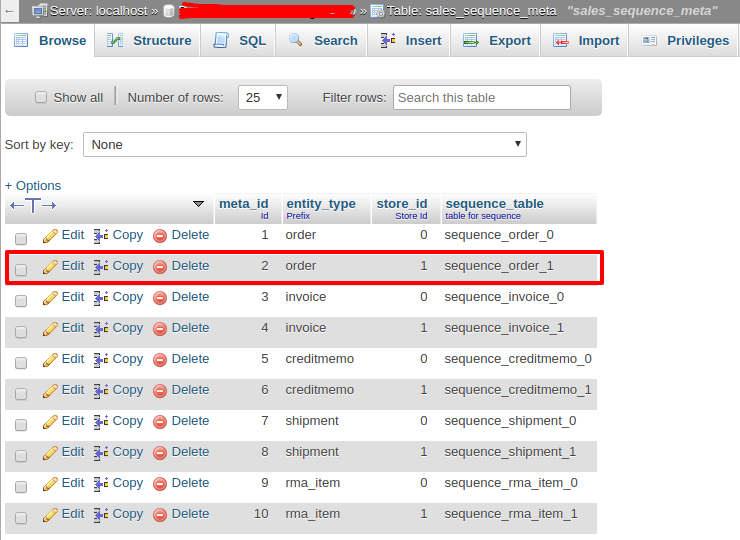
    – Login to Database & Check table ‘sales_sequence_meta’

    In the above SC “meta_id” is:  ‘ 2 ‘  And after run the below query :

    UPDATE ‘sales_sequence_profile’ SET ‘prefix’ = ‘HAZ’ WHERE ‘meta_id’ = 2;

    That’s it!! Now when you will going to place an order, You will get the next increment Id Like ‘HAZ21050001′ by ‘HAZ’ prefix word.

    Thank you.

    How to Upgrade Magento version from 2.1.7 to 2.3.4

    If you have to upgrade your Magento version from 2.1.7 to 2.3.4 then follow the below steps.

    Note: Please take the backup of your existing database and take a full backup.

    After taking backup follow the below upgrade steps on the Magento root directory using the terminal.

    Step 1 : php bin/magento maintenance:enable

    Step 2 : Take backup using existing composer.json of your site’s Magento root folder

    Step 3 : composer remove magento/product-community-edition –no-update

    Step 4 : composer require magento/product-community-edition=2.3.4 –no-update

    Step 5 : composer require –dev allure-framework/allure-phpunit:~1.2.0 friendsofphp/php-cs-fixer:~2.13.0 lusitanian/oauth:~0.8.10 magento/magento-coding-standard:~1.0.0 magento/magento2-functional-testing-framework:~2.3.14 pdepend/pdepend:2.5.2 phpunit/phpunit:~6.5.0 sebastian/phpcpd:~3.0.0 squizlabs/php_codesniffer:3.3.1 –sort-packages –no-update

    Step 6 : composer remove –dev sjparkinson/static-review fabpot/php-cs-fixer –no-update

    Step 7 : Open composer.json and add the below line in “autoload”: “psr-4” section in last.

    "autoload": {
        "psr-4": {
            ...
            ...
            "Zend\Mvc\Controller\": "setup/src/Zend/Mvc/Controller/"
        },
        ...
    }

    Step 8 : composer update

    Step 9 : php bin/magento cache:clean

    Step 10 : rm -rf var/cache/* var/log/* var/page_cache/* var/session/* var/view_preprocessed/* generation/* pub/static/*

    Step 11 : php bin/magento setup:upgrade

    Step 12 : php bin/magento maintenance:disable

    Thats it.

    Now clean the cache and check your Magento version. It should be upgraded to 2.3.4

    Magento 2: How to change main container max-width using less?

    Generally, you can see luma theme container’s max-width is: 1280px

    So in case, if you wish to change the main container max-width in your theme, Just override _theme.less file in your theme web/css/source/ folder and change max-width in below less variable. You don’t need to disturb any other CSS.

    @layout__max-width: 1360px;

    Note: I have tried the above solution in Magento 2.3.* and 2.4.* and I have made a custom theme based on the luma theme. It worked for me.

    Hope the above solution will also help you in your programming journey.

    Magento 2 Reset password token not getting in reset password form.

    While going through the logs, I noticed:

    Message: Notice: Undefined offset: 0 in vendor/magento/module-customer/Model/ForgotPasswordToken/GetCustomerByToken.php on line 87

    To get the solution, I followed the below steps.

    Step 1). Override the block of reset password – Vendor/Module/etc/di.xml

    <?xml version="1.0"?>
    <config xmlns:xsi="http://www.w3.org/2001/XMLSchema-instance" xsi:noNamespaceSchemaLocation="urn:magento:framework:ObjectManager/etc/config.xsd">
        <preference for="MagentoCustomerBlockAccountResetpassword" type="VendorModuleBlockCustomerAccountResetpassword" />
    </config>

    Step 2). Vendor/Module/Block/Customer/Account/Resetpassword.php

    <?php
    
    namespace VendorModuleBlockCustomerAccount;
    
    class Resetpassword extends MagentoCustomerBlockAccountResetpassword
    {
        public function __construct(
        MagentoFrameworkViewElementTemplateContext $context,
        MagentoCustomerModelSession $customerSession,  
        MagentoFrameworkObjectManagerInterface $objectManager,
        array $data = []
         ) {
            parent::__construct($context, $data);
            $this->customerSession = $customerSession;
            $this->_objectManager = $objectManager;
          }
    	public function getResetPasswordLinkToken()
        {
            return $this->customerSession->getRpToken();         
        }
    
    }


    How Two MBA Students Build Bonobos- a Walmart Acquired $310 Million Men’s Apparel Company


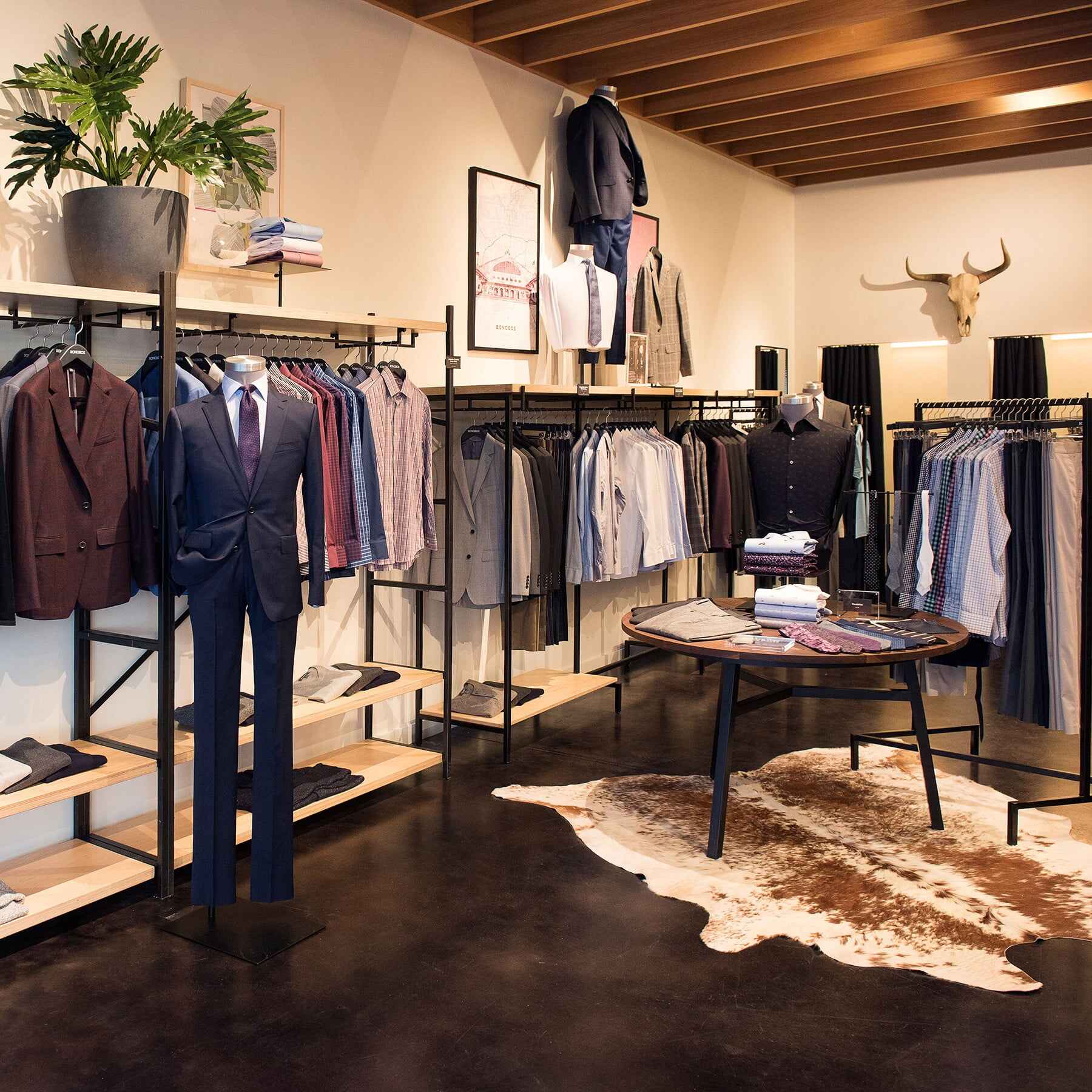
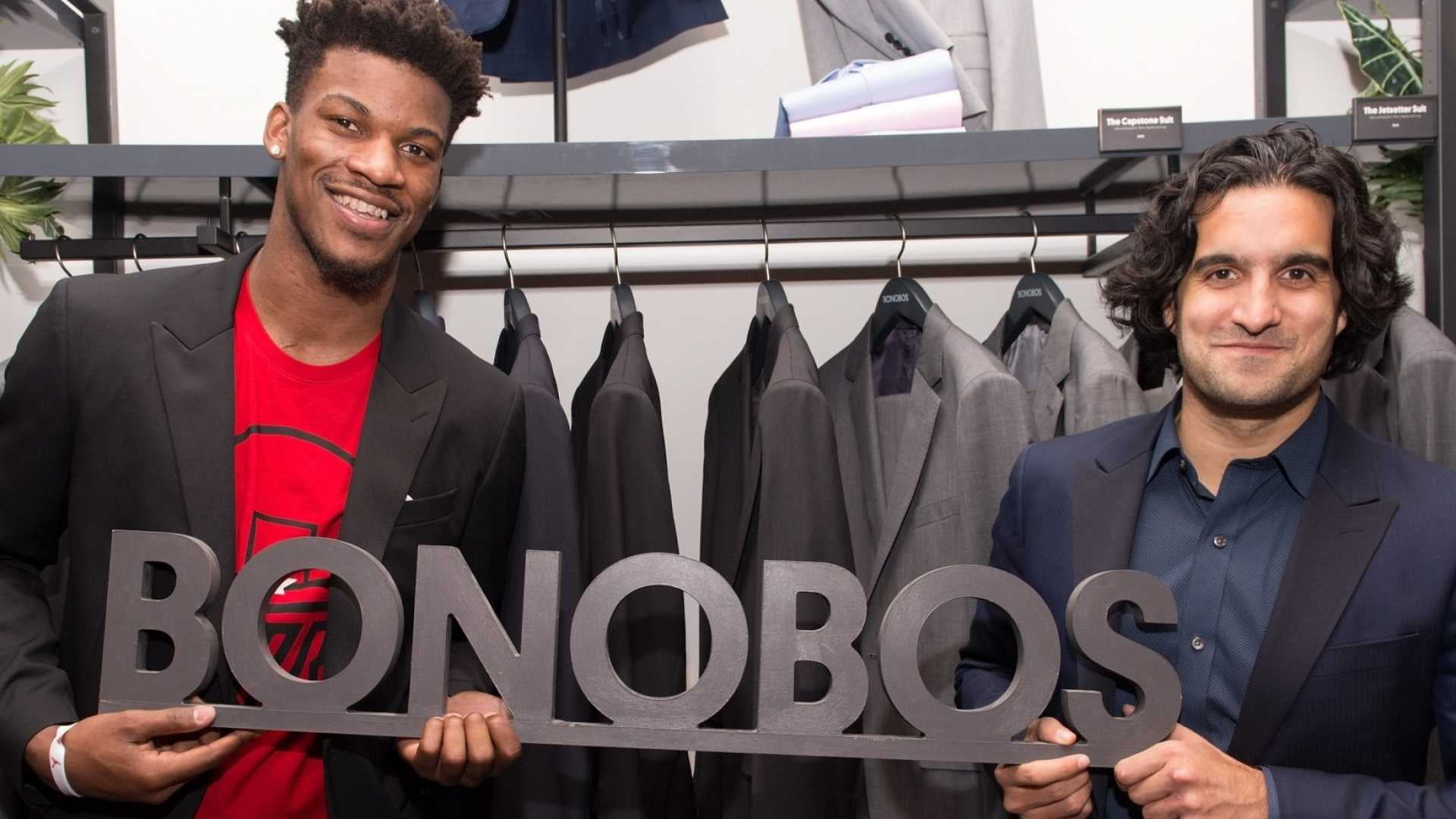
    Two MBA Spartans of Stanford Business School, Andy Dunn and Brian Spaly, popularized the concept of buying men’s pants online in 2007 with their ecommerce start-up Bonobos. What started as an MBA project soon turned out to be a mission to design an ideal pair of pants for men.

    They launched Bonobos.com when the concept of buying online wasn’t popular as present times. Within one year itself, the company made $100000 as revenue. Today they have over 60 Guide-Shops, full suit products for men, and were purchased by Walmart for $310 million back in 2017.


    Andy Dunn, an online culture enthusiast, was deeply interested in Brian Spaly’s pant designs, so he decided to invest 401k in launching the website bonobos.com. He raised capital from angel investors and Stanford lecturers. On the other hand, Spaly cancelled his plan to Brazil to work on fabric, the pattern for his curved- waistband with a flattering pant. In the year 2009, the company received a major investment of $3 million from angel investors.

    Journey from Digital to Bricks

    Bonobos’ remarkable journey began in the digital sphere as an e-retail brand, but in 2012, in response to customers’ request to “try on before buy”, Bonobos came up with Guide Shop, the first brick and mortar store in New York where the customer could try on clothes.

    The idea of a Guide shop was innovative, unlike other clothing retailers. It was designed to be completely stock-free except the floor stock. Customers could book an appointment, try on pre-selected clothes and buy them online. In 2015, Bonobos sold its millionth pair of pants, making itself the US’s largest online retail shop.

    In a statement, Andy Dunn confessed that customers who contacted Bonobos through Guide Shops purchased products 75% more. The main contributing reason for this is – human experience. “Having a great human one-to-one experience is unique these days. For me, it builds enormous loyalty if I like the people that I’ve transacted with”. In the following five years, Dunn opened additional 50 Guide Shops around the US.


    Takeaways from Bonobos’ Success

    1. Digital-First Mindset
    Andy Dunn’s fascination with online culture and Brian Spaly’s love for great-fit pants brought Bonobos into life. Andy Dunn had an innate understanding of online culture, and he knew that creating a better physical product is essential for success. Most importantly, the model of business was pre-determined. He was clear with the idea to sell and market products digitally.

    The model was hugely proven successful, and Dunn termed the coin DNVB for companies who followed Bonobos’ ethos.

    2. Powerful Word of Mouth Marketing
    Even before the launch of Bonobos, Dunn and other co-founders used to sell handmade pants stitched out of Trader Joe’s bag on their college campus. Gradual networking of friends and classmates who already expressed a desire to have well-fitted pants helped the company grow. As word of mouth spread, they started hosting truck shows. By the time Bonobos’ website was launched, the brand had a good number of following. Within the first six months only, the firm grew to 5 employees and $1million net revenue.

    Ecommerce retailers don’t need a huge marketing budget. All they need is such a good product that can keep people talking. Bonobos was the first e-retailer to prove that.


    3. “Make one thing great. Get one thing right”
    What’s more important for success? Happy customers or selling more products? Well, this was deeply understood by Bonobos hence creating a better physical product became their strategy.

    “Consumers don’t need many things from your company- they just need one thing. You may want them to need everything from your company but guess what: consumers don’t care what you want. Your job is to care about what they want, not what you want them to want… Make one thing great. Get one thing right”, Andy Dunn.

    4. Ninjas for Customer Experience
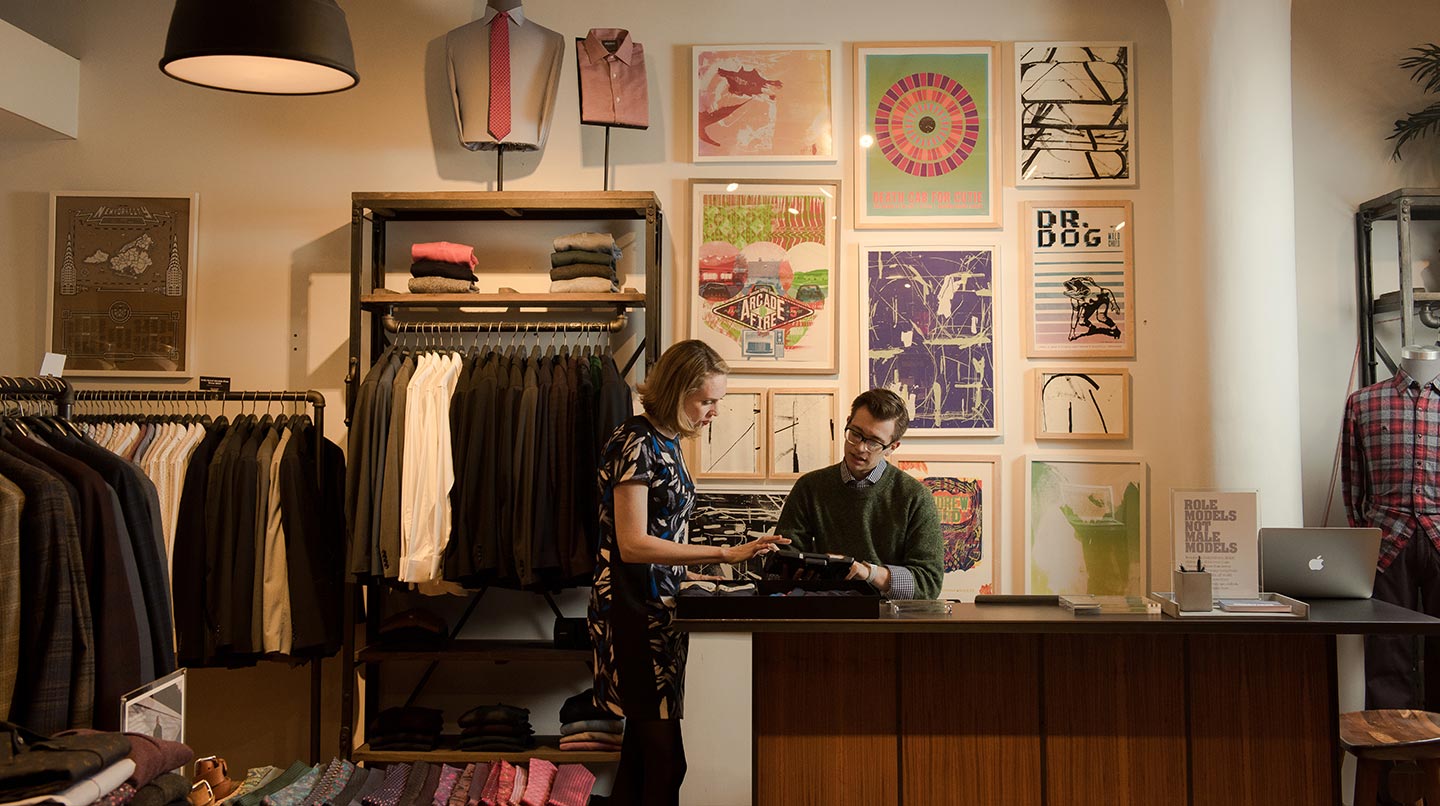
    When it comes to customer experience, Bonobos is described as “maniacal.” They are known to put the customer first both at a virtual and physical juncture. No online retail shop can touch Bonobos. They have an excellent team of customer service executives who tirelessly work to achieve the company’s goal and facilitate customers with a hyper-personalized shopping experience. When Bonobos was still an online-only platform, the company provided top-tier customer service experience- whom they called ‘Ninjas’ who were available to provide personalized support. The company’s only goal was to enrich customer’s shopping experience.

    After Bonobos came up with Guide Shops, the philosophy was passed on to ‘Ninja Guide’ who provides one-to-one support and personalized attention to in-store customers. The customer is also greeted with complimentary chilled beer to experience hyper-personalized shopping.


    5. Free delivery & Stress-free Online shopping
    The biggest challenge for the company in the beginning was to convince people to go and buy pants online. Some questions were inevitable such as – What if the pants didn’t fit? Why wait for items to arrive when you can directly go & shop? Why pay shipping charges? All these challenges were smashed when Bonobos came with a fast checkout, free-shipping & free-return policy to make online shopping more convenient for customers.


    6. Guide Shops for Personalization
    What made the brand stand out from the rest is its Guide Shops. It was an innovative approach to blend personalization in digital spheres. A customer could visit the store, try on the clothes, place an order at the store and get it delivered at home or office on the following day. A Ninja Guide available at the store ensures a one-to-one customer experience to support the customer make right purchase.


    7. Smart Inventory
    Inventory-free Guide Shops helped keep turnover high and investment low, enabling Bonobos to expand the business rapidly. Currently Bonobos has 62 Guide Shops across the US.


    Summing Up!

    Here’s a little inspiration for all those who want to make it big!
    “The risk is not in doing something that feels risky. The risk is in not doing something that feels risky”, Andy Dunn.


    How to print barcode on invoice PDF?

    One of our clients was looking to add the Barcode using OrderIncrement id.

    To achieve that I used picqer/php-barcode-generator library in Magento. You can follow the remaining steps only after installing the library.

    Step 1: Create a Plugin and define that plugin di.xml. Use the below code and add it to the di.xml file.

    <type name="MagentoSalesModelOrderPdfInvoice">
        <plugin name="barcodes_pdf_invoice" type="MagemonkeysBarcodesPluginInvoice" sortOrder="10" />
    </type>

    Step 2: Create a Invoice.php file under Plugin under this folder “app/code/Magemonkeys/Barcode/Plugin“.

    <?php
    /**
     * @category Print Barcode On Invoice PDF
     * @package  Magemonkeys_Barcodes
     * @author   Abbacus Team
     */
    namespace MagemonkeysBarcodesPlugin;
    
    use MagentoFrameworkAppConfigScopeConfigInterface;
    use PicqerBarcodeBarcodeGeneratorPNG;
    
    class Invoice
    {
        /**
         * @var ScopeConfigInterface
         */
        private $scopeConfig;
        /**
         * @var MagentoSalesModelOrderInvoice
         */
        private $invoiceModel;
        
        /**
         * 
         * @param ScopeConfigInterface $scopeConfig
         * @param MagentoSalesModelOrderInvoice $invoiceModel
         */
        public function __construct(
            ScopeConfigInterface $scopeConfig,
            MagentoSalesModelOrderInvoice $invoiceModel
        ) {
            $this->scopeConfig = $scopeConfig;
            $this->invoiceModel = $invoiceModel;
        }
        
        /**
         * 
         * @param string $subject
         * @param object $page
         * @param string $text
         */
        public function beforeInsertDocumentNumber($subject, $page, $text)
        {
            $docHeader = $subject->getDocHeaderCoordinates();
            $image = $this->generateBarcode($text);
            $page->drawImage($image, $docHeader[2] - 150, $docHeader[1] + 20, $docHeader[2] , $docHeader[1] +55);
        }
        
        /**
         * 
         * @param string $text
         * @return Zend_Pdf_Resource_Image_Png
         */
        protected function generateBarcode($text)
        {
            $invoiceIncrement = $this->extractInvoiceNumber($text);
            $invoice = $this->invoiceModel->loadByIncrementId(trim($invoiceIncrement));
            $order = $invoice->getOrder();
            $orderIncrementId = $order->getIncrementId();
            $generator = new BarcodeGeneratorPNG;
            $image = new Zend_Pdf_Resource_Image_Png('data:image/png;base64,' . base64_encode($generator->getBarcode($orderIncrementId, $generator::TYPE_CODE_128)));
            return $image;
        }
        
        /**
         * 
         * @param string $text
         * @return string
         */
        protected function extractInvoiceNumber($text)
        {
            $array_of_words = explode("#", $text);
            return $array_of_words[1];
        }
    }
    

    Now, when you print the Invoice PDF, the barcode will be shown on the top of the PDF. Happy coding. 🙂

    Magento 2: change logo on checkout page using layout xml

    If you want to change the header logo only on the checkout page using XML, then follow the below instructions:

    First, you should override the checkout_index_index.xml file in your theme and add the below code between the body.

    <referenceBlock name="logo">
    <arguments>
    <argument name="logo_src" xsi:type="helper" helper="MagemonkeyCustomModHelperData::getLogo"></argument>
    </arguments>
    </referenceBlock>

    Then, you need to create a helper or add the below function in your exiting helper file. (here I have created a new helper file in my module)

    <?php
    namespace MagemonkeyCustomModHelper;
    class Data extends MagentoFrameworkAppHelperAbstractHelper
    {
    protected $_request;
    public function __construct
    (
    MagentoFrameworkAppRequestHttp $request,
    MagentoFrameworkViewAssetRepository $assetRepo
    ) {
    $this->_request = $request;
    $this->_assetRepo = $assetRepo;
    }
    public function getLogo()
    { 
    return $this->_assetRepo->getUrl('images/checkout-logo.png');
    }
    }

    *Note: I have tried this code in Magento 2.4.2