We sacrifice by not doing any other technology, so that you get the best of Magento.

We sacrifice by not doing any other technology, so that you get the best of Magento.

    Magento Headless Commerce: The Ultimate Guide 2025

    In the rapidly evolving eCommerce landscape of 2025, businesses face unprecedented demands for speed, personalization, and seamless omnichannel experiences. Global eCommerce sales are projected to surpass $7.4 trillion by 2025, driven by customers expecting lightning-fast websites, mobile-friendly interfaces, and tailored shopping journeys across multiple touchpoints. Traditional monolithic platforms, with their tightly coupled frontends and backends, often struggle to meet these modern expectations. Enter Magento Headless Commerce—a game-changing architecture that redefines how online stores are built, managed, and scaled.

    Magento, now known as Adobe Commerce, is a leading eCommerce platform renowned for its flexibility, scalability, and robust feature set. By adopting a headless approach, Magento becomes even more powerful, enabling businesses to decouple the frontend (user interface) from the backend (core commerce engine) and communicate via APIs. This separation unlocks unparalleled performance, customization, and omnichannel capabilities, positioning Magento Headless Commerce as a cornerstone of modern eCommerce strategies.

    This comprehensive guide explores everything you need to know about Magento Headless Commerce in 2025, including its definition, benefits, challenges, best practices, implementation steps, and future trends. Whether you’re a startup, SME, or enterprise, this guide will equip you with actionable insights to leverage Magento Headless Commerce for eCommerce success.

    What is Headless Commerce?

    Headless Commerce is an eCommerce architecture that separates the frontend (presentation layer) from the backend (business logic, product catalog, inventory, and checkout). Unlike traditional monolithic platforms where the frontend and backend are tightly integrated, headless commerce uses APIs (Application Programming Interfaces) to enable seamless communication between the two layers. This decoupling allows businesses to build custom frontends while leveraging the robust capabilities of platforms like Magento.

    Key Characteristics of Headless Commerce

    • Decoupled Frontend and Backend: The frontend, built with modern frameworks like React, Vue.js, or Next.js, operates independently of the backend, which handles core commerce functions.
    • API-Driven Architecture: REST, GraphQL, or custom APIs facilitate data exchange, ensuring flexibility and efficiency.
    • Omnichannel Capabilities: A single backend can power multiple frontends, including websites, mobile apps, IoT devices, kiosks, and marketplaces.
    • Scalability and Flexibility: Businesses can add features, update frontends, or integrate new channels without disrupting the backend.

    Headless commerce empowers businesses to create dynamic, high-performing, and personalized shopping experiences tailored to diverse customer needs.

    Magento Headless Commerce Explained

    Magento (Adobe Commerce) is a powerhouse eCommerce platform trusted by global brands like Coca-Cola, Nike, and Helly Hansen. Its headless architecture, introduced with Magento 2.3 and enhanced in subsequent releases, leverages GraphQL and REST APIs to support decoupled setups. In a Magento Headless Commerce setup:

    • Backend: Magento manages core eCommerce functions, including product catalog, inventory, order processing, payment gateways, and customer management.
    • Frontend: Developers build custom frontends using frameworks like React, Vue.js, Next.js, Angular, or Magento’s PWA Studio, delivering tailored user experiences.
    • APIs: GraphQL and REST APIs ensure seamless communication between the frontend and backend, enabling real-time data exchange.

    This architecture allows businesses to maintain Magento’s robust commerce engine while creating fast, engaging, and device-agnostic frontends. Magento Headless Commerce is particularly suited for businesses seeking flexibility, scalability, and omnichannel reach in 2025.

    Benefits of Magento Headless Commerce

    Magento Headless Commerce offers transformative advantages that align with the demands of modern eCommerce. Below are the key benefits, supported by real-world examples and industry insights.

    Unmatched Performance and Speed

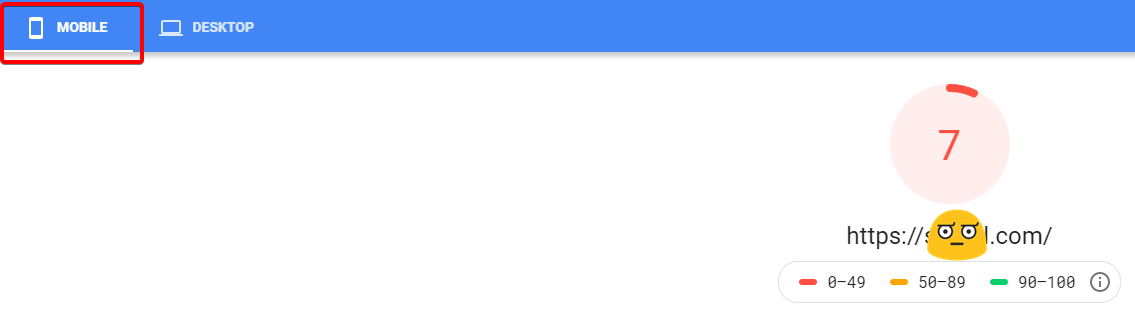
    Headless frontends, such as Progressive Web Apps (PWAs) built with React or Vue.js, significantly outperform traditional Magento themes. By rendering the frontend independently, headless setups reduce server load and achieve page load times as low as one second, compared to 3+ seconds for monolithic stores. Studies show that a one-second improvement in load time can boost conversions by 7%. For example, UK Meds, an online pharmacy, reported a 39% revenue increase and 23% higher conversions after adopting a headless Magento setup with PWA and custom API integrations.

    Omnichannel Experience

    Magento Headless Commerce enables a single backend to power multiple frontends, delivering consistent experiences across websites, mobile apps, in-store kiosks, IoT devices, and marketplaces. This is critical in 2025, as mobile eCommerce is projected to account for 72.9% of global sales. Zadig & Voltaire, a French fashion brand, uses a headless Magento PWA in Vue.js to provide a minimalist, fast-loading website that enhances mobile shopping experiences.

    Improved SEO and Rankings

    Headless Magento improves SEO through faster page speeds, better Core Web Vitals scores (e.g., Largest Contentful Paint, First Input Delay), and flexible structured data implementation. Server-side rendering (SSR) and static site generation ensure search engines can index content effectively. Best Online Cabinets maintained sales revenue during a US economic downturn by implementing a headless Magento store with Alokai, resulting in an SEO-friendly, high-performing website.

    Flexibility for Developers

    Headless Magento liberates developers from the constraints of Magento’s default themes, allowing them to use modern frameworks like React, Vue.js, or Next.js. This enables rapid iteration, experimentation, and integration with third-party tools like Algolia for search or Contentful for content management. Developers can work on frontend and backend in parallel, reducing time-to-market by up to 50%, as seen in enterprise implementations.

    Personalization and Customization

    Headless Magento supports dynamic personalization through AI-driven tools like Adobe Sensei, enabling tailored product recommendations, content, and pricing. Businesses can create unique experiences for B2B and B2C customers, such as custom portals or region-specific storefronts. Rubik’s, the iconic puzzle brand, enhanced its website with image zooming and rich media instructions using a headless Magento setup, improving customer engagement.

    Future-Proof Architecture

    Headless Magento ensures adaptability to emerging technologies, such as voice commerce, IoT devices, and virtual reality (VR) shopping. The decoupled architecture allows businesses to swap frontend technologies or add new channels without overhauling the backend. This future-proofing is critical as eCommerce evolves toward composable commerce, where businesses integrate best-of-breed solutions.

    Enterprise-Grade Scalability

    Headless Magento supports independent scaling of frontend and backend, accommodating traffic spikes and large product catalogs. G-SP, a spare parts retailer, transitioned to a headless Magento PWA, achieving faster load times and seamless scalability across devices.

    These benefits make Magento Headless Commerce a strategic choice for businesses aiming to stay competitive in 2025’s dynamic eCommerce landscape.

    Challenges of Magento Headless Commerce

    While Magento Headless Commerce offers significant advantages, it also presents challenges that require careful planning and expertise. Below are the primary hurdles and strategies to address them:

    Higher Development Costs

    Building and maintaining separate frontend and backend systems requires specialized skills, increasing initial costs. Headless Magento projects can range from $5,000 for small setups to over $100,000 for complex enterprise implementations. Solution: Partner with an experienced Magento agency like Mage Monkeys to optimize costs and ensure efficient development.

    Increased Complexity

    Headless setups involve multiple technologies (e.g., Magento backend, React frontend, GraphQL APIs), requiring developers skilled in both frontend and backend frameworks. This complexity can lead to longer development timelines. Solution: Hire certified Magento developers with expertise in headless architecture to streamline implementation.

    Third-Party Integration Issues

    Not all Magento extensions are compatible with headless setups, as many are designed for traditional themes. Custom APIs or replacements may be needed, adding to costs. Solution: Use headless-ready extensions like Mageplaza or Amasty, or develop custom integrations tailored to your needs.

    Maintenance and Compatibility

    Separate updates for frontend and backend systems can lead to compatibility issues, especially when Magento releases new versions. Ongoing maintenance is critical to ensure seamless performance. Solution: Implement robust DevOps practices and work with an agency offering 24/7 support.

    SEO Challenges

    JavaScript-heavy frontends can hinder search engine indexing if not optimized properly. Solution: Use server-side rendering (SSR) or static site generation (SSG) to ensure SEO-friendly pages, and leverage tools like Yoast SEO for Magento.

    By addressing these challenges with strategic planning and expert support, businesses can maximize the benefits of Magento Headless Commerce.

    Magento Headless Commerce Use Cases

    Magento Headless Commerce is versatile, catering to diverse business models and industries. Below are key use cases demonstrating its real-world applications:

    Large Enterprises

    Enterprises with global operations benefit from headless Magento’s multi-store, multi-language, and multi-channel capabilities. For example, a luxury fashion retailer increased conversions by 34% after migrating to a React-based PWA frontend powered by headless Magento, enabling personalized experiences across markets.

    B2B Commerce

    Headless Magento supports complex B2B requirements, such as custom pricing, product configurators, and client portals. A European B2B wholesaler used headless Magento to create a multilingual store with ERP integration, doubling online sales.

    Retail and Fashion

    Fashion brands leverage headless Magento for mobile-first experiences, AR/VR integrations, and fast checkouts. Zadig & Voltaire’s headless PWA delivers a minimalist, high-speed website that enhances mobile shopping.

    Marketplaces

    Headless Magento powers scalable marketplaces by combining a robust backend with custom marketplace frontends. Businesses can integrate multiple vendors and manage large catalogs efficiently.

    Omnichannel Retail

    Headless Magento syncs with in-store kiosks, mobile apps, wearables, and social platforms, ensuring consistent experiences. A Qatar-based electronics retailer implemented a headless Magento store with Next.js PWA and Flutter, achieving seamless mobile and app performance.

    These use cases highlight Magento Headless Commerce’s ability to deliver tailored, high-performing solutions across industries.

    Best Practices for Magento Headless Commerce in 2025

    To maximize the potential of Magento Headless Commerce, businesses must follow best practices that ensure performance, scalability, and user satisfaction. Below are actionable strategies optimized for 2025:

    Choose the Right Frontend Framework

    Select a frontend framework that aligns with your team’s expertise and business needs:

    • React.js: Ideal for performance-driven, dynamic interfaces.
    • Vue.js: Simplifies development with lightweight, flexible components.
    • Next.js: Offers server-side rendering for SEO and scalability.
    • Magento PWA Studio: Provides pre-built components for rapid PWA development. For example, Techno Blue Electronyat used Next.js with headless Magento to achieve faster page loads and a seamless mobile app experience.

    Optimize API Performance

    GraphQL APIs, introduced in Magento 2.3, are optimized for headless setups, enabling efficient, targeted queries. Minimize API calls by caching data and using tools like Apollo Client for GraphQL management. Ensure comprehensive API documentation to streamline development.

    Focus on Mobile Experience

    With mobile eCommerce driving 72.9% of sales in 2025, prioritize mobile-first design. Implement Progressive Web Apps (PWAs) using Magento PWA Studio or Vue Storefront for app-like experiences, offline functionality, and push notifications. GSM55, a mobile accessories retailer, used a headless Magento PWA with Algolia search to enhance mobile navigation.

    Enhance Security

    Secure APIs with HTTPS, OAuth authentication, and rate limiting to prevent attacks. Apply Magento security patches regularly and conduct audits to identify vulnerabilities. Safcodes, a Dubai-based Magento agency, emphasizes secure API architecture for headless implementations.

    Optimize for SEO

    Ensure SEO-friendly pages by implementing server-side rendering (SSR) or static site generation (SSG). Use structured data (schema markup) for products, reviews, and breadcrumbs to boost rich snippet visibility. Tools like Mageworx SEO Suite can automate SEO tasks in headless setups.

    Integrate a Headless CMS

    Pair Magento with a headless CMS like Contentful, Prismic, or Sanity for flexible content management across channels. This ensures consistent content delivery for websites, apps, and kiosks. Mindvalley, a wellness company, switched to Storyblok with headless Magento for personalized, multilingual content.

    Prioritize Performance Optimization

    Leverage techniques like lazy loading, code splitting, and Content Delivery Networks (CDNs) to reduce load times. Use tools like Cloudflare or Fastly to enhance global performance. A small clothing retailer reported a 40% increase in page speed after optimizing its headless Magento store.

    Implement DevOps Practices

    Adopt CI/CD pipelines, containerization (e.g., Docker), and automated testing to manage complex headless setups. This ensures seamless updates and scalability. Businesses using DevOps with headless Magento report 30% faster deployment times.

    Monitor and Maintain

    Continuously monitor performance, security, and user experience using tools like Google Analytics, New Relic, and Google Search Console. Schedule regular maintenance to address compatibility issues and optimize Core Web Vitals.

    Leverage AI and Personalization

    Integrate Adobe Sensei or third-party AI tools for personalized product recommendations, dynamic pricing, and predictive analytics. Companies using AI in headless Magento setups report up to 15% higher conversion rates.

    By adhering to these best practices, businesses can build high-performing, scalable, and user-friendly headless Magento stores.

    Magento Headless Commerce vs. Traditional Magento

    To understand the value of headless Magento, let’s compare it to traditional Magento:

    • Frontend-Backend Integration: Traditional Magento tightly couples the frontend and backend, limiting flexibility. Headless Magento decouples them, enabling independent development.
    • Performance: Traditional Magento can be slower on large sites due to heavy themes and server-side rendering. Headless Magento achieves faster load times with PWAs and optimized frontends.
    • Omnichannel Capabilities: Traditional Magento has limited multi-channel support, while headless Magento powers websites, apps, and emerging touchpoints seamlessly.
    • Customization: Traditional Magento is constrained by theme-based customization, whereas headless Magento offers unlimited frontend flexibility.
    • Development Costs: Traditional Magento is more cost-effective for small stores, while headless Magento requires higher initial investment but delivers long-term ROI.
    • Scalability: Headless Magento excels in scalability, supporting independent frontend and backend scaling for high-traffic stores.

    Verdict: Traditional Magento suits small to mid-sized businesses with straightforward needs. Headless Magento is ideal for enterprises and growth-focused businesses requiring speed, flexibility, and omnichannel reach.

    How to Implement Magento Headless Commerce

    Implementing Magento Headless Commerce requires strategic planning and technical expertise. Follow these steps for a successful setup:

    Step 1: Evaluate Business Needs

    Assess whether headless Magento aligns with your goals, such as improved performance, omnichannel expansion, or enhanced UX. Consider budget, technical resources, and long-term scalability. For example, businesses with significant Magento backend investments benefit most from headless transitions.

    Step 2: Choose the Right Tech Stack

    Select a frontend framework (React, Vue.js, Next.js, or PWA Studio) and hosting provider (e.g., SiteGround, Nexcess, or Adobe Commerce Cloud). Ensure compatibility with Magento 2.3 or later for GraphQL support. If using Magento 1, plan a migration to Magento 2 first.

    Step 3: Configure APIs

    Enable and configure Magento’s GraphQL or REST APIs to handle data exchange for products, categories, checkout, and customer data. Optimize API performance with caching and proper endpoint documentation.

    Step 4: Develop the Frontend

    Build a custom frontend aligned with your brand’s design and UX goals. Use Magento PWA Studio for pre-built components or frameworks like Next.js for advanced customization. Implement performance techniques like lazy loading and SSR.

    Step 5: Integrate Third-Party Systems

    Connect headless Magento with a CMS (e.g., Contentful), ERP, CRM, or search tools like Algolia. Ensure seamless integration through well-documented APIs.

    Step 6: Test Thoroughly

    Test for performance (using tools like Google PageSpeed Insights), SEO (Google Search Console), security (penetration testing), and mobile-friendliness (Google Mobile-Friendly Test). Validate API functionality and cross-channel consistency.

    Step 7: Go Live and Maintain

    Launch the store and monitor performance, security, and user feedback. Schedule regular maintenance to apply Magento patches, optimize APIs, and update frontends. Partner with a Magento agency for ongoing support.

    By following these steps, businesses can deploy a high-performing headless Magento store tailored to their needs.

    Real-World Examples of Magento Headless Commerce

    UK Meds

    UK Meds, a UK-based online pharmacy, transitioned to a headless Magento setup with a Vue.js PWA and integrations with Algolia and Trustpilot. The result was a 39% revenue increase, 65% more transactions, and 23% higher conversions due to faster load times and improved UX.

    Zadig & Voltaire

    This French fashion brand implemented a headless Magento PWA in Vue.js, delivering a minimalist, high-speed website. The simplified design and fast navigation enhanced mobile shopping, boosting customer engagement.

    Rubik’s

    Rubik’s overcame a clunky traditional backend by adopting headless Magento. The new site features image zooming, rich media, and quick-loading pages, improving user satisfaction and global brand reach.

    GSM55

    GSM55, a mobile accessories retailer, migrated to a headless Magento 2 PWA with an Algolia-powered search engine. The intuitive navigation and fast performance enabled seamless browsing of thousands of products.

    These examples demonstrate Magento Headless Commerce’s ability to deliver measurable results across industries.

    Future of Magento Headless Commerce in 2025 and Beyond

    The eCommerce landscape is shifting toward headless and composable commerce, and Magento is at the forefront of this transformation. Key trends shaping Magento Headless Commerce in 2025 include:

    Progressive Web Apps (PWAs)

    PWAs will become the standard for mobile-first stores, offering app-like experiences, offline functionality, and push notifications. Magento PWA Studio and frameworks like Vue Storefront will drive adoption.

    AI and Personalization

    Adobe Sensei and third-party AI tools will enhance headless Magento with predictive analytics, personalized recommendations, and dynamic pricing. Businesses using AI report 15% higher conversion rates.

    Voice Commerce

    As voice assistants gain traction, headless Magento’s flexibility will support voice-driven shopping experiences through integrations with Alexa, Google Assistant, and Siri.

    IoT and Emerging Touchpoints

    Headless Magento will power IoT devices, smartwatches, and AR/VR interfaces, enabling shopping on new platforms without backend overhauls.

    Composable Commerce

    Magento’s API-driven architecture aligns with composable commerce, allowing businesses to integrate best-of-breed solutions for payments, search, and content management.

    Sustainability

    Adobe’s eco-friendly cloud infrastructure and headless Magento’s efficient resource usage align with growing consumer demand for sustainable practices.

    By embracing these trends, businesses can future-proof their eCommerce strategies and stay ahead of competitors.

    FAQs About Magento Headless Commerce

    What is Magento Headless Commerce?

    Magento Headless Commerce is an architecture where the frontend (user interface) is decoupled from the Magento backend, communicating via APIs to deliver flexible, high-performing shopping experiences.

    Is Magento Headless Commerce expensive?

    Yes, initial costs are higher due to custom frontend development and API integration, ranging from $5,000 to $100,000+. However, long-term ROI from improved conversions and scalability justifies the investment.

    Can small businesses use Magento Headless?

    While possible, headless Magento is best suited for mid-to-large businesses with omnichannel needs and budgets for custom development.

    Does Magento Headless improve SEO?

    Yes, with server-side rendering, optimized Core Web Vitals, and structured data, headless Magento enhances SEO rankings and visibility.

    Which frontend technologies work best with Magento Headless?

    Popular choices include React.js, Vue.js, Next.js, Angular, and Magento PWA Studio, depending on your team’s expertise and project goals.

    How does headless Magento support omnichannel retail?

    A single Magento backend can power multiple frontends (web, apps, kiosks), ensuring consistent experiences across channels.

    What are the main challenges of Magento Headless?

    Challenges include higher costs, complexity, third-party compatibility, and maintenance. Partnering with an experienced agency mitigates these risks.

    Conclusion: Why Magento Headless Commerce is the Future

    Magento Headless Commerce is not just a trend—it’s a transformative approach that empowers businesses to meet the demands of 2025’s eCommerce landscape. By decoupling the frontend and backend, Magento delivers unmatched speed, flexibility, and omnichannel capabilities, enabling businesses to create personalized, high-performing shopping experiences. While challenges like higher costs and complexity exist, the long-term benefits—improved SEO, scalability, and future-proofing—make headless Magento a strategic investment.

    For businesses aiming to stay competitive, Magento Headless Commerce offers a pathway to faster innovation, better customer experiences, and global reach. Whether you’re a retailer, B2B provider, or marketplace, partnering with a certified Magento agency like Mage Monkeys can ensure a seamless transition to headless architecture. Start your journey today to build a scalable, future-proof eCommerce store that drives conversions and growth.
    Essential Required Features To Make Electronics/Equipment/Tools eCommerce Store Successful

    Enhance your electronics eCommerce store with our below mentioned relevant features.

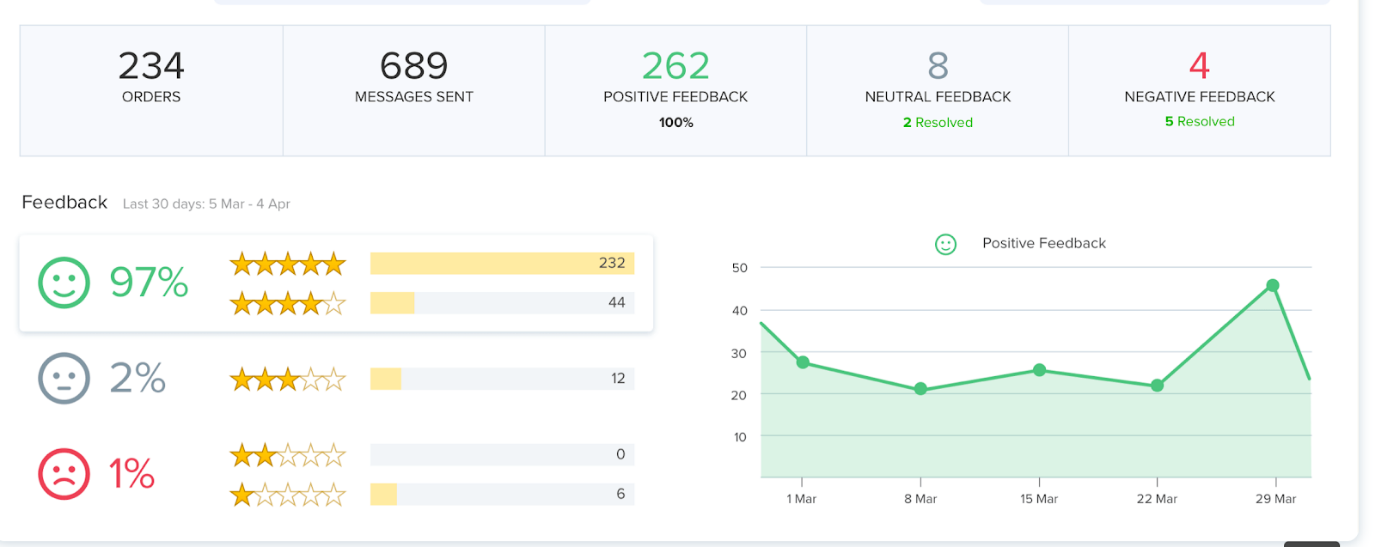
    Reviews

    Reviews are an essential part of any eCommerce store and if you are selling an electronic item/products then reviews can play a major role. Reviews can encourage people to buy your product. Experiences of your past shoppers tell a lot like how your product is different from your competitors if they faced any problem, how was their overall experience with your product. This kind of customer interaction will ultimately lead to enhancing your profits for businesses.

    Happy customers don’t write reviews easily as unhappy customers leave reviews so, as a store owner, you must find ways to make it easier for customers to leave reviews. You can send personalised review request email or text message within a week of the purchase, offer some small gifts or extended warranties. Coupons, discounts, and other rewards are also one of the great ways to encourage your customers to leave reviews.

    Study shows that 90% of consumers are greatly influenced by other people’s experiences. So, the collection of ratings and reviews can help drive higher SEO, generate new customers, and increase sales.

    Naming convention

    The product name should clearly and quickly convey exactly what you’re selling. It should be memorable, understandable, findable (mostly on search engines), unique, and relevant.

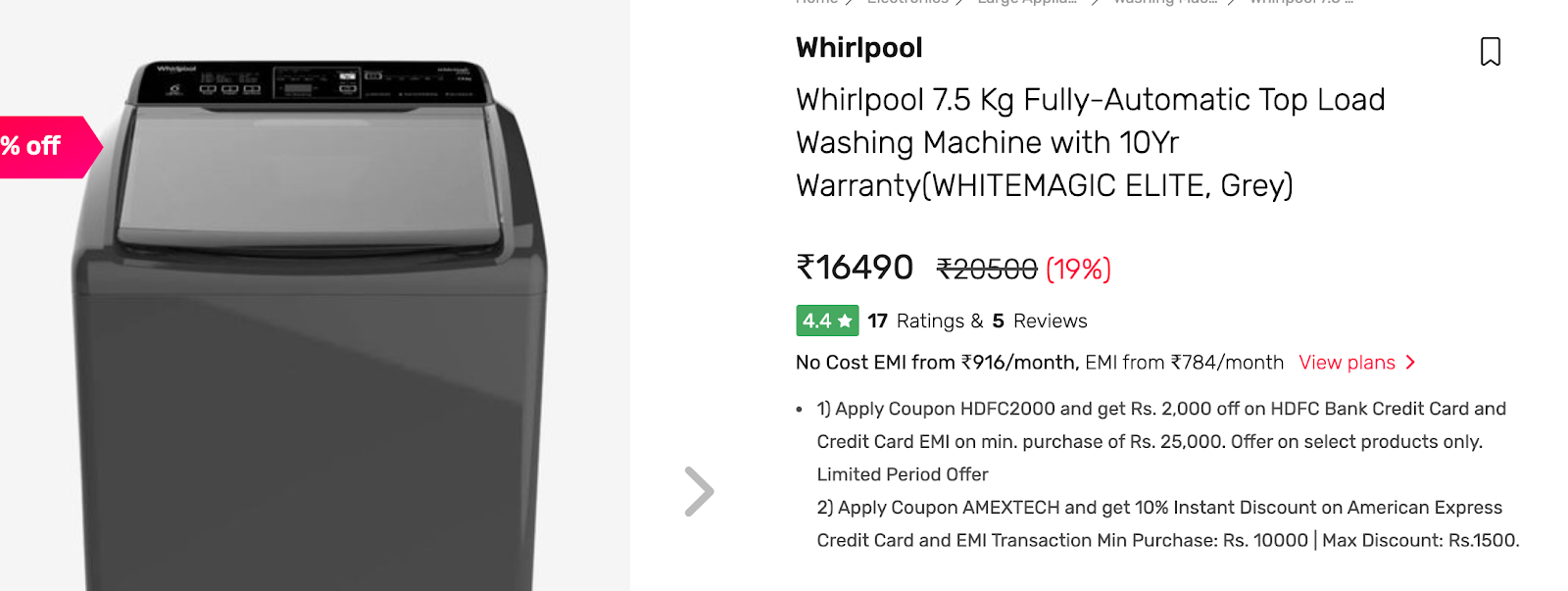
    There are numerous combinations of how a title can be structured and crafted based on the product and its attributes. For example; take the above picture, the title Whirlpool 7.5 Kg Fully-Automatic Top Load Washing Machine with 10Yr Warranty (WHITEMAGIC ELITE, Grey) describes everything about the product. What the product Brand is (Whirlpool), Capacity (7.5kg), Type (Fully-Automatic Top Load), and Product Category (Washing Machine). It is very important to mention the benefits of products like (10 YR Warranty) in the product name. The more the product is described, the higher are its chances of being sold.

    Delivery schedule for last-mile delivery

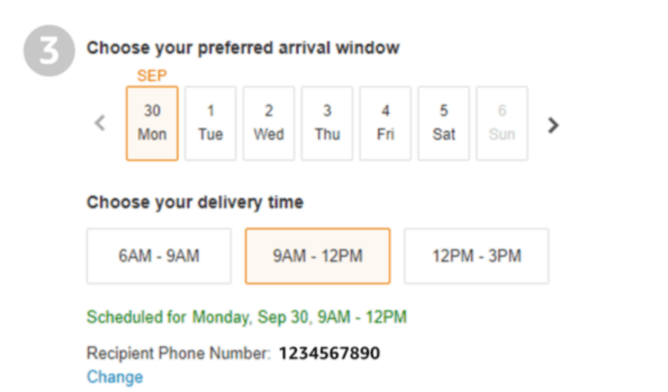
    Most of the electronic products are heavy and expensive. You cannot get it delivered outside the buyer’s home. It is important to add a delivery schedule feature in your site where a customer can select the date and time of the delivery. So, when the delivery is made, a customer is present in the house.

    If the product requires manual installation by a technician, then it becomes easier to ask the customer to choose the time. This way, customers can schedule their availability at home or office as per technicians visit. If the customer is not going to personally receive the product then it is advisable to get the recipient contact number so that technician can get in touch with the concerned person directly.


    Product Feature Comparison
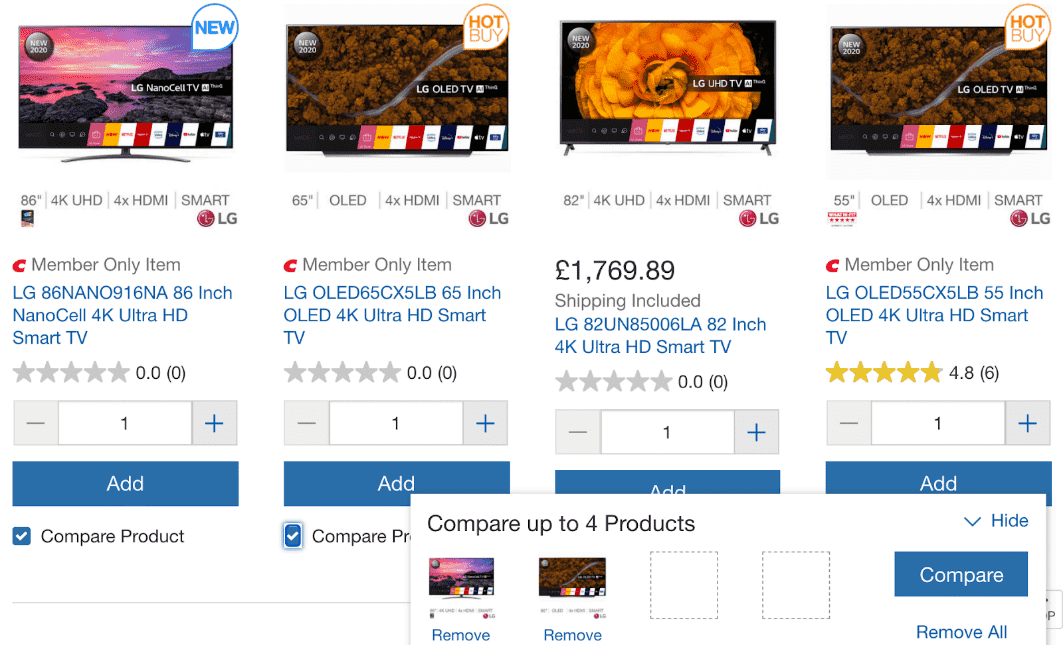
    Apple doesn’t need to specify product features as Apple users are very loyal to the brand but if your online store is having non-Apple products then it’s important to provide product specifications. Electronic items come in an extensive range of different features and aspects. Therefore, it is important to design your backend system in such a way where attributes are defined as category wise. A comparison tool Consumers can make an informed purchase decision based on a comparison tool

    Pricing

    Study says that when it comes to buying electronic products, customers spend more than 10 minutes to find the best deal on the internet. Moreover, customers also compare brick and mortar prices with an online eCommerce site. Stores such as BigBuy provide a price match guarantee.

    When a consumer sees that the company is offering a price match guarantee, it gives them peace of mind and it helps in building trust. If consumers find your site trustworthy it will not research more on the internet.

    Maintain a competitive approach to other brands that offer similar products with a price match guarantee. so whenever the user selects the product name it will show them a highlighted text above the product telling “Best Price Guarantee” and keep more of your hard-won customers.

    Additional Essential Products
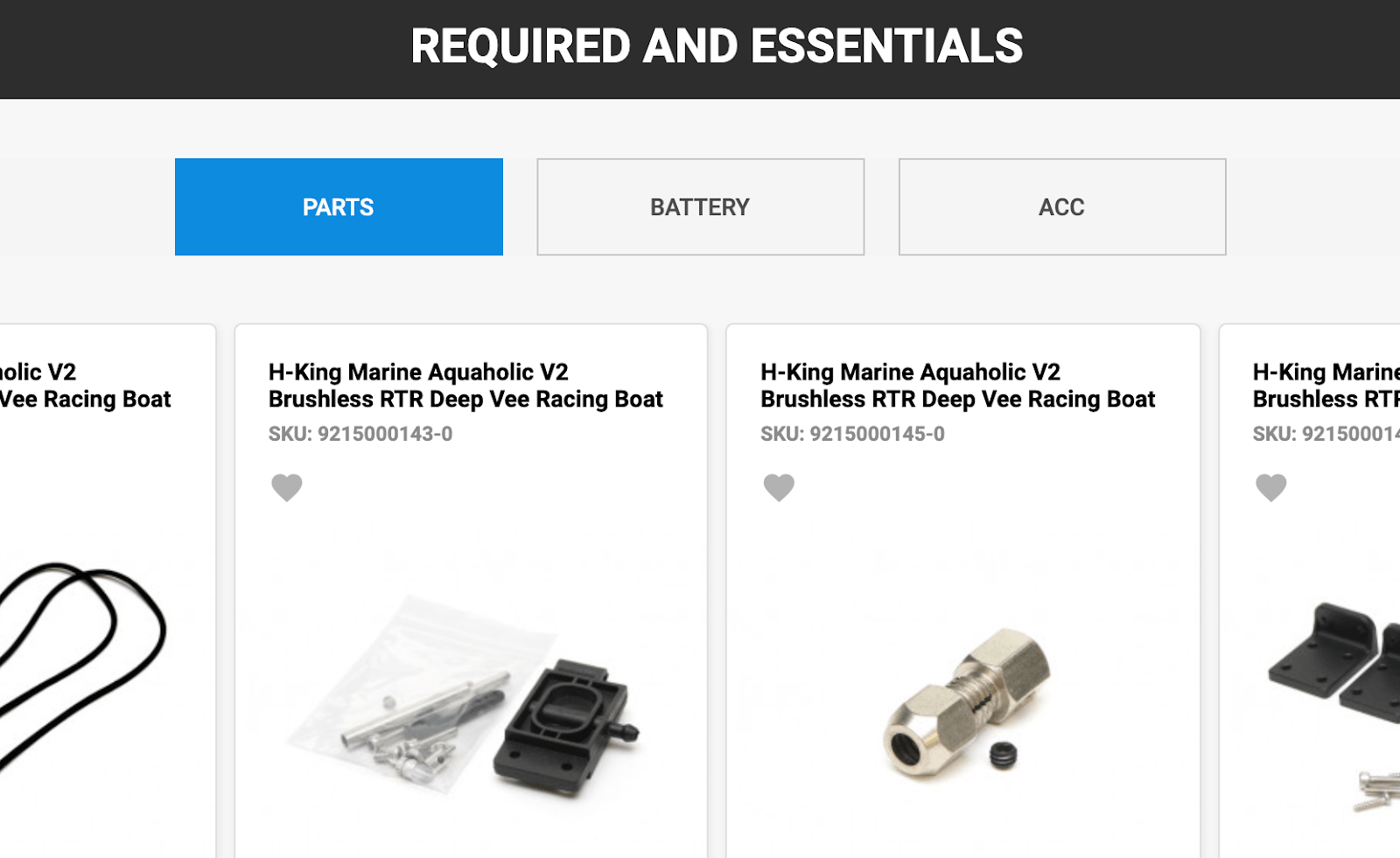
    To boost sales and enhance customer experience, you can offer the customer additional products that will genuinely provide them with added value. For instance, if a customer is buying a computer or laptop you can suggest a scanner and printer with it. Offer your customers relevant products to make sure that they are getting your full range of products and you are getting the best ROI possible.

    Warranties
    People are still afraid to buy electronic products online because they think if the product gets damaged after one month or the machine doesn’t work where will they go? Therefore, the Warranty should be given with the electronics product. A warranty for certain years for full product or on certain parts.

    You can use warranties as a marketing tool to give customers assurance that what they are buying is of good quality. There are some parts in your machine which are not going to wear and tear easily so extend the warranty period on that particular part. For example, washing machine companies provide 10 years’ warranty on motors and 2 years’ warranty on other parts. So, they gain customer attention by highlighting 10 years’ warranty on the product.

    Your warranty disclaimer should include:

    • How long the warranty period lasts for (how long can customers get coverage)
    • How a customer can get service under the warranty.
    • What options will be provided for repair and refund if the product is damaged.
    • What parts of a product are covered by the warranty and what parts are not covered.

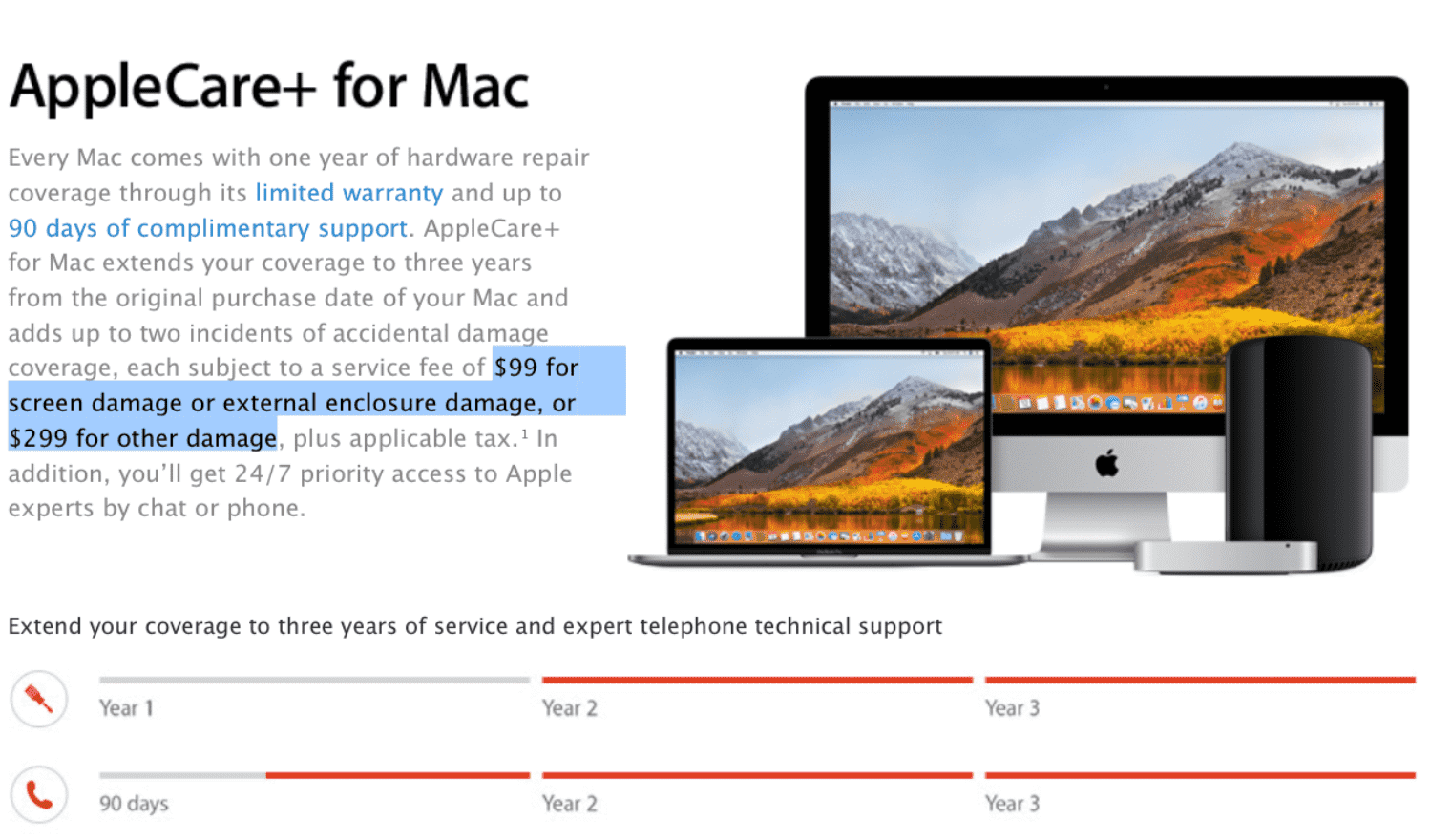
    Apple has a marketing strategy that continues to drive growing sales throughout the globe. it gives long term warranties and even allows people to buy extended warranties for their high range of products. An extended warranty promotes the reliability of a product. It is said that once you use Apple products, you will never prefer any other brand. This is one of the ways how Apple builds up a long-term, profitable relationship with the consumers.

    Logistic and Delivery timings

    There are 2 main reasons why people purchase electronics or equipment. First is necessity and second is happiness (luxury). Necessity is something very crucial where the customer needs to buy that product or some broken part machine which they want to replace. So, in such a situation you as a store owner have to make sure that you deliver the product as per committed time.

    The second reason is happiness where a buyer has placed an order to buy Mobile or T.V. or iWatch. Here the buyer is excited and eagerly waiting for its products so if there is a delay in delivery then it will affect the happiness and satisfaction level of the consumer and it will also harm your brand reputation in the long run.

    The estimated delivery time for such products needs to be between 2 to 7 days as beyond 7 days’ customer is unlikely to wait and then there are chances customers may buy from brick and mortar shops.

    Price Drop notification

    In electronic goods, we tend to see a sharp fall in price over time, and to be precise prices keep decreasing every 6 months. There are several reasons to explain this fall in price:

    • Quantum improvements in technology: When something new comes up the demand for the old product reduces so the price has to go down to sustain the competition.
    • Economies of scale from increasing production: When new electronic products first enter the market, firms have low sales volume and less scope for economies of scale. When more products are sold then production increases which leads to a fall in the price.
    • Increased competition: as more firms enter the market with the same product with lower pricing, you need to drive down prices to remain in the market.
    • An element of price skimming: Some consumers are tech-savvy. They are ready to pay high prices to get the latest electronic goods. When the company has sold products with very inelastic demand then they reduce the price to sell to a wider audience who are more price sensitive.

    Sometimes, shoppers are interested in a product but hoping for a price reduction before they are motivated to buy it. Let your customer register for price drop notification on the website. Send them an alert Email or text message to inform them about the price drop of a product. You can also notify them about the similar products of other brands that are less expensive than the one customer selected.

    Filters

    Product filters can play an important role in affecting the performance of your eCommerce website, you would be surprised to know that only 10% of people know what they want to buy and come to your website with the exact product they want, rest of 90% buy the product using search and most importantly “Filters” and still very fewer eCommerce companies give required attention to the filters.

    • Your site should have category-specific filters. Place these front and center on your category pages.
    • Make sure to add filters in general search based on the category of products coming up in search results. This is the most missed out point in many reputed sites.
    • Remove filter is equally important as an adding filter. So when the filters are added, give an easy option to remove those filters.

    • If your filter has zero results, then the filter must be removed itself. Make sure to offer only those filters which have several products in it.
    • Your site speed should not be affected by filters. Ensure that your user gets filtered products in less than 3 seconds.

    Question Answers on product page
    Shoppers can ask numerous questions when considering purchases. Questions can be silly or obvious, you have to answer every question and clear their doubts. Questions like, will this product sync with iPhone? or will this fit into my Sony TV? Sometimes, the buyer can ask you genuine questions that might help you bring a new product to your site.

    Your product page should have Q&A so that you answer common questions about products, literally “once and for all”, this way you resolve their query effectively at one go also your future visitors can read on the same page.

    Thank you page

    Lot of sellers take the “thank you” page as the end of the sales funnel. Squeeze more value out of your customers by creating a unique thank you page. You can use this page to push related products or show off your blog. After making the purchase, customers can visit your social media page to share an overall experience.

    6 unique ways to use Thank you page

    A Sharing Button: Through social media share buttons you can generate more traffic.

    Ask Your Page Visitor to Create an Account: Guest visitor can create an account. Mention how it will reduce time & effort the next time they want to make a purchase.

    Ask for Feedback: Ask the consumer to fill the “Tell us what you think” box at the end of the thank you page to enhance your site.

    Offer a Discount: coupons & discounts can convince them to purchase again in the future.

    Blog: Make the thank you page more user-friendly and customer-centric with blog resources, that can be related to the product; product-related information and Product unboxing.

    Tell a Friend: Run referral program for word-of-mouth marketing.

    Make your customer feel valued by sending personalized “thank you” notes. A happy customer is always a loyal customer.

    10 Most important features which are required and missed in the fashion store

    Let us take a look at some of the salient features that you can implement in your online fashion store to make shopping experience-worthy.

    1. Easy & Free Returns

    Shoppers get waylaid by the fear that if they purchase an item and it’s not what they expected or the product didn’t fit, they are stuck with the purchase.

    Allow your customers to return the order within a time limit. Ensure them not only free, but hassle-free return and you will gain the trust of customers.

    2. Size Recommendation Engine

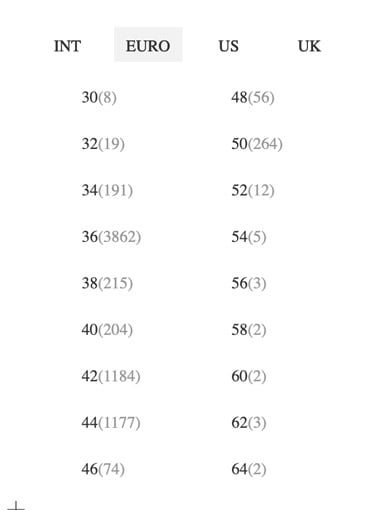
    Take any clothing product, they all come in many different catalog sizes. Though the size chart is universal the manufacturing of each brand differs. You may fit into a size S of one brand and size M of another brand. Hence, provide a brand-specific sizing chart on the product page.

    3. Offers and Discounts

    Offering discounts on purchases is one of the most effective ways to quickly draw people into your store. It can help you to increase revenues. Make sure to have active offers. Highlight offers and discounts for other items in your store, as visitors will check out offers before making a purchase.

    Percent-off sales are far better than the price amount. The percentage off deal (for example 50% off or 70% off) is one the most popular and effective types of promotions. Just slashing the price and showing a discounted price is not going to motivate customers to click the “Buy Now” button. Instead, show the real value of the product and highlight the discount percentage. Now, customers will realize the actual value and the tremendous discount they are getting. Thus, emotionally evoking them to take action and get the product.

    4. Nobody really needs anything.

    If you are in the fashion business, then you must be aware that nobody will keep buying new clothes. You have to use promotional offers to create a sense of exclusivity and surprise the customers with new products every time they step into your online store.

    Apps, SMS (text) and Email marketing are the easiest ways to target buyers with promotions that are catered to their specific needs. You can entice your visitors to join an email subscription or newsletter and ask them to download your app. This way you’re opening the door to myriad possibilities for engaging with them.

    5. Naming Convention of your products

    Your product name needs to fit within your broader umbrella while telling its own unique story to consumers. It also needs to be memorable, findable (particularly on search engines), unique, understandable, and relevant.

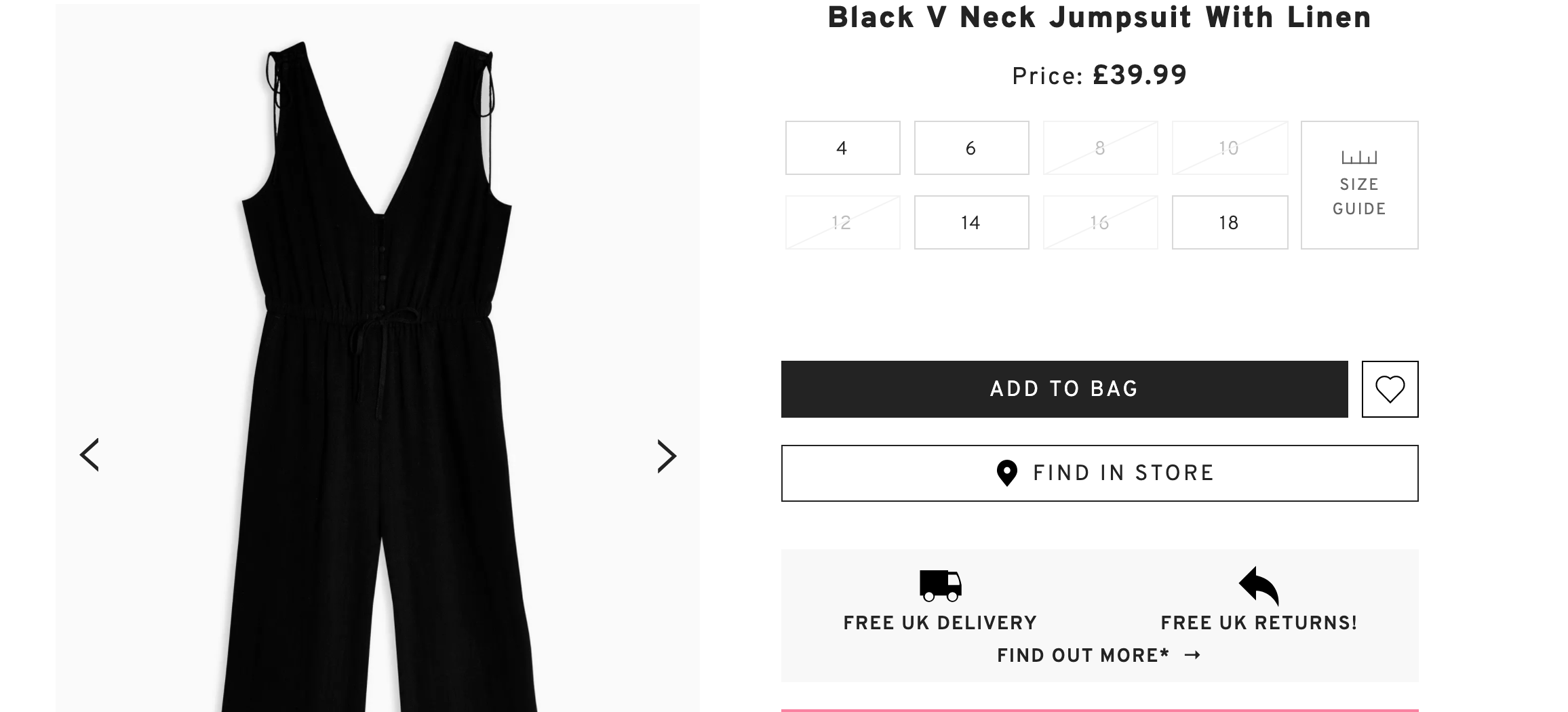
    Name a product in such a way that it describes what the product is. For instance, from the above picture; Black V Neck Jumpsuit with Linen describes everything about the product. What the product is (Jumpsuit), color (black), design (V neck), and material (linen).

    6. Product Detail

    Some customers are very choosy when it comes to online shopping. They want to know the tiniest detail of a product. Provide complete information to the customer so that they feel comfortable parting with their money.

    Make sure to provide consistent user experience by keeping the length and amount of data in your product descriptions the same across each category. “filters + descriptive product details” will make it easy for a choosy customer to complete the buyer’s journey. If a product doesn’t warrant the same length as others, visitors may jump to the conclusion that your product range is inconsistent. Make sure the product description fits the needs of the customer’s search.

    7. Delivery Details

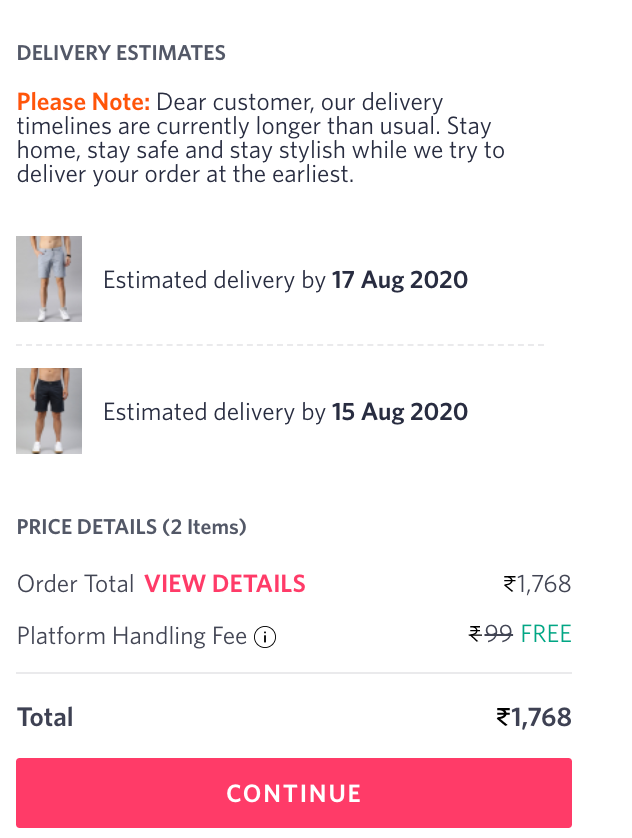
    In the clothing industry, there are chances that customers have purchased for a particular occasion so while placing an order they want an idea about when their product will reach them.

    An estimated date removes the uncertainty that comes along with online shopping. Quick shipping plays an important role in deciding to shop with the fashion store again. Remember, quick shipping builds trust.

    If you are unable to deliver the product on a committed date, then it’s your responsibility to inform customers at least 3 days before the due delivery date so that they make other arrangements if they had planned something for it.

    8. Thank you page

    Just because a customer made a purchase doesn’t your interaction with them has to end. They could be interested in a category of products related to the one they’ve just bought. Or maybe they might read a blog or visit your social media page for feedback. These are all opportunities to continue the conversation with your customers and further develop your relationship.

    6 Thank You Page Best Practices You Need to Know

    Ask For Social Shares: Your Thank you page must have links to your social media pages so that they can follow you and share their experience.

    Ask Your Page Visitor to Create an Account: If your customer has used a guest account for shopping then you can express the benefits of creating an account and how it will reduce time & effort the next time they want to make a purchase.

    Ask for Feedback: You can ask customers to leave a comment about how you’re doing or what could be improved.

    Offer a Discount: A coupon is a great way to drive sales and to show your appreciation. This will make them want to purchase again in the future.

    Blog: A blog is a great tool to keep your business fresh in visitors’ minds, long after they’ve converted. Mention some of the relatable blog links on your Thank You page.

    Tell a Friend: Ask your customer to refer your site to their family & friends and win some exciting gifts.

    Delight your customer with a personalized “Thank you” note. A happy customer will always remember you.

    9. Subscription Doesn’t Work In Fashion Store

    Customers always want something new and trendy which they can try every few months. Send customers newsletters, SMS, app notification to remind them about certain products that they can buy again in the same color, design, shape. However, many remain skeptical about the scalability of subscription services in fashion but this model works with “products that customers can buy every 3 or 5 months.

    • Nightwear
    • Innerwear
    • Swimwear
    • Socks
    • Sportswear
    • Deodorant
    • Perfume

    10. Filters

    Filters make purchasing easy and fast. It helps customers narrow down a product catalog from thousands to few handfuls of products which are as per customer‘s choice and taste.

    Your fashion store should have basic filters as well as some advanced filters to make online shopping seamless.

    Basic Filters are:

    • Size
    • Color
    • Price
    • Brand

    Now add some advance filters in this Basic features

    a) Customers can select size filters based on countries like Euro, US, and the UK.
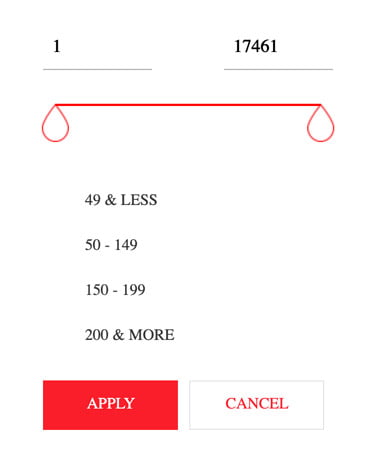
    b) Price can have both kind of features where you can drag the price or can select from the range
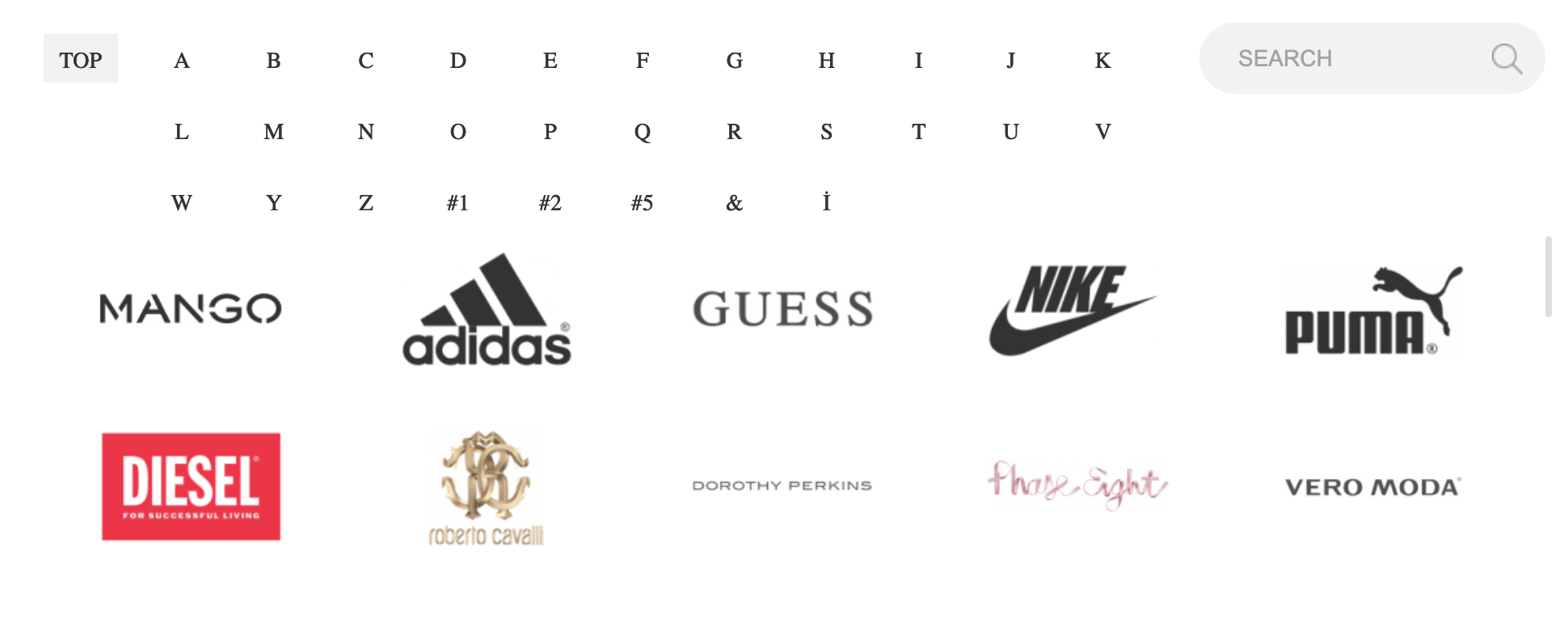
    If you are a multi-brand store, then you must be having certain top brands or famous brands that are liked by customers. Keep new or not so famous brands in one category and list top brands in separate brand filters.

    To Wrap Up… 

    Consult with fashion eCommerce store developers to implement above features. It will help your run your fashion store for years. Create your brand identity, make use of social media, and every effective promotional medium to make your brand stand out. We hope these amazing features will give you more conversions in no time.

    In Detail Explanation Of Magento Multistore Feature

    You know all about the challenges of managing a website that has more than one store. It takes a lot of time, effort, and money. The creators of Magento are completely aware of all the challenges and they have done their best to make Magento easier to maintain.

    Magento lets you manage your Multi stores through a single platform!

    This works best for merchants who manage multiple Magento installations and want all of them to manage on a single platform. A single admin panel allows them to view and control these eCommerce websites.

    The Structure of Magento Multistore

    A clear understanding of Magento multistore structure is very important for using this feature.

    • Step 1: Launch the global setup in which Magento installation will be done
    • Step 2: Within the global setup of the store, launch Magento multistore feature
    • Step 3: You can select to launch multiple stores with the Magento installation
    • Step 4: Now you can create multiple store views in each store you create

    BASICS OF MAGENTO MULTI-STORE MANAGEMENT

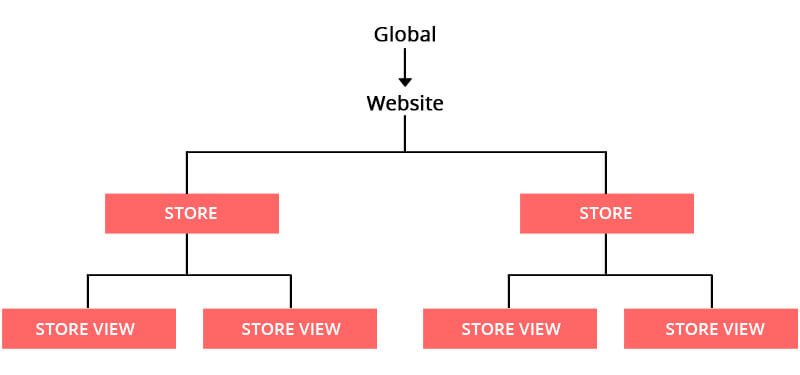
    Magento’s multi-store concept is quite simple. Under one hood, Magento offers 3 components: Global, Website, and Store. Each one has a different role in it. Each Magento installation automatically adds one more part which is called ‘store view’.

    The three components of GWS are explained in detail.

    1. Global stands at the top of a hierarchy and it does the complete installation of Magento. It has default settings, inventory and other information which are used for stores and store views.

    2. Magento Multisite (Website): A single installation can have multiple domains and each domain can manage more than one Magento 2 store. This lets you manage pricing, payments, shipping, products, taxes, order, and customers. Go to your configuration setting and set the price to be globally shared.

    3. Magento Multi stores (Stores): Here you represent your actual product catalogs. With a single web domain, you can sell multiple categories that connected to various goods and services. This feature makes your store look like a real shop with a number of products offered from a single domain. It allows you to have complete control over all your online stores.

    Magento Store Views (Store Views):

    Every store has a minimum of one store view that is used to store content having information about different products and services. Your website should support multiple languages, therefore, this feature is used to store multiple languages. With the help of the store view, you can adjust text and other design elements.

    Key Advantages Of Magento Multistore Functionality

    Magento 2 multistore feature makes your E-commerce management a lot easier. Below are some key benefits of it:

    • The website will be easy to navigate and explore.
    • Enhanced customer experience.
    • Central panel to alter the theme and restrict extensions.
    • Provides different payment and shipping methods for different regions.
    • Easy to add and edit catalogs.

    Checklist For Magneto Multistore

    If you want to set up a multistore feature, we have listed out those that are essential.

    • Purchase a multi-domain SSL certificate.
    • Ensure that you have multisite hosting to avoid any server issues in the future.
    • Take periodical back up to keep your store safe.
    • Through the admin panel, configure your Magento multistore.
    • Get a clean CSS code with the new free online tool hosted by HTML Cleaner.
    • Place your new domain name on your server.

    Bottom line

    Many people have confusion regarding Magento Multistore and they end up installing a separate Magento for each website/app and even different servers for each Magento site. We hope that the above article will help you in better understanding of Magento Multistore feature. We advise you to get the best Magento 2 hosting today and see a 50 percent increase in page speed.

    Our skilled team of professional Magento developers will help you to create an outstanding eCommerce website that fulfills your business requirements so that you can deliver the best user experience to your customers.

    Everything you want to know about Magento 2 Multi Source Inventory

    Multi-Source Inventory is a Magento 2’s core which has started from Magento 2.3 version. It lets you define the closest shipping warehouse to the customer; estimate the stock remains and also send “low stock” notifications beforehand. Your Magento will let you know beforehand if your warehouses go empty after the big sale. You can update or improve your version whenever you want. With Magento MSI you don’t need a page builder module or any other feature to add. You don’t have to maintain the code which you don’t use.

    Magento MSI allows merchants to allocate products to every fulfillment source like physical stores, warehouse, etc. and they can also customize the default MSI implementation and integrate it with required third-party systems. No matter where your customer and warehouse location is and the type of product or sales channel the current version allows you to manage inventory. With the help of MSI, merchants can create marketing strategies.

    Now let’s see the main functionality of Magento MSI

    Manage Sources

    The very first place you go to leverage MSI functionality in Magento 2 admin panel is Manage Sources. Magento’s core team has given a new term called “source” which basically checks the physical stock where goods are stored and shipped from. It will allow you to create sources manually for every physical location of the products you want for example (England or Scotland in the UK)

    Soon after, you can set off a number of available products for each source in the product configuration menu.

    If you want to add or edit the sources simply log in to the backend and go to

    Stores ⟶ Inventory ⟶ Sources.

    If the merchant has several locations, it is necessary to Add New Source to enter the Multi-Source mode

    Manage Stocks

    Manage stocks has two main features one is multiple source grouping and the other is channel assigning to each group. Only a few Magento websites understand the term “channel”. For example, all your stocks are in one country, state, or region and you want to add a new warehouse in Germany to create a “warehouse GY” stock and assign it an “EU” channel.

    To manage stock you have to go to Stores ⟶ Inventory ⟶ Stocks.

    Here comes the Magento 2 source selection algorithm which is developed to help select which physical location is nearest to the customer and then provides a shipping location. Using a source selection algorithm it will assign location like if you assign a “warehouse GY” stock to a “US source by mistake then it will not choose these product quantity deductions for a customer from Germany as it will not be near to the location.

    Manage Catalog Product Inventory

    It has the same logic as in stocks. You need to assign sources for every product and then also allocated the quantity available to the product. You need to enable the “Notify Quantity” option so that you will get a notification of “stock running low on this product” which will help in managing your inventory. By default it takes 1 as the “Notify quantity” but you can customize as per your requirement.

    Saleable Quantity

    Magento MSI flows are steps that are very systematic like after you create sources and allocate stocks, then the quantity of the product is determined for each source, and then each stock is linked to a particular Magento website. When all this is done then the MSI module evaluates all the products to provide the saleable quantity per stock.

    When a customer places an order then the MSI module deducts the quantity of the product from the saleable quantity and it prompts a notification and action chain based on configuration. In case the in-stock product quantity is 0, it shows “out of stock” as the status. Similarly, if a customer wants to add more products to their cart than the available stock then they will be notified about the limited stock. Overall, it enhances performance by offloading the system.

    Order Management

    What about managing order and how does it work?

    Well, after the order is placed then the quantity of the ordered products is reserved until the order is completed. Shipping is provided only after the payment gateway and then the purchased quantity will be subtracted from the existing source quantity. Magento 2.3.0 provides only one source selection algorithm which is completely based on the source priority that is decided manually. Yet, the configuration for the approaching distance priority algorithm is already mentioned in the Magento user guide.

    Conclusion

    Magento MSI can connect different sources to the store and by using the algorithm of selection that chooses a source that depends on various conditions. In case any issues arise in the default functionality then the Magento community always finds the solution. The architecture of Magento 2 has been improved with the implementation of MSI.

    That’s all about Magento MSI. Drop us a line to help you with the Magento 2.3 Multi-source implementation.

    Is Headless Magento the Future of Ecommerce?

    Since a year community is talking about headless Magento. But, many of newcomers are not aware of this term and why it is needed? So let’s understand what Headless Magento is all about.

    What do we mean by Headless Magento?

    When your original Magento application is running but it does not give any output to the browser instead a static webpage will fetch the content it needs through JavaScript AJAX calls from the Magento API and for this you only need is a vanilla HTML page, some JaveScript tools and remote calls to the Magneto API.

    In simple words With Headless Magento, you can separate your web frontend from your eCommerce system. You are no longer bound to the usual Homepage then onto category page then product page, basket and checkout. With this, you provide a true experience to your customer that is custom to how you run your business.

    Why Headless Magento?

    A headless Magento would make swapping of the framework (Angular, Vue – whichever you pick) easier as JaveScript would be coupled to the Magento backend. Magento offers a flexible framework where you can create your own logic like logins, pricing and checkout. Though this comes with additional stuff which you don’t need but creating your own pricing rules will make things easier than trying to extend an modify the Magento pricing rule system. It does require a lot of time and effort but in favour of code will simply work the way you want it to work.

    Magento 2 is already headless, isn’t it?

    When we say “Headless” it means using the same JS framework to data a static HTML document. You can state that Magento 2 is already headless on major portion but a JavaScript developer needs to know more about KnockoutJS ViewModels so that he can make use of Magento logic then only he can add backend logic to JavaScript layer. Magento is not completely headless because the HTML document not only has the templating part but also static content which changes less.

    If you have worked a lot of Angular then you will prefer Angular than KnockoutJS. But on the other hand, developers prefer Knockout over Angular as with Knockout you can build whatever stuff you want to build while with Angular some restrictions do come along.

    What are the Benefits of Headless Magento?

    Modular System: Maintenance and updating have become easier as there is multiple application for different functionalities of frontend and backend.

    Performance: You can make use of most preferred technology for the different micro application. Thus, this will enhance your site performance.

    Flexibility: Developers do not have to worry about updating the complete application as the frontend and backend systems are separate so that gives them the flexibility to update a particular application.

    Productivity: Productivity increases as different teams can work at the same on different applications. Hence they do not have to wait for one another to finish the work.

    Magemonkeys and Headless Magento

    Headless Magento can make your store different as it’s all about separating the functions of the application to provide better customer experience. We understand your requirements and help you deliver a unique and exceptional experience to your customer by utilizing decoupled platforms.

    Headless Magento is well suited for enterprise who have CMS website and you are willing to add B2B or B2C storefront. It works best for websites having a high amount of images or video and need constant updates.