We sacrifice by not doing any other technology, so that you get the best of Magento.

We sacrifice by not doing any other technology, so that you get the best of Magento.

    How To Integrate Zoho Books With Magento 2

    Do you know what Zoho Books is and how it can help you in your business? In this blog, we will help you know what is Zoho Books and how to integrate it with Magento 2.

    First of all, we need to learn what Zoho Books is?

    Zoho Books is an accounting software which is used by small business owners to manage their finances. The tool is very simple and easy to use. It also helps you in making smart decisions on data as well as financial control of your company. From all applications you can send professional invoices to your customers and can also receive online payments.

    Further, the best part of Zoho Books is that it has intelligent design and financial management capabilities for all your projects.

    How to integrate Zoho Books with Magento 2

    To integrate Zoho Books

    • Step 1: Sign up the Zapier account
    • Step 2: Sign up the Zoho Books account
    • Step 3: Integrate Magento 2.x
    • Step 4: Integrate Zoho Books for your Magento 2 store

    Step 1: Sign up the Zapier account

    • Signup Zapier

    Step 2: Sign up the Zoho Books account

    • Signup Zoho Books

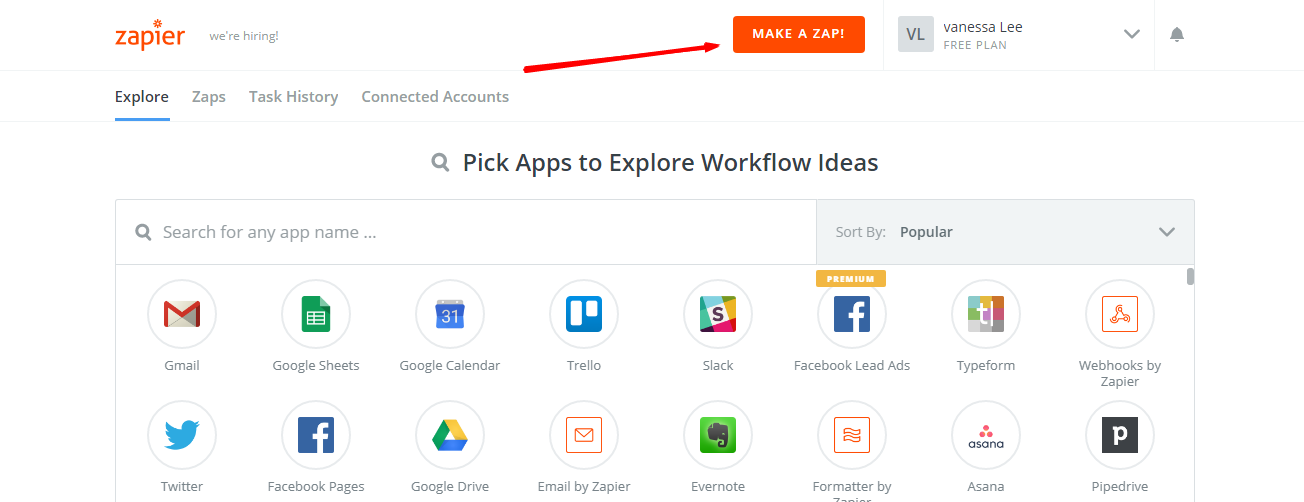
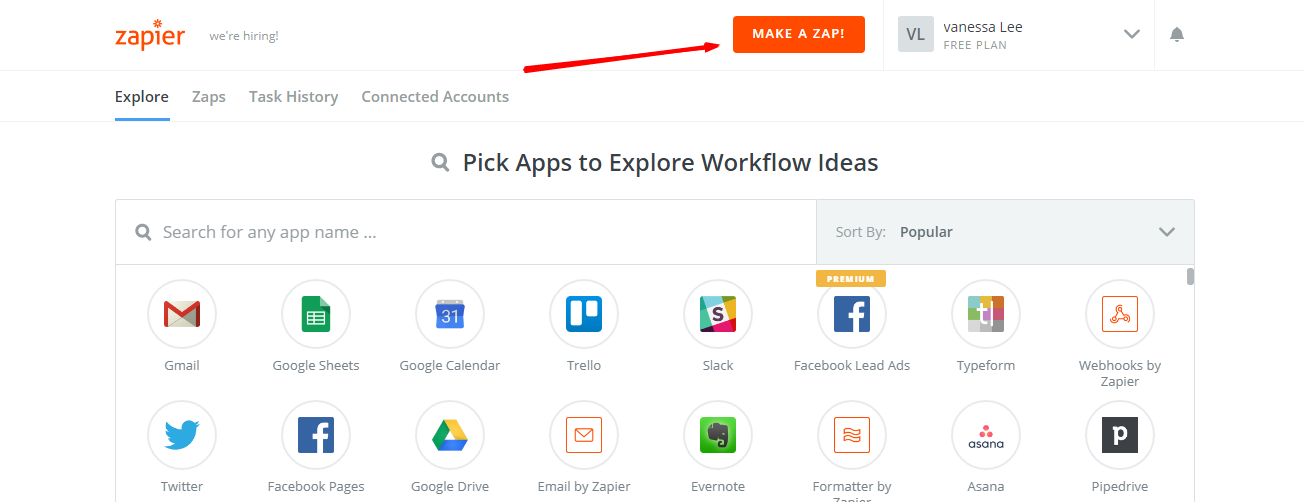
    After logging into Zapier, click on Make a Zap  to start integrating.

    Step 3: Integrate Magento 2.x

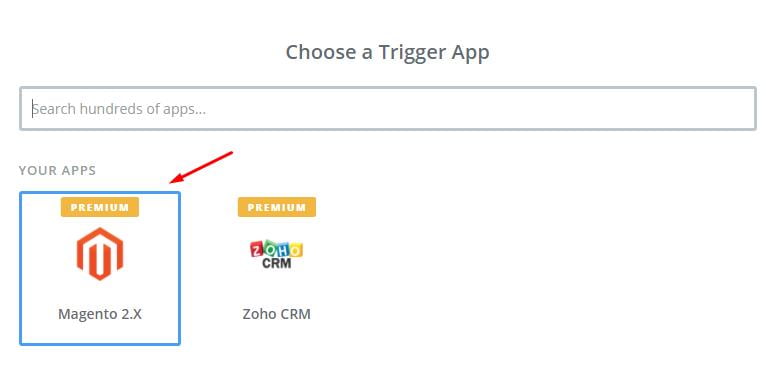
    In this step, you have to choose Magento 2.x  so that Zapier can get all data from your store.

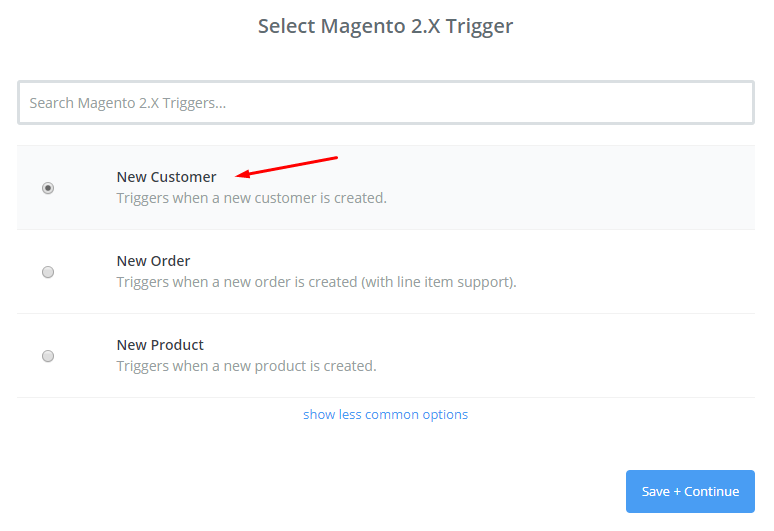
    Then, choose New Customer  in select Magento 2.x Trigger field and click on continue.

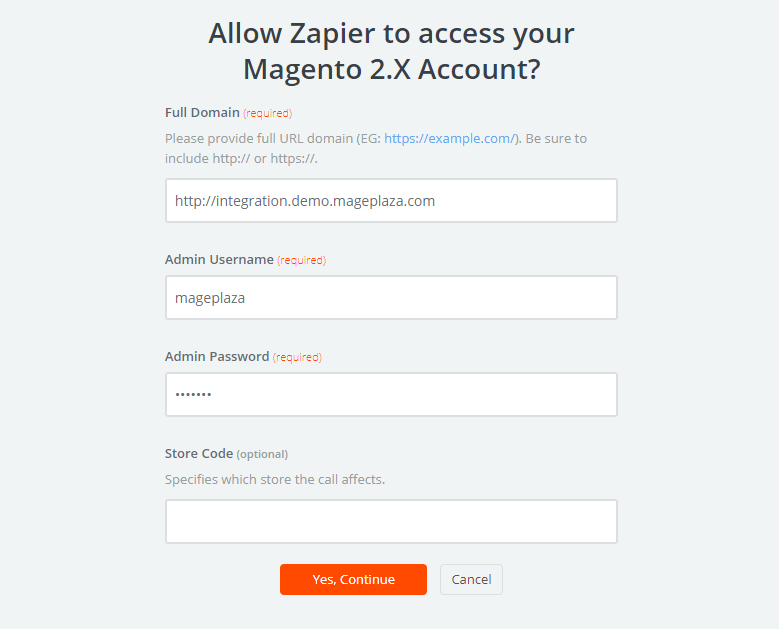
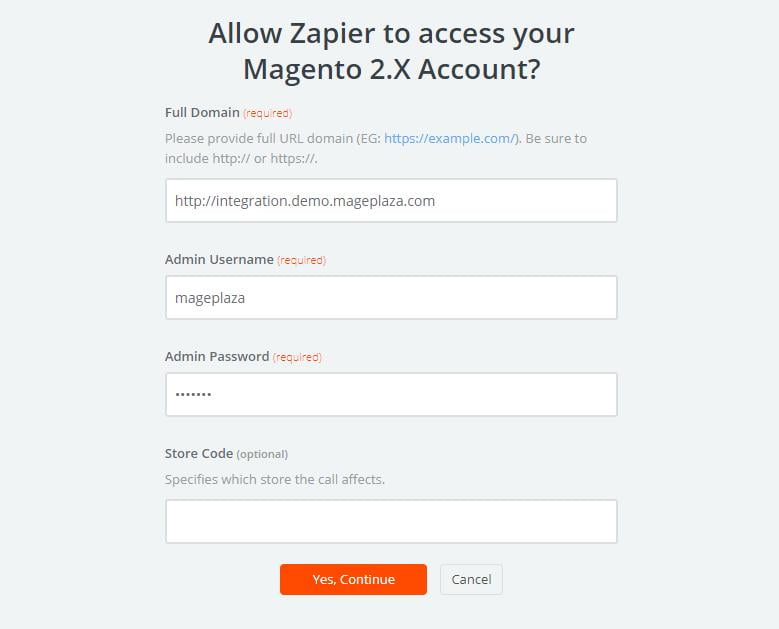
    After that, you need to connect an Account  in select Magento 2.x account  field. In this step, make sure to enter full domain, admin username and admin password of your Magento 2 store as the following image:

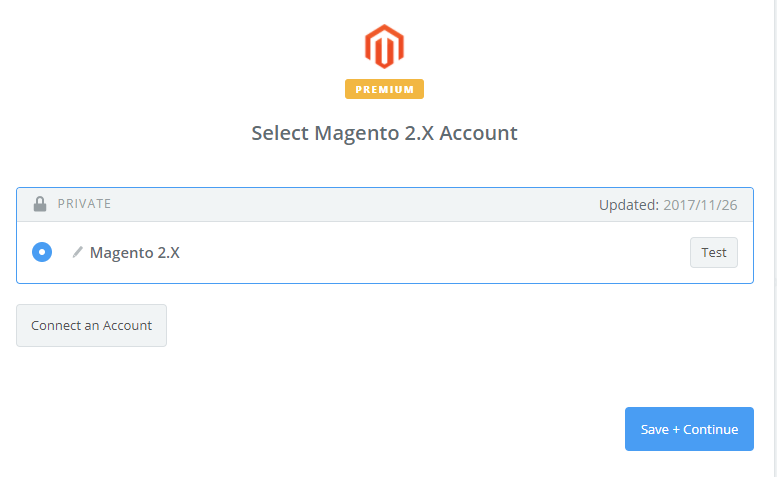
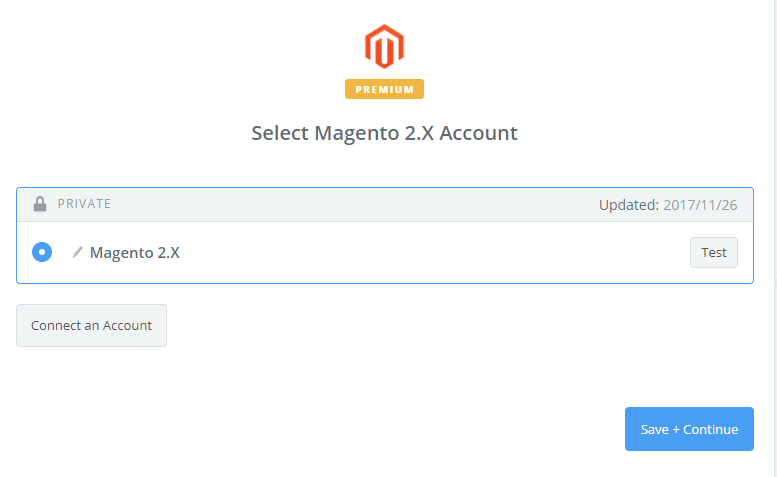
    After creating your Magento 2.x account, the screen will display as an image below. Then, choose Save + Continue.

    Great! You have just tested Magento 2.x successfully. Now, please continue doing the next step.

    Step 4: Integrate Zoho Books

    In Choose an Action App  field, select Zoho Books  and then click on Continue.

    Then, you need to choose one of the options from the drop-down list of Select Zoho Books Action  field. After selecting, click on continue.

    Next, you have to Select Zoho Books account.  Please click on Connect an Account.  Then, your screen will display the image shown below:

    Now, this is the account which you have just created. Please click on Save + Continue.

    Next, you must setup Zoho Books Sales Invoice. Now, please enter all required fields on the page as well as choose customer name from step 1, then choose continue box.

    Perfect, you have tested Zoho Books  successfully. Finally, choose Finish and then set the name your zap to complete.

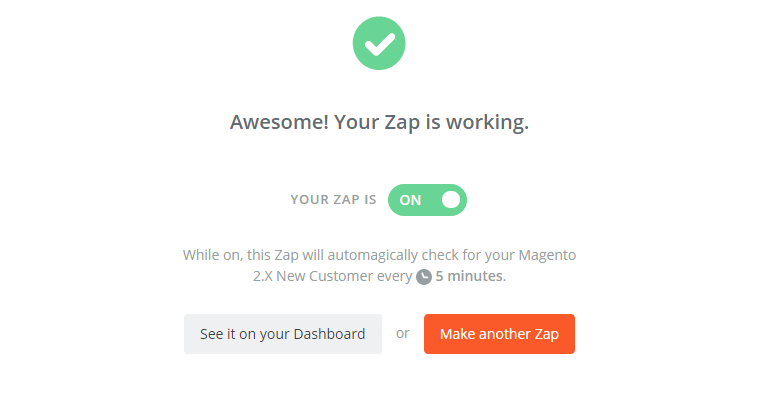
    Now, your Zap is working and it will auto-check for your Magento 2.x new customer.

    So, this is how the integration between Zoho Books and Magento 2 is done.

    Now, all you need to do is to integrate your Magento 2 with Zoho Books. So, try it with your Magento 2 store today! If you’re looking for professional help to integrate the store then hire Magento integration specialist today,

    How Having a Magento Mobile App Increase Your Store’s Sales?

    In this age, using a mobile app is absolutely essential. Nobody likes to sit and stress themselves out in front of a desktop computer when you have mobile phones for everything. We all love to shop online using an app and if have a store and don’t have the Magento Mobile app then you are losing a larger share of your prospects to smart competitors that are doing so. 60% of Ecommerce traffic is held by mobile phones. You might have a question that “why you need a Magento mobile app?”

    It’s a must to a mobile-friendly website so let’s discuss in detail the importance of Magento mobile app:

    The reason why you need a Magento mobile app?

    A rapid increase in mobile phone users:

    With improved technology and different mobile phone brands, we see the increment in mobile phone users. Over 60% of users shop online using their mobile phones. Plus with a 10% increase from the year 2014. One more reason is that the mobile phone is easy in accessing your Ecommerce stores. A handheld smartphone is all time preferred as compared to sitting in one place and using desktop computers. So considering 60% customers with an easy-to-use Magento mobile app is a big assurance to increasing your sales.

    An enhanced experience for customers:

    Just assume; of starting your desktop computer, typing the URL to access the store, going to different new pop-up pages, attending to customer queries, and other stuff; Isn’t that time-consuming?

    But with Magento mobile app your customers can save a lot of time by tapping on the app, easy to scan through your store, choose desired products and quickly proceed to the checkout page. Another advantage is that you are not only saving your precious time, you save the time of your esteem customers too. How? Since your customized Magento would be made available to your customers in Android and iPhone versions, in which they can easily access your Ecommerce store with just a few clicks on the app. so this is how you give them the best experience to enjoy your app every time they want to shop.

    Push notifications:

    Its very important to aware your customers of current additions, discounts and other mouth-watering offers you have in your store but how?

    By Magento mobile app you can send push notifications to your esteem customers. If you are offering a discount program or introducing a new product a push notification from the Magento mobile app can help in increasing your sales. The moment they receive notification, they are tempted to buy the new product or enjoy the discount offered, which leads to an increase in sales for you. It has been confirmed, according to research, that the click rate of push notifications is between 45% and 75%- a high rate. Push notifications from the Magento mobile app also help in increasing customer retention and engagement. Thus, the mobile app with such a powerful feature like “push notification” will definitely improve your sale by 50%.

    Payment gateway :

    Magento mobile app provides different payment gateways both the ones that come with Magento and other payment options which you consider suitable for you and your customers. With Magento mobile app, you are never going to miss out on any sale due to payment issues.

    Conclusion:

    Thanks to technology that we all own a mobile phone and use an app for every single thing and this trend will increase more with every passing year so you also need to change with time and opt for Magento mobile app to increase your sales at least by 50% and this need will also reduce your stress.

    Consult with Magento mobile app developer to get your app today!

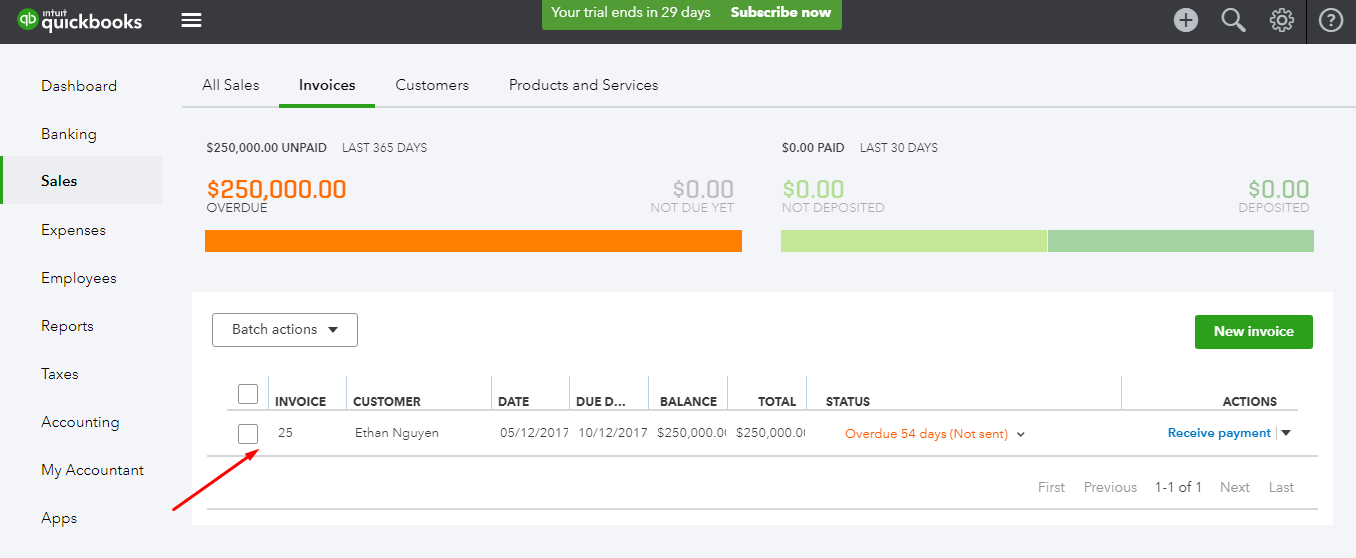
    How to integrate QuickBooks Online with Magento 2?

    We all need an excellent application which can handle our accounting easily but which? Well the answer is QuickBooks Online. It’s an effective application for your business.

    If you don’t know what QuickBooks Online is and how to connect it to your Magento 2 store then you have reached your destination. This article is the key your are looking for.

    What is QuickBooks Online?

    QuickBooks Online is excellent accounting software developed by Intuit. This tool provides business owners with remote access conveniently. This is the perfect solution for anyone who wants the ease and flexibility of access while on the go. It comes with powerful features and functions that help reduce the amount of accounting work for you.

    How to integrate QuickBooks Online with Magento 2?

    To integrate QuickBooks Online

    • Step 1: Sign up the Zapier account
    • Step 2: Sign up the QuickBooks Online account
    • Step 3: Integrate Magento 2.x
    • Step 4: Integrate QuickBooks Online for your Magento 2 store

    Step 1: Sign up the Zapier account

    • Signup Zapier

    Step 2: Sign up the QuickBooks Online account

    • Signup QuickBooks Online
    • When you log in into Zapier, choose Make a Zap  to start integration.

    Step 3: Integrate Magento 2.x

    • In this step, choose Magento 2.x  so that Zapier can get all data from your store.
    • Here, select New Customer  in select Magento 2.x Trigger field and then click on save+continue.
    • After that, you have to connect an Account  in select Magento 2.x account  field. In this step, you need to enter full domain, admin username and admin password of your Magento 2 store as the following image:
    • After generating your Magento 2.x account, the screen will display as an image below. Then, choose Save + Continue.
    • Great! Your Magento 2.x is tested successfully. now continue doing the next step.

    Step 4: Integrate QuickBooks Online

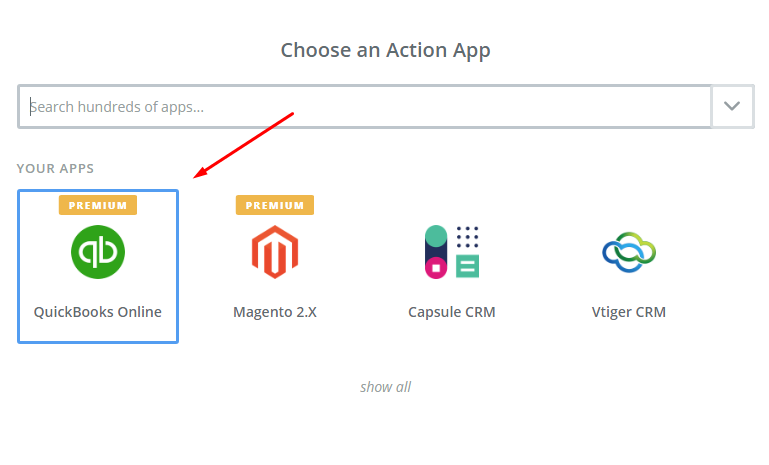
    • In Choose an Action App field, choose QuickBooks Online  and click on Continue.
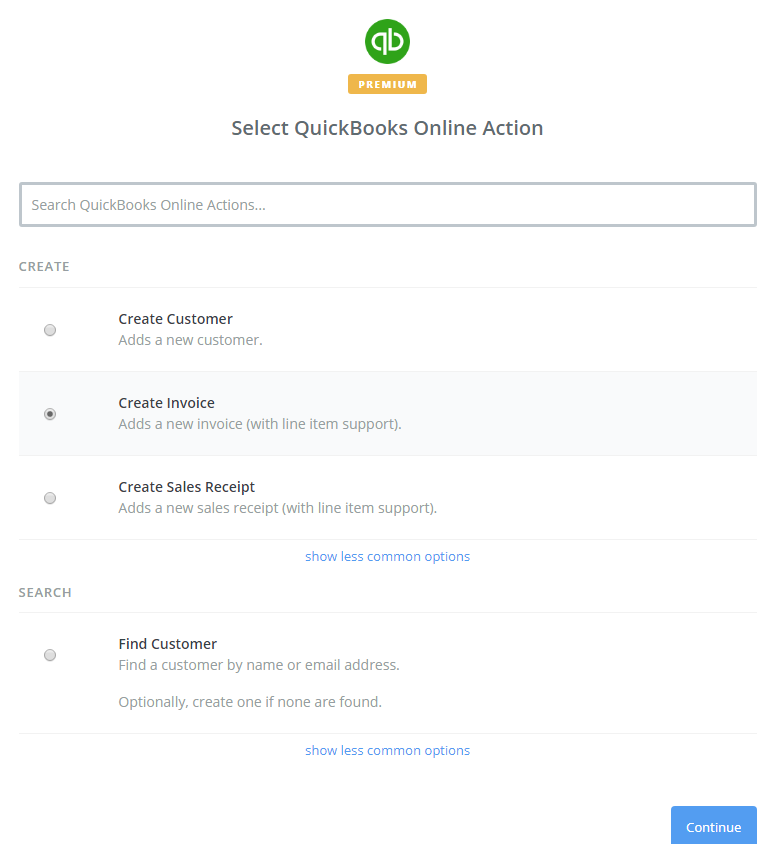
    • Then, you need to choose one of the options in drop-down list of Select QuickBooks Online Action  field. After choosing, click on continue.
    • Next, you need to select QuickBooks Online account  and then click on Connect an Account as shown in the image below:
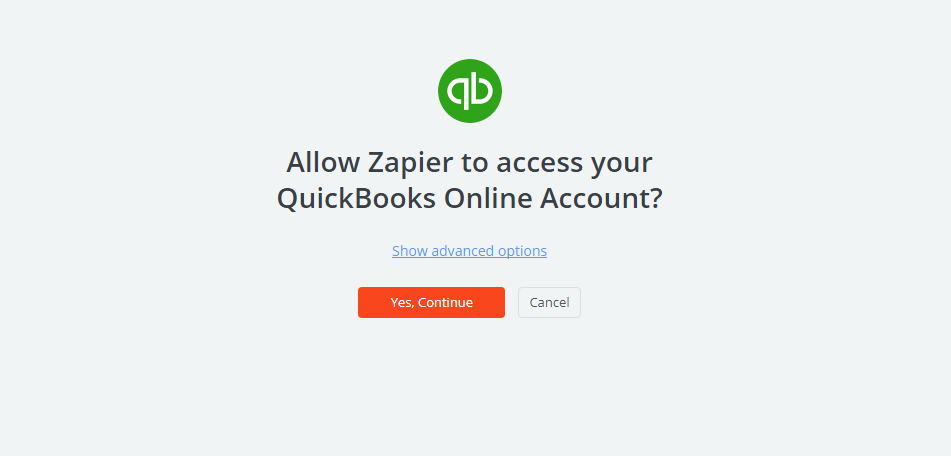
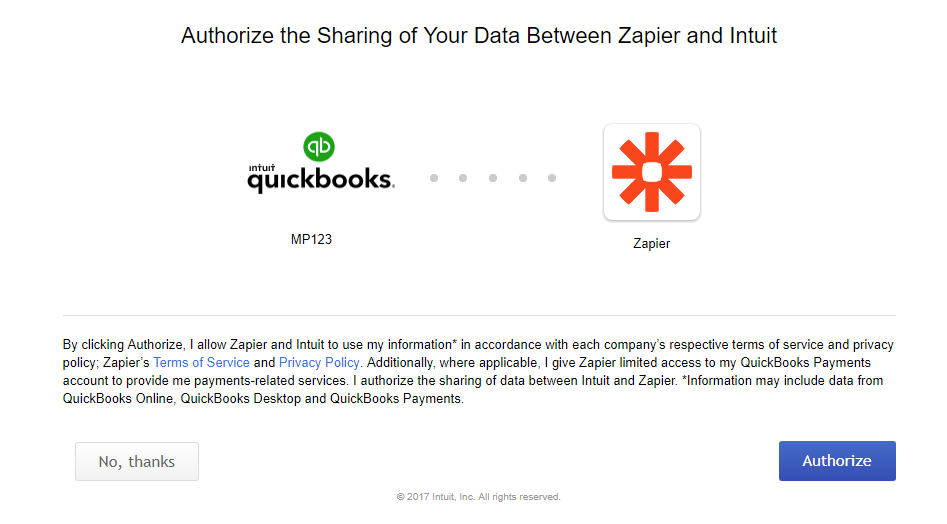
    • Click on Yes, Continue  box, you will see the confirmation to access your QuickBooks Online account as the following image and click on Authorize  button.
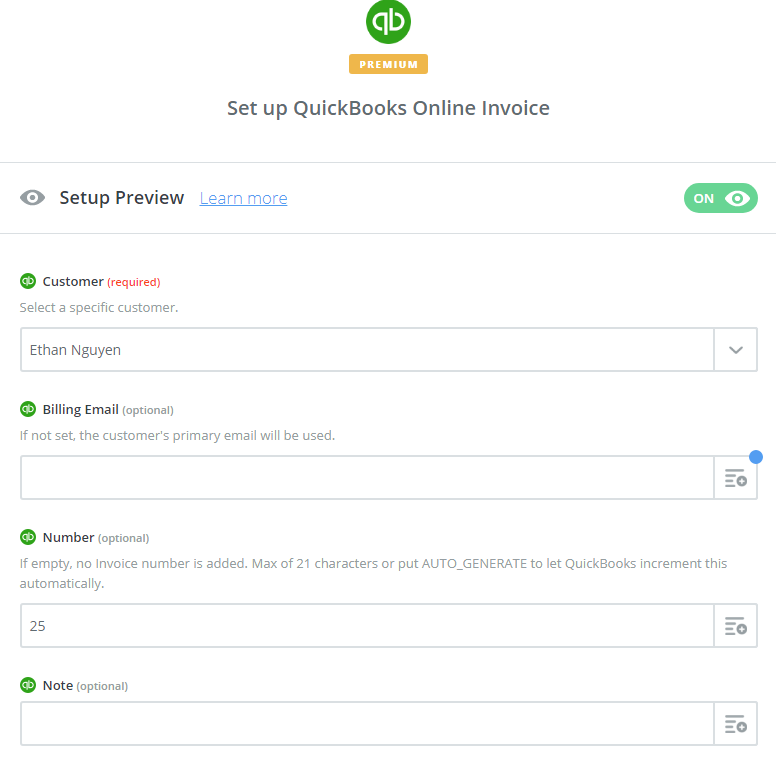
    • Next, you have to set up QuickBooks Online Invoice  and for that you have to enter all required fields on page, then click on continue  box.
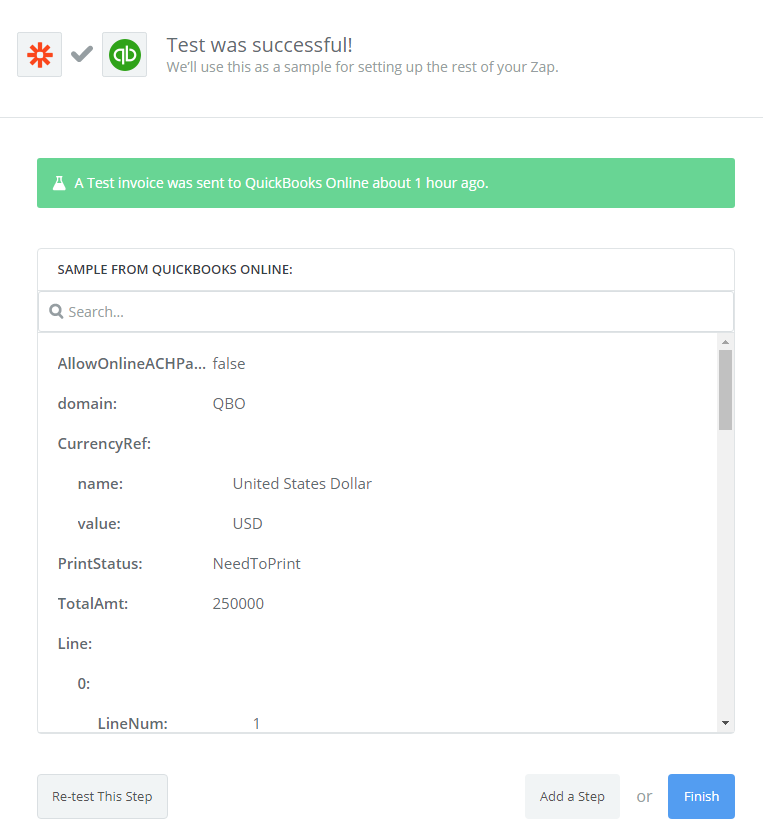
    • Wow, you have tested QuickBooks Online  successfully. Finally, choose Finish  and set the name your zap  to complete.
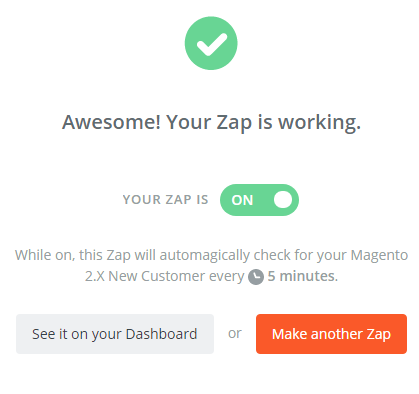
    • Your Zap is working and from now it will auto-check for your Magento 2.x new customer.
    • So, this is how the integration is done and below you can see the result.

    Hence, this way you can integrate QuickBooks Online with your Magento 2.

    It’s time to select QuickBooks Online for your Magento 2 store to experience the great features that it brings. If you’re looking for professional help to integrate then discuss with Mage Monkeys to get the job done.

    How To Integrate Capsule Crm With Magento 2?

    Have you ever thought to connect your Magento 2 with Capsule CRM but don’t know how to do it? Well, today in this blog we will show you how to integrate Capsule CRM with Magento 2 and what are its benefits?

    Before the integration you must know…

    What is Capsule CRM?

    Capsule CRM is the most effective software that allows you to keep track of your contracts, your companies, your sales opportunities and other tasks that your need to complete. With Capsule CRM you can manage your projects by creating and monitoring tasks, assigning your colleagues and controlling the time when you finish the task.

    According to some recent surveys, Capsule CRM is the most effective software for Magento 2 store. It is simple, flexible, and powerful web-based software.

    How to integrate Capsule CRM with Magento 2

    To integrate Capsule CRM

    • Step 1: Sign up the Zapier account
    • Step 2: Sign up the Capsule CRM account
    • Step 3: Integrate Magento 2.x
    • Step 4: Integrate Capsule CRM for your Magento 2 store

    Step 1: Sign up the Zapier account

    • Signup Zapier

    Step 2: Sign up the Capsule CRM account

    • Signup Capsule CRM
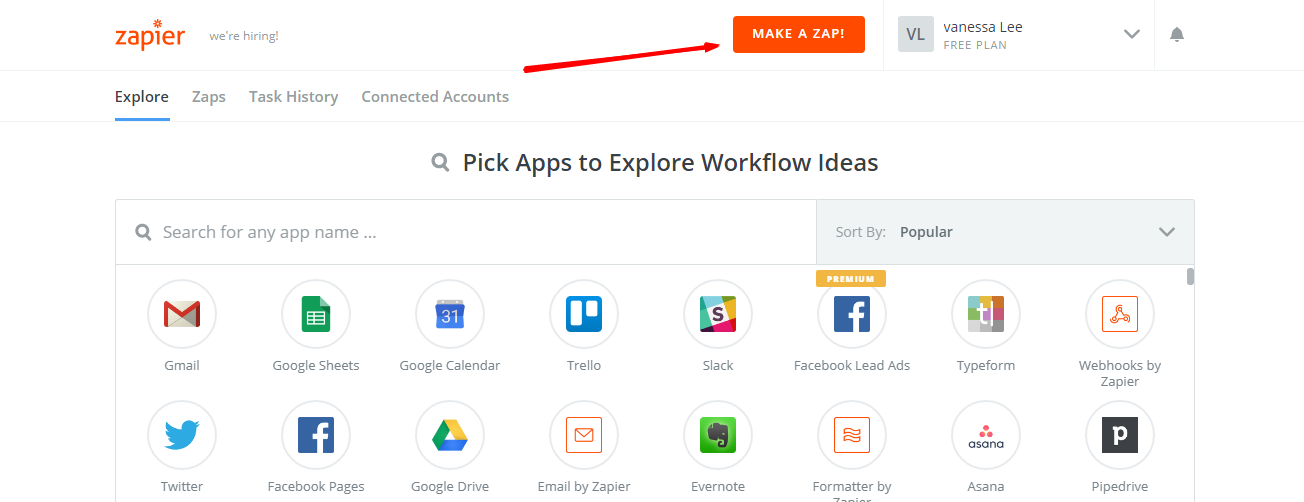
    • When you log in into Zapier, select Make a Zap  to start integration

    Step 3: Integrate Magento 2.x

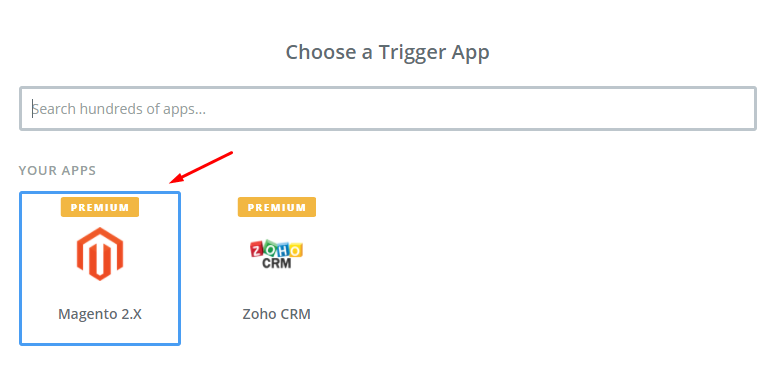
    • In this step, choose Magento 2.x  so that Zapier can get all data from your store.
    • Then, click on New Customer  in select Magento 2.x Trigger field and then click on save+continue.

    • After generating your Magento 2.x account, the screen will display as an image below. Then, choose Save + Continue.
    • Perfect! You have just tested Magento 2.x successfully. Now click on continue  for the next step.

    Step 4: Integrate Capsule CRM

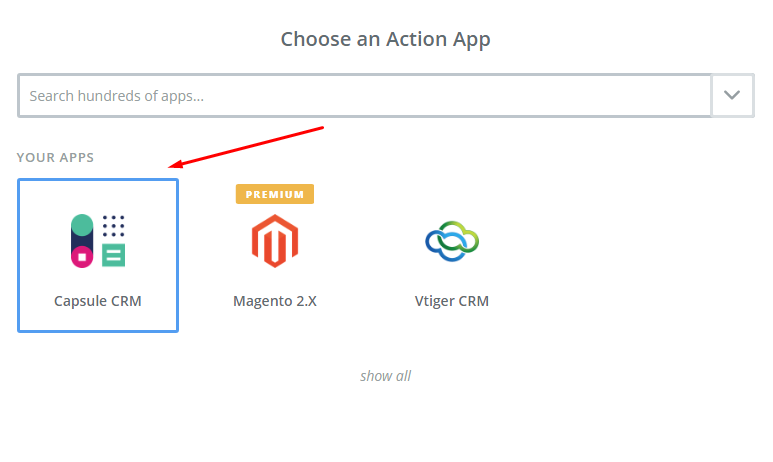
    • In Choose an Action App field, select Capsule CRM  and then click on Continue.

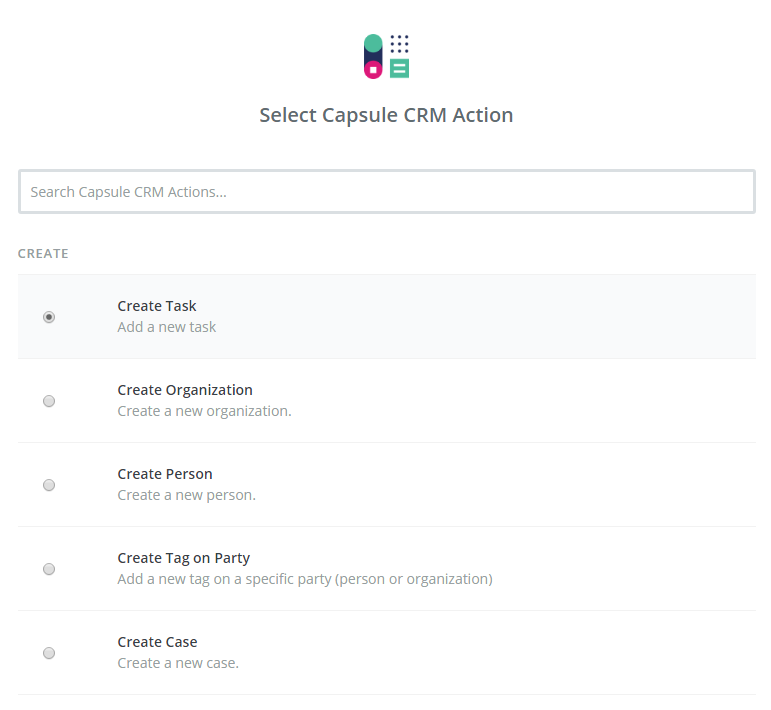
    Then, you need to choose one of the options from the drop-down list of Select Capsule CRM Action field.  After, making your selection click on continue.

    • Next, you need to select Capsule CRM account and then click on Connect an Account.
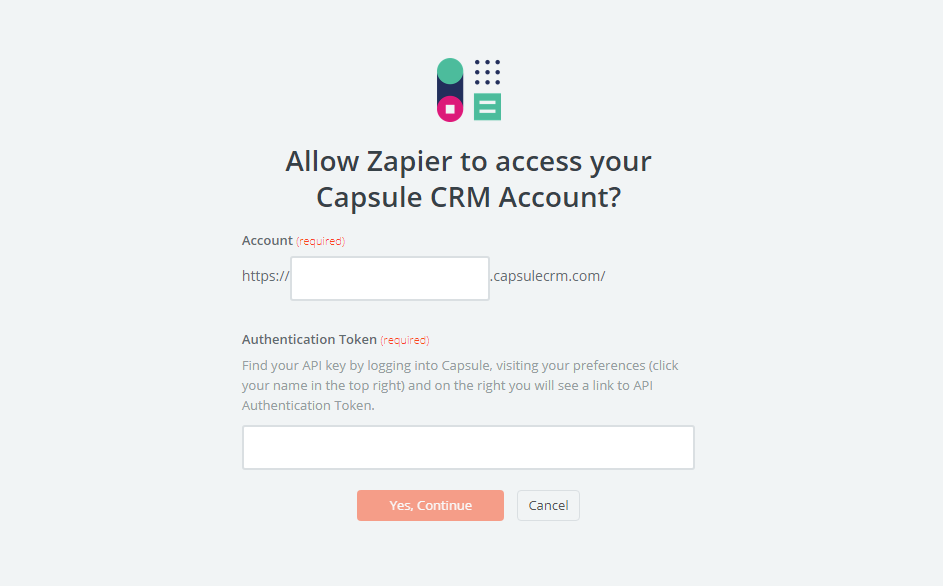
    • Now, your screen will display as the following image. Further, enter Authentication Token that is found on your preferences page, then click on Yes, Continue.
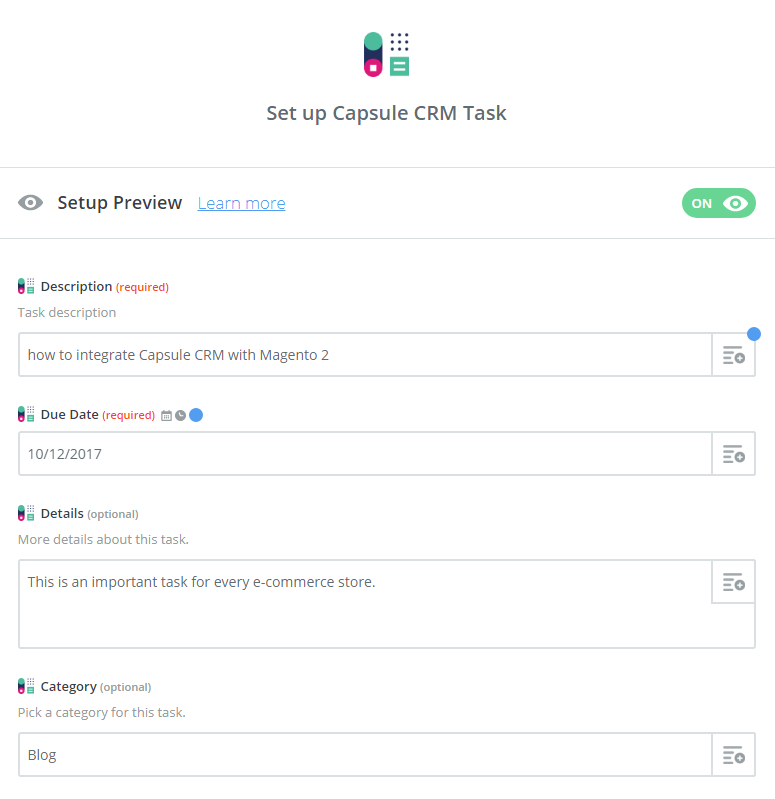
    • Next, you need to set up Capsule CRM Contact. Now, enter all required fields on page, then choose continue  box.
    • Great, you have tested Capsule CRM successfully. Lastly, click on Finish  and set the name your zap to complete.
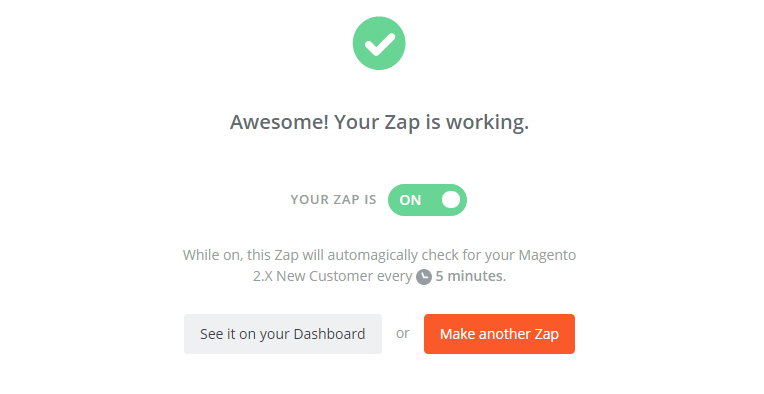
    • Your Zap is working and from now it will auto-check for your Magento 2.x new customer.
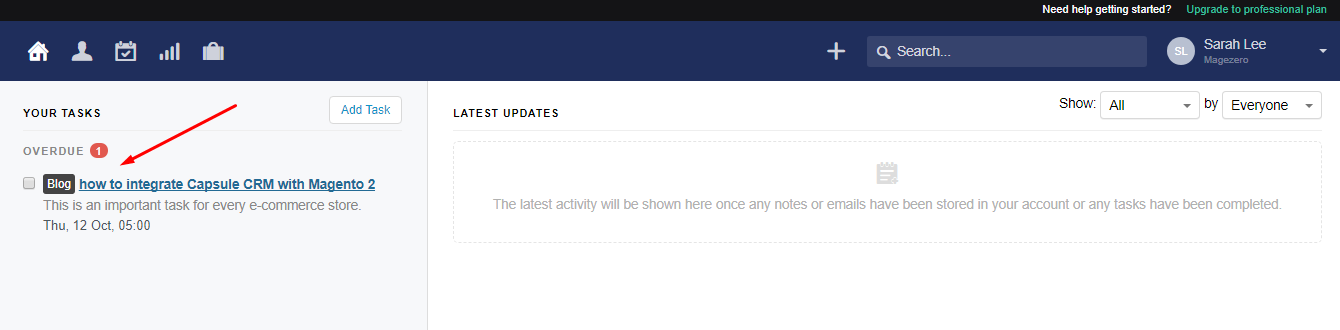
    • So this is how the integration is between Capsule CRM and Magento 2. Below you can see the result of the integration:
    • You have successfully integrated Capsule CRM with Magento 2.

    Capsule CRM is a great tool for your e-commerce stores. It will help in making your business more efficient and more convenient by satisfying your customers with value and benefits you can offer to them. If you still failed to integrate, then hire Mage Monkeys for the Magento integration service.

    How To Integrate Vtiger CRM With Magento 2?

    Many store owners face problem when it comes to integration between Vtiger CRM and Magento 2. In this post, we have covered all your queries.

    Let’s find out what Vtiger CRM is and what are its benefits?

    What is Vtiger CRM?

    Vtiger CRM was launched in 2004. It’s a software application that helps businesses function more efficiently and it also manages data and avoids duplication of data. Apart from that it offers great features to customers like email marketing, project management, inventory management, and sales automation capabilities. Vtiger CRM helps shop owners build strong relationships with their customers.

    How to integrate Vtiger CRM with Magento 2

    To integrate Vtiger CRM

    • Step 1: Sign up the Zapier account
    • Step 2: Sign up the Vtiger CRM account
    • Step 3: Integrate Magento 2.x
    • Step 4: Integrate Vtiger CRM for your Magento 2 store

    Step 1: Sign up the Zapier account

    • Signup Zapier

    Step 2: Sign up the Vtiger CRM account

    • Signup Vtiger CRM
    • After signup, log in into Zapier, choose Make a Zap  to start integration

    Step 3: Integrate Magento 2.x

    • In this step, choose Magento 2.x so that Zapier can get all data from your store.
    • Then, choose New Customer  in select Magento 2.x Trigger  field and click on save+continue.

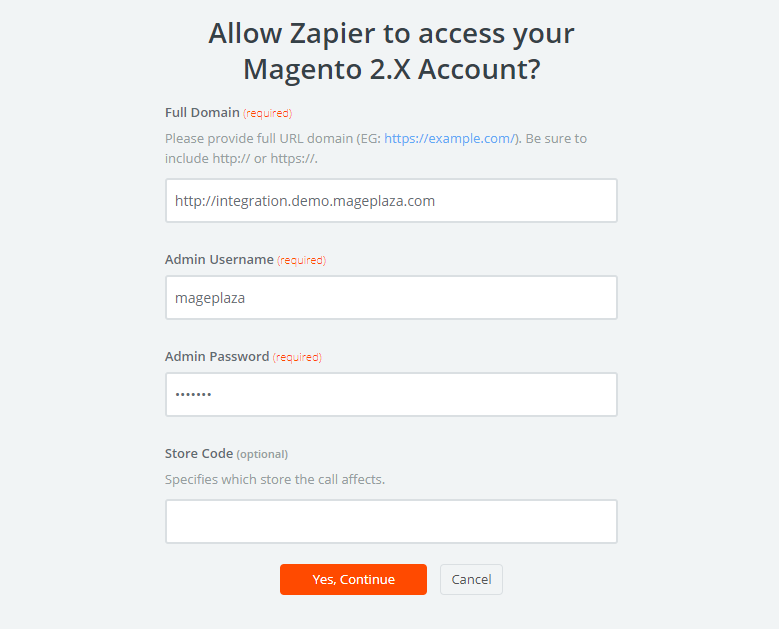
    After that, you have to connect an Account  in select Magento 2.x account  field. In this step, enter full domain, admin username and admin password of your Magento 2 store as the image below:

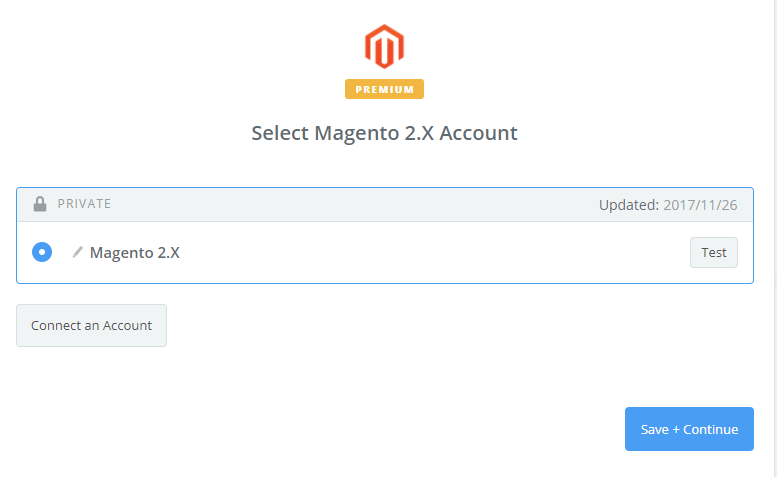
    • After creating your Magento 2.x account your screen will display as an image below. Then, click on Save + Continue.
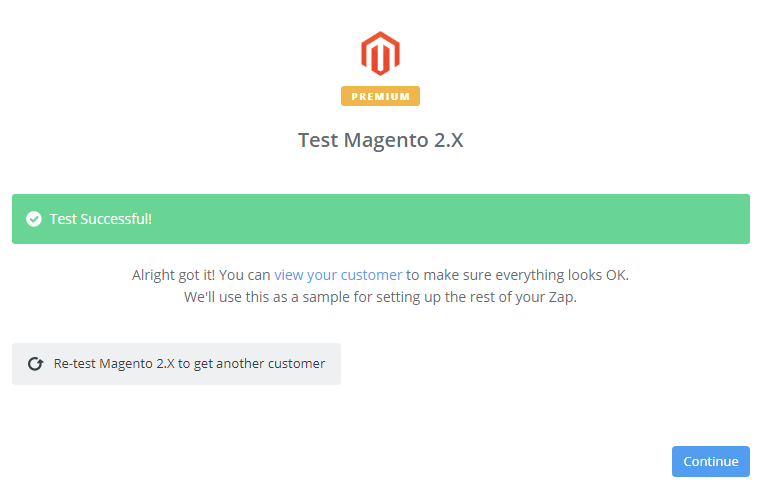
    • Great! You have just tested Magento 2.x successfully. Please continue doing for the next step.

    Step 4: Integrate Vtiger CRM

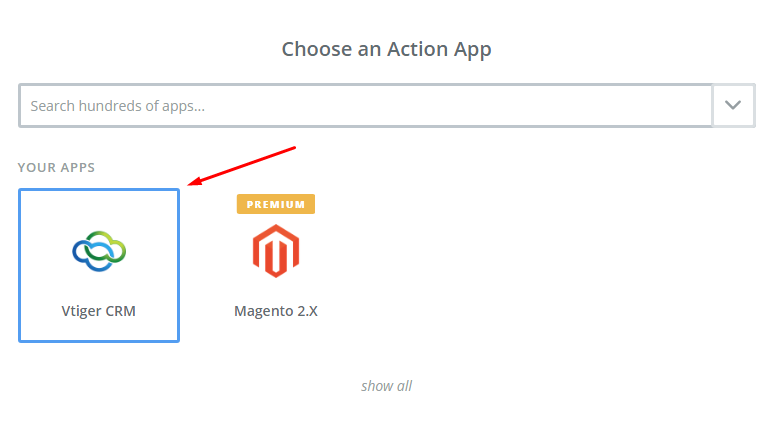
    • In Choose an Action App  field, choose Vtiger CRM  and then click on Continue.
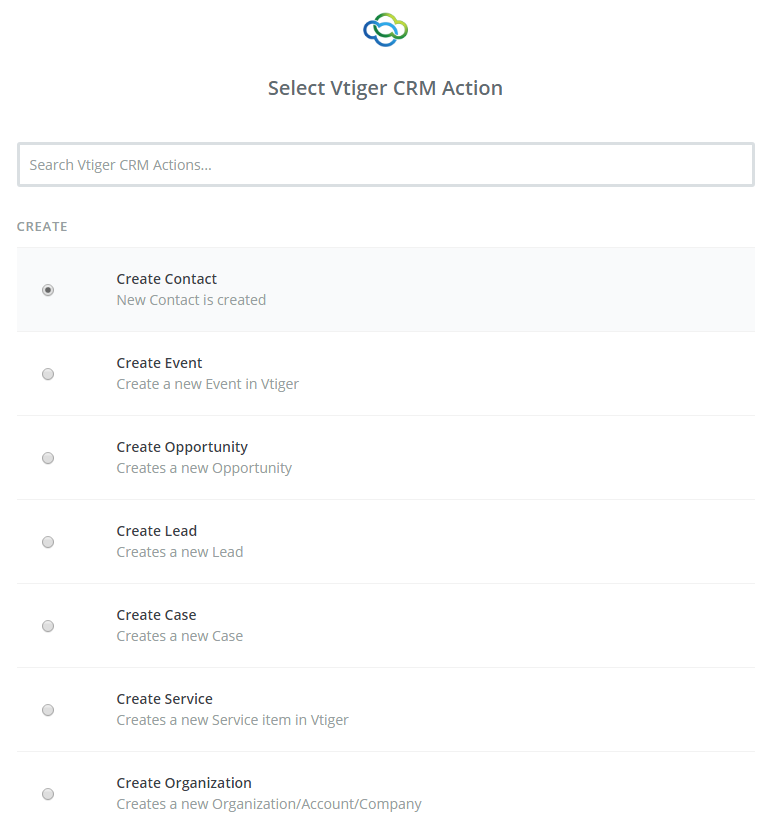
    • Then, you need to choose one of the options from the drop-down list of Select Vtiger CRM Action  field. After selecting, click on continue.
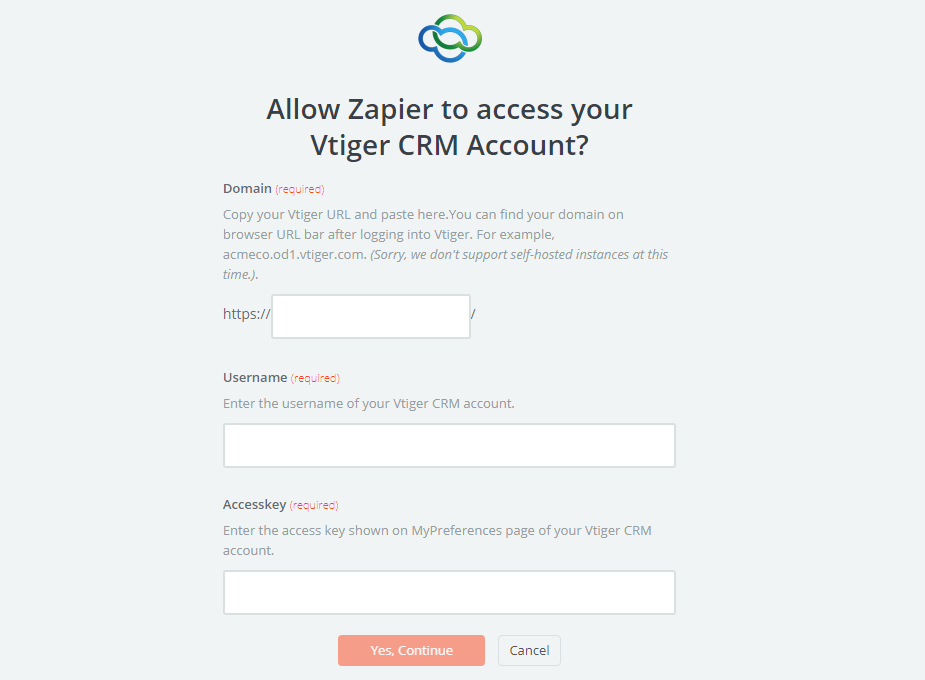
    • Next, you need to select Vtiger CRM account. Please click on Connect an Account.
    • Now, your screen will display as the following image. Next, make sure to enter Domain, Username and AccessKey that is found on the Vtiger CRM account, then click on Yes, Continue.
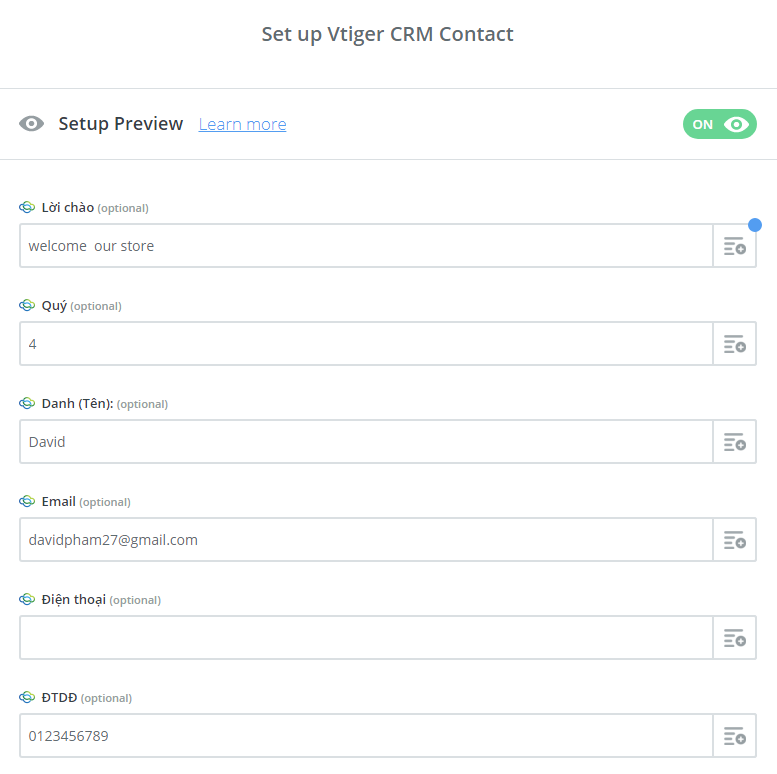
    • Further, you must set up Vtiger CRM Contact. Now, please enter all required fields on page, then choose continue  box.
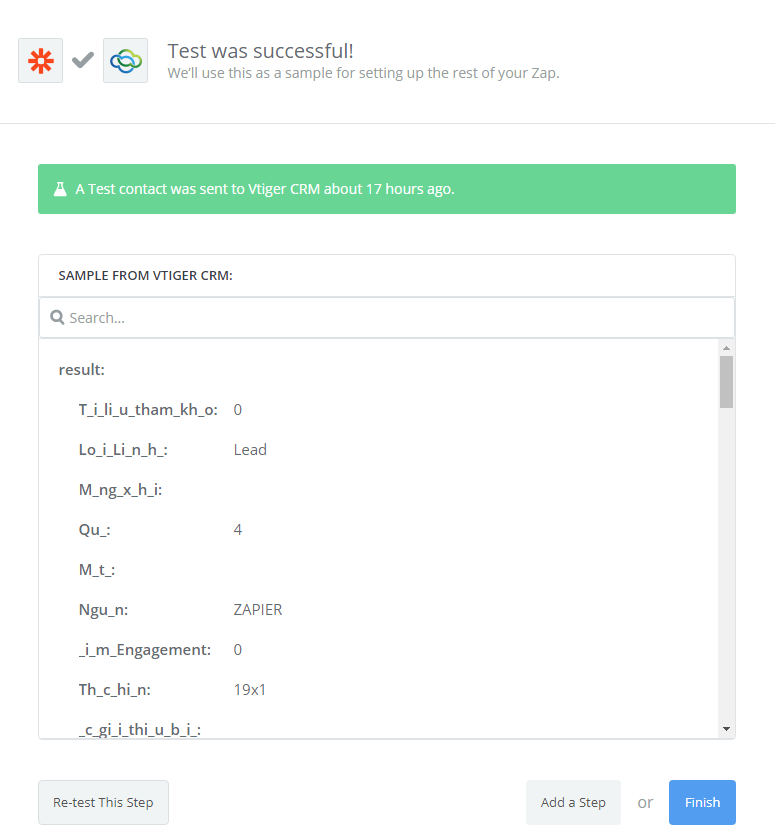
    • Wonderful, you have tested Vtiger CRM successfully. A Test contact was sent to Vtiger CRM. Finally, choose Finish  and set the name your zap  to complete.
    • Your Zap is working and from now it will auto-check for your Magento 2.x new customer.
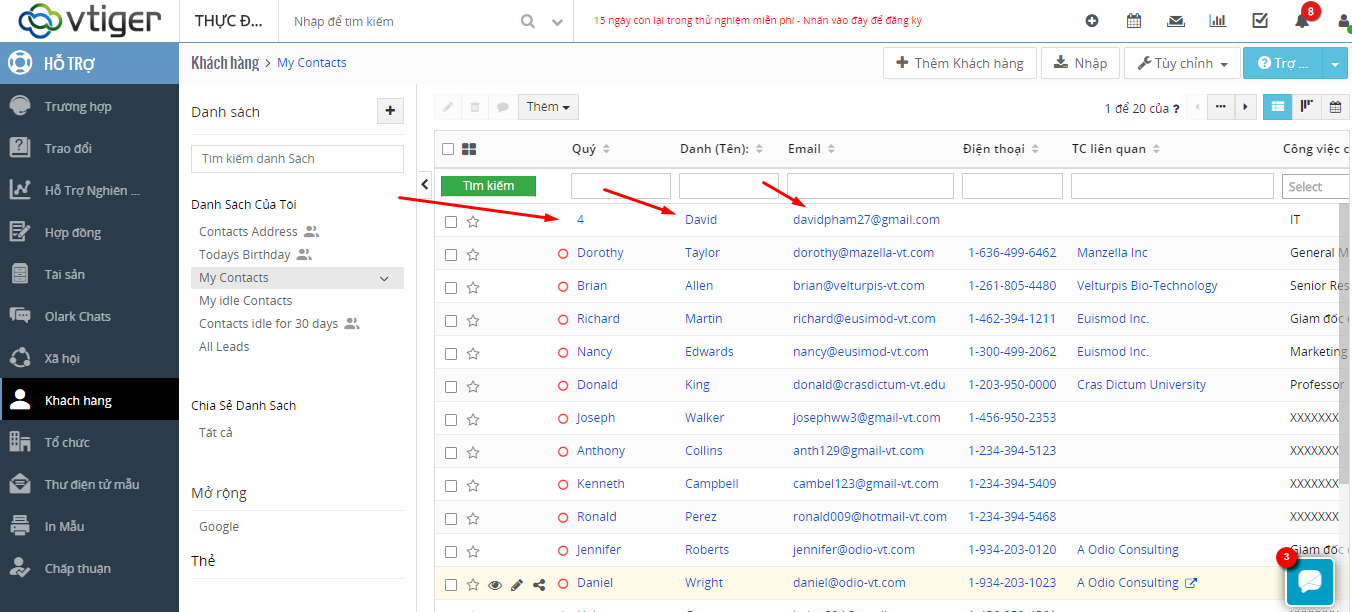
    • So in this way the integration is done and the result is as an image below:

    Vtiger CRM is a great application which will provide the best experience to customers. The ultimate purpose of Vtiger CRM is to satisfy customers by bringing great value and benefits to them. Now it’s time for you to try integration between Vtiger CRM and Magento 2. If you still failed to integrate, then hire Mage Monkeys for the Magento integration service.

    How to Set up Smtp Email for Magento 2?

    Every online merchant is aware of email sending system. In this blog, we will guide you on how to set up default SMTP Email for your Magento Stores. The setting might be little complicated for some Magento owners.

    Introduced in a late 20th century, SMTP stands for Simple Mail Transfer Protocol. There are 3 Steps to set up SMTP in Magento 2.

    Step 1: Create an Email Address for Your Domain

    This step is for setting SMTP for your Magento 2 where you need to obtain a valid email address for your domain before you configure SMTP Email for your Magento store. Your store admins can set up Email address by following guidelines from server administrator or email hosting provider.

    Step2: Configure Email sending system for Magento Stores

    Here you need to navigate Magento Admin Panel, go to Stores -> Settings -> Configuration. Then navigate the store Email Address on the left side of a panel under General. Then you have to select General Contact section to start making the adjustment in a default setting.

    In Sender Name, fill the names that you expect it to appear as the sender of any Email. Newsletters. We recommend that you should keep a name that bears association with the General Contact identity.

    Provide the associated Email address in the field of Sender Email

    You can repeat these actions to each Email address that you want to make use of it in future. Remember to click on Save Button to apply Email setting for your Magento stores.

    Step 3: Your Sales Email Configuration should always be updated

    In the last step, you need to set up the Magento sale system for your store. In order to keep your sender’s information correct, you have to pay attention to the configuration of any related Email messages.

    In Admin panel, navigate sales and then select Sales Email; then you will see the setting edit page. Further, select Order and then check all the sender information.

    After all the necessary changes are done, click Save button to complete your setting.

    Conclusion

    Email sending system is one of the most determining factors of any online merchants’ success. Magento 2 default SMTP is to support store owners in accessing more customers and increasing sales but many store owners are unaware that most of their emails were left silently in spam or outbox instead of customers’ inbox and it is the biggest drawback of default SMTP which makes it unproductive for any E-commerce. So here comes MageMonkeys SMTP extension to handle your this problem and increase the effectiveness of your Email marketing.

    For more information and details on how greatly this extension can contribute to your store’s success, you can fill the form below and our team of certified Magento developers will give you the best result.

    FILL THE FORM BELOW IF YOU WANT TO HIRE AN EXPERT FOR YOUR MAGENTO WEBSITE MAINTENANCE.

    How can you enhance your online checkout process?

    Let’s admit that if your checkout process is complicated and time consuming, unfriendly and insecure then there are chances of customers abandon a shopping cart. It is said that as high as 80% of your online shoppers will abandon their carts because here a shopper turns into a paying customer. Further, if you are unable to manage your site well then they can easily navigate from your site to another, no matter how great your products are.

    Cart Abandonment

    • 67.91% is the average cart abandonment rate.
    • $260 billion is recoverable only by better checkout flow and design.
    • 39 potential areas can be optimized to enhance checkout.
    • 35.26% increase in conversion rate through better checkout design.

    Hence to optimize checkout process and increase your sales and trust we have mentioned six tips.

    1. Mobile Friendly Site

    Today every business is run in the mobile ear so it’s important that your site should be optimized for mobile devices and for the checkout process. Customers will not like to visit your site if the text or products information/images are too small to read. So make sure that your website is mobile-friendly.

    Tip: 88% of smartphone shoppers have faced a negative experience due to difficult navigation (51%), too small product images (46%), and inconvenient checkout process (26%).

    2. Guest Checkout

    Sometimes login can be the painful step when it comes to registration. Shoppers refuse to register for checkout hence allow checkout as the guest.

    Tip: Allow checkout without login or ask them to login via social accounts.

    3. Easy Checkout

    Some online stores offer an insanely long checkout process with endless steps and this can be a real challenge for your shopper’s patience. In some cases, they might give up right in the last step due to the frustration of having no idea when it is completed. So make sure that your customers are aware of the whole checkout process and inform them about all the steps.

    Tip: go for one Step Checkout, it’s the most ideal for online stores especially with shops on Magento platform. This will enable shoppers to clearly know where they are in the process and it will cut down checkout time. (Thanks to no difficulties in website navigation)

    4. Secured Checkout Process

    Nearly one-fourth of online shoppers have the concern when it comes to payment security. They are worried because it holds their personal details and payment information. Give them confidence by featuring trust signals, that all your checkout process is secure. This assurance will make them complete their checkout process.

    Tip: Very few people have heard about “thawte” (Teleflora’s badge) but they know what “secured” means they are aware of Padlock indications. They also know that the style of symbol usually means that there are security measures in place on the site.

    5. Necessary Information Only

    Additional information can be confusing or annoying such as ID card no, Mobile phone or company address. This information is sometimes hard for customers to remember and its time to consume as well. And no customer is free to fill all these unnecessary details. So just ask them only important information.

    Tip: if you want to know more about your customers or for other purposes then mark those fields as optional. It will make it little easier for a customer of what to fill or omit.

    6. Different Modes of Payment

    If you don’t want to lose your potential customers then be generous with payment methods. Your customers may want to pay through different methods to make sure that you offer the most popular methods like the debit card, credit card, net banking, etc.

    Tip: In Armour and Nike’s checkout process features the “Checkout with PayPal” button at the very beginning of the cart.

    7. Opt for one click checkout:

    In a researched, it’s noticed that one click checkout has increase online sales tremendously. MageMonkeys has experience in designing one step checkout process.

    Mage Monkeys‘ one step checkout form features:

    • One page optimized checkout.
    • Compatible with the 3rd party modules.
    • Supports nearly 100% of payment methods.
    • Supports Ajax popup “Terms and Conditions” checkbox.
    • Auto-update the total price, discount and other information.
    • Google address suggestion
    • Allow buyers to checkout as a guest or register of login in a popup box.
    • Easy drag and drop to customize checkout layout.

    TAKE AWAY FROM MAGENTO IMAGINE 2018

    Imagine 2018 – one of the most popular platform had conducted a three days mega Magento event full of informative breakout sessions, inspiring keynote presentations, and engaging networking opportunities.

    Mage Monkeys was one of the attendees who joined this tech event. As an attendee, we had a lot to take away from this three-day knowledge-filled event where a number of merchants shared their keynotes and many breakout speakers shared their insights and best practices for leading the charge in commerce. The event also highlighted few major success due to Magento commerce tool like:

    Audience Overview:

    There has been an impressive growth in website insights and audience behavior data. Page views and pages per session have improved with 30.6% and 36.5% respectively. Magento also got positive intensification in Average Session Duration of 14.2%. you will find the latest version more user-friendly as on-site bounce rate is reduced by 14.9%.

    Revenue Performance:

    As we can see the above graph, the website revenue of Magento has increased by 28.8% which is a remarkable difference as compare to previous year. Further, Website conversion rate has also been up by 6.7% and the number of Transaction by 2%; all together hike in Average Order Value by 26.2% hence the overall revenue performance of Magento is on the growing scale.

    Mobile Performance:

    The next is mobile performance, online stores who had responsive mobile has seen a rise in the mobile revenue of 45.6% with an organic search of 128%. Moreover, the Mobile conversion rate has gone up by 20.1 % with an improved number of transaction of 19.6%. Thus, Magento has helped in changing their marketing mix in real-time.

    That’s how websites who adopted the latest version of Magento recorded positive curve in sales.

    Conclusion:

    To drive growth with sales, drive greater customer engagement, improve operational efficiency upgrade your Magento website with the latest version and consider the changes you want to make to take your e-commerce store to new heights.

    WANT TO INCREASE YOUR SALE BY UPGRADING YOUR MAGENTO WEBSITE, THEN FILL THE FORM BELOW.

    How Osprey London Tripled Online Sales with Magento and Braintree ?

    Meet the luxury leather fashion company preferred by royalty.

    In the early 1980s, British entrepreneur Graeme Ellisdon used to drop into Kensington Palace to hand samples of his leather belts to one of his favorite customers, Princess Diana. “If there was anything she liked she would take them,” Ellisdon told the Times of London, “but all of our customers are VIPs.” OSPREY LONDON, his luxury leather, lifestyle, and retail company today boasts sales of £12 million [$16.8 million] and employs 150 people, with a global reputation for creating uniquely British, affordable luxury handbags, accessories, scarves, silk ties, clothing, and more.

    In 2016, the company set an aggressive goal of doubling its online business every year for three to five years. The brand’s popularity was already driven in part by its highly-anticipated catalogs, and OSPREY LONDON wanted to integrate that marketing operation into a much larger digital marketing program. However, their existing website was based on a bespoke platform that wasn’t up to the challenge. It was unwieldy, inflexible, and torturous to maintain. To achieve their vision, OSPREY LONDON needed a modern, responsive, and flexible solution.

    Having chosen to work with Vaimo, the Magento Global Elite Partner, OSPREY LONDON decided on Magento Commerce. Together they formulated a plan: the brand would launch their new Magento site ahead of dropping their latest catalog program to drive more traffic to the site, deliver an innovative digital experience, and turn more catalog readers into online shoppers.

    “We had been looking longingly at Magento Commerce for two years. There were several issues that made Magento Commerce the right choice for us – but Open Source and Cloud were top of the list.”

    AXIA GAITSKELL-KENDRICK
    HEAD OF BRAND, OSPREY LONDON

    Relax, it’s on Magento Commerce Cloud.

    OSPREY LONDON planned their launch date to coincide with the company’s largest ever catalog drop. The latest book would feature their iconic belts, handbags, scarves, and new accessories, and push readers to their brand new webstore. Meeting the launch date was critical: the largest catalog campaign in the company’s history was depending on it. Vaimo started work, building the site on Magento Commerce Cloud. With a cloud-based platform, the OSPREY LONDON team knew they could focus their attention on their business rather than on server performance and capacity.

    To connect to younger customers, OSPREY LONDON added video capabilities to their product pages. Now customers can see how a belt looks, how a scarf moves, and where a cross-body bag falls on the body. With a DotMailer integration, the company could then enjoy the benefits of an abandoned cart automation. Meanwhile, by adding the ShipStation plug-in, OSPREY LONDON was able to streamline their dispatch process. This, says Ben Jones, the brand’s eCommerce Manager, “was just the start.”

    However, just two weeks before launch, the project hit a roadblock when it came to payment processing. Their payments’ vendor identified technical problems that could delay the launch. The team reached out to Braintree. The PayPal company helps businesses accept and process payments across all devices, using almost any payment method. The Braintree solution was integrated in just ten days, providing the security and scalability the brand needed, saving the day. “Today with Braintree, we have a good level of control and visibility, whether that’s adjusting the fraud rules to suit our changing requirements or helping a customer complete a transaction. Overall it’s a service that we know we can rely on,” says Jones.

    Handbags are flying off the virtual shelves.

    On April 12, 2017, the new OSPREY LONDON site was launched on schedule, just as the brand dropped their latest catalog. The integrated digital marketing push drove massive traffic to the new site. With OSPREY LONDON on the cloud, the team had no concerns about the stability of the platform. The site was solid, performance never lagged, and straight away, handbags began flying off the virtual shelves. Their first day’s sales were just the start. The net result of moving to Magento Commerce was a solid basis on which to add additional digital marketing activity, and OSPREY LONDON has enjoyed an increase in online revenue of 300 percent year-over-year. This beat the brand’s aggressive target of doubling their online business.

    Behind the scenes, the team was thrilled with the ease of use of Magento Commerce, and the flexibility of the platform. Merchandising is “so much easier,” says Jones, and the team particularly loves the drag-and-drop functionality. Re-merchandising products multiple times each day is a significant business driver, and sales and promotions are now fast to implement.

    Meanwhile, the brand’s customer support operation also uses the Magento Commerce back office, helping staff manage customer orders. With access to customer records, the support team can resolve issues faster and improve the sales experience.

    For Graeme Ellisdon, the secret of his success, he believes, is his ability to adapt and compromise: “In all things you need to be prepared to compromise,” he told the Times, “You need to be willing to change and adapt along the way and not be too fixed in how you achieve things.” And with Magento Commerce, OSPREY LONDON is ready for anything.

    Source : magento.com/customers/osprey-london

    What is the difference between Magento and WooCommerce

    You need to choose your platform for your E-commerce very carefully as the success of your business depends on it. If you opt for a CMS which doesn’t support your immediate and future plans then it would be difficult to handle. Therefore, you should do the necessary research which helps in saving your cost as well as your time.

    To help you decide better we are going to judge both Magento and WooCommerce (WordPress Ecommerce plugin) in the below-given categories:

    • Fundamental Difference
    • Features
    • Performance and Speed
    • Security
    • The Deployment Aspect
    • Ease of Use
    • Support
    • Cost
    • Available Integrations
    • Apps and Plugins
    • Inventory
    • Multi Vendor
    • Multi store front

    Fundamental Difference

    The most important difference is that WooCommerce is an add-on to the content Management system WordPress whereas Magento is a standalone, dedicated E-commerce platform.

    Features

    1.Discounts and Coupon Codes

    Magento gives you a liberty to create discount and coupon codes on the other hand, WooCommerce has this feature at a very basic level which will not solve your purpose.

    2. Themes and Templates

    Magento and WooCommerce comes with a verity of themes and templates and among them some are free and if you want more than you need to pay some amount.

    3. Multi-Languages Support

    Magento lead in multi-language support which is completely built-in. Conversely, in WooCommerce you have to purchase WPML which will allow your WooCommerce sites in multiple languages and multiple currencies.

    4.SEO Capabilities

    Magento 2 is famous for its SEO capabilities. All thanks to the power of SEO friendly, for the matter of fact your site will raise the rank in the search engines and it will fetch more and more traffic.

    Performance and Speed

    Overall performance plays an important role in deciding platform for your E-commerce site. No customer likes to wait for your site to get loaded fully which will ultimately result in bad business. There are users who complain that Magento is slow and it has a real issue with a backend. Infect it has often accused of being an old-soul. But how user optimizes backend and store is the real solution to the problem.

    Extensions and number of plug-ins play an important role in determining the speed and performance along with this your web host is also part of it. Overall, set of external factors decide your site speed and performance. Therefore this round is a tie as Magento and WooCommerce either perform well at some or the other way.

    Security

    A study in 2015 suggested that more than 30,000 sites are hacked every day. With an advanced technology and hackers around it is getting increasingly important to keep your website secure. Whether you have a blog or an online store you need to give priority to security. Your E-commerce site will have a lot of customer detail and personal information so you have to keep your site free from security issues.

    WooCommerce and Magento both come with an advanced security measures but still doing everything from your end is essential. The CMS itself must address security concerns adequately, and that’s where Magento sets itself apart.

    Though both platforms can’t be hundred percent secure but Magento steals the show with the frequent release of security patches making it a great source of comfort. New users may find it slightly complicated to implement but they will help you secure your store so Magento clearly wins this round.

    The Deployment Aspect

    Starting an online store comes with a series of pitfalls however you don’t want your E-commerce platform choice to be one of them. If you are already using WordPress and opted for WooCommerce then you don’t have to migrate or look for interfaces. Being an extension of WordPress itself, WooCommerce is tailor made for beginners too owing to its wide range of plugins, easy setup and tutorial videos for assistance.

    Magento has the same capabilities yet it falls short when it comes to adding extensions to your existing website. Not only will you need a Magento-specific programmer and the overall process becomes a tad expensive as well.

    Ease Of Use

    This category is won by WooCommerce and you will ask why? Well, the winner in question is a WordPress plugin and knowing that WordPress itself is easy to use a platform. Hence WooCommerce takes the lead and makes users feel welcome.

    Whereas, Magento is a robust CMS and it is not a novice-friendly platform. Magento is a complete high-level professional platform where you can learn a lot but it’s difficult for one person to master the platform and deploy an online store with completes functionality themselves. You need to have at least intermediate knowledge of the platform to get your hands on.

    WooCommerce is easy and beginner-friendly even if you do not have any knowledge of E-commerce platforms. With WordPress plugin, it has made the work very easy going. Documentations and a multitude of tutorials are available for beginners help. Hence, WooCommerce is a safe pick for many.

    Support

    Both Magento and WooCommerce are open-source platforms which give them the benefit of attracting a large user base and community.

    WooCommerce is a relatively new entrant compared to Magento with both releasing in 2011 and 2007 respectively. With a difference of four years Magento has become the de facto king of the E-commerce market and apart from the support you get from a plethora of official documents and guides, there is a huge community for Magento that is ever-ready to help you any time you need. Since Magento has a far active and bigger community you can reach out to, it edges the competition leaving WooCommerce far behind.

    We are leaving out the paid Magento Edition with dedicated support since the competition (WooCommerce) is a free CMS, but users can always consider the fact that if they ever need to scale their business up a notch, the Magento Enterprise edition is an excellent option for superior support.

    Cost

    Both Magento and WooCommerce are open-source platform and comes with free of cost giving users the option to start an online store without huge investments (apart from the other costs for the sake of this review) which is overall a great deal.

    However, not paying a dime to use a great product comes with a cost, and you may end up paying more of that cost if you opt for WooCommerce. While WooCommerce is a great option for a beginner level store but with time you will realize that it is limited in its capabilities. On the other hand, Magento’s free version provides you a greater flexibility and features to play around with and also you can scale up your store without much hassle.

    Magento’s paid options are there for the considerations, but with their enterprise edition going up to a massive $18000 per month and it is not a great option for a startup or even for a mid-sized online store. we’re counting on you to scale your business to the point you need that Enterprise edition, and we’ll keep our fingers crossed.

    Thus, with the free Magento version providing greater flexibility and far more options, Magento is a clear winner.

    Available Integration

    WooCommerce can integrate with just about any service provider, due to its extendable nature. Some of its popular integrations include:

    • Zapier
    • Taxamo
    • Xero
    • FreshBooks
    • ShipStation
    • Stamps.com
    • WordPress
    • Jigoshop
    • WordPress
    • TradeGecko
    • Veeqo
    • Mad Mini
    • Help Scout
    • Ambassador
    • UserVoice
    • Stripe
    • PayPal
    • Amazon Payments
    • FedEx
    • USPS
    • UPS

    Magento supports integrations with the following business systems and applications:

    • Interprise Suite ERP
    • Embedded ERP
    • BankPayment
    • eBay
    • WebShopApps MatrixRate
    • PayOne
    • CashOnDelivery
    • ShipWorks
    • MageMonkey
    • MailChimo
    • Mandrill
    • osCommerce
    • Correios
    • Fontis Australia
    • BeeTailer
    • DebitPayment
    • MigraShop
    • SOFORT
    • AddThis
    • WorldPay
    • Facebook
    • Twitter
    • ePay
    • Searchanise
    • GoMage
    • Open ERP
    • Social
    • DHL
    • Bcash
    • Ingenico
    • Zopim Live Chat

    Apps and Support

    Officially, Woocommerce has 300+ apps and plugins and Magento has 3300+ plugins and extension. So you have your winner here.

    Inventory

    WooCommerce can handle unlimited inventory but practically not more than 3000 products while Magento can easily handle unlimited inventory with countless products to manage.

    Multivendor

    WooCommerce needs third-party module while Magento is considered to be a multivendor platform.

    Multi store front

    Magento is a multi store front which WooCommerce is not.

    Conclusion

    Finally, that brings us to the end of WooCommerce vs. Magento. While a lot is depended on your requirements and needs but still the choice is pretty clear. If you are looking for a small online store and do not have any real experience of using a CMS then WooCommerce is a great option but if your plans include scaling your business up, tightening your security over time, and basically challenging eBay and Amazon in the near future, then the choice is clear:

    Magento