We sacrifice by not doing any other technology, so that you get the best of Magento.

We sacrifice by not doing any other technology, so that you get the best of Magento.

    10 Reasons why Magento 2.X is better than previous versions.

    There was a buzz of excitement in the E-Commerce world when Magento 2 was released and people all around the world were waiting for the launch of this wonderful platform. The entire development team of Magento was putting their best effort to pack this new version with as many features and improvements as they could.

    Magento has always given its best to the users as far as customization is concerned and with this Magento 2 is no different. But hold on this is not the only the reason for many merchants switching loyalties and opting for Magento hence the below-mentioned reasons will make our point clear of stating Magento 2 is so awesome.

    • Better Performance

    A study says that 47 percent of online shoppers want any website to load in the fraction of seconds. In fact, 40 percent of them are likely to abandon the page if it takes longer than 3 seconds. Though Magento 2 is much faster than the first Magento version, say it runs 20 percent quicker than the older version and the reason behind first Magento version being slow was that its iteration was not built with a full page cache.

    Magento 2 has a full page caching which makes it speedy at the time of loading. Another highlight of Magento 2 is its compatibility with the latest MySQL 5.6 for query processing, re-indexing, and caching, making it a lot faster, more efficient, and supportive of website performance. With the addition of Magento 2 forms, developers will improve the performance of the platform as it gives you a freedom to create a custom form which allows users to create forms of dragging and dropping thus capturing customer information effectively.

    • Advanced CMS Content Interface

    Magento 2 has got a brand-new WYSISYG interface which is the lot more polished than the older version and it will help for a content creation. Given that an e-commerce platform with a subpar content interface will not win any favors in the e-commerce industry so the developers at Magento have stepped up their game to produce a new interface that stacks up well in the industry. Overall, we can say that Magento has learned a lot from its past mistakes, therefore, created a content interface that improves upon the earlier version when we talk about creative control and content development.

    • Better Admin Menu Navigation

    Earlier, admin find it hard to navigate between system configuration, catalog, products, and reports but now admin can manage their stores more efficiently as Magento 2 comes with its all-new menu navigation which enables admin to navigate to any section of the admin panel as per their requirement. Further, now you can easily find all the relevant information and details thanks to its new interface.

    • Sophisticated Product Creation Interface/Page

    Magento 2 comes with a step-by-step product creation tool which makes it easier to form new products with an addition to this it also supports videos and images of the products so users can add media to highlight their goods.

    • Better Grid UI

    Now you no longer have to get in touch with the developer every time to add a new column yes you read that correct thanks to it vastly improved grid UI that merchants are able to select the required number of columns from the list featured in the Magento 2 platform an admin panel.

    • Customer UI Interface

    An older version of Magento was really time-consuming and tiresome as the customer needs to go through four or five steps before they could complete the order but the latest Magento 2 has made the order process easier. Now the merchants can find the registered customer automatically by analyzing their Email address. Along with this, the registration process has also been simplified considerably. Now customers and users are able to complete the registration process on the checkout success page itself. The guest checkout percentage for Magento 2 is 38 percent faster than the earlier version of Magento.

    • Full Page Caching

    Earlier site loading speed was a major concern for customer because older version did not feature a built-in full page cache system due to which user experience was affected significantly and it caused sales conversion rates to drop but this is history now with release of Magento 2 a full page cache system both in the community and the enterprise edition have been included which you can optimize efficiently to make your website load faster.

    • Check out Made Simple

    Nobody likes to wait in line to complete their purchase especially in online shopping where an order can be placed within a fraction of seconds so for those who can’t wait for them Magento has come up with a new assumptive guest checkout method that consists only two steps. Now the customer needs to enter into the website during checkout is when the shipping details are asked and for the registered or guest user the automatic Email recognition property is given which allows streamlined checkout experience. Moreover, shipping rates are applied to a specific order only when the full details are completed and it will ask for billing address only when the payment needs to be made. Hence the current iteration of Magento is the lot less intrusive than the previous version.

    • Improved Frontend Capabilities

    Magento 2 now has the new UI library which allows development of custom front-end widget and pages. Extra widgets might include product widgets that simplify the process of adding featured elements and products to different pages and CSS pre-processing with the help of LESS. Additional JS, CCS3, and HTML5 will make the development process a lot more streamlined and modern. It has also got blank theme feature and the base Luma theme has been improving significantly and yes good news is that you get access to all the mini cart features out of the box. The maximum prototype can be removed for iQuery. Finally, B2B E-commerce users can now enjoy the faster, simplified quick order functionality.

    • Advanced Development Capabilities

    Magento 2 has a feature of composer dependency system which updates both the core and the marketplace extension a lot simpler and faster for the merchants. The console commands are a lot like a symphony, and the modules now happen to be entirely self-contained rather than being scattered among the different root-level directories.

    The latest version of Magento has improved plugins which minimize the need to directly override the classes and now merchants can look forward to better dependency injections so that the code base is a lot more modular in nature. Thus the extensions of the platform have a minimal chance of breaking each other down. One more thing now there is a built-in testing suite which includes PHP unit and users can easily add to the new automatic tests so that custom features may be implemented.

    Now users are happy with the new version of Magento when they compare it to the older version. The thriving community has given thumbs up to this platform so it’s a matter of time before the software is upgraded further and at a faster pace.

    Around thousands of extensions have already been released for this platform and it can be downloaded from the marketplace either a free of cost or after paying a premium rate.

    Bottom Line

    It might have taken two long years to reach this level of development but the end result is worth the wait providing merchants with a good reason to upgrade to Magento 2. The platform is not out of the running yet as a serious contender for the best e-commerce builder. Hence now Magento developers can provide a favorable customer experience with new upgrades and improved look.


    How to Perform a Magento 1 to Magento 2 Migration?

    Three years ago Magento 2 was released but still many people are running the old-school version.
    Magento came up with the upgraded platform and many vendors decided to switch to the new platform for its new features. Many are not fully aware of its advantages so we thought to share with you its key benefits and on how to perform the migration from Magento 1 to Magento 2

    Here’s how to do it…

    Planning


    It’s never easy to migrate between the 2 versions of Magento. If you want to keep your existing site the way it is then you need to have a sorted plan for it. During the planning stage, you have to lay out all the required details. Announce that during migration process your site will be down for a short time. Draft a wireframe layout of each page and how are you going to implement tools in it. Remember, the more detailed, the better.

    Testing

    Keep it in mind to perform each step of migration separately and it should be tested individually. To avoid any problem with functionality in future you need to spend time testing the migration over and over again.

    Install Extensions

    You can upgrade your existing extensions from Magento 1 and moreover, you can develop your own extension or install a new third-party extension. Make a note of detailed list so that you don’t miss out on anything and lastly install them on your server.

    Migrate Data and Sync Databases

    This part is vital during your Magento 1 to Magento 2 migration. You’re going to transfer all of the databases to your new Magneto 2 platform and ensure that they are both the same. Magneto provides a special tool to aid in this process which can be obtained from their official site.

    Build a Design

    When it comes to design, Magento 1 and Magento 2 themes are not compatible so it means that you need to select a similar or new theme for your site. To make things easier you can start off with an approved Magento theme instead of opting for the third-party theme because it will ensure that everything runs smoothly and the site is bugs free.

    Initiate

    When everything gets ready then it’s time to plan your launch. Set a date and time and initiate your new Magento 2 platform on your host. If all goes well then you don’t have to face any problem. Send a batch Email or notification to all your customers that your site is back and it’s active.

    And you sit back and enjoy your new site!

    What are differences between Magento 1 and Magento 2?

    Magento 2 is not the mirror of Magento 1. Magento rolled out numerous drastic updates with its newer version 2.x.

    Someone has quoted it very well,
    “Magento 1 is the context and Magento 2 is the story.”

    Below visual from MageMonkey is talking about the technical differences between Magento 1 and Magento 2.

    Have a look,

    Our Verdict

    Magento 2.X comes with an improved functionality and over 350+ extensions so we recommend our E-commerce and multi-channel retailer to migrate to the latest version for better performance. If have an enthusiastic team of 1-3 employees and if you can uphold $2 million or up then Magento 2 is the best solution and if you are already on Magento 1.0 then it’s high time to migrate to Magento 2 without a doubt within the next 18 months as Magento has officially stated that they will continue to support older versions for an additional 3 years. Magento 2 provides features of scalability along with security and maintenance hence it is a great option for SMBs who are looking forward to taking the next step in the Magento ecosystem.

    How to check the version of your Magento store?

    Every Magento version comes with strengths and weaknesses and upgrading your Magento to the latest version is the key to increase speed, Security problems and new extensions from which some should be compatible with your Magento’s older versions. For the upgrade, you need to check the current version first.

    How to check version for Magento 1?

    There are minimum different options to find out:

    1. You can use free online tools to check the version where you just have to enter your website address, e.g.: LatestVersionCheck.com

    2. You can check the version using admin panel:

    • Go to your Magento admin panel.
    • In the center of the footer of the page you will see your current version.

    3. You can check the version in the app/mage.php file of your Magento installation. Search for getVersioninfo() function

    Example: publicstaticfunction

    {

    returnarray(

    ‘major’=> ‘1’,

    ‘minor’=> ‘6’,

    ‘revision’=> ‘1’,

    ‘patch’=> ‘0’,

    ‘stability’=> ”,

    ‘number’=> ”,

    );

    }

    4. You can either use SSH to know the version.

    • Login to server via SSH in which you have use your root password.
    • Go to the directory where Magento is installed
    • Use the following command
      cd /home/username/public_html php -r “include ‘app/Mage.php’; echo ‘Magento version is: ‘, Mage::getVersion();

    How to check version in Magento 2?

    Magento 2 has an effortless way to find out its version and that is to add /magento_version to the website address and start searching and you will see a short answer including the version and edition you are using , e.g.: Magento 2.1 (Enterprise)

    How to check Magento Community or Enterprise version is used?

    There are two ways to check Magento Edition;

    1. Enter example.com/giftcard/customer in your browser:

    • If you see 404 Page Not Found error, the website doesn’t run MEE version;
    • If you are redirected to a login page, this is MEE version.

    This is the easiest way to check Magento version.

    2. You can either use command line by the code Mage::getEdition() that is to give you all the necessary information.

    Example:
    /**
    * Magento edition constants
    */
    const EDITION_COMMUNITY = ‘Community’;
    const EDITION_ENTERPRISE = ‘Enterprise’;
    const EDITION_PROFESSIONAL = ‘Professional’;
    const EDITION_GO = ‘Go’;

    /**
    * Current Magento edition.
    *
    * @var string
    * @static
    */
    static private $_currentEdition = self::EDITION_COMMUNITY;
    /**
    * Get current Magento edition
    *
    * @static
    * @return string
    */

    How to Migrate Theme from Magento 1 to Magento 2?

    A theme makes your website more friendly and attractive and to move your current theme from Magento 1 to 2 is impossible. Still, you can choose among the following different ways:

    1. Find a free theme for Magento 2 and install it on the new store (included customization if needed) this will save your time and also money
    2. Another alternative is to buy a quality ready-made theme for Magento 2 and install it on your store (included customization if needed) it is not only cheap but fast too.
    3. Clone the old Magento 1 website to build a similar one for Magento 2 website (Magento 1 PSD design is required) but be ready to spend some extra money as it is expensive and it will take a lot of Time.
    4. Clone your favorite website design to create a similar one for your store again this will cost you and time-consuming
    5. Create a unique design from the scratch though you are doing everything from scratch so it will be an expensive affair and you have to dedicate a lot of time to it.

    For a proper method, you need to determine your requirements, budget and time. Still, we would recommend you to go for the select option which is applying a ready-to-use Magento 2 theme. A number of Well-design Magento 2 themes and templates are available in the Market and you will get at affordable prices. If you use those themes then you just have to spend 1 week to install it on the new site and make some minor customization (only if you want) on the other hand, the third, fourth and fifth options are likely to take 1 month to conduct which will obviously increase the overall cost.

    When Should You Migrate Magento 1 to Magento 2?

    Migrating from Magento 1 to Magento 2 is a big concern for many of our clients and the most often questions are:

    • “Is Magento 2 stable?”
    • “Should we migrate Magento 1 to 2?”
    • “When is the correct time for Magento 2 migration?”
    • “Can we run our website permanently on Magento 1?”

    After trying all the versions till now with our experience with Magento 2 we can say now is the best time to migrate to Magento 2 from Magento 1. About 2 years ago, Magento 2 was quite unstable with the irrelevant number of ready-made themes and extensions Magento 2 has seen its noticeable improvements over time especially on the latest version Magento 2.2.5 (released on 27th June 2018). Currently, Magento 2 is not only stable but it also gives an impressive performance with a wide range of features. Hence, there is no valid reason for not upgrading to Magento 2 now if you can afford the Magento migration cost.

    Take a note:

    You can keep running your Magento 1 website in the short-term but in the long-term, there is a possibility that you might come across some hidden threats such as:

    • Due to the outdated design and performance, you can be left behind by your rivals.
    • Limited help will be provided from Magento Community
    • No more patches and platform enhancements.
    • It will be difficult to get any support from Magento 1 Module developers or providers.
    • Magento officials will not give any free support for your current store.

    Conclusion: Migrating to Magento 2 will not disappoint since it delivers a much better website from design to functionality. Anytime which is not a holiday season is best for migration.

    How to Integrate Magento 2 with Xero?

    When there are thousands of different computational softwares available in the market then only one questions arises that how to choose the best accounting software for your business?

    Well, we suggest Xero accouting software.

    Let us understand Xero in detail…

    What is Xero?

    Xero is accounting software created in 2006 for small business accounting purpose. You can access this solution from any device that is connected to the internet. Xero integrates with more than 500 applications and has plenty of powerful features. You can view cash flows, transactions and accounts details from any place. Xero automatically encrypts bank transactions.

    Xero’s Online Invoice features will let you can track your expenses and bills and it will improve your relationships with suppliers.

    Professionals highly recommend Xero as its user-friendly and easy-to-use solution. It has been ranked first among hundreds of different accounting softwares.

    How to integrate Xero with Magento2?

    To integrate Xero you need to do following steps:

    • Step 1: Sign up the Zapier account
    • Step 2: Sign up the Xero account
    • Step 3: Integrate Magento 2.x
    • Step 4: Via Zapier Integrate Xero for your Magento 2 store.

    Step 1: Sign up the Zapier account

    • Signup Zapier

    Step 2: Sign up the Xero account

    • Signup Xero

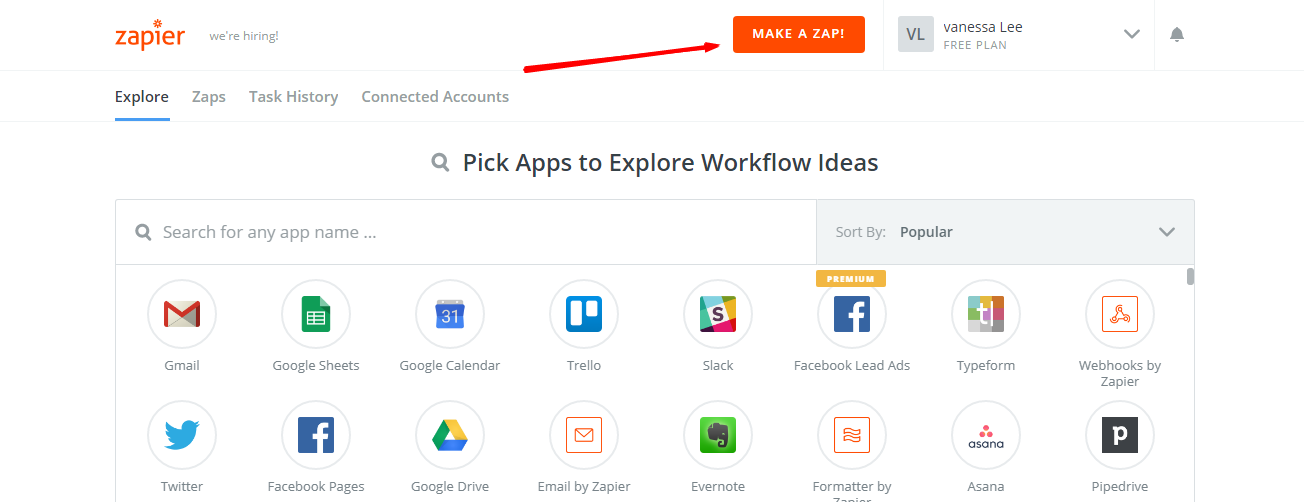
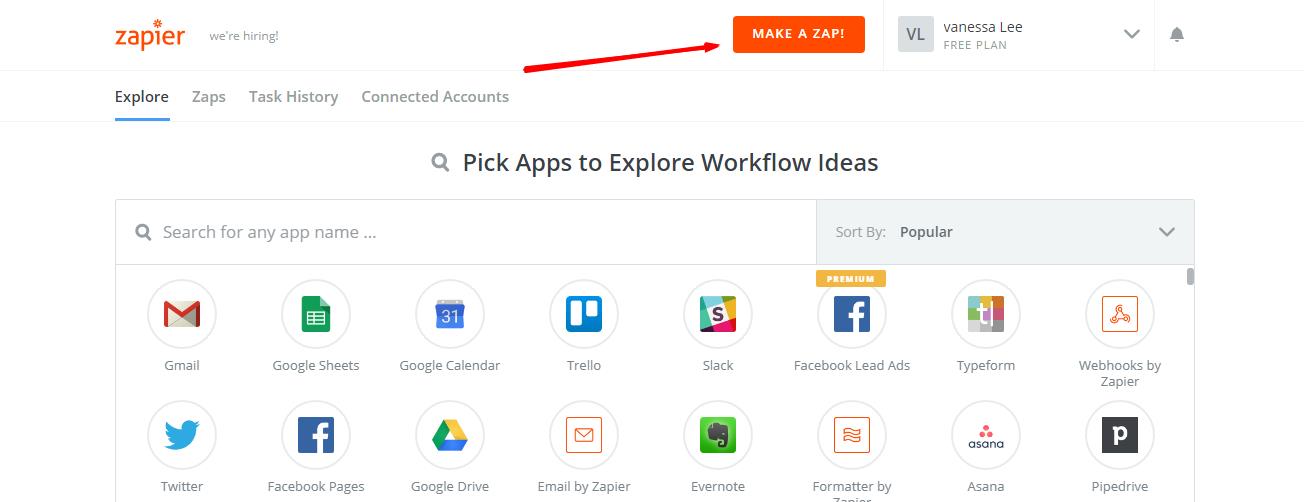
    After logging into Zapier, choose Make a Zap to start integrating

    Step 3: Integrate Magento 2.x

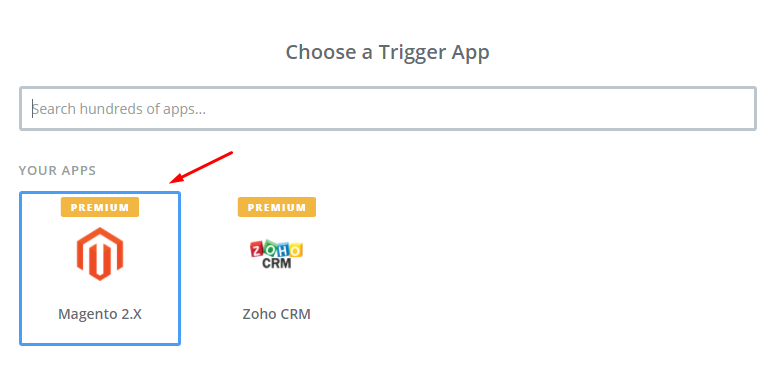
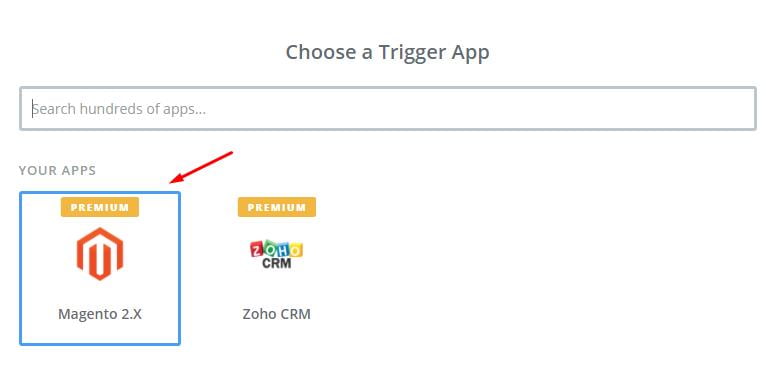
    In this step, choose Magento 2.x so that Zapier can get all data from your store.

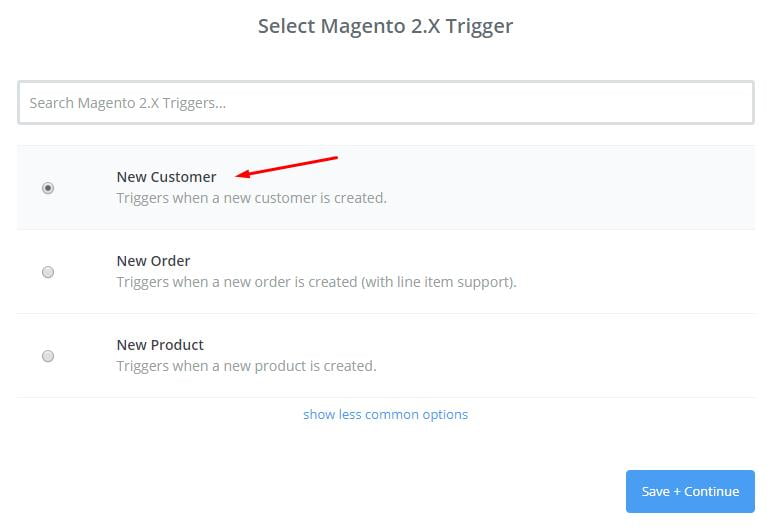
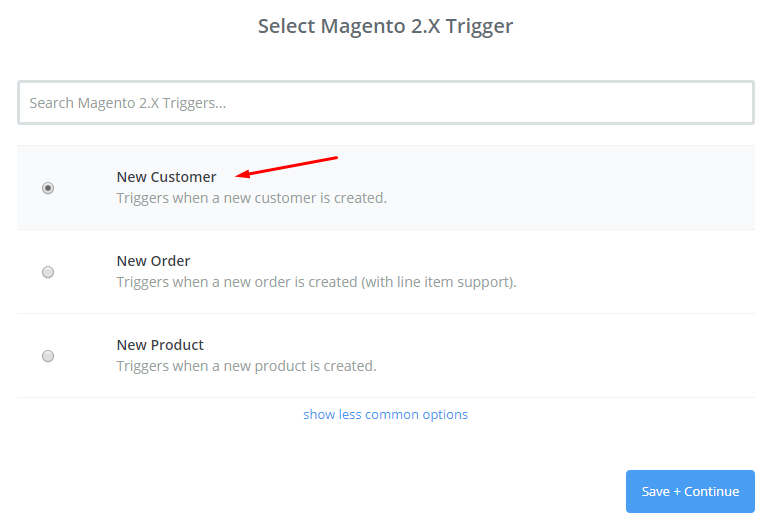
    Then, choose New Customer in select Magento 2.x Trigger field and click on continue.
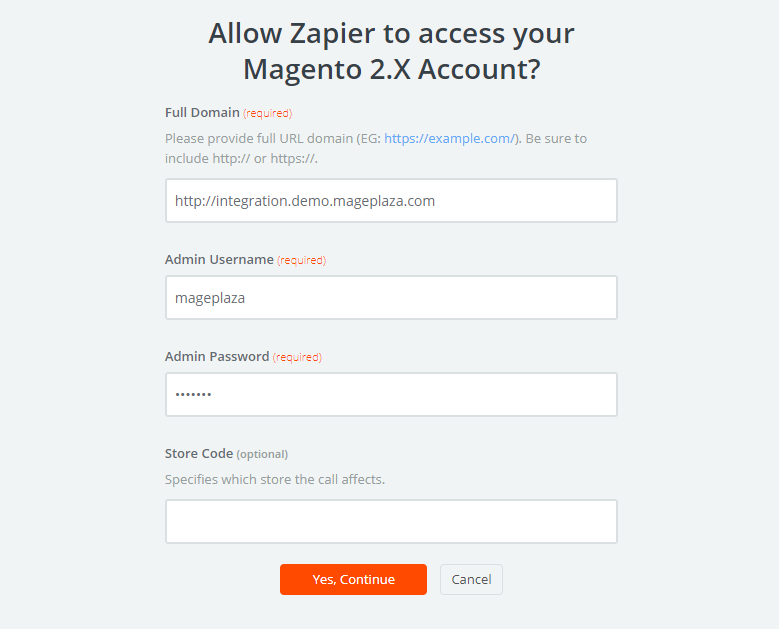
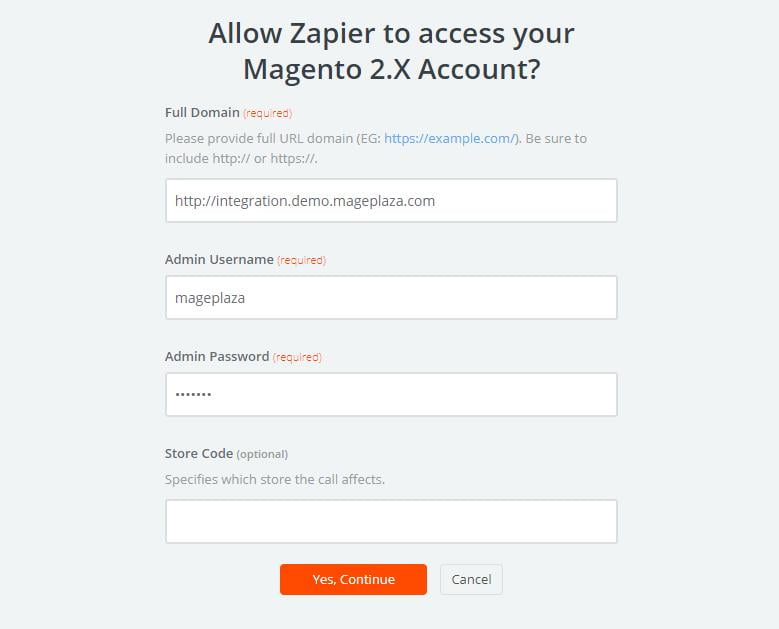
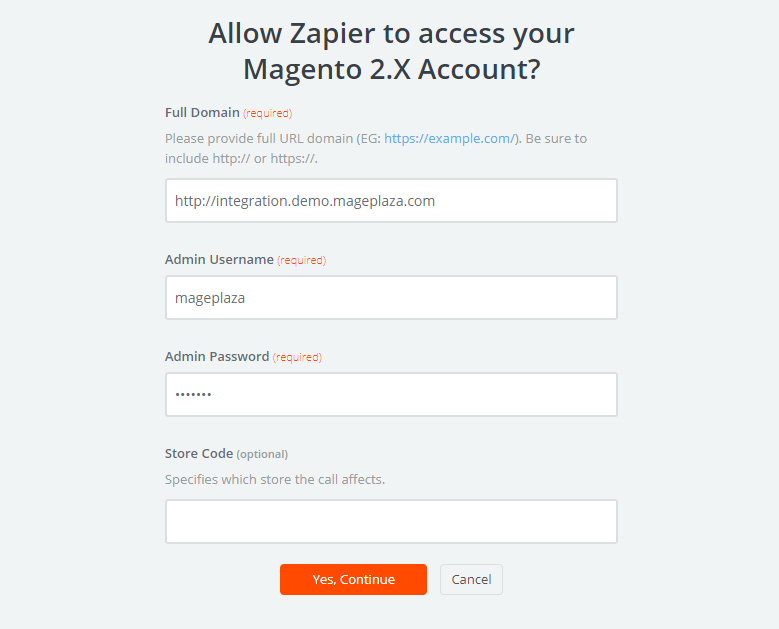
    Now you need to connect an Account in select Magento 2.x account field. Here in this step, you have to enter full domain, admin username and admin password of your Magento 2 store as shown in the image below:

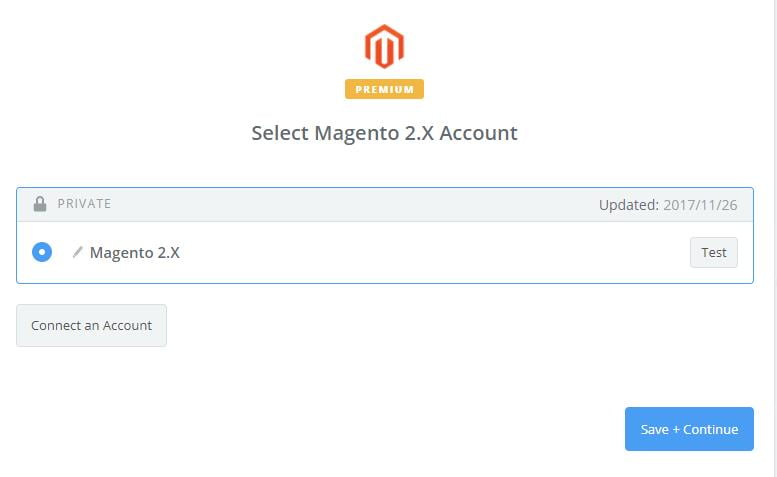
    After generating your Magento 2.x account, the screen will display as an image below. Then, choose Save + Continue.

    Bingo! You have just tested Magento 2.x successfully. Please enter continue to go the next step.

    Step 4: Integrate Xero

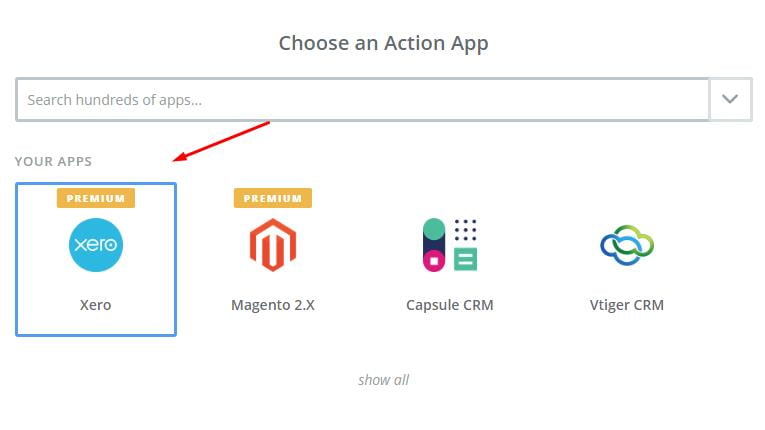
    • In Choose an Action App field, choose Xero and click on Continue.

    Then, you have to choose one of the options in drop-down list of Select Xero Action field according to your need. After choosing, click on continue

    Next, you need to select Xero account. Please click on Connect an Account.

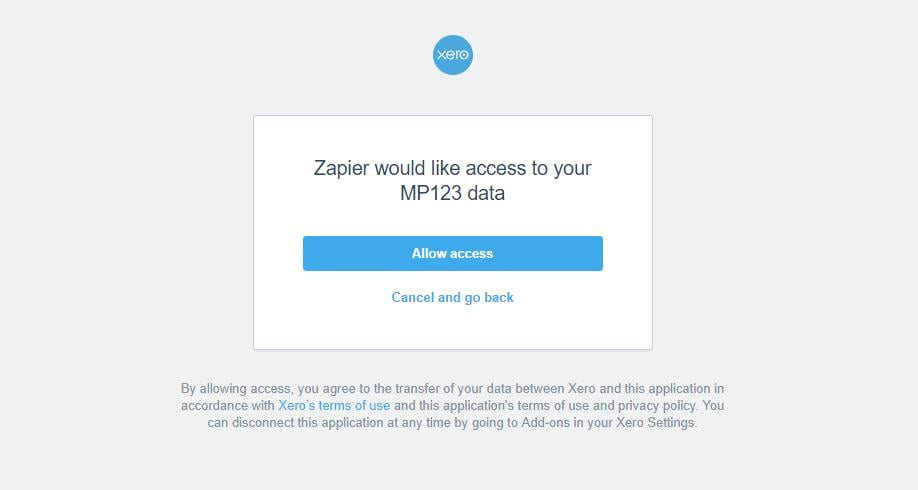
    Now, your screen will display as an image below:

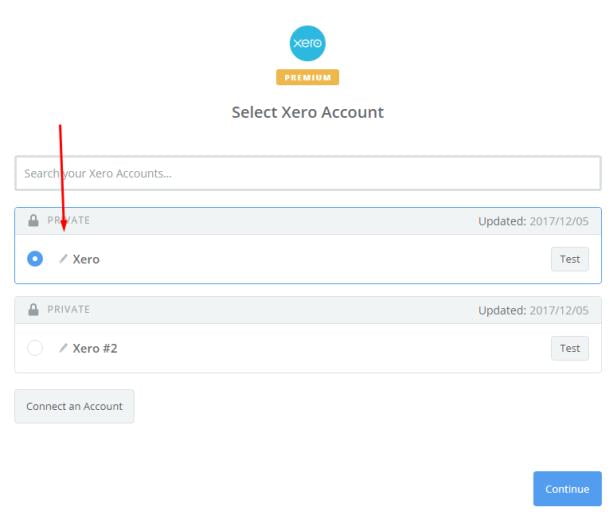
    Click on Allow access box so that Zapier can access your Xero account. Here is the result after you have connected the Xero account. Please choose Xero and click on Continue.

    • Next, you have to set up Xero Contact. Now, please enter all required fields on page, then choose continue box.

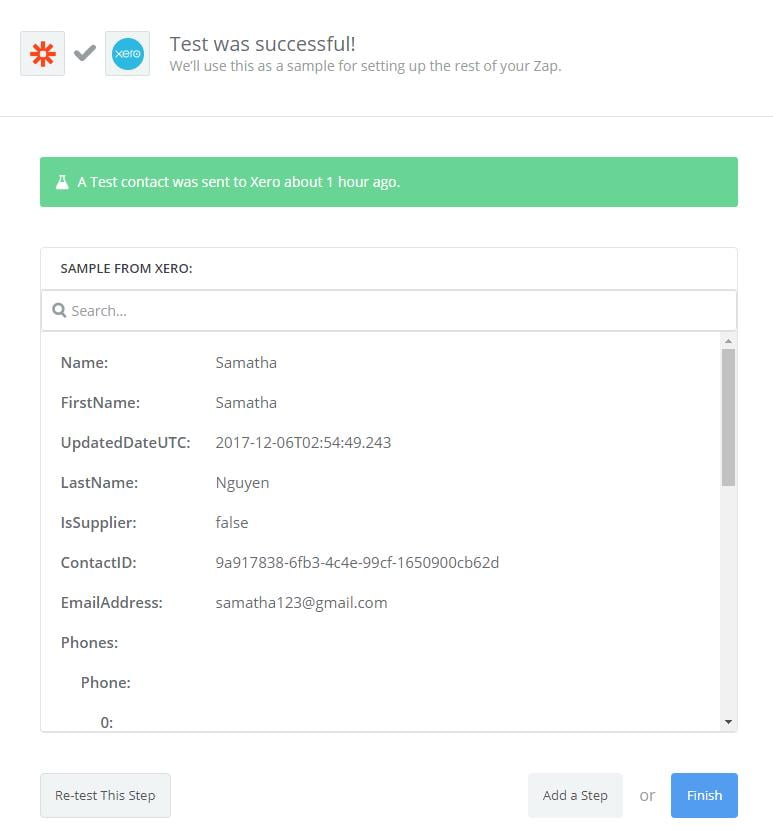
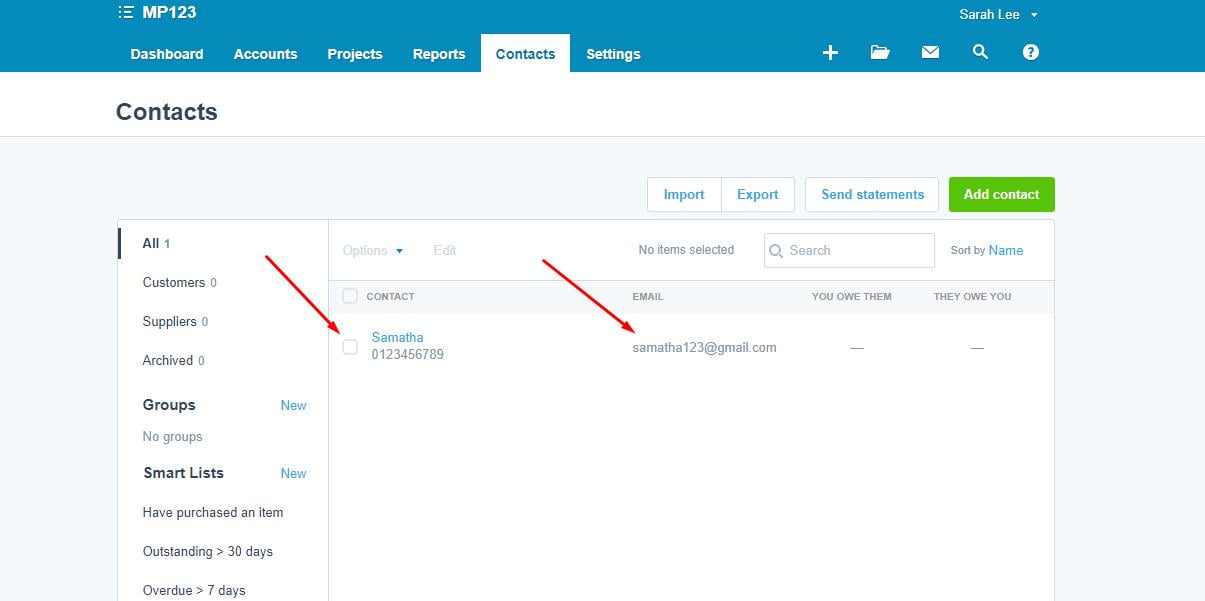
    Wow, you have tested Xero sucessfully. Finally, choose Finish and set the name your zap to complete.

    • From now on, your Zap is working and it will auto-check for your Magento 2.x new customer.

    • Great, you have just integrated Xero with your Magento 2 store.

    Integrate this software for your Magento 2 store to experience great features today! If you’re still unable to integrate, then you may contact us to get the job done.

    How Much Time Will It Take to Build an E-commerce Mobile App for Magento Website?

    When we think of developing a mobile app for Magento website, the first thought we all have is the time it takes to build the app. We are 80% sure that you will receive many indistinct answers if you ask the developer.

    Like: “It depends”, “I don’t know”, “It’s hard to say”, etc.

    But what is the reason?

    To build a mobile app for Magento website depends on various factors such as the type of app (progressive web app/ hybrid app/ native app/ …), the app complexity (number of features/ customers/…), the experience of a developer(s), and your financial ability, and so on.

    Besides, if you sure of all of these things yet it will be impractical to predict the amount of time needed to build a mobile app for Magento until it is released.

    Nevertheless, don’t worry because we are here to help you with every step. We hold years of experience on Magento mobile app development so we can definitely tell you the right time for developing a Magento mobile app based on the following criterion:

    If you have an Idea…

    Yes: if you have certain ideas and know your specific requirements of the desired app like design, functions, etc then it would take 2-4 months to build the app.

    No: or else, you have to study and come up with some good ideas for the app creation in 1-2 months first, so it might take 4-6 months from kick off to testing and the delivery.

    Level of the App Complexity

    One of the most essential factors is the level of app complexity which decides the duration of mobile app development for your Magento store. Back-end development includes the number and difficulty of functions, the supported platform(s), the audience size, and so on. Further, for front-end development, it mainly relates to the user interface (UI) development.

    As a result, if you want to build simple mobile E-commerce app then it would take 1-3 months while a complex one will take the 4-8 month because of its lengthy process to make it bug and glitch free.

    Type of Apps:

    Till now, there are different types of mobile app for Magento such as native apps, hybrid apps, and progressive web apps.

    • Native Apps:

      Out of the three popular types of mobile app, developing your magneto mobile app on the native apps will take maximum time, cost and effort. As each native app is optimized for a single platform. You cannot run an iOS app on Android and vice versa. Further, the average time to develop each version of an app is months which ultimately results spending 1 year to serve the customers using iOS or Android operating system.

    • Hybrid Apps:

      Hybrid apps will let you build apps on a single base and you can add new features to different versions of apps, unlike the native apps. Normally t will take 3 months on an average to build hybrid mobile apps for Magento website right from the scratch. If you are using any ready-made Magento 2 Mobile App Builder then your app will be ready in just a few days and in this case if you are willing to customize some parts of your newly created app then you can use our customization service at an affordable fee. Thus it takes 1 month time to create your Magento hybrid app with customized features which are quite easy and fast than the native app.

    • Progressive Web Apps (PWA):

      PWA is the latest technology of Google that competes with the native/ hybrid apps due to use modern web capabilities to deliver an app-like experience to the mobile users. If you want to build a progressive web app, then you must spend at least 1 month to build it on your own (including time for studying).

    Team Size

    The above estimations are for just only one developer. If you want more developers like a team of 3-4 persons then time for building the mobile app for your Magento website will be shortened significantly.

    How to Integrate Kayako with Magento 2?

    Do you find it difficult to integrate Kayako with Magento 2?

    Well, don’t worry we are here to help you. Below described steps will guide you when you next time integrate Kayako with Magento 2.

    Before you start you should know: What is Kayako?

    Kayako is a customer care software which is used by more than 30,000 organizations around the world. The tool supports live chat, tickets, web, email, and calls. It will also let you search detailed information based on customer queries. The main aim of this software is to help business owners understand customers better as well as to give customers a great shopping experience. Through this software, you can provide the fastest support if your customers have any concerns.

    Let us now understand the integration of Kayako with Magento 2.

    To integrate Kayako

    • Step 1: Sign up the Zapier account
    • Step 2: Sign up the Kayako account
    • Step 3: Integrate Magento 2.x
    • Step 4: Integrate Kayako for your Magento 2 store via Zapier

    Step 1: Sign up the Zapier account

    Signup Zapier.

    Step 2: Sign up the Kayako account

    Signup Kayako

    After you login into Zapier, choose Make a Zap to start integrating.

    Step 3: Integrate Magento 2.x

    In this step, you have to choose Magento 2.x so that Zapier can get all data from your store.

    Now, choose New Customer in select Magento 2.x Trigger field and then click on continue.

    Further, you need to connect an Account in select Magento 2.x account field. In this step, you have to enter full domain, admin username and admin password of your Magento 2 store as shown below:

    After creating your Magento 2.x account, the screen will display as an image below. Then, choose Save + Continue.

    Perfect! You have successfully tested Magento 2.x. for the next step click on continue.

    Step 4: Integrate Kayako

    In Choose an Action App field, select Kayako.

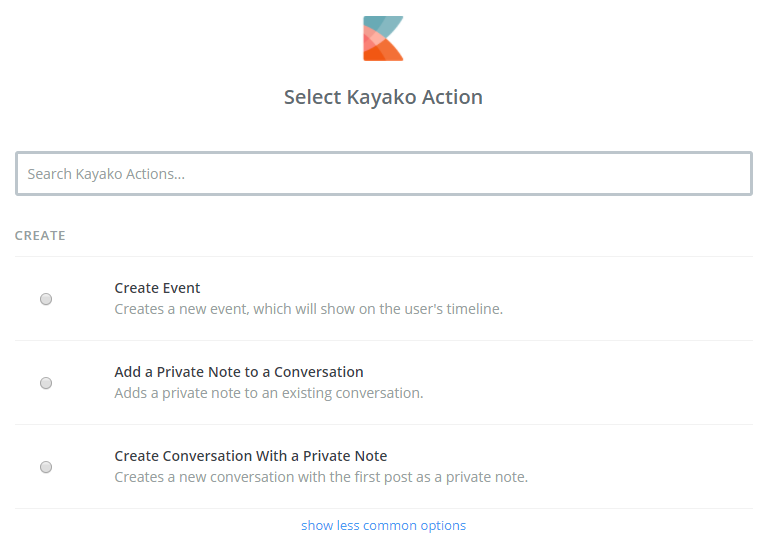
    Then, you have to choose one of the options from the drop-down in the Select Kayako Action field and click on continue.

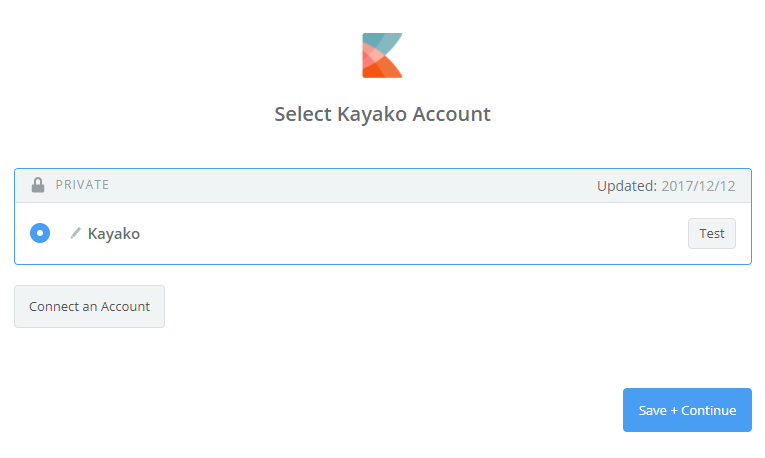
    After that, you have to select Kayako account. Please click on Connect an Account, your screen will show as an image below:

    After you enter Domain, Email and Password to access your Kayako account. Then, click on Yes, continue. this will connect your Kayako account.

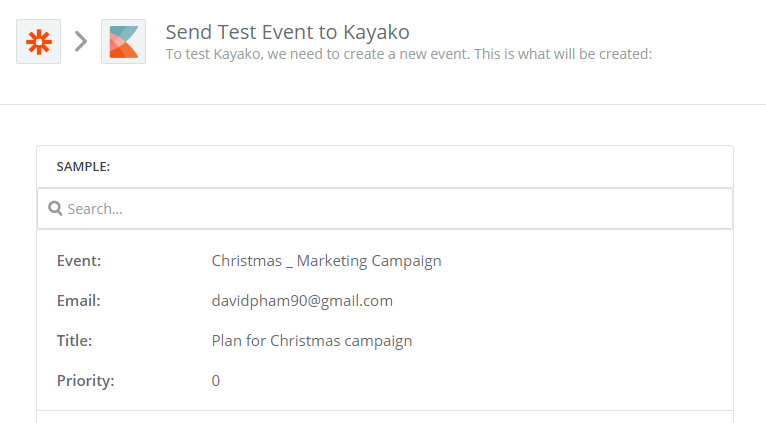
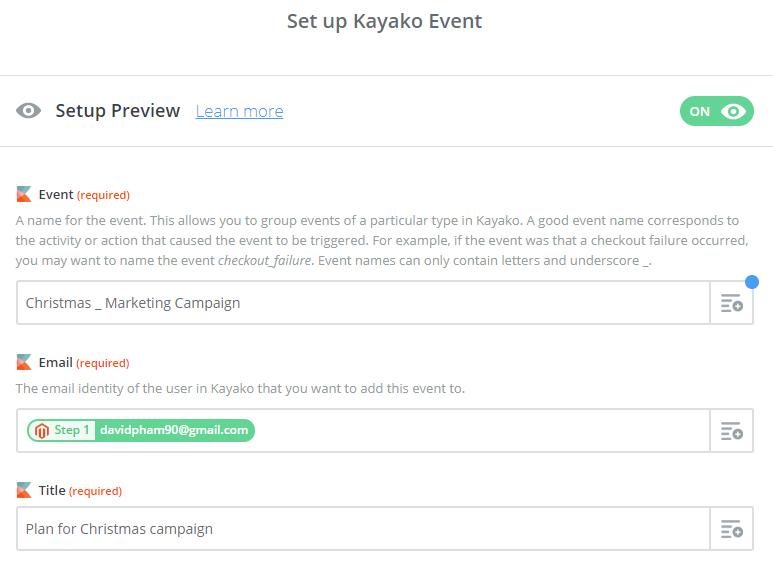
    Here, you have to Set up Kayako Event. So, enter Event as well as the information of customers such as Email that you have created from your Magento 2 store and then click on continue.

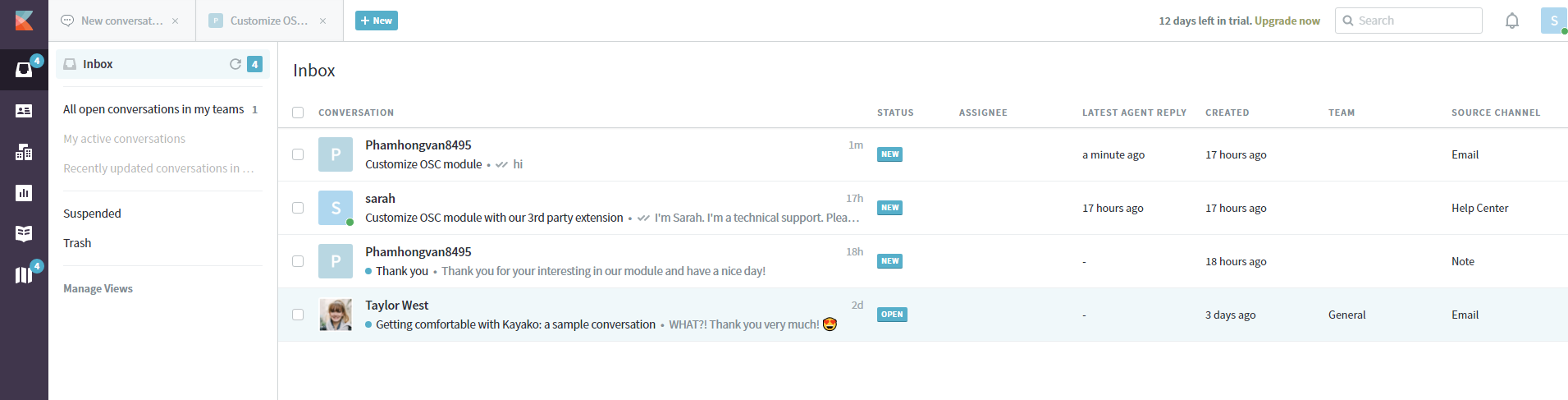
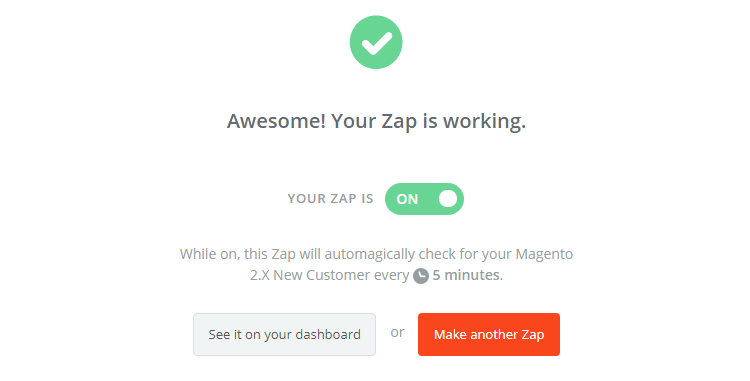
    After completing above steps, congratulations, you have successfully tested Kayako. Finally, choose Finish and set the name your zap to complete.

    From now on, your Zap is working and it will auto-check for your Magento 2.x new customer.

    • Great! You have just done the integration between Kayako and Magento 2.

    Hence, this how the integration is done between Kayako and Magento 2.

    Integrate this software for your Magento 2 store today to provide great customer support.

    How to integrate Magento 2 with OpenERP?


    Open ERP integration with Magento 2 is very important but the question is HOW? Well, we are here to help you with it.

    Below we have mentioned every step in detailed with specific instructions to quickly fix your query.

    Open ERP (Odoo) works best for small and medium businesses with more than 800 powerful modules as is a great customer relationship management software. The tools are very easy and has user friendly interface. It will let you manage and report sales as well as to track all customer behaviours which results in saving your time in managing the store and you can spend more time in creating more marketing strategies and can attract more customers to visit your Ecommerce store.

    How to integrate OpenERP with Magento 2

    To integrate OpenERP

    Step 1: Sign up the Zapier account

    Step 2: Sign up the OpenERP account

    Step 3: Integrate Magento 2.x

    Step 4: Integrate OpenERP for your Magento 2 store via Zapier

    Step 1: Sign up the Zapier account

    Signup Zapier

    Step 2: Sign up the OpenERP account

    Signup OpenERP

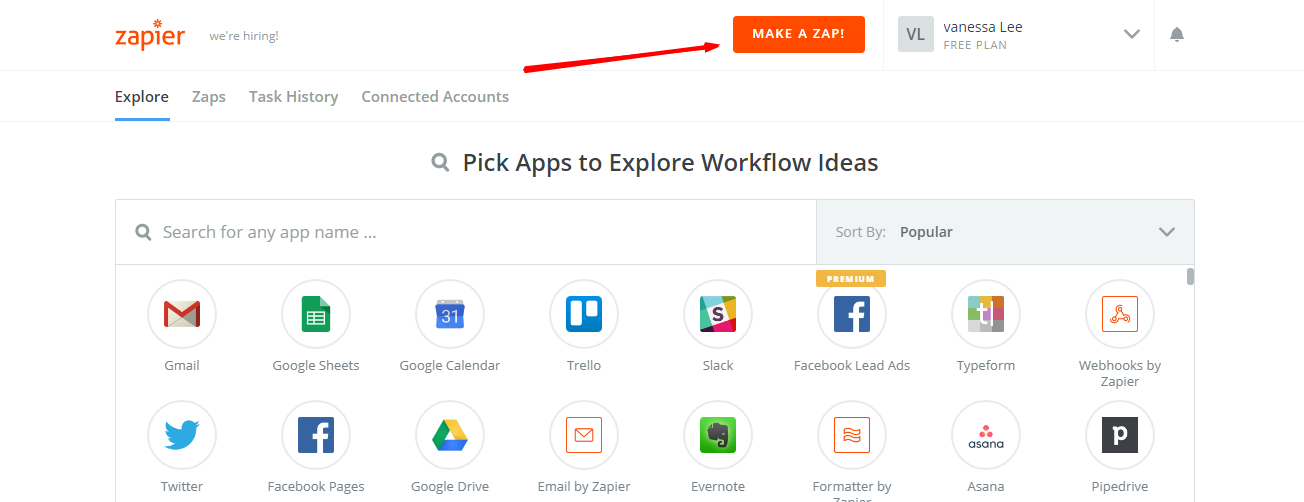
    After you login to Zapier, choose Make a Zap to start integrating

    Step 3: Integrate Magento 2.x

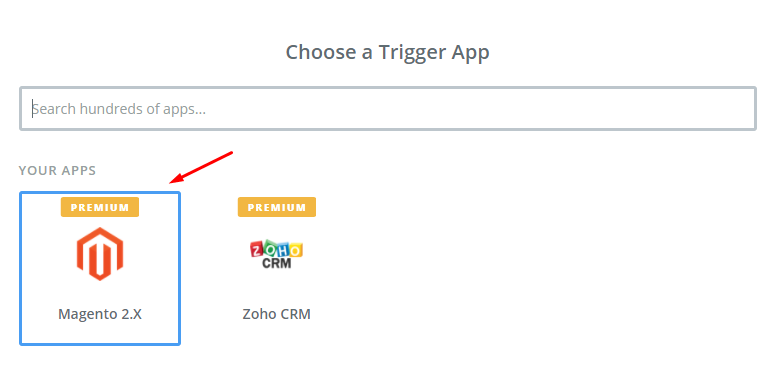
    • In this step, select Magento 2.x so that Zapier can get all data from your store.
    • Then, select New Customer in select Magento 2.x Trigger field and click on continue.
    • Now you have to connect an Account in Select Magento 2.x account field. Here in this step, you need to provide your full domin, admin username and admin password of your Magento 2 store as shown in the below image:
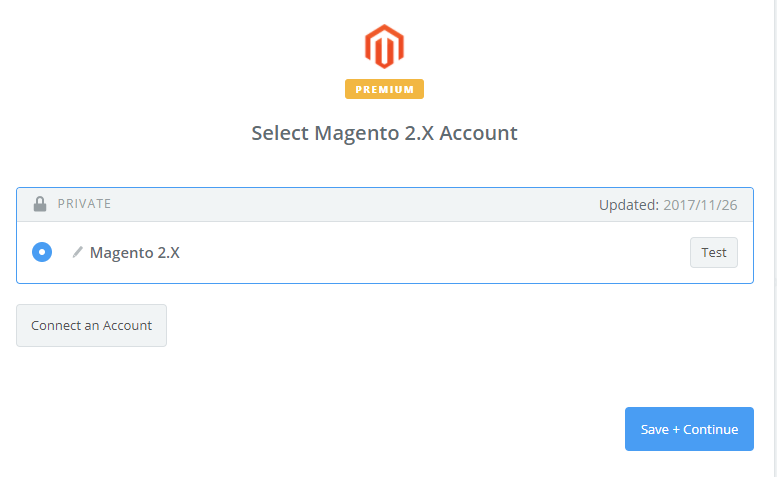
    • After generating your Magento 2.x account, the screen will display as an image below. Then, choose Save + Continue
    • Well done! You have just tested Magento 2.x successfully. Please continue doing the next step.

    Step 4: Integrate OpenERP

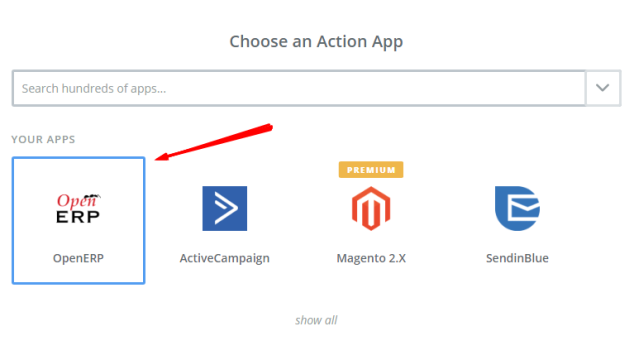
    • Further, Choose an Action App field, choose OpenERP and click on Continue
    • Choose one of the options in the drop-down in the Select OpenERP Action field and then click on continue.
    • Next, you have to Select OpenERP account. Please click on Connect an Account.
    • When you enter Base URL, Username and Password, please click on Yes, continue. And then, you have just connected a Kayako account.
    • After that, you have to Set up OpenERP Lead/Opportunity. Now, please enter all requests as well as the information of customers such as Email, First Name and Last Name that you have created from your Magento 2 store, then choose continue box.
    • After completing above mentioned steps, congratulations, you have tested OpenERP successfully. Finally, choose Finish and set the name your zap to complete.
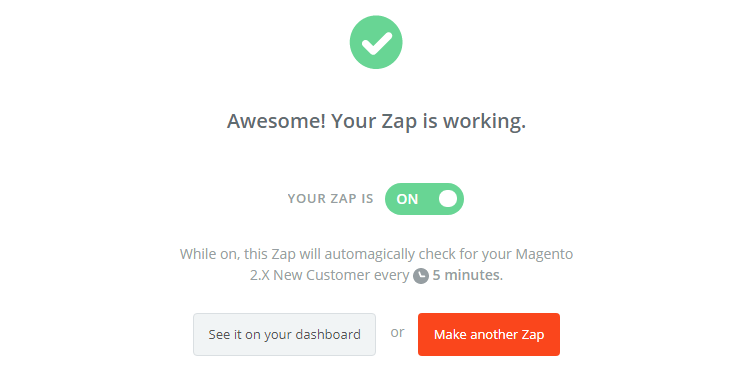
    • From now on, your Zap is working and it will auto-check for your Magento 2.x new customer.
    • Great! you have just done the integration between OpenERP and Magento 2.

    The integration of Magento with OpenERP will become an extremely powerful solution for your online business and together can make your business run more quickly and efficiently due to simplification and automation of the online shop as well as optimization of your Enterprise.

    Fill the form below if you need us to connect your magento store with openerp