
We sacrifice by not doing any other technology, so that you get the best of Magento.

We sacrifice by not doing any other technology, so that you get the best of Magento.

    8 Things You Should Know About Ecommerce Shipping And Fulfillment

    With the rise of eCommerce, convenience and shipping have gained extra emphasis. Shipping is very essential for successful B2B and B2C business. It is important to influence the buyer to buy a product and create return visitors by providing timely delivery of their product.

    As per Pitney Bowes, Global eCommerce study conducted in 2018 says that 56 per cent consumers are disappointed when they find late shipment, unfulfilled orders, expensive shipping, wrong product shipped, poor packaging and unclear return policies. So it means that one should have a clear and well-executed shipping plan for the success of their eCommerce business and for small businesses every sale is important and return customers are indeed important.

    Hence, we thought to share with you some facts and tips which you can implement in your shipping and fulfilment strategy.
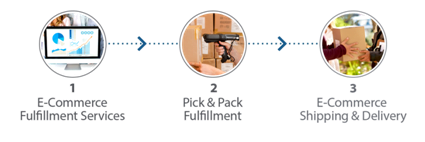
    1. MAKE YOUR ORDER FULFILMENT AND RETURN POLICIES CLEAR

    The first step is to have clear order fulfilment policies. This information should the front and centre of your website in order to attract more customer attention. If you offering free shipping then it should catch the focus of customer as soon as they visit your site as it can definitely influence their decision to make a purchase or not.

    Your shipping strategy should be flexible so that you can try a number of options until you get the right one for your business. It will change as and when your business grows and evolves. You can give multiple shipping options to your customers. You can even use mixed shipping options to give your customer the best of the service and this way you can generate additional revenue.

    2. FREE SHIPPING

    As per 2018 Pitney Bowes Global eCommerce study, nearly 90 per cent consumer will exit the site if the site does not consists of fast and free shipping. Hence most businesses thought that free shipping can be used as a delivery option and also as a marketing tool. To take the proper advantage of free shipping you need to try the number of options. For the start, you can provide free shipping if a customer has purchased a certain amount of products. This strategy can help you in increasing the amount which customer spends per sale.

    During any specific time of the year, you can provide free shipping or certain products can be added under free shipping. Make sure you use free shipping in a correct way but remember it should not affect your bottom line.

    3. FLAT RATE SHIPPING

    Flat rate shipping is as simple as it sounds. When you use this kind shipping then it does not take weight, size and value into consideration into the total cost of the shipping. Well, you can decide the cost of a flat rate and create a shipping total to cover your shipping cost. This strategy is not as popular as free shipping.

    4. TABLE RATE SHIPPING

    Table rate shipping is completely different than flat rate shipping. In this type of shipping, you can customize the shipping rate. You can decide different shipping rates based on a number of factors such as delivery destination, number of items, product weight and size. A lot of companies charge shipping rate for one item at a certain location and same product different shipping rate for another location. There is a number of shipping cost options available for your eCommerce which you can set using table rate shipping.

    5. LIVE SHIPPING RATES FROM A CARRIER

    This option gives your customer exact shipping rates which they get from shipping carriers like DHL, FedEx or UPS. Yet this method is not used as a promotional item as it gives live shopping rates to the customer. This kind of shipping is mostly used for B2B shipments where rates are evaluated as per quantity, size, weight or shipping distance. By using this strategy you can cover your costs in packaging or in order fulfilment.

    6. UTILIZE SHIPPING TOOLS

    Companies can keep track of shipments through postal services. FedEx or UPS provide details of packaging supplies and schedule pickups. Postal services provide fast delivery. An added advantage is given to those businesses who have an account with postal services like discount shipping or free shipping supplies. A company can also go for shipping software that easily integrates with their eCommerce site.

    Magento offers shipping strategies for small as well as for larger mid-market online stores. It gives you the flexibility to customize as per your business needs. It provides seamless integration with your site. One can take help from the Magento community for any kind of support.

    7. PACKAGING

    Packaging has become a very important part of the eCommerce business. Today company think through how their product will look when it will reach their customer.

    To make a difference, you need to take some care when during packaging. Give time in designing your product packaging. The consumer will definitely react if you give a personal touch to goods. Designed packaging does not really play an important role in B2B business. Weight and size also come into consideration during the cost of shipping. Ultimately you have to leave the lasting impression on your customer so that they shop with you again.

    8. INTERNATIONAL SHIPPING

    International shipping should be your next step only after you have tried the above strategies. It depends on the country you are planning to expand to and then you have to do some research work regarding import-export restrictions for that country. You should also be aware of the customs taxes or additional documentation for your goods and then choose an international carrier to partner with. If your product has demand in other countries then only go for international shipping.

    Shipping and fulfilment play a vital role in generating more revenue. The best way to do shipping is to have some custom tailored to your product. It will go through a number of trials before you decide the best-suited solution for your business.


    Want To Improve Mobile Conversion Rate In 2019?

    A recent study showed that users spend 39 percent more time on mobile than on desktop but when it comes to buying they abandon mobile carts by 86 percent as compare to the desktop. So, for this reason, Magento, PayPal, Hi Conversion, and many others have come together with Magneto Community to fill the gap between the time customer spend on eCommerce devices vs. sales rendered on mobile devices. This will give a multi-disciplinary approach.
    You can immediately improve your conversion rate in 2019 by using the below-mentioned 6 digital transformation tactics.

    1. GET SERIOUS ABOUT YOUR DATA READINESS POSTURE

    It is a must for any digital company to set the data tone for how an organization can use that data. Your competitor always tries to collect your data and if there is no data layer or tag management system then it might be very hard for you to see how data is arranged in a layer. So make sure you place your data properly to get the maximum impact in 2019.

    2. KNOW YOUR NUMBERS

    Your business is always evaluated on basis of numbers and to get the best result we have come up with three metrics that works as a key performance indicator for eCommerce merchants:

    • AOV (Average Order Value) = Total sales / # of sales
    • CR (Conversion Rate) = # of sessions resulting in a sale / # of visits
    • RPV (Revenue Per Visit) = total sales / total visits

    The RPV is the best indicator out of three as the composition is a function of both the CR and the AOV. You need to measure these three metrics by all channels like desktop, mobile, and tablet.

    These metrics are free for Magento merchants who are interested in joining the mobile Optimization Initiative

    3. LEARN QUICKLY, THEN EARN

    Your team should pay attention to learn about how your customer base is engaging with your site and to find innovative ways to improve customer experience on each channel. Conduct various tests to get insights quickly and then you can implement your learning into enterprise-grade testing solutions. The bigger solutions demand a team of business and technical analysts. You may find it difficult to measure because it can be complex to isolate control groups and gain statistically significant population samples given operational requirements, promotional deadlines, and inventory constraints.

    4. USE OUT-OF-THE-BOX TESTS

    Sometimes it’s hard to decide what to test but the good thing about testing is that you can test anything and gather significant insights. Innovative companies have APIs and integrations with Magento and the pre-fabricated widgets can take advantage of micro-services. The test allows you to examine two things

    a) Test the experience
    b) Set the benchmarks of the testing results by comparing them to the other Magento merchants

    There are nearly sixty pre-established tests that you can use to result quickly.

    5. DEPLOY ARTIFICIAL INTELLIGENCE TO LEARN FASTER

    There are platforms available that use predictive analytics and artificial intelligence to conduct the testing. Commonly this type of testing needs large control groups and sample size populations. If the consolidated data is available when you get accurate results. This method will benefit smaller merchants to get the insights faster.

    Hence, these are the five digital transformation tactics suggested by Mage Monkeys that can help you improve your mobile conversion in 2019.

    Magento Releases PWA Studio For Building More “App Like” E-Commerce Stores

    Magento will give you more feel and experience of app-like e-commerce store through Progressive Web Applications (PWA) studio.

    Yes, you read correctly!

    As said by Peter Sheldon, Senior director of strategy, digital experience, Magento “PWAs blur the lines between the mobile app and mobile site by equipping merchants and developers with a new front-end architecture that allows them to leverage open web APIs to build ‘app-like experiences directly in the browser that is fast, engaging, boost online conversions and enhance the pervasiveness of the in-store experience,”

    You can see the changes that happened five years ago from conventional desktop to interactive web design. Same way, PWAs also comes with an advanced tool to bring the evolution of the mobile web.

    Apps are a bit costly to build and maintain and customers only like to use the app from brands that they are using for a long. As per Gartner, a lot of brands are unable to convince even 10% of customers to download their app because they use the mobile website as it is very interactive.

    Now here PWAs comes into the picture:

    • It delivers a fast and slick “app-like” experience in the mobile web browser which can tackle multiple challenges at once for retailers.
    • As per the company, AliExpress has experienced a 100% jump in conversion rates from the moment they switched.
    • Its “full-screen” mode hides the browser URL bar on the top and navigation tools on the bottom giving you the more “app-like” feel and look.
    • PWAs supports Push Notification in the browser letting marketers send real-time, contextual, and personalized communications with a simple “one-click” opt-in directly from the PWA site.
    • PWAs are instantly discoverable and usable through the browser, thus no longer need to “download” or “install” an app before use.
    • Google provides a testing tool to benchmark your PWA’s performance.
    • Just like any other app, you can save PWA to the home screen so now you don’t have to open the browser and type the entire URL.

    Further. Magento said “PWA will improve the in-store experience. For instance, retailers can build native integration with the mobile camera hence customers can scan barcodes and make payment in-store using Google and Apple Pay”.

    PWAs have the potential to open up a whole new world for store associates. It can replace the legacy POS system and retail associate platform by giving a fast, cost-effective, and efficient way for store associates to find the product online and in-store. It also provides self-checkout, saves the sale and service return directly from an employee’s smartphone. Because we all want that sales associates should be completely knowledgeable about the online product.

    Now retailers don’t have to connect customers to their in-store wi-fi to deliver the best mobile experience with their brand. PWAs provide you with highly personalized cross-channel experiences on mobile without having to build a native app

    Definitely, PWAs offer exceptional opportunities for merchants to boost conversion rates and increase in-store engagement.

    Magento2 generate PDF file programmatically

    1. Create Index.php at app/code/Magemonkeys/Pdf/Controller/Index folder with following code:
      <?php
      namespace MagemonkeysPdfControllerIndex;
       
      use MagentoFrameworkAppActionAction;
      use MagentoFrameworkAppActionContext;
      use MagentoFrameworkAppResponseHttpFileFactory;
       
      class Index extends Action
      {
          protected $fileFactory;
       
          public function __construct(
              Context $context,
              FileFactory $fileFactory
          ) {
              $this->fileFactory = $fileFactory;
              parent::__construct($context);
          }
       
          public function execute()
          {
              $pdf = new Zend_Pdf();
              $pdf->pages[] = $pdf->newPage(Zend_Pdf_Page::SIZE_A4);
              $page = $pdf->pages[0]; // this will get reference to the first page.
              $style = new Zend_Pdf_Style();
              $style->setLineColor(new Zend_Pdf_Color_Rgb(0,0,0));
              $font = Zend_Pdf_Font::fontWithName(Zend_Pdf_Font::FONT_TIMES);
              $style->setFont($font,13);
              $page->setStyle($style);
              $width = $page->getWidth();
              $hight = $page->getHeight();
              $x = 30;
              $pageTopalign = 850; 
              $this->y = 850 - 100; 
              
              $style->setFont($font,14);
              $page->setStyle($style);
              $page->drawRectangle(30, $this->y + 10, $page->getWidth()-30, $this->y +70, Zend_Pdf_Page::SHAPE_DRAW_STROKE);
              
              $style->setFont($font,13);
              $page->setStyle($style);
              $page->drawText(__("Customer Details"), $x + 5, $this->y+50, 'UTF-8');
              $style->setFont($font,11);
              $page->setStyle($style);
              $page->drawText(__("Name : %1", "Jayeshkumar Lakum"), $x + 5, $this->y+33, 'UTF-8');
              $page->drawText(__("Email : %1","jayesh@webtechsystem.com"), $x + 5, $this->y+16, 'UTF-8');
       
              $style->setFont($font,11);
              $page->setStyle($style);
              
              $page->drawText(__("PRODUCT NAME"), $x + 60, $this->y-10, 'UTF-8');
              $page->drawText(__("PRODUCT PRICE"), $x + 200, $this->y-10, 'UTF-8');
              $page->drawText(__("QTY"), $x + 310, $this->y-10, 'UTF-8');
              $page->drawText(__("SUB TOTAL"), $x + 440, $this->y-10, 'UTF-8');
       
              $style->setFont($font,10);
              $page->setStyle($style);
              $add = 9;
              
              $page->drawText("$12.00", $x + 210, $this->y-30, 'UTF-8');
              $page->drawText(10, $x + 330, $this->y-30, 'UTF-8');
              $page->drawText("$120.00", $x + 470, $this->y-30, 'UTF-8');
              $pro = "Dummy Product";
              $page->drawText($pro, $x + 65, $this->y-30, 'UTF-8');
              
              $page->drawRectangle(30, $this->y -62, $page->getWidth()-30, $this->y + 10, Zend_Pdf_Page::SHAPE_DRAW_STROKE);
              $page->drawRectangle(30, $this->y -62, $page->getWidth()-30, $this->y - 100, Zend_Pdf_Page::SHAPE_DRAW_STROKE);
              
              $style->setFont($font,15);
              $page->setStyle($style);
              $page->drawText(__("Total : %1", "$50.00"), $x + 435, $this->y-85, 'UTF-8');
              
              $style->setFont($font,10);
              $page->setStyle($style);
              $page->drawText(__("Dummy Footer"), ($page->getWidth()/2)-50, $this->y-200);
       
              $fileName = 'order.pdf';
       
              $this->fileFactory->create(
                 $fileName,
                 $pdf->render(),
                 MagentoFrameworkAppFilesystemDirectoryList::VAR_DIR, // this pdf will be saved in var directory with the name meetanshi.pdf
                 'application/pdf'
              );
          }
      }


    Magento2 Display Module List

    Run below command to see a full list of enabled or disabled modules:

    php bin/magento module:status

    To enable a module, use the below command:

    php bin/magento module:enable Magemonkeys_AjaxNewsletter

    To disable a module use the below command:

    php bin/magento module:disable Magemonkeys_AjaxNewsletter

    To uninstall a module use the below command:

    php bin/magento module:uninstall Magemonkeys_AjaxNewsletter


    Magento2 Disable Payment Method Programmatically

    1. Create events.xml at app/code/Magemonkeys/DisablePayment/etc/ 
      <?xml version="1.0"?>
      <config xmlns:xsi="http://www.w3.org/2001/XMLSchema-instance" xsi:noNamespaceSchemaLocation="urn:magento:framework:Event/etc/events.xsd">
          <event name="payment_method_is_active">
              <observer name="disable_payment" instance="MagemonkeysDisablePaymentObserverPaymentMethodAvailable" />
          </event>
      </config>
    2.  Create PaymentMethodAvailable.php at app/code/Magemonkeys/DisablePayment/Observer/ with the following code
      <?php
      namespace MagemonkeysDisablePaymentObserver;
      use MagentoFrameworkEventObserverInterface;
      class PaymentMethodAvailable implements ObserverInterface
      {
          public function execute(MagentoFrameworkEventObserver $observer)
          {
              // you can replace "checkmo" with your required payment method code
              if($observer->getEvent()->getMethodInstance()->getCode()=="checkmo"){
                  $checkResult = $observer->getEvent()->getResult();
                  $checkResult->setData('is_available', false); 
              }
          }
      }

    Set custom price of Product when adding to cart

    Create events.xml file in folder ‘Magemonkeys/Cartmodule/etc/frontend’ and use event ‘checkout_cart_product_add_after’. And paste the below code in it.

    <?xml version="1.0"?>
    <config xmlns:xsi="http://www.w3.org/2001/XMLSchema-instance" xsi:noNamespaceSchemaLocation="urn:magento:framework:Event/etc/events.xsd">
        <event name="checkout_cart_product_add_after">
            <observer name="addprice" instance="MagemonkeysCartmoduleObserverAddPrice" />
        </event>
    </config>

    And now create ‘AddPrice.php’ file in ‘Observer’ folder with the following code:

    <?php
        namespace MagemonkeysCartmoduleObserver;
     
        use MagentoFrameworkEventObserverInterface;
        use MagentoFrameworkAppRequestInterface;
     
        class AddPrice implements ObserverInterface
        {
            public function execute(MagentoFrameworkEventObserver $observer) {
                $item = $observer->getEvent()->getData('quote_item');         
                $item = ( $item->getParentItem() ? $item->getParentItem() : $item );
                $price = 50; // set custom price here
                $item->setCustomPrice($price);
                $item->setOriginalCustomPrice($price);
                $item->getProduct()->setIsSuperMode(true);
            }
     
        }
    ?>


    Add custom attribute to Customer

    Step 1: Create /app/code/local/Magemonkeys/Customerattribute/sql/magemonkeys_myattribute_setup/install-0.1.0.php file and add the following code in this file:

    <?php
    $installer = $this;
    
    $installer->startSetup();
    
    $setup = new Mage_Eav_Model_Entity_Setup('core_setup');
    
    $entityTypeId     = $setup->getEntityTypeId('customer');
    $attributeSetId   = $setup->getDefaultAttributeSetId($entityTypeId);
    $attributeGroupId = $setup->getDefaultAttributeGroupId($entityTypeId, $attributeSetId);
    
    $setup->addAttribute("customer", "myattribute",  array(
        "type"     => "varchar",
        "backend"  => "",
        "label"    => "My Attribute",
        "input"    => "text",
        "source"   => "",
        "visible"  => true,
        "required" => false,
        "default" => "",
        "frontend" => "",
        "unique"     => false,
        "note"       => "My Attribute"
    ));
    
    $attribute   = Mage::getSingleton("eav/config")->getAttribute("customer", "myattribute");
    
    $setup->addAttributeToGroup(
        $entityTypeId,
        $attributeSetId,
        $attributeGroupId,
        'myattribute',
        '1000'
    );
    
    $usedIn=array();
    
    $usedIn[]="adminhtml_customer";
    $usedIn[]="checkout_register";
    $usedIn[]="customer_account_create";
    $usedIn[]="customer_account_edit";
    $usedIn[]="adminhtml_checkout";
            $attribute->setData("used_in_forms", $usedIn)
                    ->setData("is_used_for_customer_segment", true)
                    ->setData("is_system", 0)
                    ->setData("is_user_defined", 1)
                    ->setData("is_visible", 1)
                    ->setData("sort_order", 101)
                    ;
            $attribute->save();


    $installer->endSetup();
    ?>

    Step 2: Create /app/code/local/Magemonkeys/Customerattribute/etc/config.xml and add the following code in this file:

    <?xml version="1.0"?>
    <config>
    	<modules>
    		<Magemonkeys_Customerattribute>
    			<version>0.1.0</version>
    		</Magemonkeys_Customerattribute>
    	</modules>
    	<global>
    
    		<resources>
    			<Magemonkeys_Myattribute_setup>
    				<setup>
    					<module>Magemonkeys_Customerattribute</module>
    					<class>Mage_Customer_Model_Entity_Setup</class>
    				</setup>
    				<connection>
    					<use>core_setup</use>
    				</connection>
    			</Magemonkeys_Myattribute_setup>
    			<Magemonkeys_Myattribute_write>
    				<connection>
    					<use>core_write</use>
    				</connection>
    			</Magemonkeys_Myattribute_write>
    			<Magemonkeys_Myattribute_read>
    				<connection>
    					<use>core_read</use>
    				</connection>
    			</Magemonkeys_Myattribute_read>
    		</resources>
    	</global>
    
    </config>

    Step 3: Create app/etc/modules/Magemonkeys_Customerattribute.xml and add the following code in this file:

    <?xml version="1.0"?>
    <config>
    	<modules>
    		<Magemonkeys_Customerattribute>
    			<active>true</active>
    			<codePool>local</codePool>
    		</Magemonkeys_Customerattribute>
    	</modules>
    </config>


    How to Enable/Disable Maintenance Mode in Magento 2?

    In this post, we will discuss how can one enable Maintenance Mode in Magento 2.

    It’s a good practice to set Maintenance mode while you are making changes on live site.

    In order to put your Magento 2 site in maintenance mode, you need to create an empty .maintenance.flag file and upload it in var folder at the root of Magento Source.

    If var/.maintenance.flag does not exist then the website operates normally, and maintenance mode is OFF.

    Once you upload .maintenance.flag file to var folder, maintenance mode is on.

    You can also verify var/.maintenance.ip file because it contains the list of the IPs that granted access to the website.

    Below are some commands that help us to enable/disable maintenance mode:

    magento maintenance:status
    magento maintenance:enable
    magento maintenance:enable [--ip=<ip> ... --ip=<ip>]
    magento maintenance:disable

    where –ip= is an IP address to exempt from maintenance mode (for example, developers/ store owner doing the maintenance). To exempt more than one IP address in the same command, use the option multiple times.

    For Ex. : magento maintenance:enable –ip=xxx.xxx.xx.x

    magento maintenance:status displays the current status of maintenance mode.

    That’s it. I think it is very simple.