We sacrifice by not doing any other technology, so that you get the best of Magento.

We sacrifice by not doing any other technology, so that you get the best of Magento.

    Magento: Is it the right time to invest in PWA for your website? Top replies from merchants.

    The upcoming trend in eCommerce is the PWAs (Progressive Web Applications). “Conversations around Magento 2 frontend” and “Creation of the Baseless Idea” are the two things that have grabbed everyone’s attention.

    Studying this latest frontend concept as a merchant, you might be asking why there is hype about the same thing? Does it makes sense to invest in PWAs, and how large do you expect to invest?

    Here is a short summary of the essential questions and answers for those still on the edge concerning PWAs in Magento from a merchant’s point of view.

    1. What is PWAs ‘key benefit over native apps, or a responsive website?

    PWAs are native-like applications. They can’t imitate all the functionality of native apps. Still, they’re easier to launch. They don’t have to go through endless approval procedures, and you can make changes as per the situation.

    Therefore, you don’t need to upgrade/repair an Android app, followed by the iOS app, and instead stress individually about the website itself. So, you can do everything in one place.

    Still, the essential advantage from the perspective of your customer-there is no need to go to the App Store or Google Play to download the app. It can be relocated from the browser directly to the Home screen. And for a fraction of that cost of what it would take to develop stand-alone native apps, you get them all.

    PWAs also function while the users/customers are offline, which is something websites that can not provide adaptive solutions.

    2. Can PWAs offer value only for smartphone users? What’s the benefit of having desktop customers?

    Currently, critical use cases are emerging around mobile PWA solutions, with a focus on the benefits to smartphone users. But, the mobile interfaces will benefit similarly from the improved performance that PWAs deliver, so your website visitors can see quality improvements irrespective of which device they access your website.

    Also, desktop PWAs have become a thing, and a majority of browsers are now providing support for desktop PWAs, so this will be the next step in building complete PWA websites.

    And if you implement PWA as a concept on time, as time passes by, you will have less trouble going full-PWA.

    3. But the native apps, I don’t need them. I haven’t had all this before. Why get started now?

    If you do not believe you want the apps, visitors to your website will access your website via their smartphones. And in general, such activities transform at a much-reduced rate than desktop activities; in other terms, users prefer a more enjoyable experience to purchase.

    With PWAs, the mobile experience for smartphone devices can be much more tailored, and better conversion rates can be assured. And that’s something that can and should occur even though the customers rarely make use of the app’s native-like functionality.

    The significant benefit for them is the loading times and the capability to access and operate the website even while offline or in low connectivity locations.

    4. How are PWAs created? Are developers starting from using the theme of a current Magento site and then make some customizations to it?

    You can utilize the core, backend functions of Magento 2 with PWA. You can’t alter them, so you will need to add some logic to apps that use APIs. As for those on the front end, PWAs don’t use the Magento theme style and structure.

    You can achieve this by utilizing the Magento (PWA Studio) toolbox, or an established framework such as Deity or Vue Storefront. Whatever means, JavaScript uses extensively.

    Basically, with PWAs, it is possible to fix the whole process on the front end.

    5. Why Studio with Magento PWA? Why not Deity, ScandiPWA, or Vue Storefront?

    ScandiPWA is already in existence, and PWA Studio is a series of tools that allow merchants and developers to create their custom interfaces. The current state of the solution, including the Venia showcase theme, is made to the point where companies can work on live merchant projects. However, you need to have additional customizations for each client.

    You can get a quicker head start with Deity and Vue, but you do need support from developers who know their stuff around PWAs and Magento. Besides, you can’t say how these external strategies can grow or change.

    6. What will be the cost to develop the whole PWA eCommerce website?

    The overall cost relies on the needs and specifications of the project, also how much PWA-ready components you will be able to reuse, and how much of the new advanced processes and features will have to be added, similar to the “regular” eCommerce projects.

    For this purpose, you need to contact the solution partners to analyze the project and prepare predictions of time and costs. Within the initial cost of the latest, PWA-driven eCommerce solution, however, you’ll also get native-like apps for Android and iOS users across all devices with no extra costs to build standalone apps.

    The aim is to reduce the costs significantly, even in the context of possible updates, as the codebase would need to be changed in one place, rather than individually for each operating system.

    7. I run a Magento 1 website, and I’m already on the Magento 2 fence. Can I use the PWA concept, or do I need to update it to Magento 2?

    Magento 2 is designed architecturally for PWA, and it is more indigenous to how you utilize the platform. With the APIs enabled in M2 as compared to M1, the PWA solution can be produced much quicker with far fewer core modifications.

    Although developing a PWA solution for a Magento 1 website is feasible, that is why it is not advisable. You will need more planning for this to work, or some additional 3rd party extension that requires PWA concepts in M1. In this situation, the M1 installation is probably less upgradable because it will be more costly for you to maintain over time.

    8. Who should I contact to initiate a discussion?

    You can contact us  or shoot a mail at “contact@magemonkeys.com

    2 new reasons that make migration an urgency

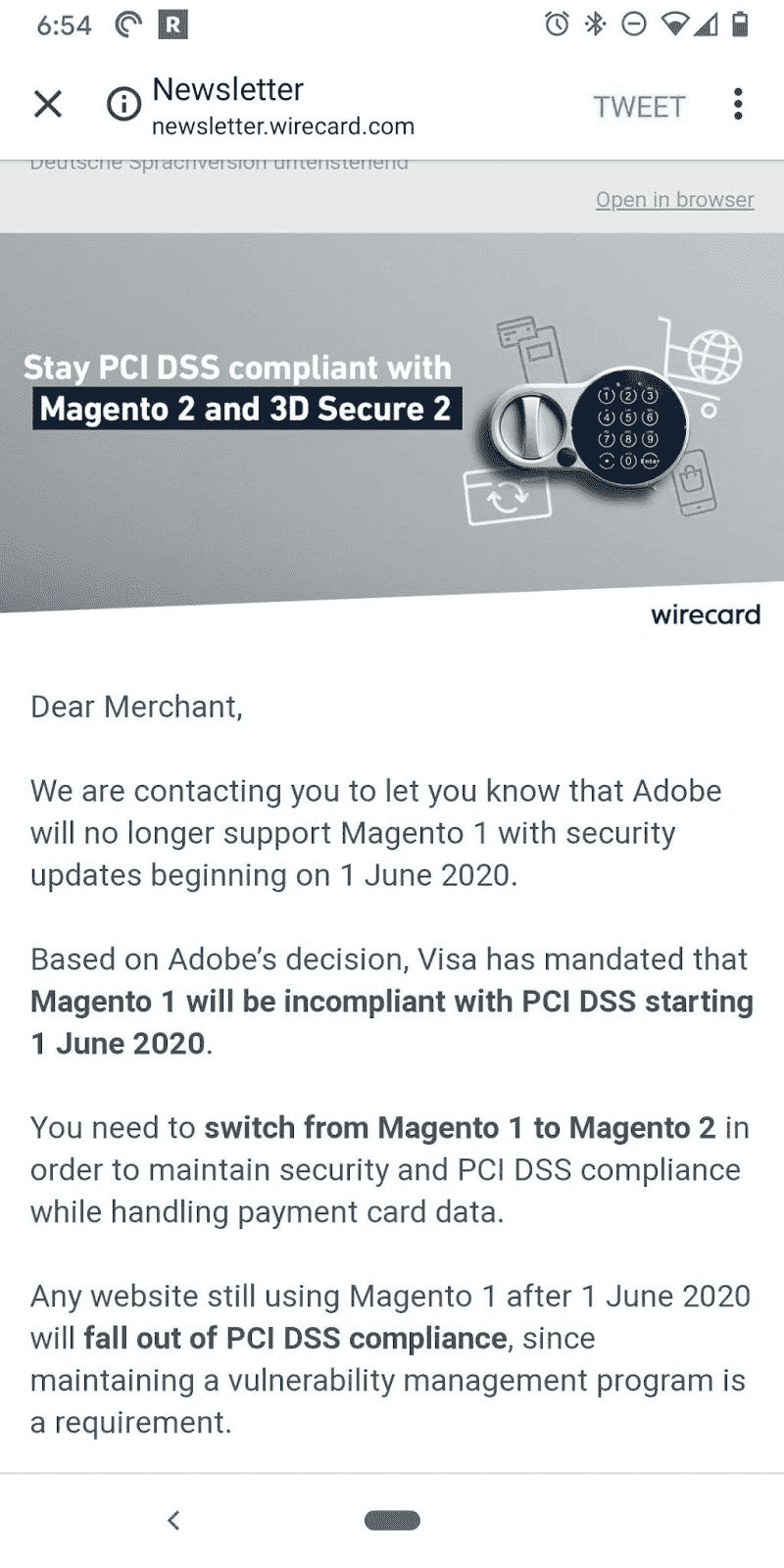
    The end of support for Magento 1 is almost here. For both Magento Commerce (formerly Magento Enterprise) and Magento Open Source (formerly Magento Community) the final bell is just 2-3 months away.

    For eCommerce stores still depending on this soon-to-be-discontinued version of Magento, here are two factors that need immediate attention –

    (i) PCI Compliance and
    (ii) Magento Agency bottleneck.

    #1 – PCI compliance

    Your store is Magento PCI compliant for now. But, after June 2020, by using a version that’s no longer supported by Magento, your store might violate PCI compliance.

    The PCI (Payment Card Industry) insists an eCommerce business owner to review (annually) both hardware and software technologies used by the store.

    As the support for Magento 1.x ends with June 2020, stores operating on Magento 1 will not pass the PCI rules due to lack of new security updates.

    A store that’s not Magento PCI compliant might face multiple issues like:

    • Unable to accept credit card payments 90 days after the support ends.
    • Non-compliance attracts penalties ranging from $5,000 to $100,000.
    • Additional penalties may be levied until compliance is met.
    • Penalties if users’ credit card data is compromised.
    • Compensating with the customer whose data has been compromised.

    #2 – The Magento agency bottleneck

    The rush hour is almost here. If you postpone your decision to migrate, you might join the long list of eCommerce brands waiting for a Magento development agency to take up their project.

    Here is the math. According to data from BuiltWith, the number of companies currently using Magento 1.x would be almost 180,000. But, there are just about 350+ Magento agencies equipped to handle Magento 2 migration.

    Any migration project takes a few months based on the complexities involved. If you still shelve the idea of migrating it would be too late to get migrated before the deadline as agencies may not be available to take up your project.

    Plan your move to Magento 2 now!

    Magento PCI compliance and agency bottleneck will soon become major challenges for brands using Magento 1.x. It’s better to act immediately and migrate Magento 1 to 2. Our Magento-certified developers can help you plan for a smooth migration.

    Add custom conditions to product collection in Magento 2

    To add custom conditions to product collection, you need to override build() function.  I hope you have a custom module with basic skeletons like registration.php and module.xml file,

    Path: app/code/Magemonkeys/FilterSearch/etc/frontend/di.xml

    <?xml version="1.0"?>
    <config xmlns:xsi="http://www.w3.org/2001/XMLSchema-instance" xsi:noNamespaceSchemaLocation="urn:magento:framework:ObjectManager/etc/config.xsd">
        <!-- Magento Catalog search module's IndexBuilder.php plugin file -->
        <type name="MagentoCatalogSearchModelSearchIndexBuilder">
            <plugin name="Magemonkeys_FilterSearch::custom_filterSearchr_conditions"
                    type="MagemonkeysFilterSearchPluginCatalogSearchModelSearchIndexBuilder" />
        </type>
    </config>

    Path: app/code/Magemonkeys/FilterSearch/Plugin/CatalogSearch/Model/Search/IndexBuilder.php

    <?php
    namespace MagemonkeysFilterSearchPluginCatalogSearchModelSearch;
    
    use MagentoFrameworkSearchRequestInterface;
    
    class IndexBuilder
    {
    
        public function __construct(
            MagentoStoreModelStoreManagerInterface $storeManager,
            MagentoCatalogModelResourceModelProductCollectionFactory $productCollectionFactory
        ) {
            $this->storeManager = $storeManager;
            $this->_productCollectionFactory = $productCollectionFactory;
        }
    
        public function aroundBuild(MagentoCatalogSearchModelSearchIndexBuilder $subject, callable $proceed, RequestInterface $request)
        {
            $select = $proceed($request);
            /* customization by magemonkeys */
            	$storeId = $this->storeManager->getStore()->getStoreId();
                $query = 'WHERE_CUSTOM_CONDITION';
                $select->where($query);
            /* customization by magemonkeys end here */
            return $select;
        }
    
    }


    Add & Remove Product in Comparison List through Custom Controller

    As per my requirements, I have created this type of controller. So basically you need 2 types of Controller.

    The first one for adding the product in the comparison list and second for removing the product from the comparison list.

    Step 1. Please create one controller for Add Product as below.

    <?php
    
    namespace MagemonkeysCompareajaxControllerIndex;
    
    use MagentoCatalogApiProductRepositoryInterface;
    use MagentoFrameworkDataFormFormKeyValidator;
    use MagentoFrameworkViewResultPageFactory;
    use MagentoFrameworkControllerResultJsonFactory;
    use MagentoFrameworkExceptionNoSuchEntityException;
    use MagentoFrameworkEventManagerInterface as EventManager;
    
    class AddCompare extends MagentoFrameworkAppActionAction
    {
        /**
         * @var JsonFactory
         */
        protected $resultJsonFactory;
    
        /**
        * @var EventManager
        */
        private $eventManager;
    
        /**
         * Customer id
         *
         * @var null|int
         */
        protected $_customerId = null;
    
        /**
         * Catalog session
         *
         * @var MagentoCatalogModelSession
         */
        protected $_catalogSession;
    
        /**
         * Catalog product compare list
         *
         * @var MagentoCatalogModelProductCompareListCompare
         */
        protected $_catalogProductCompareList;
    
        /**
         * Customer visitor
         *
         * @var MagentoCustomerModelVisitor
         */
        protected $_customerVisitor;
    
        /**
         * Customer session
         *
         * @var MagentoCustomerModelSession
         */
        protected $_customerSession;
    
        /**
         * Item collection factory
         *
         * @var MagentoCatalogModelResourceModelProductCompareItemCollectionFactory
         */
        protected $_itemCollectionFactory;
    
        /**
         * Compare item factory
         *
         * @var MagentoCatalogModelProductCompareItemFactory
         */
        protected $_compareItemFactory;
    
        /**
         * @var MagentoStoreModelStoreManagerInterface
         */
        protected $_storeManager;
    
        /**
         * @var Validator
         */
        protected $_formKeyValidator;
    
        /**
         * @var MagentoFrameworkViewResultPageFactory
         */
        protected $resultPageFactory;
    
        /**
         * @var ProductRepositoryInterface
         */
        protected $productRepository;
    
        protected $_compareHelper;
    
        protected $_urlInterface;
    
        protected $_blockFactory;
    
        public function __construct(
            MagentoFrameworkAppActionContext $context,
            MagentoCatalogModelProductCompareItemFactory $compareItemFactory,
            MagentoCatalogModelResourceModelProductCompareItemCollectionFactory $itemCollectionFactory,
            MagentoCustomerModelSession $customerSession,
            MagentoCustomerModelVisitor $customerVisitor,
            MagentoCatalogModelProductCompareListCompare $catalogProductCompareList,
            MagentoCatalogModelSession $catalogSession,
            MagentoStoreModelStoreManagerInterface $storeManager,
            Validator $formKeyValidator,
            PageFactory $resultPageFactory,
            ProductRepositoryInterface $productRepository,
            JsonFactory $resultJsonFactory,
            EventManager $eventManager,
            MagentoCatalogHelperProductCompare $compareHelper,
            MagentoFrameworkUrlInterface $urlInterface,
            MagentoFrameworkViewElementBlockFactory $blockFactory
        ) {
            $this->resultJsonFactory = $resultJsonFactory;
            $this->_storeManager = $storeManager;
            $this->_compareItemFactory = $compareItemFactory;
            $this->_itemCollectionFactory = $itemCollectionFactory;
            $this->_customerSession = $customerSession;
            $this->_customerVisitor = $customerVisitor;
            $this->_catalogProductCompareList = $catalogProductCompareList;
            $this->_catalogSession = $catalogSession;
            $this->_formKeyValidator = $formKeyValidator;
            $this->resultPageFactory = $resultPageFactory;
            $this->productRepository = $productRepository;
            $this->eventManager = $eventManager;
            $this->_compareHelper = $compareHelper;
            $this->_urlInterface = $urlInterface;
            $this->_blockFactory = $blockFactory;
            parent::__construct($context);
        }
    
        public function execute()
        {
            $resultJson = $this->resultJsonFactory->create();
    
            $result = array();
            $error = true;
            $message = '';
    
            // TODO: Validate this is a POST request.
    
            $count = $this->_compareHelper->getItemCount();
            if($count >= 4) {
                $message = __('You can add the compared products under 4 item(s)');
                $error = true;
                return $resultJson->setData([
                    'message' => $message,
                    'data' => $result,
                    'error' => $error
                ]);
            }
    
            $productId = (int)$this->getRequest()->getParam('product');
            if ($productId && ($this->_customerVisitor->getId() || $this->_customerSession->isLoggedIn())) {
                $storeId = $this->_storeManager->getStore()->getId();
                try {
                    $product = $this->productRepository->getById($productId, false, $storeId);
                } catch (NoSuchEntityException $e) {
                    $product = null;
                    $message = __('Product does not exist');
                    $error = true;
                }
    
                if ($product) {
                    $this->_catalogProductCompareList->addProduct($product);
                    $this->_eventManager->dispatch('catalog_product_compare_add_product', ['product' => $product]);
                }
    
                $this->_objectManager->get('MagentoCatalogHelperProductCompare')->calculate();
                $html = '';
                if($this->_compareHelper->hasItems()){ 
                    $compItem = $this->_compareHelper->getItemCollection();
                    $i = 1;
                    $responseArray = array();
                    foreach($compItem->getData() as $comitem){
                        $productNew = $this->_objectManager->get('MagentoCatalogModelProduct')->load($comitem['entity_id']);
                        $imageBlock = $this->_blockFactory->createBlock('MagentoCatalogBlockProductListProduct');
                        $productImage = $imageBlock->getImage($productNew, 'product_comparison_list');
                        $imageUrl = $productImage->getImageUrl();
                        $responseArray[$i]['id'] = $comitem["entity_id"];
                        $responseArray[$i]['url'] = $imageUrl;
                        $i++;
                    }
    
                    for ($j = 1; $j <= 4; $j++)
                    {
                        if(isset($responseArray[$j]))
                        {
                            $html .= '<div class="compare-item active" data-itemid="'.$responseArray[$j]['id'].'">
                                <div class="compare-item-number">'. $j .'</div>
                                <a class="compare-item-remove removecompareajaxlink" href="javascript:void(0)" data-productid="'.$responseArray[$j]['id'].'" data-url="'. $this->_urlInterface->getUrl().'compareajax/index/removeCompare/product/'.$responseArray[$j]['id'] .'?isAjax=true"><i class="fa fa-remove"></i></a>
                                <img src="'. $responseArray[$j]['url'] .'" class="imageCompare" />
                            </div>';
                        }
                        else
                        {
                            $html .= '<div class="compare-item active" data-itemid="">
                                <div class="compare-item-number">'. $j .'</div>
                            </div>';
                        }
                    }
                }
                $message = __('Product successfully added in comparison list');
                $result = array('html'=>$html,'id'=>$productId);
                $error = false;
            }
    
            return $resultJson->setData([
                        'message' => $message,
                        'data' => $result,
                        'error' => $error
            ]);
        }
    }

    Step 2. Please create another controller for removing the product as below.

    <?php
    
    namespace MagemonkeysCompareajaxControllerIndex;
    
    use MagentoCatalogApiProductRepositoryInterface;
    use MagentoFrameworkDataFormFormKeyValidator;
    use MagentoFrameworkViewResultPageFactory;
    use MagentoFrameworkControllerResultJsonFactory;
    use MagentoFrameworkExceptionNoSuchEntityException;
    use MagentoFrameworkEventManagerInterface as EventManager;
    
    class RemoveCompare extends MagentoFrameworkAppActionAction
    {
        /**
         * @var JsonFactory
         */
        protected $resultJsonFactory;
    
        /**
        * @var EventManager
        */
        private $eventManager;
    
        /**
         * Customer id
         *
         * @var null|int
         */
        protected $_customerId = null;
    
        /**
         * Catalog session
         *
         * @var MagentoCatalogModelSession
         */
        protected $_catalogSession;
    
        /**
         * Catalog product compare list
         *
         * @var MagentoCatalogModelProductCompareListCompare
         */
        protected $_catalogProductCompareList;
    
        /**
         * Customer visitor
         *
         * @var MagentoCustomerModelVisitor
         */
        protected $_customerVisitor;
    
        /**
         * Customer session
         *
         * @var MagentoCustomerModelSession
         */
        protected $_customerSession;
    
        /**
         * Item collection factory
         *
         * @var MagentoCatalogModelResourceModelProductCompareItemCollectionFactory
         */
        protected $_itemCollectionFactory;
    
        /**
         * Compare item factory
         *
         * @var MagentoCatalogModelProductCompareItemFactory
         */
        protected $_compareItemFactory;
    
        /**
         * @var MagentoStoreModelStoreManagerInterface
         */
        protected $_storeManager;
    
        /**
         * @var Validator
         */
        protected $_formKeyValidator;
    
        /**
         * @var MagentoFrameworkViewResultPageFactory
         */
        protected $resultPageFactory;
    
        /**
         * @var ProductRepositoryInterface
         */
        protected $productRepository;
    
        protected $_compareHelper;
    
        protected $_urlInterface;
    
        protected $_blockFactory;
    
        public function __construct(
            MagentoFrameworkAppActionContext $context,
            MagentoCatalogModelProductCompareItemFactory $compareItemFactory,
            MagentoCatalogModelResourceModelProductCompareItemCollectionFactory $itemCollectionFactory,
            MagentoCustomerModelSession $customerSession,
            MagentoCustomerModelVisitor $customerVisitor,
            MagentoCatalogModelProductCompareListCompare $catalogProductCompareList,
            MagentoCatalogModelSession $catalogSession,
            MagentoStoreModelStoreManagerInterface $storeManager,
            Validator $formKeyValidator,
            PageFactory $resultPageFactory,
            ProductRepositoryInterface $productRepository,
            JsonFactory $resultJsonFactory,
            EventManager $eventManager,
            MagentoCatalogHelperProductCompare $compareHelper,
            MagentoFrameworkUrlInterface $urlInterface,
            MagentoFrameworkViewElementBlockFactory $blockFactory
        ) {
            $this->resultJsonFactory = $resultJsonFactory;
            $this->_storeManager = $storeManager;
            $this->_compareItemFactory = $compareItemFactory;
            $this->_itemCollectionFactory = $itemCollectionFactory;
            $this->_customerSession = $customerSession;
            $this->_customerVisitor = $customerVisitor;
            $this->_catalogProductCompareList = $catalogProductCompareList;
            $this->_catalogSession = $catalogSession;
            $this->_formKeyValidator = $formKeyValidator;
            $this->resultPageFactory = $resultPageFactory;
            $this->productRepository = $productRepository;
            $this->eventManager = $eventManager;
            $this->_compareHelper = $compareHelper;
            $this->_urlInterface = $urlInterface;
            $this->_blockFactory = $blockFactory;
            parent::__construct($context);
        }
    
        public function execute()
        {
            $resultJson = $this->resultJsonFactory->create();
    
            $result = array();
            $error = true;
            $message = '';
    
            // TODO: Validate this is a POST request.
    
            $productId = (int)$this->getRequest()->getParam('product');
            if ($productId) {
                $storeId = $this->_storeManager->getStore()->getId();
                try {
                    $product = $this->productRepository->getById($productId, false, $storeId);
                } catch (NoSuchEntityException $e) {
                    $product = null;
                    $message = __('Product does not exist');
                    $error = true;
                }
    
                if ($product) {
                    $item = $this->_compareItemFactory->create();
                    if ($this->_customerSession->isLoggedIn()) {
                        $item->setCustomerId($this->_customerSession->getCustomerId());
                    } elseif ($this->_customerId) {
                        $item->setCustomerId($this->_customerId);
                    } else {
                        $item->addVisitorId($this->_customerVisitor->getId());
                    }
    
                    $item->loadByProduct($product);
    
                    if ($item->getId()) {
                        $item->delete();
                        $productName = $this->_objectManager->get(MagentoFrameworkEscaper::class)
                            ->escapeHtml($product->getName());
                        $message = __('You removed product %1 from the comparison list.', $productName);
                        $this->_eventManager->dispatch('catalog_product_compare_remove_product',['product' => $item]);
                        $this->_objectManager->get('MagentoCatalogHelperProductCompare')->calculate();
                    }
    
                    $html = '';
                    if($this->_compareHelper->hasItems()){ 
                        $compItem = $this->_compareHelper->getItemCollection();
                        $i = 1;
                        $responseArray = array();
                        foreach($compItem->getData() as $comitem){
                            $productNew = $this->_objectManager->get('MagentoCatalogModelProduct')->load($comitem['entity_id']);
                            $imageBlock = $this->_blockFactory->createBlock('MagentoCatalogBlockProductListProduct');
                            $productImage = $imageBlock->getImage($productNew, 'product_comparison_list');
                            $imageUrl = $productImage->getImageUrl();
                            $responseArray[$i]['id'] = $comitem["entity_id"];
                            $responseArray[$i]['url'] = $imageUrl;
                            $i++;
                        }
    
                        for ($j = 1; $j <= 4; $j++)
                        {
                            if(isset($responseArray[$j]))
                            {
                                $html .= '<div class="compare-item active" data-itemid="'.$responseArray[$j]['id'].'">
                                    <div class="compare-item-number">'. $j .'</div>
                                    <a class="compare-item-remove removecompareajaxlink" href="javascript:void(0)" data-productid="'.$responseArray[$j]['id'].'" data-url="'. $this->_urlInterface->getUrl().'compareajax/index/removeCompare/product/'.$responseArray[$j]['id'] .'?isAjax=true"><i class="fa fa-remove"></i></a>
                                    <img src="'. $responseArray[$j]['url'] .'" class="imageCompare" />
                                </div>';
                            }
                            else
                            {
                                $html .= '<div class="compare-item active" data-itemid="">
                                    <div class="compare-item-number">'. $j .'</div>
                                </div>';
                            }
                        }
                    }
                    $message = __('You removed product from the comparison list.');
                    $result = array('html'=>$html,'id'=>$productId);
                    $error = false;
                }
    
            }
    
            return $resultJson->setData([
                        'message' => $message,
                        'data' => $result,
                        'error' => $error
            ]);
        }
    }

    You can execute and modify these controllers as per your requirements.

    Magento 2 set custom attribute value from Quote item to Order item

    Please follow below steps to assign order item value from the quote item.

    step 1) Create a di.xml under app/code/Vendor/Module/etc/di.xml

    <?xml version="1.0"?>
    <config xmlns:xsi="http://www.w3.org/2001/XMLSchema-instance" xsi:noNamespaceSchemaLocation="urn:magento:framework:ObjectManager/etc/config.xsd">
        <type name="MagentoQuoteModelQuoteItemToOrderItem">
            <plugin name="vendor_mymodule_sales_quote_item_order_item" type="VendorModulePluginSetOrderItemValue" />
        </type>    
    </config>

    step 2) Create the plugin file app/code/Vendor/Module/Plugin/SetOrderItemValue.php

    <?php
    namespace VendorModulePlugin;
    use MagentoFrameworkSerializeSerializerInterface;
    
    class SetOrderItemValue
    {
        public function aroundConvert(MagentoQuoteModelQuoteItemToOrderItem $subject, callable $proceed, $quoteItem, $data)
        {
            $orderItem = $proceed($quoteItem, $data);
            $quotecustomattribute = $quoteItem->getMyCustomAttribite();
            $orderItem->setMyCustomAttribite($quotecustomattribute);
            return $orderItem;
        }
    }


    Magento: Best practice for custom Theme design

    To understand the concepts and best practices for creating a Magento theme design, this article is the best way to go through.

    Creating a Magento theme design from scratch is not an easy task, but it has some requirements.

    Requirements for the creation of a custom Magento theme design:

    1. Know the medium: You don’t need to be a coder. However, as with many design jobs, web designers profit from the awareness of the medium through which they work. You need to have clear knowledge and understanding of HTML and CSS. Understand the medium, because your design makes it much easier for you to grasp the technological advantages and drawbacks of the medium. It also allows you to organize and interact with the development team that will need to code the design.
    2. Know the platform: It’s not necessary for you to go through the depths of Magento to design a theme, but much like designing a specific platform, you must get to understand the platform you’re working. Understand its strengths, benefits, and weaknesses, as this is where most of the challenges come alive. You also need design and engineering teams under the same roof to make it much easier for you to deal with any conflicts that might occur in the process.
    3. Know the job specifics and the end goal:You have to get acquainted with the latest design techniques and functionality of eCommerce. Remember that you’re not making a design just for the design itself, you’re designing a tangible product that people from different backgrounds will use, and a merchant will generate profits from it.
      If you implement the above points, you will avoid mistakes like

      A. Create a fantastic and elegant design. But, it would be challenging or almost difficult for the development team to execute it under the time limit.B. You make something visually appealing that people don’t know how to use.

    Ready-made themes vs custom theme design:

    The market is full of Ready-made themes and you can buy one just for around USD 100. Some merchants find a suitable match for their purposes. But note that ready-made themes are for the mainstream. It will ensure that certain features need customization to suit several businesses. You can lose much of the ability to affect usability, efficiency, and mainly the entire user experience if you have a Ready-made theme that does not have a graphic design that doesn’t suit your store and customer categories. Contrarily, customized theme design allows the rest of the team better leverage over any element of a web store.

    Ready-made themes struggle a lot when it comes to functionality and efficiency, and even good sense.

    Not to include the technological complications of a potentially messed-up code base and the need to eventually make new purchases of 3rd party plugins to get the theme to appear and operate as you see in various demo versions.

    Add to that the cost of fixing bugs because such themes never function without any installation problems and the challenge of making gradual improvements, and you’re off to a terrible start.

    Magento decoupled:

    Magento is a powerful and effective open-source platform with several built-in functionalities that works hugely adequately. Your best strategy is to get a Magento theme design and functionality customized as per your need.

    As per the designer’s perspective, Magento decouples various elements such as home page and product page, forms and buttons, and color scheme, iconography, or imagery.

    Remember, you do not merely create different pages utilizing specific styles and irrelevant elements, but instead use standardized components, user-defined typography, and standardized item style.

    If you’re still struggling with your Magento theme. We suggest you to consult with a certified Magento development agency today.

    Magento2 get customer group in system xml

    By using the below code, we can get customer group multi-select option with the help of system.xml.

    We can get all Customer group by system.xml in System -> Configuration Section of admin.

    Create system.xml file,
    Path, app/code/Magemonkeys/Customer/etc/adminhtml/system.xml

    <?xml version="1.0"?>
    <config xmlns:xsi="http://www.w3.org/2001/XMLSchema-instance" xsi:noNamespaceSchemaLocation="urn:magento:module:Magento_Config:etc/system_file.xsd">
        <system>
            <section id="catalog">
                <group id="customer_group" translate="label" type="text" sortOrder="10" showInDefault="1" showInWebsite="1" showInStore="1">
                    <field id="list" translate="label" type="multiselect" sortOrder="3" showInDefault="1" showInWebsite="1" showInStore="0">
                        <label>Customer Groups</label>
                        <source_model>MagemonkeysCustomerModelAdminhtmlSystemConfigSourceCustomerGroup</source_model>
                        <can_be_empty>1</can_be_empty>
                    </field>
                </group>
            </section>
        </system>
    </config>

    You need to get  all customer group using a Model file

    Create Group.php file,
    Path, app/code/Magemonkeys/Customer/Model/Adminhtml/System/Config/Source/Customer/Group.php

    <?php
    namespace MagemonkeysCustomerModelAdminhtmlSystemConfigSourceCustomer;
    
    class Group implements MagentoFrameworkOptionArrayInterface
    {
        public function __construct(MagentoCustomerModelResourceModelGroupCollectionFactory $groupCollectionFactory)
        {
            $this->_groupCollectionFactory = $groupCollectionFactory;
        }
    
        /**
         * @return array
         */
        public function toOptionArray()
        {
            if (!$this->_options) {
                $this->_options = $this->_groupCollectionFactory->create()->loadData()->toOptionArray();
            }
            return $this->_options;
        }
    }

    Clear Cache using php bin/magento cache:flush

    Magento: Best practices for “Homepage” design

    Customers typically connect to your Magento store’s category or product page over the homepage. The website stays an integral part of a nevertheless eCommerce store for various customers beginning their shopping journey. It also serves as a navigator to link back through the shopping experience.

    The homepage describes the website, defines what it is selling, and establishes those priorities. It should portray brand values, empower customers to discover, demonstrate and execute product ranges without visual clutter.

    For an online store, it behaves as a shop window, so stuffing items within might lead to a lower monetary value.

    Three fundamental product-finding paths a homepage needs to offer customers:

    1. Main Navigation

    2. Search

    3. Curate tracks like new arrivals or shopping wizards

    Before you design your Magento store homepage, let’s go through most basic features of the homepage that can help you reach the highest click-through rates and lower bounce and exit rates.

    1. Header:

    The header performs a crucial role in every website. The first two most popular product finding routes, main navigation, and the search need to be easily accessible. Also, make sure to make your header line catchy and attractive.

    2. Main Navigation:

    The main navigation of the store is a display of the classification category. It helps the customers by offering the prime resource if they are browsing the store in search of various products. In general, it must provide a specific sketch of product categories.

    Include in the navigation the above edge-level categories if possible. It provides a useful description of the site category and the products therein. But it also lays the perfect norms, so stop hiding them under one single label called “Products.” When you are using a dropdown menu, it is useful to show the hierarchy and group products visually.

    To scan and efficiently prevents choice paralysis, you need to use different text styles or spacial indicators, such as whitespaces or borders. You can use a symbol, such as a down-facing arrow, to show that the menu contains hidden items when it comes to dropdowns.

    3. Search:

    “Search” is the second-largest path to finding products. There is no doubt that the more likely customers who search convert are. Hence, making a high “Search” is extremely necessary.

    For a standard search query, the search input filed itself should be long enough. Broad categories lead to scrolling action and limits usefulness. There should also be a button on which to send a search query. Don’t depend on customers who know that the enter key will submit the question.

    Offering feedback for the search and autocompleting to help guide customers is among the best ways to enhance usability.

    4. Courtesy Navigation:

    Navigation with courtesy offers instant access to subsequent acts and resources such as account, language or currency switcher, phone number, etc. This navigation also influences the customers, their experience and their involvement.

    Courtesy navigation, such as the top right corner of the header, need to be conveniently available and positioned in a prominent position. It can be confusing to use icons so seek to include text labels as well. Some may not know an icon’s significance particularly if it’s not a common one.

    5. Footer:

    Another global feature of Magento is “Footer,” which you need to place at the bottom of the page. Even though “Footer” doesn’t get much exposure, users still utilize it after browsing the site to find extra content.

    “Footer” is an integral part of the whole website, so the consumers who scroll it deliberately wants detail such as company information, shipping policy, contact details, etc.

    Let’s go over some of the most vital elements of content for an eCommerce website:

    • Utility navigation like privacy, details of delivery, refunds, customer services, etc.
    • Awards and seals for security.
    • Customer interaction material including social bonds and subscriptions to the newsletter.

    Keep in mind, divided footers dynamically and contextually enhance the interaction even more than simplified ones.

    6. Main section in homepage design:

    When we extract the header and the footer, the actual content of your Magento homepage design template is what stays. Although it doesn’t have a semántic name, for more common operational objectives, we will call it “main.”

    Homepage content comes under categories such as hero content, promoted categories, promoted goods, sales / special offers & similar, value amounts & specific selling points and additional content such as a blog, articles, testimonials, etc.

    Being confused about the kind of store can be damaging because customers aren’t likely to look for any product they don’t think the website will carry. This causes lost sales and higher drop and exit rates, so a large range of categories and various product styles on the homepage must be maintained.

    7. Hero content:

    Hero sections are trendy today, but if not applied correctly, they gradually become the traps of a homepage. The reason behind hero content populating the entire viewport of the customer’s display is the situation known as “The illusion of completeness.”

    Typically this is a static image with a specific text and often a call to action button. This type of pattern of design allows the customers to assume they’ve seen everything on the website. They will often ignore the rest of the content on the homepage because they think there is only one button to click or leave the site as there is no scent for the details.

    Besides a single image, a carousel of images is a common feature used in sections of hero. Some customers can see a handful of slides; however, don’t plan to see them together. We may presume that, since customers are likely to scroll down quickly, only the first slide has the number of views equivalent to pageviews.

    It is difficult to assume that the most critical of these is the first slide. Always avoid to put sensitive details within the carousel, as chances are, many people won’t see it. Place the essential information within the carousel. Also, it should be displayed on the page elsewhere to ensure that it is searchable.

    8. Slide control:

    Identifying the best time for auto carousels is also tricky. The best opportunity is to do a brief usability check or keep it unchanged, let clients modify the slide. Don’t just focus on the tiny dots we sometimes see used to navigate the carousel. They quickly merge with the context; they’re difficult to click and are most difficult to notice.

    The mobile carousel reacts to finger slide motion. Bigger goals such as big icons or a list of items make navigating the carousel a lot easier on bigger screens.

    9. Promoted categories & products:

    A few are inclined to use a handful of rows of products, but it isn’t a suggested strategy. Showcasing only selected products on the homepage reduces down a store that carries a visual display of the catalog collection. Generally, it’s an obstacle if the store offers multiple product ranges and doesn’t display all types of products.

    The best strategy is to blend categories of products to guarantee customers recognize the scope of the catalog and the product ranges.

    A logical approach is to view the content of the homepage with the main navigation and some essential sub-categories. It is perfect if category browsing is more than looking, a useful product finding technique in the target sector, such as the clothing industry.

    The use of “exciting” featuring ways is another standard approach. It’s ideal for customers who come to discover or look for themed products such as “Birthday Gifts” and need some ideas or shopping advice. Bear in mind that by using thematic types, you can use customers as an essential addition to the standard ones.

    Often ensure to include products from various categories while showing products on the homepage to help highlight the different product ranges. Don’t focus exclusively on products you may consider appealing, those with a higher margin or those that don’t sell well, but want them to. Conduct regular trials of this section, mainly if you run a variety of products even though the customers will be involved in selecting the best products. In several shops we still, see this section overlooked.

    Scan your statistics for products that customers are looking for and purchasing, and merge them with emerging trends and products for whatever business purpose you might want to display.

    10. Value proportion & unique selling points:

    Once customers land on your Magento store homepage, they begin to create their impression of the store. And starts questioning, such as what product range does the store have? Or How will they gain from shopping here instead of anywhere else?

    You may use various kinds of marketing strategies or unique selling points. From simple words to sleeker explanations, these can be anything. The purpose of this is to boost the expected value, set goals, and build trust or interest.

    The value proposition will be one of the first things the customers see when they access the website. A strong value proposition will encourage buyers to act and move the sales funnel downwards.

    Key points for creating a value proposition:

    • It should converse with your market
    • It should be exclusive
    • It should be quickly acceptable

    11. Additional content such as blogs, testimonials & reviews, etc.

    Other content leads to the defined interest. To reach customers, you must also produce extra content and add some fresh content for websites.

    Let’s take one example, having a blog, mark you as an expert in the business. It enhances the SEO by making more content, and by building a community. It also helps create brand awareness and promotes efforts to leverage social media.

    Likewise, testimonials, including product reviews, even increase sales and benefit SEO. They are convincing as they have material evidence – a psychological phenomenon focused on the premise of people being more inclined to obey others ‘ behaviour. Social evidence allows to appeal to new buyers by using existing customers as a tool, and most of the customers read feedback before making a purchase.

    This article dealt with the fundamental techniques to design a Magento homepage. By following the above factors, you can enhance your user experience by modifying your homepage and adding new content to it.


    Magento 2: How to customize and set up the “Contact Us” page?

    ‘Contact Us’ page is one of the essential things you can see in various companies or websites having established products, services, or brand names.

    Via contact page, customers and visitors send inquiries, messages, or emails. It enables you, for the most part, to be customers in contact with you.

    You can customize the ‘Contact Us’ page available in Magento 2 as per your requirements.

    ‘Contact Us’ page set up:

    • The first step is to go to ‘Admin Panel’ in Magento.
    • Now, go to store – Configuration – General – Contacts.
    • After the setting screen appears, make necessary changes.

    To enable the ‘Contact Us’ page on the storefront, select ‘yes’ option.

    Email Options:

    1. Send Emails to: Please note the email address in this field to which you would like to receive all the emails sent using the contact us form.

    2. Email Sender: Pick the name that you want to see as a sender.

    3. Email Template: You can use any email template to send messages or emails.

    4. And finally, click on ‘save config’ to enable the changes.

    Customizing ‘Contact Us’ page:

    1. Go to Content > Blocks.

    2. In the Blocks page, go to Action Menu and click on Edit option for ‘Contact Us’.

    3. Now go to the content box and make necessary changes to appear on the ‘Contact Us’ page.

    4. Click on ‘Save Block’ to finish your customization.

    After you finish all of the above steps, you have completed the configuration of the ‘Contact Us’ page in Magento 2.

    How to add new customer address attributes in Magento 2?

    Magento provides so many default fields but If we need custom information in customer address then we can create a new customer_address type attribute.

    In this article, I will share how we can add text type attribute in Customer Address,

    You need to create InstallData.php file in your existing module or you can create a new module as well as,

    If you are creating in your existing module: app/code/[Vendor Name]/[Module Name]/Setup/InstallData.php

    <?php
    namespace [Vendor Name]/[Module Name]Setup;
     
    use MagentoCustomerSetupCustomerSetupFactory;
    use MagentoEavModelEntityAttributeSet as AttributeSet;
    use MagentoEavModelEntityAttributeSetFactory as AttributeSetFactory;
    use MagentoFrameworkSetupInstallDataInterface;
    use MagentoFrameworkSetupModuleContextInterface;
    use MagentoFrameworkSetupModuleDataSetupInterface;
     
    class InstallData implements InstallDataInterface
    {	
    	/**
         * @var CustomerSetupFactory
         */
        private $customersetupFactory;
     	
     	/**
         * @var AttributeSetFactory
         */
        private $attributesetFactory;
     	
     	/**
         * @param CustomerSetupFactory $customersetupFactory
         * @param AttributeSetFactory $attributesetFactory
         */
        public function __construct(
            CustomerSetupFactory $customersetupFactory,
            AttributeSetFactory $attributesetFactory
        ) {
            $this->customersetupFactory = $customersetupFactory;
            $this->attributesetFactory = $attributesetFactory;
        }
     
        public function install(ModuleDataSetupInterface $setup, ModuleContextInterface $context)
        {
     
            $customerSetup = $this->customersetupFactory->create(['setup' => $setup]);
            $customerEntity = $customerSetup->getEavConfig()->getEntityType('customer');
            $attributeSetId = $customerEntity->getDefaultAttributeSetId();
            $attributeSet = $this->attributesetFactory->create();
            $attributeGroupId = $attributeSet->getDefaultGroupId($attributeSetId);
     
            $customerSetup->addAttribute('customer_address', 'job_title', [
                'type' => 'varchar',
                'label' => 'Job Title',
                'input' => 'text', //You can change your input type as per your requirement
                'required' => false, //If You need this field is required in customer address area then you can just set "true" in stand of "false"
                'visible' => true,
                'user_defined' => true,
                'sort_order' => 1000,
                'position' => 1000,
                'system' => 0,
            ]);
     
            $attribute = $customerSetup->getEavConfig()->getAttribute('customer_address', 'job_title')
                ->addData([
                    'attribute_set_id' => $attributeSetId,
                    'attribute_group_id' => $attributeGroupId,
                    'used_in_forms' => ['adminhtml_customer_address'], //Other list of forms: customer_address_edit, customer_register_address where you want to display the custom attribute 
                ]);
     
            $attribute->save();
        }
    }

    After creating the above file you have to run below commands:

    php bin/magento setup:upgrade
    php bin/magento cache:clean

    Now you can check in the customer section in the admin area.
    Our newly created attribute shown in the customer address form.