
We sacrifice by not doing any other technology, so that you get the best of Magento.

We sacrifice by not doing any other technology, so that you get the best of Magento.

    Is your eCommerce store stable?

    As per one research, it has come to the picture that stable eCommerce stores received 41% more sales compared to unstable or buggy stores.

    Many eCommerce merchants are unaware of the stability of their eCommerce store as they avoid auditing their store. That’s where their competitors took advantage.

    A stable site doesn’t mean keeping it up and running. It also means removing anything that could make it more prone to failure in the future.

    eCommerce site stability audit involves the audit of

    – Code
    – Server
    – Database
    – SEO
    – Testing Process
    – Crash Reporting
    – All other technical factors

    You may not be knowing, but many buyers will move away from your site just because they lose trust on your site due to bugs and crashes they felt during the buyer’s journey.

    That’s why having a stable site is always advisable.

    At Mage Monkeys, the sales of our clients have increased after running stability audits. If you are also looking to improve sales, make your site stable today.

    How UI/UX can improve SALES?

    It is no longer a secret that if an eCommece store is strong with its UI-UX operations, then their sales skyrocket.

    Still, many ecommerce stores don’t execute such UI/UX audit in their stores due to lack of technical guidance.

    UI-UX Audit helps eCommerce merchant to

    1. Design the store from sales prospective – Your regular designer will design using creativity, but a UI-UX consults looks at the thing from sales & business prospective to act.

    2. Achieve more sales from mobile users – Mobile is a handy thing. Considering to that factor UI/UX consultant will place buttons and other web elements at such places through where they will be used more often.

    3. Achieve more speed – UI/UX consultant remove unwanted web elements and helps to make your store run faster which directly led to improve sales.

    4. Understand your customer more – UI/UX consultant analyze your data and accordingly inform you that which product is more searched and which products should be on your homepage.

    Apart from above, there are numerous digital tasks that can be performed by UI-UX consultant that can help you to increase more sales.

    We at Mage Monkeys have helped many eCommerce stores to achieve their sales goals by performing best UI-UX operation. If you want your eCommerce store to grow more, consult with our UI-UX expert today.

    Signs that says it’s time when your eCommerce store needs an audit

    eCommerce business is very sensitive when sales don’t flow in the regular interval. Regular orders are the backbone of every business. But when this flow gets disturbed or delayed, it impacts the business cycle.

    Only marketing & sales aren’t the reason. You should also have a completely healthy digital store.

    We received many inquiries from clients stating they have problems in their stores where customers failed to do checkout and vice versa. When we audit their sites we found other symptoms which are.

    1. High bounce rate – Check the bounce rate of your store from Google analytics. If it’s more than 40% then it’s a SERIOUS alarm.

    2. No/Late Indexing from Google – Are you sure that all your product pages are crawled by Google instantly? The more they got delayed the more sales you will lose.

    3. Slow site – Imagine your customer is at the checkout page and your web page will load slower till the checkout page. The order cycle will get a drop.

    4. Presence of Malware – If there is malware present in your site then it won’t allow your site to run flawlessly, but cause you many technical troubles.

    5. Heavy/Outdated theme – When is the last time you updated your site’s theme? Is your theme light & engaging enough?

    Apart from the above, there are numerous points you should focus on. We suggest you fill the form below and Hire a tech expert who can perform a technical audit on your store.

    Why should you consider tech auditing your eCommerce store?

    For an eCommerce store’s growth, tech auditing is an essential part to execute on a regular interval.

    Technical audits help to identify numerous tech issues & helps to accelerate your store’s performance.

    You can leverage the below benefits by performing tech audits in your eCommerce store.

    1. Speed-up your store: Technical audit helps to reduce unnecessary codes & media which will eventually make your eCommerce store light weighted.

    2. More Sales: Technical audit helps to perform better with SEO and technical marketing.

    3. User friendly: Technical audit can help your site to deliver a flawless user experience. The more you improve on the UI/UX segments, the better your site performs.

    4. Save Tech Budget: Technical audit can list unnecessary add-ons which are used by you. Apart from them, it can give alternative free versions of many add-ons. It also helps you to reduce server costing. In case, if you’re using a high-end server for your small business, the technical audit can help you to choose the right server that fits your needs at the right budget.

    5. Gives you Data: Technical audit will give you data about consumer/customer who visits your site. Let’s say If you find the most searched product in your store. Then, all you will need to do is to put that product on the homepage. The technical audit will give you tons of information like this about your web visitors’ interests.

    Although your store is doing well, you still need a technical audit to do better. Ignoring technical audits means stopping your business growth. And no one wants that. Thus, hire a technical audit expert and get the technical audit done today.

    Why Your Magento Store Needs Code Audit?

    No one wants to have their site crashing or leave customer data open to hackers. That’s why Magento Code Audit is very important as it has a proactive problem-solving approach. The audit analysis the overall performance of your eCommerce store, look for bugs and vulnerabilities and solve these issues before they become problem for you and your customers. If an issue has already affected your site, the code audit can help discover the source of the problem so it can be stopped and prevented from happening again.

    In this post, we have discussed several cases when a Magento Code Audit is a proactive initiative worth spending.

    So, we ask you:

    Are there any recent customizations performed in your Magento application by the development team?

    Your Magento store is in trouble if your Magento extensions are non-compliant with Magento coding standards. Such custom injections may slow down your site and also open to security vulnerabilities.

    In this situation, a code audit of newly added modules serves to guard your website from possible problems. Audit checks separate pieces of custom code and covers extension compatibility further when the flaws are detected, they quickly fixed without being lost in the ever-growing code base.

    Have you ever spotted a high bounce rate on your website?

    There is no specific indication of where a bounce rate starts coming off as high but low-quality Magento code results in poor performance which leads to heavy queries running from the server to the database.

    Talking about Magento performance optimization, we always recommend looking for the core problem instead of implementation of random optimization techniques. The Magento code audit detects performance killers and properly plan accurate remedy for it.

    Are you planning Magento upgrade anytime soon? 

    We timely follow Magento releases and upgrades as we know that an amateur approach with no proper planning can turn the initiative into a burden. Recently there was a case where the process of Magento migration got jammed because of bugs in code. Therefore, the code audit is an important measure that must be in place before you go for a Magento upgrade.

    Moreover, the pre-upgrade code audit detects core code overrides and ensures that you won’t lose a piece of functionality later on.

    Your Takeaway

    Contact your third-party teams of professional Magento code audit service to check the code and see that the delivered code quality is high. At Mage Monkeys, code audit is the part of the initial steps as it helps us in providing you with more precise project estimation and also prevents issues.

    A Complete Guide On Magento Site Audit

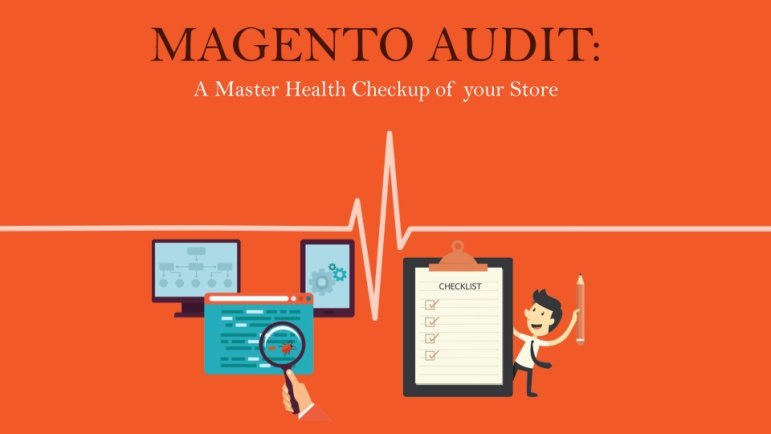
    You don’t want your site to slow down or crashes for no apparent reason so it is advisable to set up a watch on the areas that matter the most to your site and schedule a periodic audit. To help you in the right direction and keep your Magento store maintained we have presented the entire audit checklist.

    Why do I need an Audit?

    As an owner, it is your responsibility to make sure that your customers stay unharmed. A site audit will protect your website from the hacker. If any unethical movements are taking place like stealing the card information or controlling the customers’ personal data then a site audit will identify such attempts and inform you immediately. It also audits existing issues which are bugging your system so that you can solve them before they grow further. It allows you to chart out the next course of action for your websites like performing minor fixes, an update, or a migration.

    Thus, if you want your website to run smoothly and develop performance then you have to perform a regular site audit.

    What do I Audit?

    Your audit should cover the major three sectors:

    1. Security

    Your site collects your customers’ personal details so you need to minutely monitor any known symptoms of common Magento hacks. Keep a close eye on existing security patches, changes in the mode or any kind of modification are done in the extension. Recheck the administrator accounts and payment configuration. Magento site audit will detect any vulnerability in the payment methods, administrative credentials, and site control due to the changes in certain settings.

    2. Performance

    The growth of your business is directly connected to your site performance. You should measure the speed of your hosting services, page download, and response time. Make sure your site does not throw any 404 errors. Your site design and theme helps in attracting new visitors to see that both are responsive. A Performance audit may suggest you enhance your design or a complete overhaul. You might also have to do design optimization and upgrading to the latest versions

    3. Health

    Health combines both, security and performance. Its main focus is on adherence to the best practices. Health audit checks any core edits or overrides to the Magento core code. A proper health check will keep the system clean, tell you about changes in the settings and also the extension disability or not

    How do I Audit?

    A Magento website audit takes into account four main areas.

    1. Server

    A server audit is all about network configuration, log files, security, checking applications and services, users. Let’s elaborate on them:

    1.1. Users

    Your audit should first check how a user accesses your system and provided the authentication mode of the user. After the identification is done you categorize the list of users into roles and functions and then do an evaluation of their access. This way you can identify different types of users and their role in the system. If you come across a user with an access right but without a need then you can simply remove the user.

    1.2. Network configuration

    The network configuration has three prime aspects which need your attention while auditing. They are configuration, Listening ports, and Firewall. The configuration will check whether the IP addresses, netmask, and gateway are secured. Listening ports offer insights on the active services so that you can check their purpose in the business. Last is the Firewall that is the network shield. You can configure the setting of the firewall as per your system storage. Keep it simple, the more sensitive the data, the fewer number of systems it should communicate with.

    1.3. Security

    Always check whether proper access rights have been assigned to different users based on their business roles. For better security you may choose to assign controlled access to the users can prevent any unauthorized execution of files. There will be some files in the system where you will see no proper owner in such

    cases you have to put SetUID or SetGID into action and block any type of illicit file execution. This way you can protect your system from attacks.

    1.4. Log files

    Log files contain an account of all the actions that have been performed on the system so it is said that log files should be protected and rotated. Keep a check whether all calls and actions are timely logged. Check Syslog configuration for a secured logging mechanism and find out if remote logging is allowed by the system. If you do not find remote logging in the system then we would suggest you deploy a SIEM solution to start the practice.

    1.5. Applications and services

    Your server is filled with applications and services therefore as a part of the server audit keep looking at these applications. An audit provides you with types of applications and how much your server is exposed to attacks. While looking if you come across any untrusted application then you can create backdoors for other applications. The timely check will have an impact on both security and performance.

    2. PHP

    PHP works with multiple RDBMS. It helps in creating dynamic pages so when you audit PHP always check whether the system has the latest and updated version installed. PHP uses different resources to perform different types of functions, therefore, you need to check out how much resource it is consuming and ways to optimize the consumption. Like any other codes, PHP codes also break down but you can ensure that if any such situation arises because of incorrect compilation or wrong configuration or simply by code break then such error does not show up on your live website.

    3. Magento

    Magento is the third most popular eCommerce platform. Nearly 62 percent of Magento stores are vulnerable to malicious attacks. If your store is running on Magento then you got to be extra careful and find the best way to protect your site. There is a number of scanners who can help you. Find the one who checks for brute force attack attempts, identifies the presence of Visbot malware, tells you if your APIs are exposed or your web forms are under the threat of RCE.

    The scanner you select should be able to check the core Magento and inform you about the status of the security patches 9652, 6482, 7405, and 6788, whether your admin is disclosed, has there been any ransomware attack attempts, or is there a presence of Gurulnc Javascript. In addition, if your scanner checks for vulnerabilities among the 3rd party extensions then there’s nothing like it. For a site that faces thousands of visits and hundreds of transactions, just an automated scan will not serve the purpose. In addition, you need to personally check the site’s backend and front end separately.

    3.1. Backend audit

    Backend audit checks the Magento development standards and security updates. It also identifies if there are any loopholes in the code that may result in the backdoor entry into the system. Backend audit will ensure checking of overall performance and examining the queries made in PHP. The checking also includes server-side technologies, usage of external modules, and integration process.

    3.2. Front end audit

    Frontend auditing checks JS, CSS, and the independently developed JS plugins. You can even check the page speed by using Google page speed or Yslow or GTMetrix. Auditing also checks the Magento template. These different findings will help you optimize your site performance.

    4. MySQL

    You need to have a clear understanding of the entire database and the relationship when you audit MYSQL. The first audit will check tables once you get the complete picture of different types of tables then next come storage engines further it checks indexes and efficiently order access to records all RDBMS use a database index or a set of database indexes. Check out whether if there is any such index present in your system.

    You also need to look at the user permissions especially when you have a critical system running to capture your customer information, product information, transaction information, and more. You don’t need someone dealing with product data to look into customer data and vice versa, right?

    The next important step is to inspect the log files. MySQL uses diverse types of logging technologies that can be used for auditing.

    4.1. Error log

    It works on the log_warning system variable that maintains a record of all the warnings. This log is used to debug any critical errors.

    4.2. Slow query log

    The SQL statements that have taken a long to execute are logged here. It helps in identifying the queries that take a long time and impact the performance of the site.

    4.3. Binary log

    When you’re to review data modifications done using committed transactions, you’re to find them under the binary log. This may not help in pointing out any suspicious selection but helps you to find out the detail on any changes done to the database.

    4.4. Custom made triggers

    As an alternative to binary log review, you may choose to use custom-made triggers to get the detail on any modification of data. Although it offers flexibility in auditing, it’s too cumbersome to maintain.

    4.5. General log

    This is a catch-all technique. The general log records all queries a server receives. This is the most detailed logging technique, at the same time it takes a lot of time to sift through as this one doesn’t have any filtering mechanism.

    Bottom Line

    More than 2,200 Magento sites have been a victim to malicious attacks. With 7 more months to go and complete ignorance with respect to how many more sites, 2019 will claim, all we can comment is, the rise of the attack on Magento is scary. But it needn’t be this way.

    A little more careful deployment, regular maintenance, and a periodic audit, by trained webmasters, can bring this number down. If you plan the set of checks discussed and start tracking them, then you will save yourself from a lot of stress, effort, and money involved in correcting your system. And that we believe is the way to go for a site that deals with sensitive data – from a customer’s delivery address to her money.

    Need help auditing your Magento site?

    We’ve had a lot of experience customizing Magento here at Mage Monkeys. If you need help, head over to the Mage Monkeys contact page, or email us at contact@magemonkeys.com
    WHAT ALL YOU NEED TO KNOW BEFORE AUDITING YOUR MAGENTO STORE?

    To ensure consistency in performance and user experience Magento websites require a constant audit. In this post, we have mentioned some tips to audit your Magento 2 website that you must do before development and immediately after you go live.

    Magento 2 Website Audit – Pre-Development Checklist

    1. Security policies

    Protect your site from hackers by having a proper site security policy. Check if the site has the latest security patch installed and as per the report you can install the specific patches.

    2. Magento 2 implementation audit

    It is very important for Magento developers to have exposure to all the new features, enhancements, and bug fixes offered in Magento 2 version as this helps them utilize the full potential of Magento 2 and enhance the overall performance of the site.

    3. Web Security Testing

    PCI-compliance is very important to strengthen your eCommerce store. Use various security tools to audit your site and take necessary steps if the report shows the site is vulnerable. Cybersecurity and managed security service providers can scan your site on a periodic basis to reduce security risks and protect data.

    4. Use PHP version

    You have updated the PHP version to PHP 7 when you upgrading to Magento 2 as this will ensure smooth performance and avoids any compatibility issues between the Magento version and PHP version.

    5. Avoid 404 pages

    SEO is one of the main concerns in maintaining site performance. If you have recently migrated from Magento 1 to Magento 2, ensure that you follow the best practices in SEO. Check if all your redirect links are working and avoid 404 pages.

    6. Timely backup and test

    How often do you backup your eCommerce website? Do you check if the backup operational mode or failover is in place? When the site is attacked, ‘Failover’ is very much needed to recover from the disaster and put the site back to live in the least possible time.

    Magento 2 Website Audit – Post-live checklist

    1. Update basic information regularly

    Regularly update your Magento 2 store information like contact details, email IDs, names, and addresses. They all should be updated as and when changes are made. This helps avoid site users from getting frustrated when they hurriedly look up to your support services.

    2. Site Load speed

    Your site should load quickly. Always check if the loading speed matches the expectations. Generally, the actual speed depends on the different customizations you have made on each site page.

    3. Using the PageSpeed tool

    You can use the Google PageSpeed tool to assess your site pages and provide scores besides recommendations on where you need to improve. Based on the outcome, you have to customize or modify the page. Make sure you get at least a ‘good’ score.

    4. Magento Coding Standards

    To reduce the chance of errors, we highly recommended following all Magento coding standards. The list of coding standards covers code demarcation, PHP, JavaScript, jQuery widget, DocBlock, LESS, and HTML style guide.

    5. Site Monitoring

    Site monitoring is an essential part of maintaining the user experience. When you monitor systemically, you look for potential problems before they occur and also prevent them from causing huge damage. You must implement complete server monitoring and an alert system that quickly notifies errors and issues as and when they occur.

    For instance, if you monitor an eCommerce site, you need to assess parameters like conversion rate, average order value, page views, average session duration, bounce rate, revenue across channels (organic search/paid/email), and devices (desktop/laptop/mobile), etc.,

    Use the online tools  to generate the perfect code in your web projects

    6. Check Sitemap configuration

    Sitemap configuration is a must for search engines for proper crawling and indexing of the site. An improper sitemap will cause SEO issues and also disappoint site visitors. An auto-generate of sitemaps, a feature in Magento 2 allows you to set ‘auto-generate’ either daily or weekly or monthly as per your requirements.

    Follow these tips to keep issues at bay before you get into the development phase and after going live.

    If you’re interested to learn more about this service, contact us for more information about pricing and timelines.