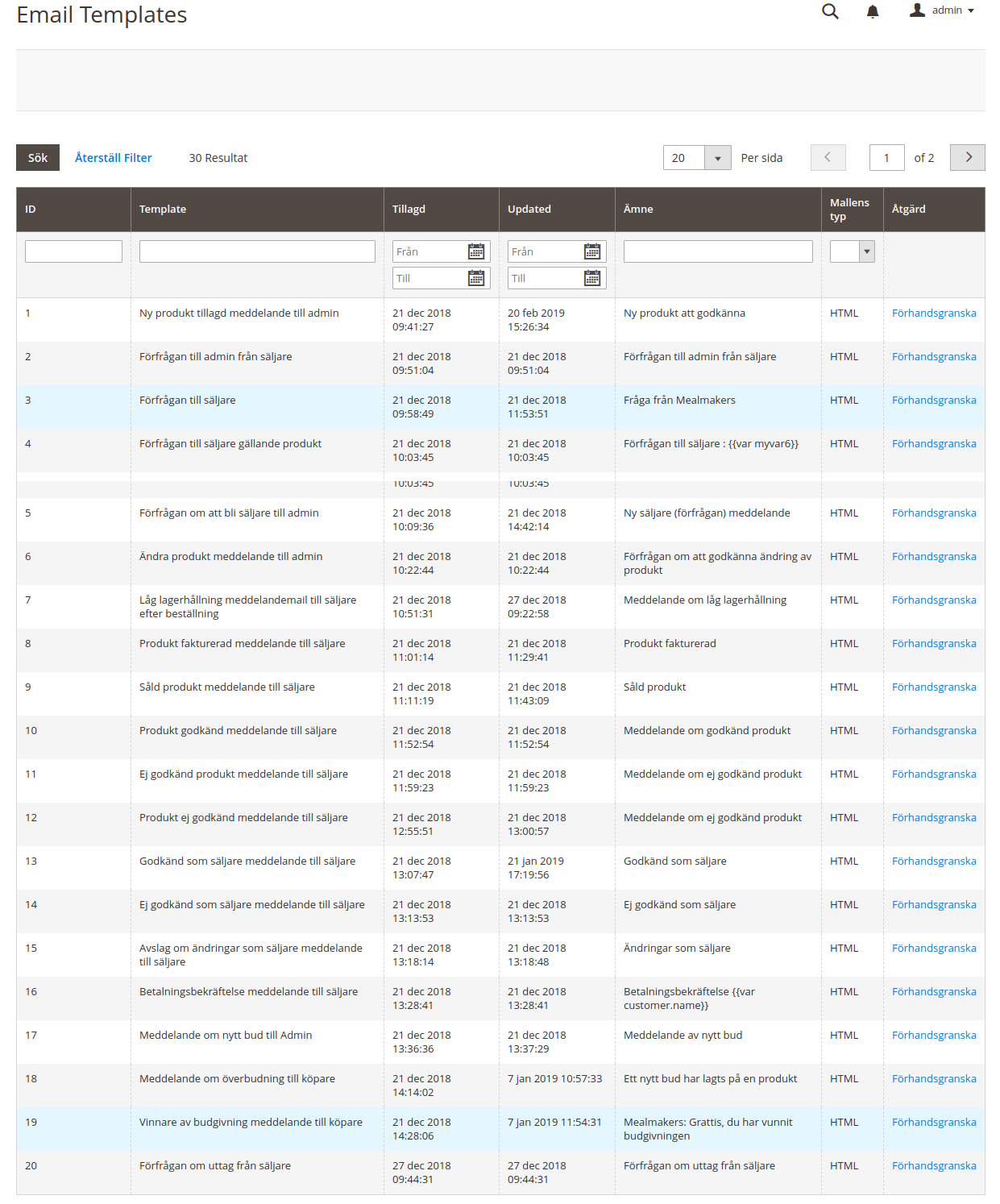
While doing a code in Magento, you might have met with the problem where special characters like ä were not properly displayed.
Today we are going to talk about this problem and it’s solution.
We faced same situation as shown in screen shot.
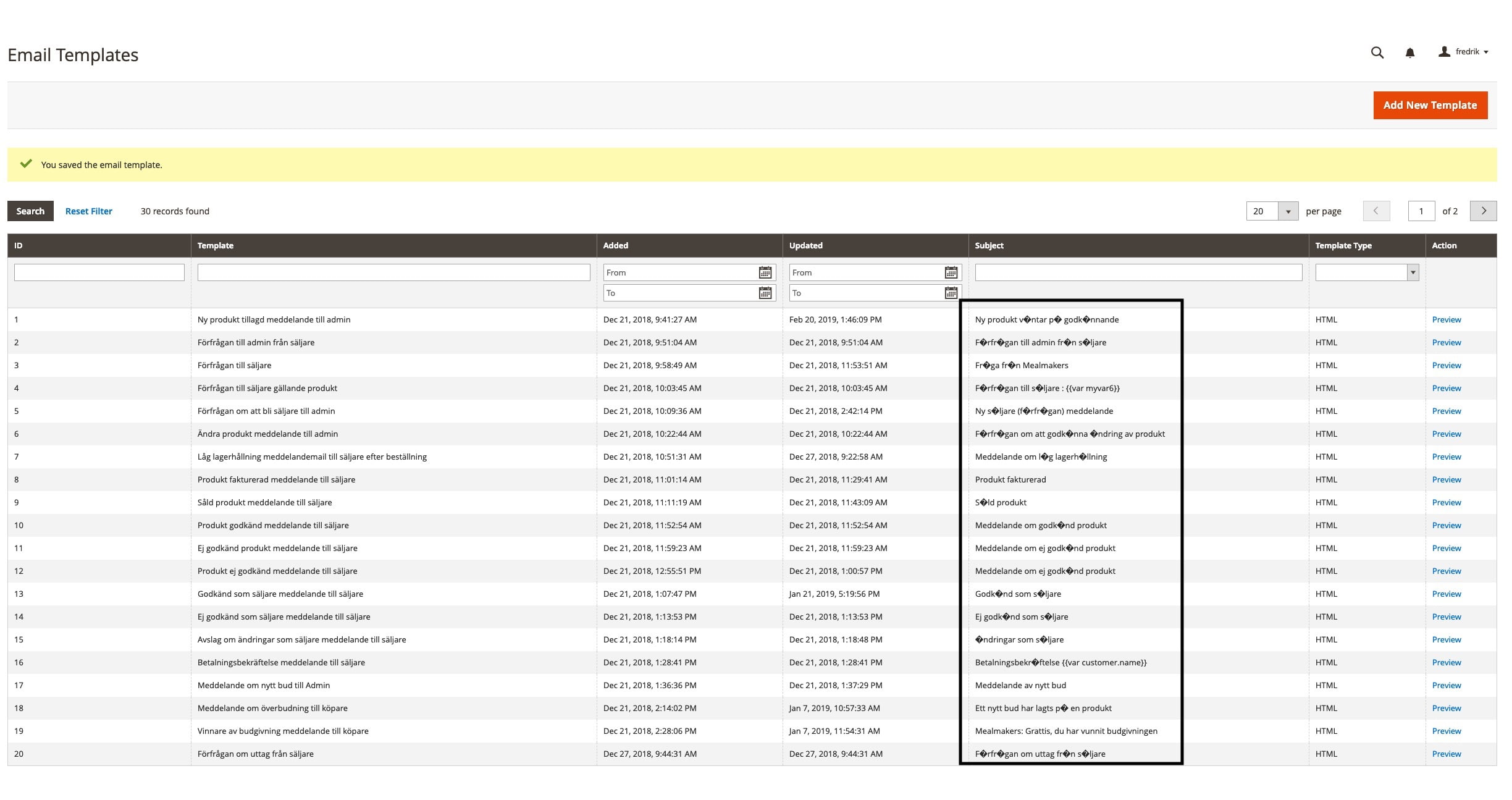
To resolve this issue, we used grid renderer for subject column.
First you have to create new admin theme for email gird override.
Create Files like this:
app/design/adminhtml/[VendorName]/[ThemeName]/registration.php
<?php

	MagentoFrameworkComponentComponentRegistrar::register(
	    MagentoFrameworkComponentComponentRegistrar::THEME,
	    'adminhtml/[VendorName]/[ThemeName]',
	    __DIR__
	);
<?php

	MagentoFrameworkComponentComponentRegistrar::register(
	    MagentoFrameworkComponentComponentRegistrar::THEME,
	    'adminhtml/[VendorName]/[ThemeName]',
	    __DIR__
	);
app/design/adminhtml/[VendorName]/[ThemeName]/theme.xml
<theme xmlns:xsi="http://www.w3.org/2001/XMLSchema-instance" xsi:noNamespaceSchemaLocation="urn:magento:framework:Config/etc/theme.xsd">
	    <title>[VendorName] [ThemeName]</title>
	    <parent>Magento/backend</parent>
	 </theme>
Now Override the email grid in our new theme and add renderer in subject like below:
app/design/adminhtml/Dahlquist/General/Magento_Email/layout/adminhtml_email_template_grid_block.xml
<block class="MagentoBackendBlockWidgetGridColumn" name="adminhtml.system.email.template.grid.columnSet.subject" as="subject">
        <arguments>
            <argument name="header" xsi:type="string" translate="true">Subject</argument>
            <argument name="index" xsi:type="string">template_subject</argument>
            <argument name="renderer" xsi:type="string">[VendorName][ModuleName]BlockAdminhtmlTemplateGridRendererTesting</argument>
        </arguments>
    </block>
In last part, “Testing” is block file name. But, you can use any name of the class and create in your any custom or existing module:
[VendorName][ModuleName]BlockAdminhtmlTemplateGridRendererTesting
<?php

	namespace [VendorName][ModuleName]BlockAdminhtmlTemplateGridRenderer;

	class Testing extends MagentoBackendBlockWidgetGridColumnRendererAbstractRenderer
	{

	    public function render(MagentoFrameworkDataObject $row)
	    {
	        $result = $row->getTemplateSubject();
	        $convertString = '';

	        if (isset($result)) {
	            $convertString = utf8_encode($result);
	        }

	        return __($convertString);
	    }
	}
Now You can see in admin side email grid will look like this: